Deleting or Renaming VPNs
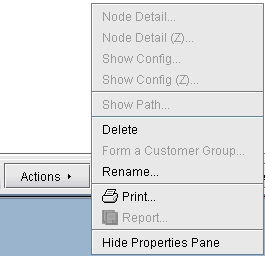
In case you want to rename a particular VPN, simply select a VPN, click on Actions, and choose Rename. Then specify a new name for the VPN when prompted.
In case you want to delete a particular VPN, simply select a VPN, click on Actions, and choose Delete.
Figure 1: VPN Rename and Delete Actions