Publishing Templates
For most network operators, their focus is monitoring the network and running compliance assessment checks (CAT scans). They normally do not need to learn the CAT template syntax or how to build test cases. This scope of work to build the rules is normally done by the template designers. Thus network operators do not need to use the CAT Testcase Design window and they can perform their work in the Compliance Assessment window.
Template designers can publish their templates from the CAT Testcase Design window to the Compliance Assessment window. Check the templates you wish to publish, then click the Action menu and select Publish Templates.
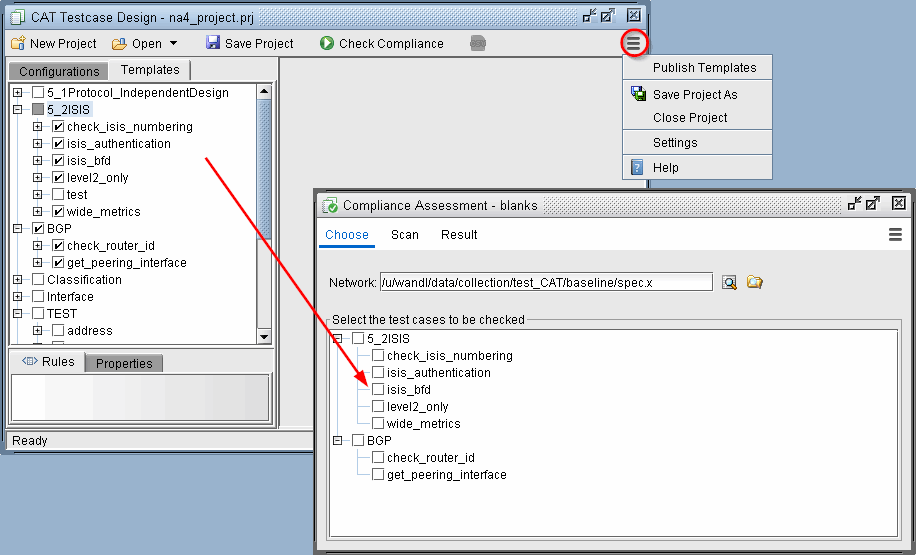
When templates are published, these will show up as “test cases” in the Compliance Assessment window. The details of the template syntax language and associated vendor(s) are transparent for the network operators.
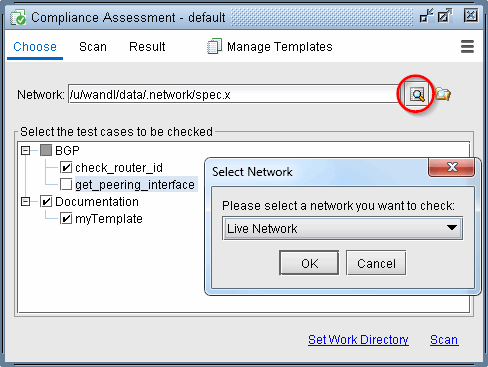
Network operators can run compliance assessment checks using the Compliance Assessment Scan screen and view the results in the Results screen. One difference running CAT scans in this window is that all the configuration files are selected from the Choose screen by selecting the associated network project instead of selecting specific individual configuration file.