
Saving and Loading Projects
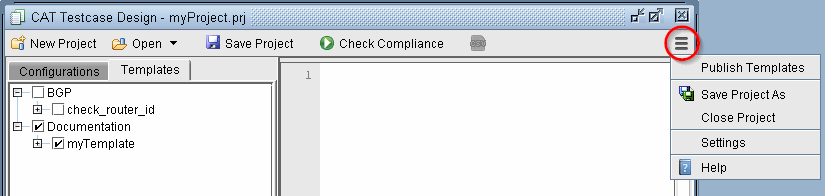
Once you have created a set of templates and the configurations to apply them to, this information can be saved in a Project by clicking Save Project. A Project is defined as a set of configurations, templates, and settings. To save the project as a new name, click the Action menu and select Save Project As.
Figure 1: Action menu
To open a saved project, select Open from the toolbar to open the project file from the server. This will automatically load the associated configurations and templates in the project. Most recent projects are also displayed by clicking the Open down arrow button.