
Create Reboot-Only Schedules for Switches
Use the below instructions to create reboot-only schedules for switches.
You can now schedule reboot-only operations for switches through the Firmware Upgrades page (Organization > Firmware Upgrades), without requiring a firmware upgrade. This enables you to orchestrate planned switch reboots—for example, to apply configuration changes that require a reboot or to perform routine maintenance—during a scheduled maintenance window.
You can either reboot switches immediately or schedule a reboot for a future date and time. You can target specific switch models for the reboot, and you can use match criteria (switch name, switch role, or campus fabric role) to further narrow the scope.
To schedule a switch reboot without a firmware upgrade:
-
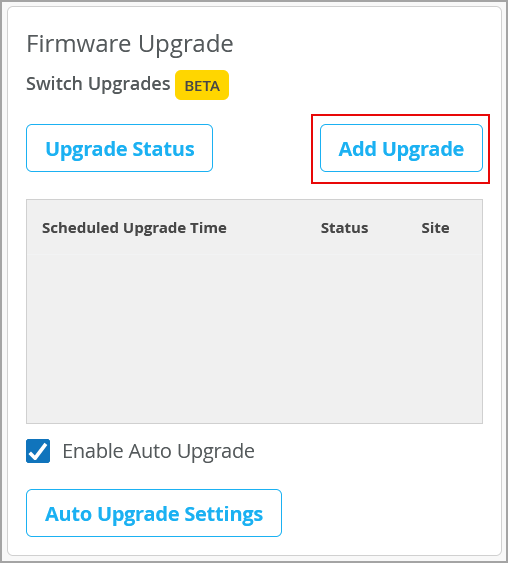
Click Schedule Upgrade.
-
Specify the reboot schedule details by referring to the table below:
Field Description Scheduling Select the reboot schedule:
-
Reboot Now: Choose this option if you want to execute a reboot immediately. This is the default option.
-
Reboot Later: Choose this option to schedule a switch reboot for a future date and time. You need to also specify a date and time using the date picker in the Image Installation Time field.
How should devices reboot?
(Expand the More Settings section to access this option.)
Select a reboot strategy. These strategies will be applied separately to each reboot (generated for each site-model-SKU combination). The following strategies are available:
-
Simultaneous: Reboots all devices at once without any specific priority.
-
Phased: Reboots the switches in user-defined phases. If you select this option, you need to specify the phases in percentages. For example, to reboot 100 devices in four phases, you can specify the values 5, 25, 50, 100 in the Reboot Canary Phases field.
-
Serial: Reboots the switches in a sequential, random order.
Reboot Max Failure percentage
(Expand the More Settings section to access this option.)
Maximum percentage of devices allowed to fail reboot (generated for each site-model-SKU combination). If the number of failures exceeds the set percentage, the reboot process is canceled for the remaining devices in the current run. 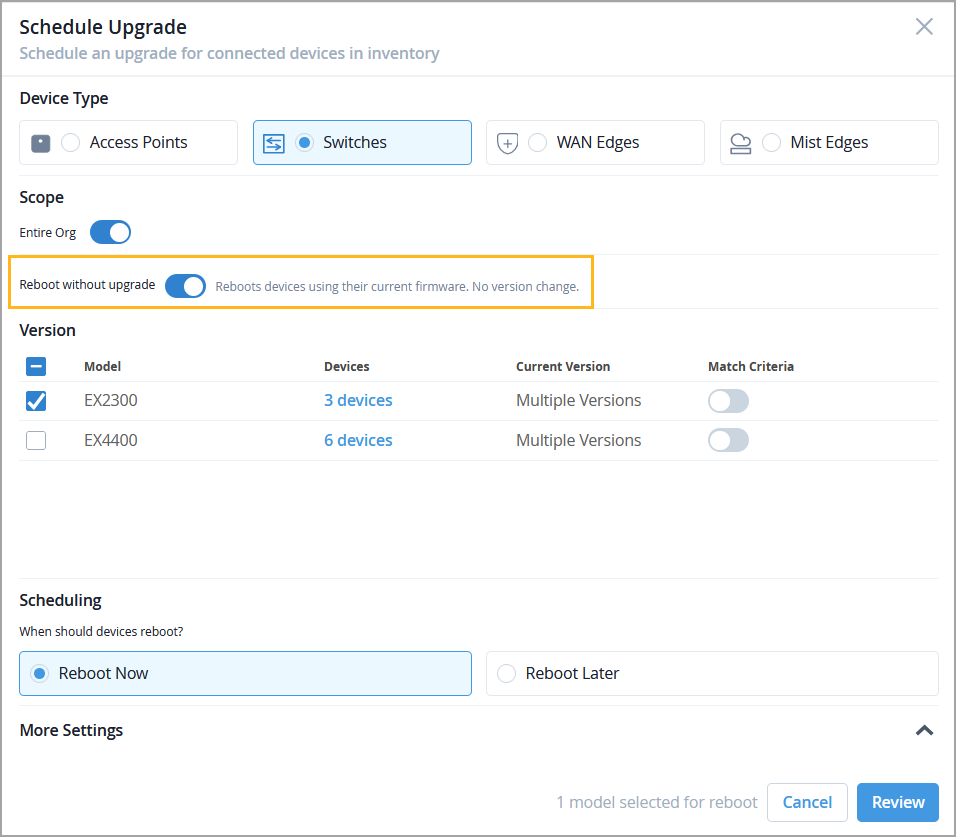
-
You can also cancel scheduled reboots or edit the reboot date from the Reboot Only section of the Firmware Upgrades page. For more information, refer to Manage Switch Upgrade and Reboot Schedules.