Configure Private VLAN (EX and QFX Series Switches)
Use these instructions to create a private VLAN on your switches via Mist.
Private VLANs isolate client traffic within the same VLAN without requiring additional Layer 3 subnets or IP address space allocation. Devices remain on the same network and can access shared services such as the gateway, DHCP server, and firewall, while communication between devices is blocked.
To create a private VLAN:
-
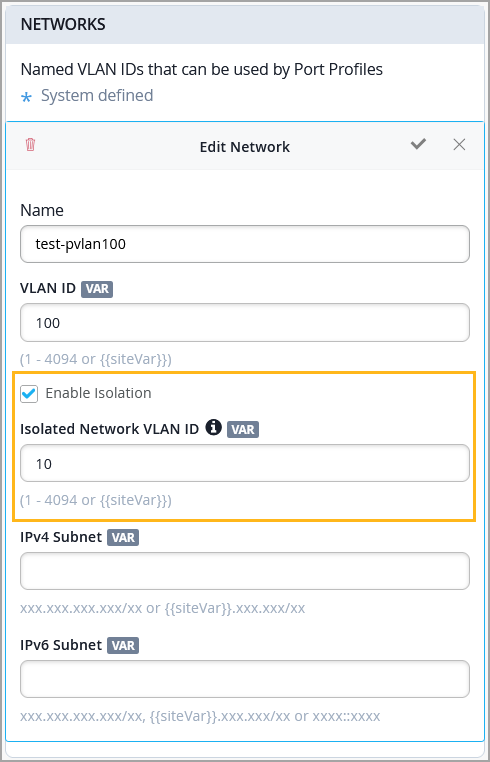
In the network configuration, select the Enable Isolation check
box, and then specify an VLAN ID in the Isolated Network VLAN ID
field.
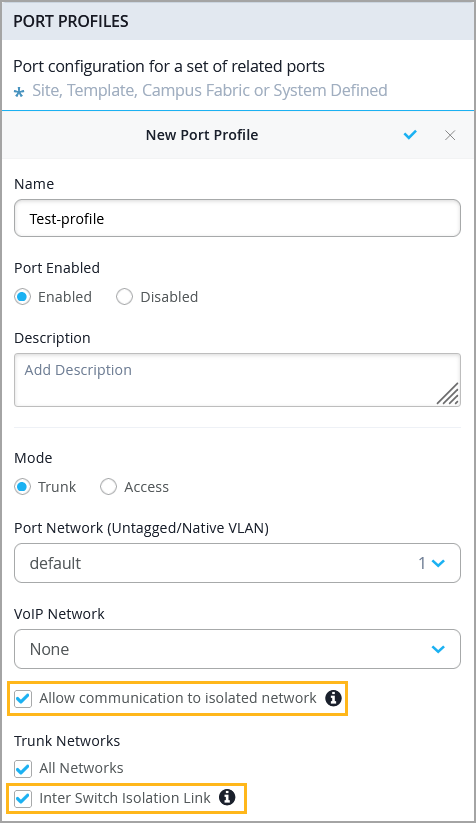
When configuring a port profile on a switch, you can use the Allow communication to isolated network option to allow clients on that port to communicate with isolated networks (private VLANs). For profiles configured in Trunk mode, you can also use the Inter Switch Isolation Link option to extend the isolation to upstream switch or interconnected switch. This option must be configured on both ends of the switch-to-switch link.