
Enable Application Visibility (SRX Only)
Follow these steps to enable application-aware security services.
The Juniper Networks Application Security (AppSecure) feature is a suite of application-aware security services for the Juniper Networks® SRX Series Firewalls. AppSecure enables you to see the applications on your network and learn how they work. It enables you to observe their behavioral characteristics and assess their relative risk, which allows the Juniper Mist™ cloud to track and report applications passing through the device.
Before You Begin
Consult this list to ensure that you have the licenses and application signatures necessary to enable application visibility.
-
You need a valid AppSecure license on your SRX Series Firewall to use the feature. Use the
show system licensecommand to check if your device has the license. For details about license requirements and installation, see Juniper Licensing User Guide. -
We recommend using the latest version of application signatures. To install the latest version of application signatures, run the following commands on your device:
-
Download the application signature package version on your device. The command downloads the latest version of the package.
user@host> request services application-identifications download
Please use command "request services application-identification download status"
 to check status
user@host> request services application-identifications download status
Application package 3410 is downloaded successfully.
-
Install the application signature package version on your device.
user@host> request services application-identification install
Please use command "request services application-identification install status" to check status
and use command "request services application-identification proto-bundle-status" to check protocol bundle status
-
Verify the application signature package version installed on your device.
user@host> show services application-identification version
Application package version: 3410
For more details, see Predefined Application Signatures for Application Identification.
You can see the application signature version in the Juniper Mist cloud portal of your device under the SECURITY SERVICES panel.
Figure 1: Check Application Security (AppSecure) Version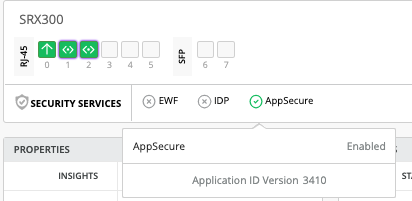
-
Enable Application Visibility During Device Adoption
If you're onboarding new devices, you can enable application visibility as part of the normal device adoption workflow. This option is available in the site assignment settings.
To enable application visibility while assigning a device to a site:
-
Click the Adopt WAN Edges button the top-right
corner of the page.
Figure 2: WAN Edge Adoption Commands
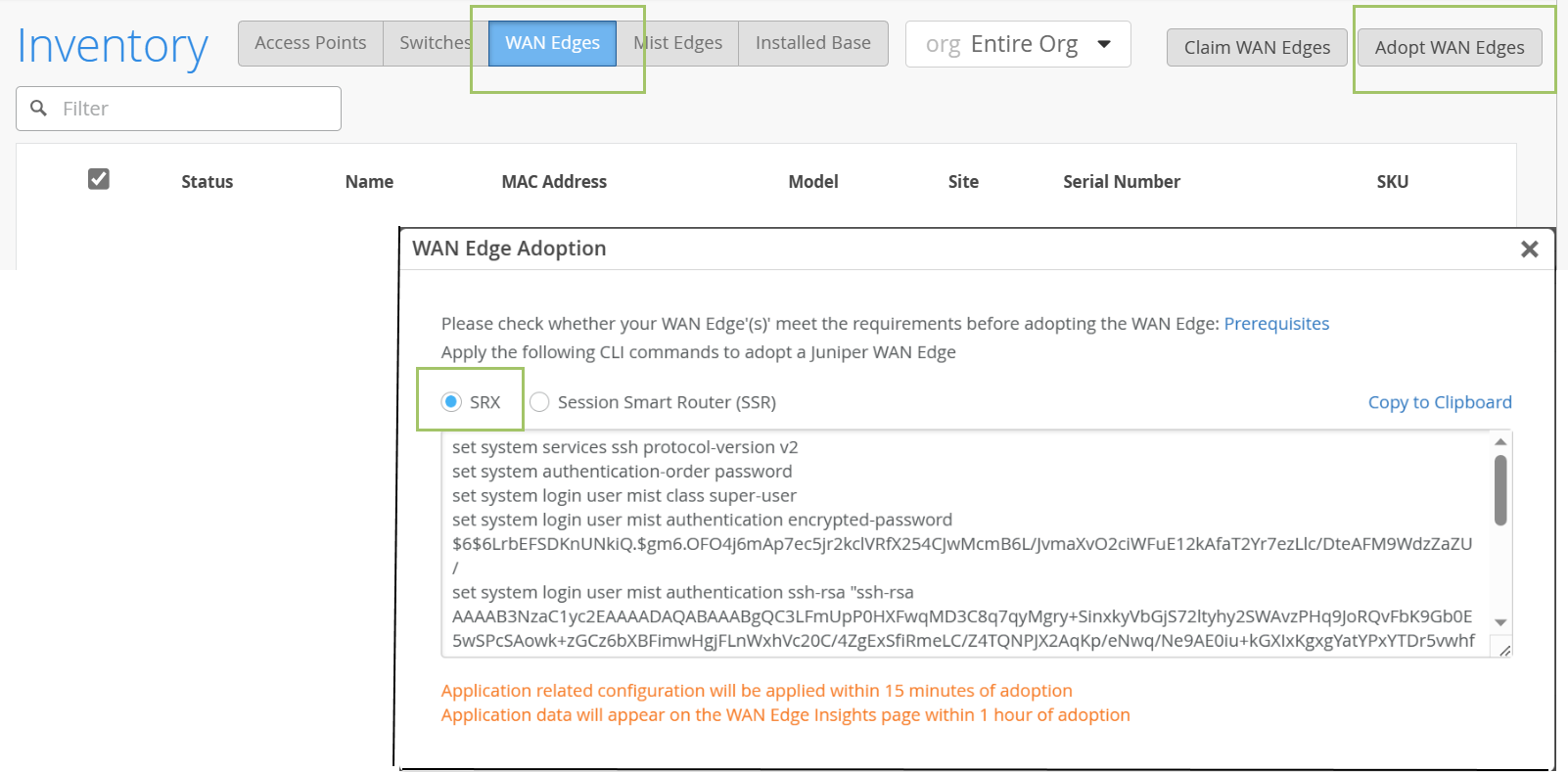
Juniper Mist generates a code snippet in the WAN Edge Adoption window.
-
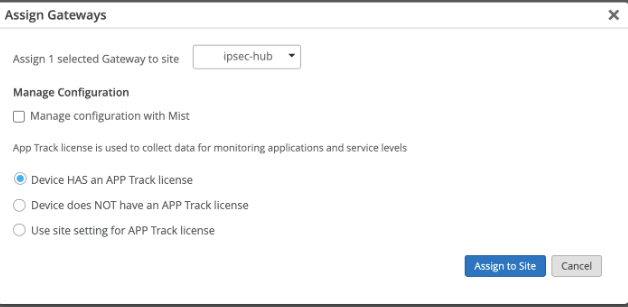
In the Assign Gateways pop-up window, enter these settings:
-
Select the appropriate option to describe your AppTrack
license.
-
Device has an App Track license—Application visibility is already enabled on the device.
-
Device does NOT have an App Track license—The device does not have application security license.
-
Use site setting for App Track license—Enable application visibility under site setting options.
-
-
Select the appropriate option to describe your AppTrack
license.
-
For a device-based license or no license—Complete these additional
steps if you selected Device has an App Track license
or Device does NOT have an App Track license in the
gateways assignment window.
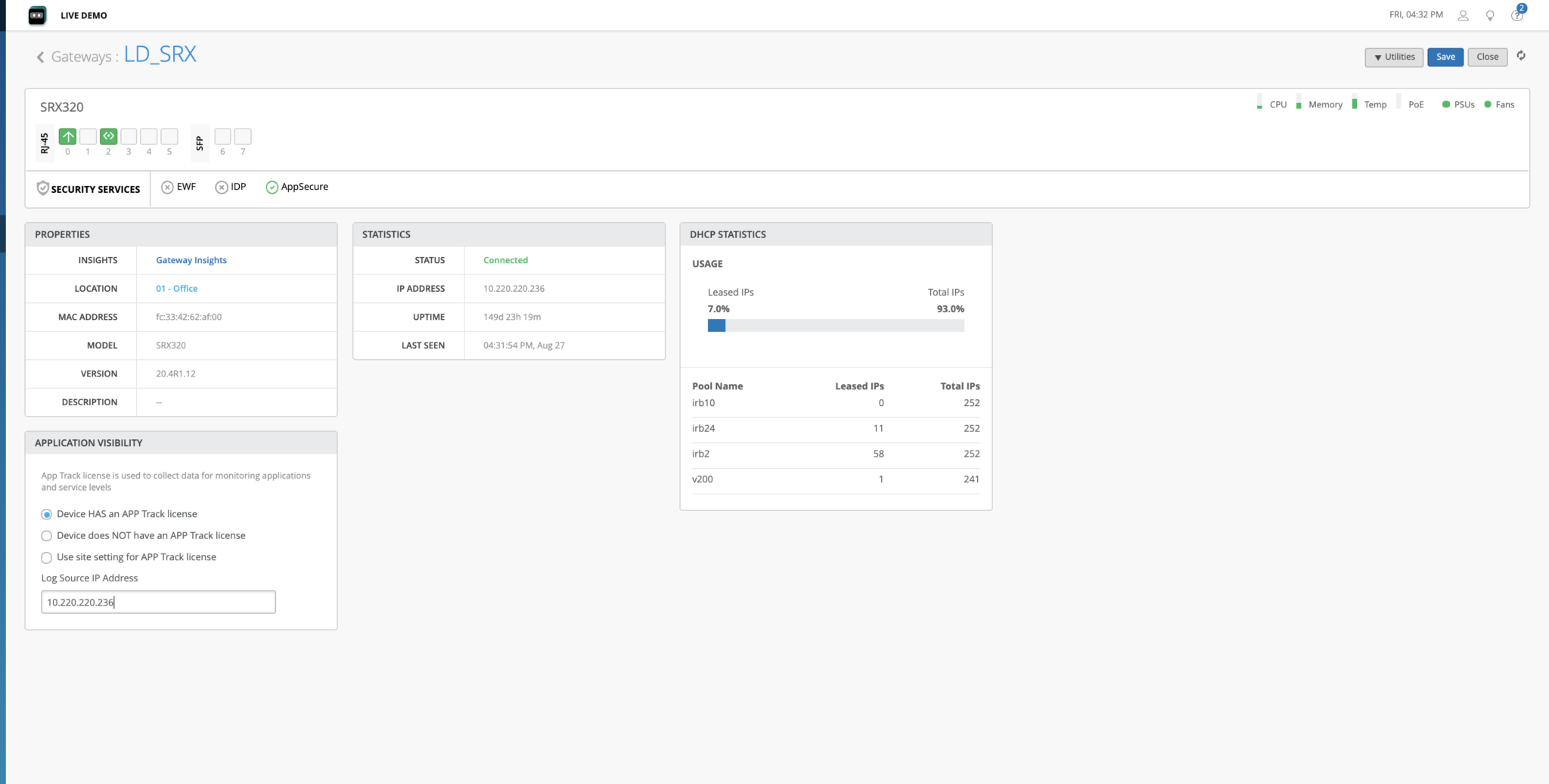
- On the Inventory page, click your newly assigned SRX.
- On the device details page, scroll down to the Application Visibility section.
- Select the same license option that you selected in the site assignment window: Device has an App Track license or Device does NOT have an App Track license.
- Click Save at the top right corner of the device details page.
-
For a site-based license—Complete these additional steps if you
selected Use site setting for App Track license in
the gateway assignment window.
-
To enable application visibility, select the check box for
My SRX devices have an App Track
license.
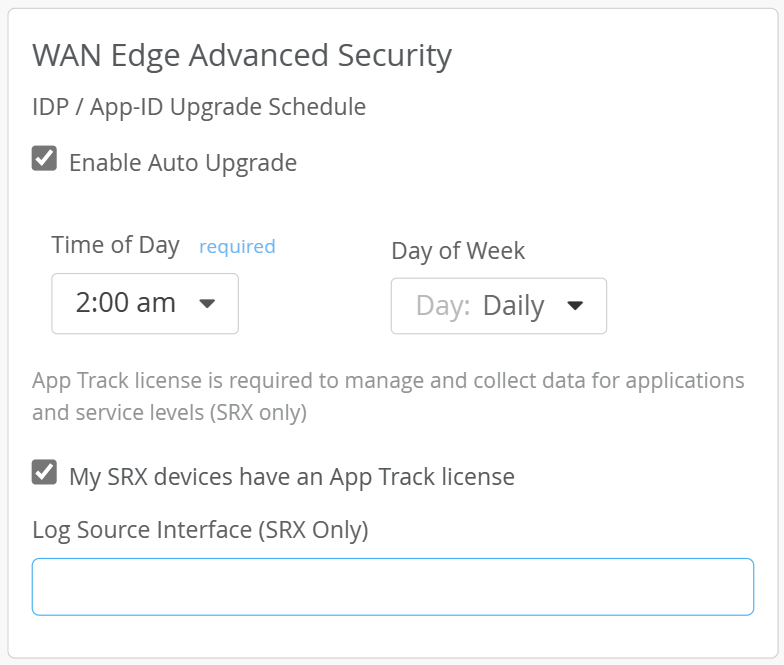
-
To enable application visibility, select the check box for
My SRX devices have an App Track
license.
-
-
The “gateway_mgmt“: {“app_usage“: True} message indicates that the check box is selected.
-
The “gateway_mgmt“: {“app_usage“: False} message indicates that the check box is not selected.
Example:
GET /api/v1/sites/232527fe-4126-40bb-8c78-2c8d1dfed043/setting HTTP 200 OK Allow: OPTIONS, GET, PUT Content-Type: application/json Vary: Accept { "switch_mgmt": { "root_password": "mist123" }, <<< API OUTPUT TRIMMED >>> "zone": { "autozones_enabled": false, "autozones_rssi": -70 }, "gateway_mgmt": { "app_usage": true, "security_log_source_interface": "ge-0/0/0" }, "id": "86f13595-9599-48a7-8c26-ad98a702b9e5", "for_site": true, "site_id": "232527fe-4126-40bb-8c78-2c8d1dfed043", "org_id": "001f3ef8-d69d-4780-b9c3-7a1f3cb123f0", "created_time": 1599493540, "modified_time": 1600069580 -
The gateway_mgmt section appears only if you used the site
settings option when enabling application visibility.
Enable Application Visibility After Initial Onboarding
Use this procedure if you want to enable application visibility on devices that you previously adopted into your organization and assigned to a site.
To enable application visibility on an SRX Series Firewall that you already assigned to a site:
-
Scroll down to the WAN Edge Advanced Security
section.