
Upgrade a WAN Edge Device
Follow these steps to keep your WAN Edge device up to date with the latest features and fixes.
Regularly upgrade your device to stay current with new features, enhancements, bug fixes, and compatibility improvements.
-
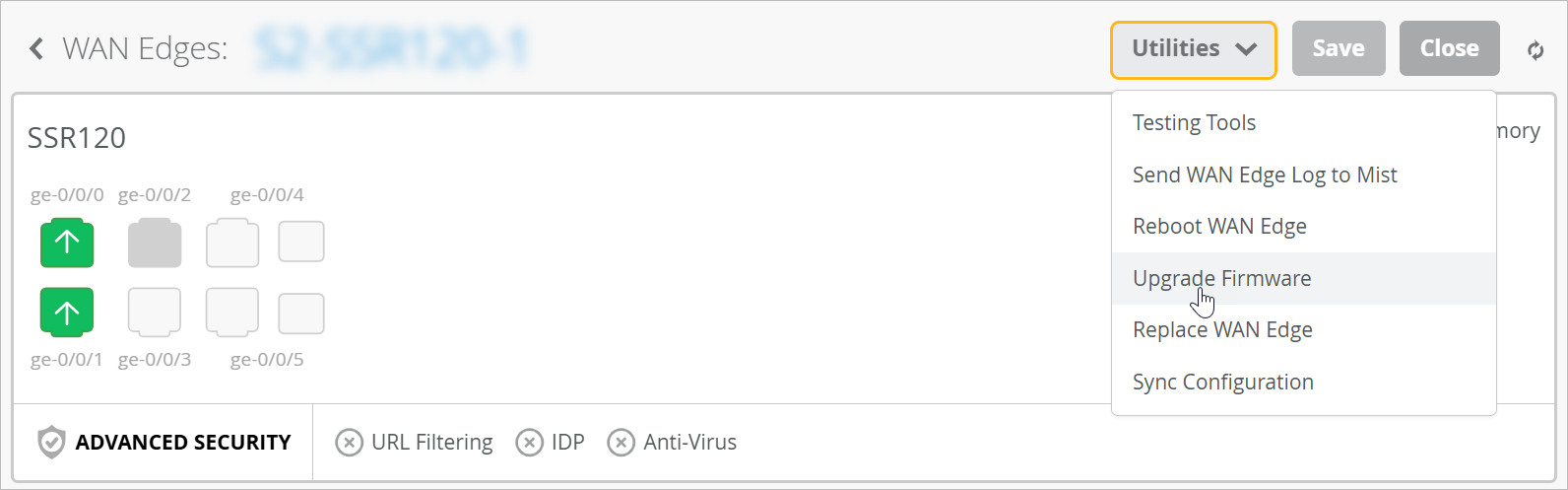
Click the Utilities button at the top-right corner of the page,
and then click Upgrade Firmware.
-
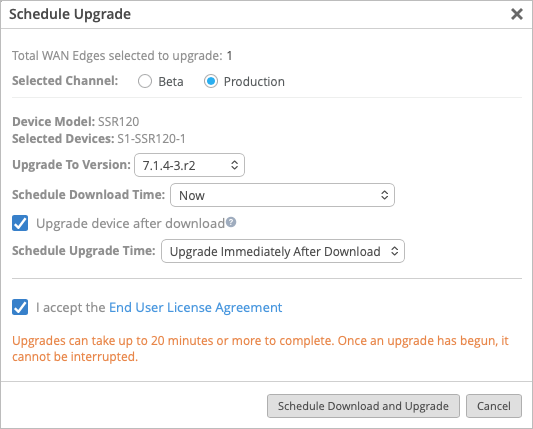
Click the button at the bottom of the window to continue.
The name of the button depends on the device and the options that you selected earlier in the process: Start Upgrade, Schedule Download, or Schedule Download and Upgrade.
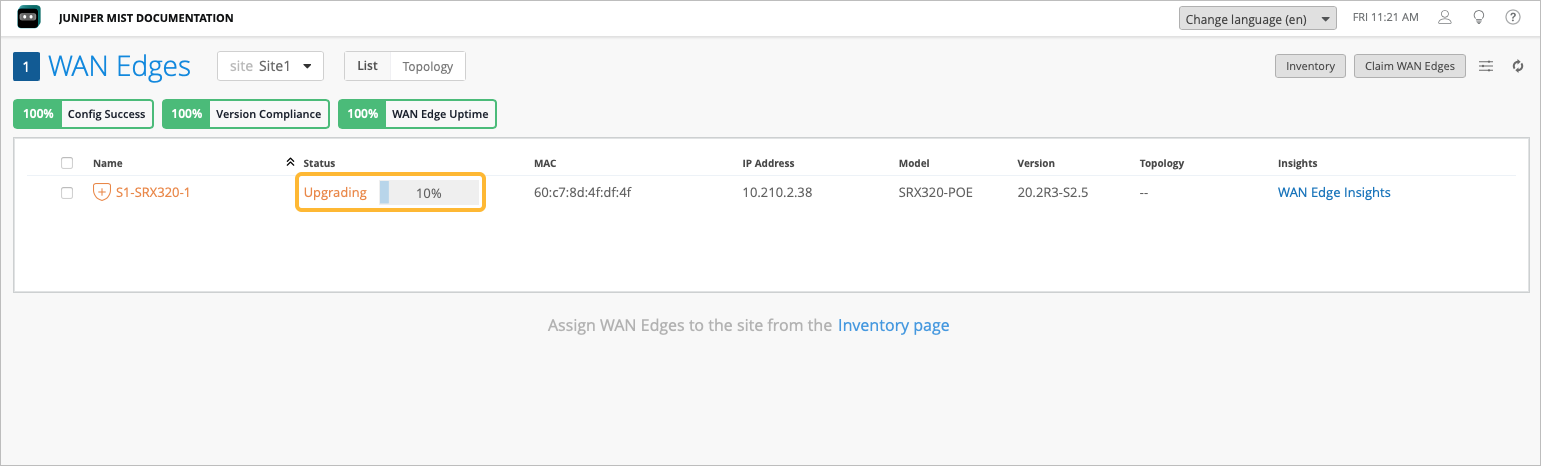
To monitor the upgrade progress, you can go to WAN
Edges > WAN Edges and view the progress in the Status
column next to the device.
Figure 1: View Upgrade Status from the WAN Edges page
You can also click the WAN Edge name from the WAN Edges page and view the upgrade progress in the Status row in the Statistics section.
You can see the following stages of firmware upgrade:
-
Initiation of the upgrade operation
-
Completion of firmware download
-
Device reboot to complete the upgrade process
-
Completion of firmware upgrade