
Replace a WAN Edge Node in a High Availability Cluster
You can replace a WAN Edge device in a high availability cluster setup with a few simple steps.
You can replace a WAN Edge device within a high availability cluster setup with just a few simple steps.
Before you replace a WAN Edge node from the cluster, you must:
- Remove the cluster fabric cables from the node being replaced and connect it to the new replacement node.
- Make sure that the replacement WAN Edge is both the same model as the device being replaced.
- Make sure you upgrade the firmware version to match that of the existing device in the cluster.
Note: Replacing a node in a high availability setup causes minimal
impact on network services. Therefore, we recommend that you plan to do this task during a
maintenance window.
-
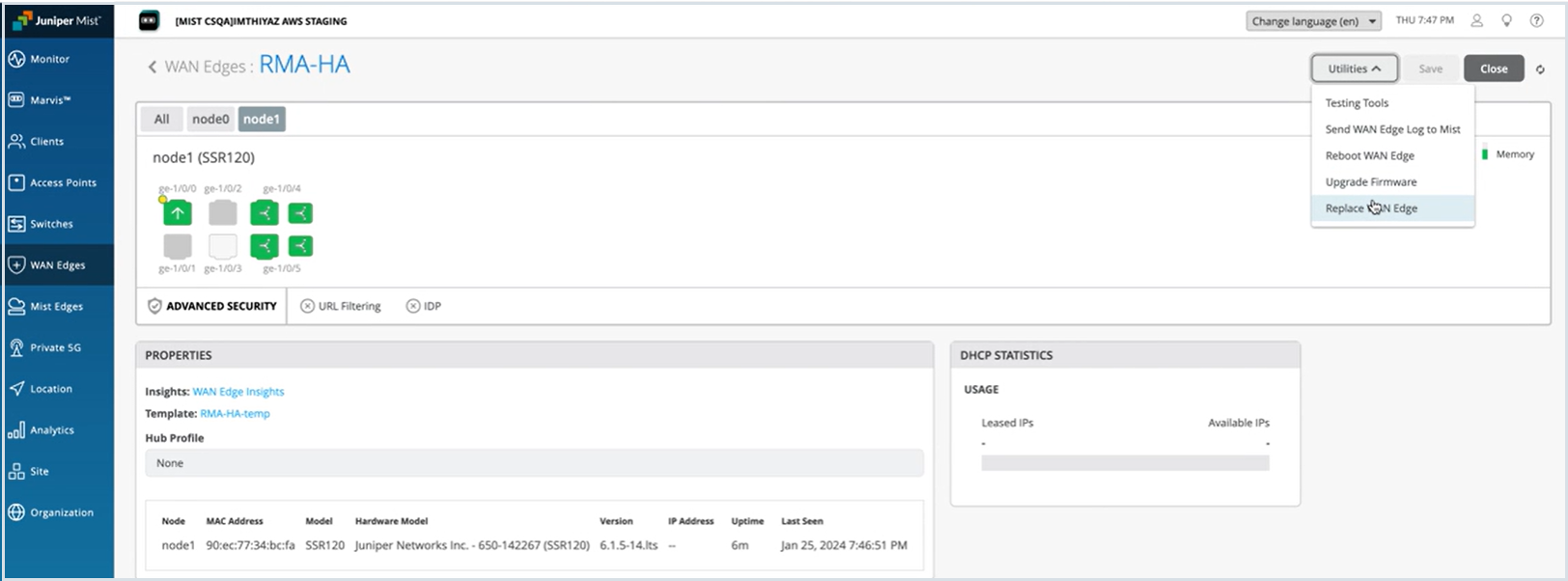
Select Utilities > Replace WAN
Edge.
Figure 1: Replace WAN Edge
-
On the Replace WAN Edge window, select the old WAN Edge node that you want to replace
and select the new replacement device’s MAC address from the MAC Address of
available WAN Edge drop-down list.
Figure 2: Replace WAN Edge with Another Device
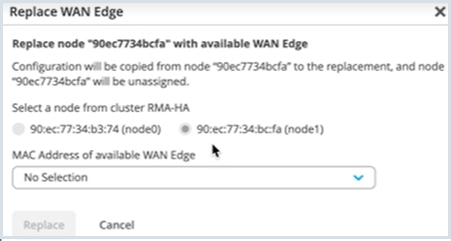
After you click Replace, allow about 15 minutes for the replacement procedure to complete.
Refresh your browser and check under WAN Edges to find out if your high availability setup is updated and available as a part of the inventory.