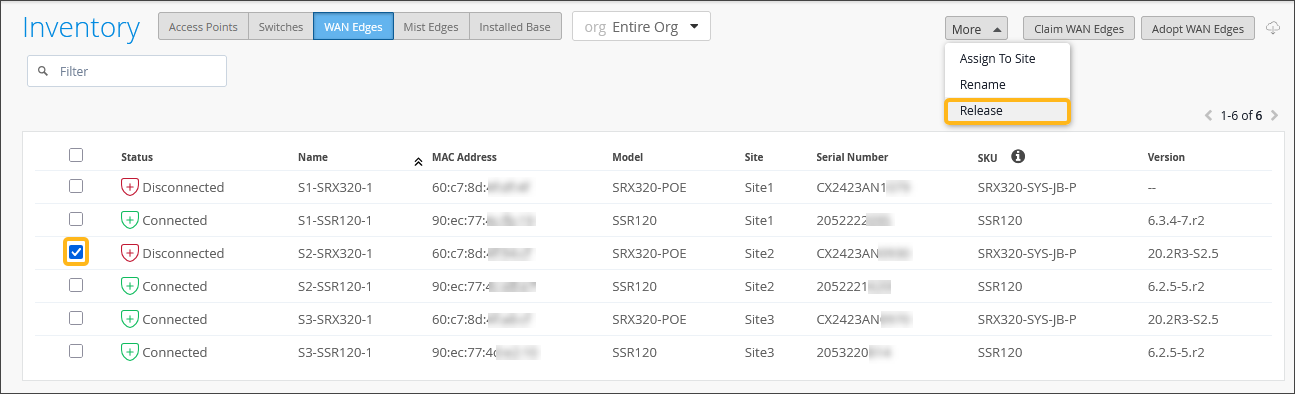
If you need to remove a WAN Edge device from Mist, you can do so by using the Release
workflow.
If a WAN Edge device will no longer be used, you can release it so that it is no longer
claimed by the organization and is no longer managed by Mist. All device configuration is
deleted and returned to the factory default settings. This action releases the subscription
from the device.
-
On the HPE Mist portal, from the left menu, navigate to Organization >
Inventory > WAN Edges.
-
Select the checkbox to the left of the WAN Edge device you want to release.
-
Click More > Release.
-
Pay attention to the Warning messages that display in the Confirm Release window, then
click Yes when you are ready to proceed.
This removes (deletes) the device from the Mist organization's inventory,
meaning that the device is no longer claimed by Mist. As a result, device information is
no longer displayed. This action also releases the subscription from the
device.