Access Juniper®Data Center Assurance
To access your data center information from your Apstra account, link your Juniper Mist organization to your Juniper Data Center Assurance.
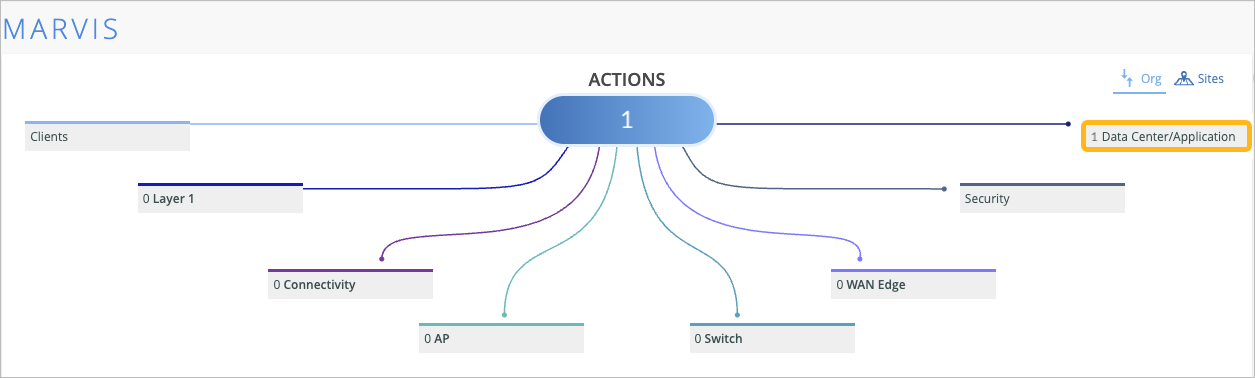
If you manage your enterprise network using Juniper Mist and your data center using Apstra, you can monitor data center events from Mist by linking the organization in Mist with the organization in Juniper Data Center Assurance. Once the organizations are linked, you can see the total number of data center events in the Data Center/Application leg of the Marvis Actions page in the Data Center Actions option in the Mist portal. You can even access Juniper Data Center Assurance by clicking Data Center/Application > Data Center Actions to view more detailed information about data center events.
-
Login credentials with superuser permissions for your Juniper Mist portal
-
Login credentials with superuser permissions for your Juniper Data Center Assurance portal
-
An API token generated in Juniper Data Center Assurance
To link the Mist and Apstra organizations and allow Apstra access from Mist:
-
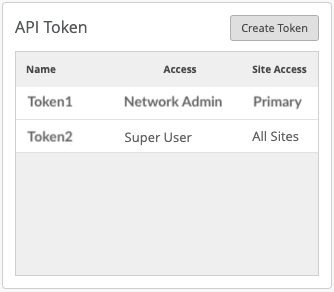
In the API Token section of the Organization > Settings page, click Create
Token.
-
Locate the Data Center Assurance Integration section.
Enter the following information:
Table 1: Fields for Token Creation Field Description Organization ID Copy the organization ID from Juniper Data Center Assurance and paste it here. API Token Name Enter API token name that you defined in Juniper Data Center Assurance. API Token Copy the API token generated in step 2 in Juniper Data Center Assurance and paste it here. 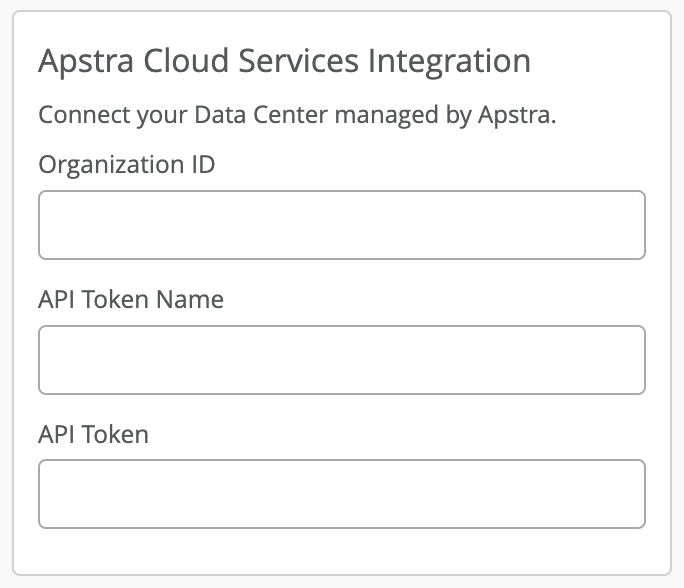 Note: The name of the integration section will be Apstra Cloud Services Integration until we update the Mist GUI with the name Data Center Assurance Integration.
 -
Click Save.
The organizations in Juniper Mist and Juniper Data Center Assurance are linked now. In a few minutes, you'll notice that the Data Center/Application leg in Marvis > Marvis Actions is active and displays the total number of data center events from your Apstra organization.