Marvis Minis for Wireless Networks
Learn how Marvis Minis runs validations on the wireless network.
Marvis Minis for wireless simulates user connections through an access point (AP) to detect issues on your wireless network. If Marvis Minis observes a network service failure, it revalidates the failure and expands the validation scope to other APs and switches. By doing so, Marvis Minis can determine if an issue affects your entire site or a specific switch, WLAN, VLAN, server, or AP. Marvis Minis automatically scopes and validates changes such as new device additions, configuration changes, and so on. Marvis can also trigger Marvis Minis validations automatically when it observes any imminent network service failures—even when users aren't connected to the network.
Marvis Minis can run the validation across multiple sites in an organization or on a single site. Marvis automatically learns about the active APs, VLANs, and the applications that are being used on each site. This capability helps Marvis Minis to validate all user VLANs and specific APs without having to validate all APs. Data from Marvis Minis also serves as an additional source of information for Marvis.
Dynamic packet capture, client insights, and Marvis Actions provide insights and details of a failure. With these insights, you can identify the scope of the failure and resolve issues such as users being unable to connect to the network. By simulating actual user experience in a constant contextual learned scope, Marvis Minis identifies and resolves the same issue without putting additional stress on network services. For example, consider a site with 2000 APs connected to 200 switches. Marvis triggers Marvis Minis on approximately 200 APs. Based on the failure that Marvis Minis observes, it expands the validation scope to other APs only if necessary. This capability ensures that the network services do not experience additional load.
Validations for Wireless Networks
Marvis Minis learns all the APs, WLANs, switches, and active VLANs in a site and automatically creates the tests to run. As you add devices, Marvis Minis builds and updates its testing scope.
Marvis Minis runs validations when all the APs in the site are running firmware version 0.14.29313 or later. The automatic validations are run on an hourly basis. You can also trigger a Marvis Minis validation manually by using the Test Now button on the Marvis Minis site-level page.
Marvis Minis updates the scope every hour based on the active client VLAN and RRM details. The Marvis Minis validation scope includes only the WLAN-to-VLAN mapping if no clients are connected to the network.
Marvis Minis validates the following network services for all the active VLANs on the enabled wireless LANs to ensure that the site is operational:
-
Dynamic Host Configuration Protocol (DHCP)
-
Address Resolution Protocol (ARP)
-
Domain Name System (DNS)
-
Application reachability
Marvis Minis simulates a user connection on active user VLANs and validates the connectivity process using the following steps:
Sends a DHCP request for a client VLAN and reports whether the VLAN obtains an IP address. The AP sends both broadcast discovers and unicast renews.
Generates an ARP request for the gateway.
Resolves DNS queries against all the DNS server IP addresses received in the DHCP offer.
Verifies Internet reachability by validating application reachability.
Marvis Minis by default tests four applications for application reachability and Internet connectivity:
Microsoft Teams (https://teams.microsoft.com)
Office (https://office.com)
Apple's captive portal (https://captive.apple.com)
Google's connectivity check endpoint (https://connectivitycheck.gstatic.com)
You can define custom user applications in the organization or site settings.
Explicitly releases the DHCP lease on the tested VLAN.
When the client VLAN is the same as the AP management VLAN, the AP would have obtained an IP address already and resolved ARP. In such a scenario, Marvis Minis validates only DNS and application reachability as part of the preconnect failure checks. It does not send a DHCP request, nor does it revalidate ARP resolution for the AP management VLAN.
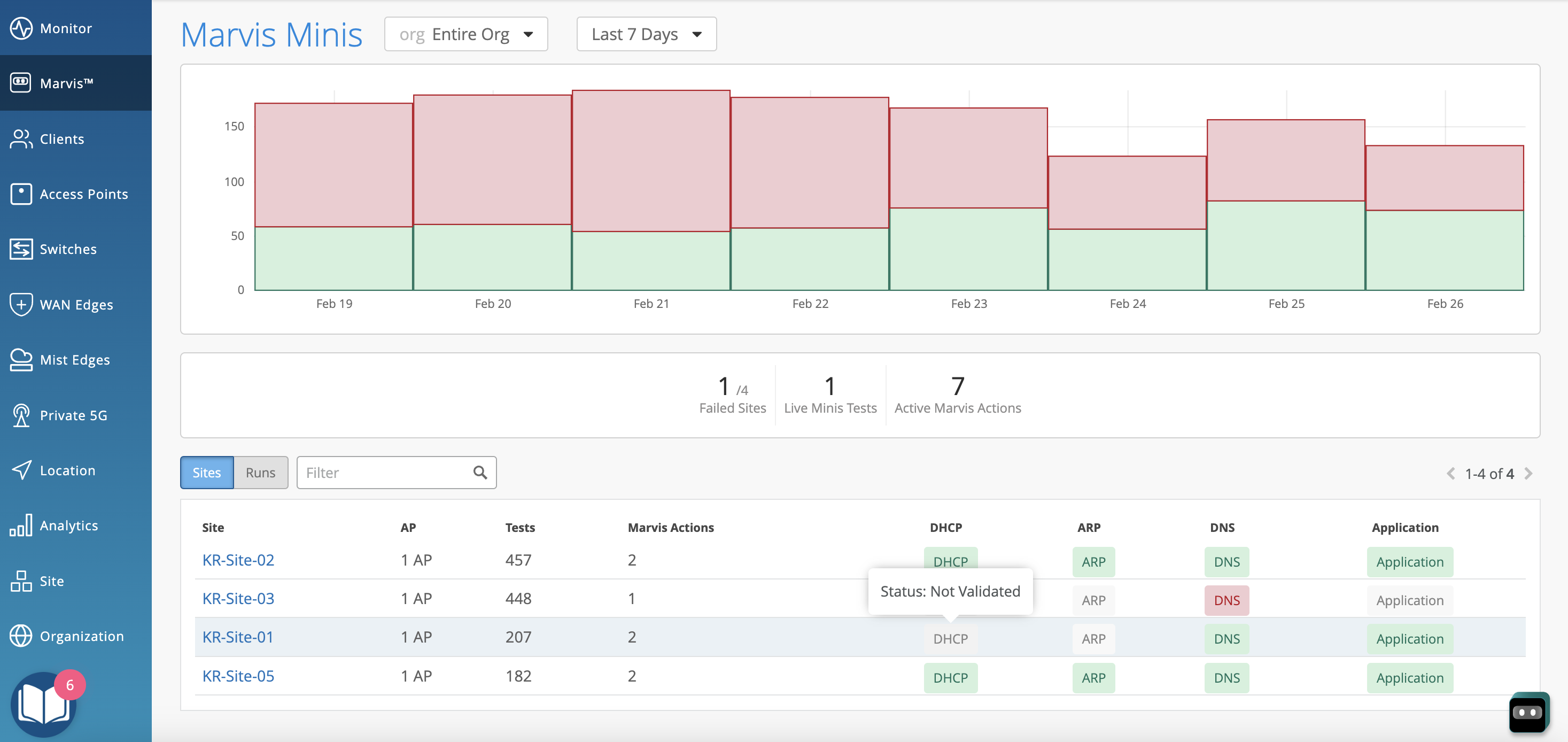
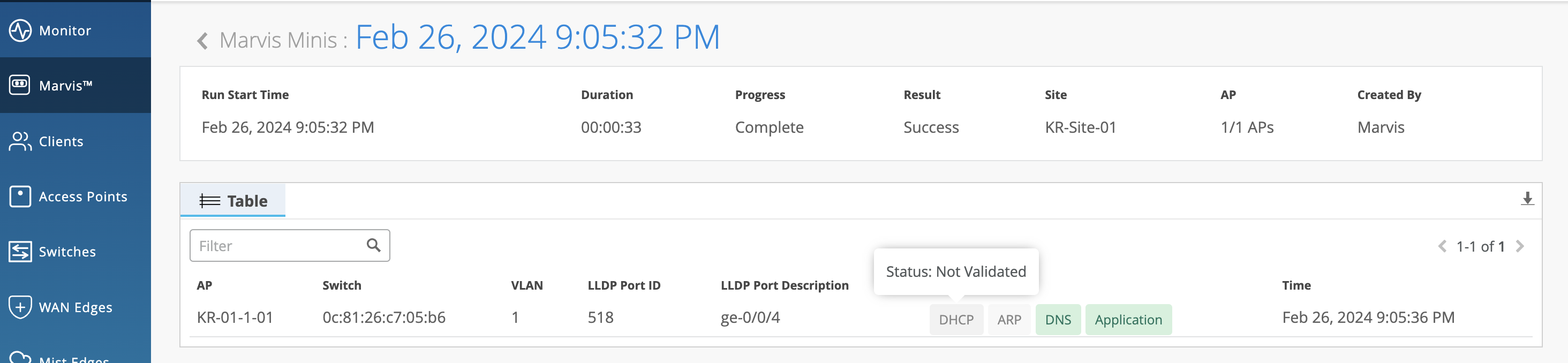
Here is an example that shows the Marvis Minis dashboard for this scenario. Notice that Marvis Minis reports the status for only DNS and Application for the site KR-Site-01. If you hover over DHCP and ARP, you’ll see the status as Not Validated.
Here's the detailed view when you click the site.
If Marvis Minis detects any failure in reachability, it performs the following checks to understand the scope of failure:
Retests the connectivity on the failed AP.
Tests whether the issue occurs on another AP connected to the same switch.
Tests whether the issue occurs on an AP connected to a different switch.
Verifies whether the failure scope is limited to an AP, a switch, or a site for that VLAN.
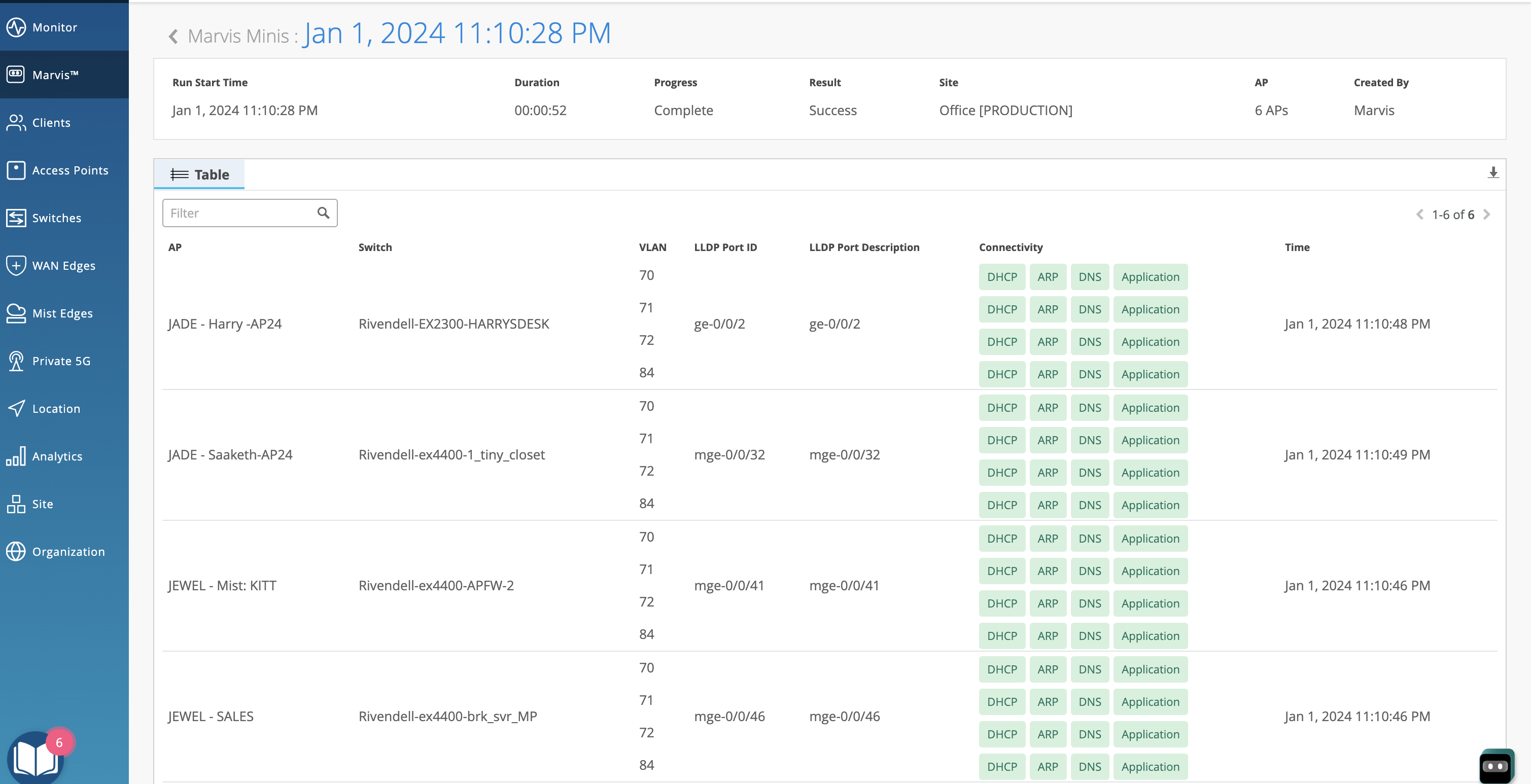
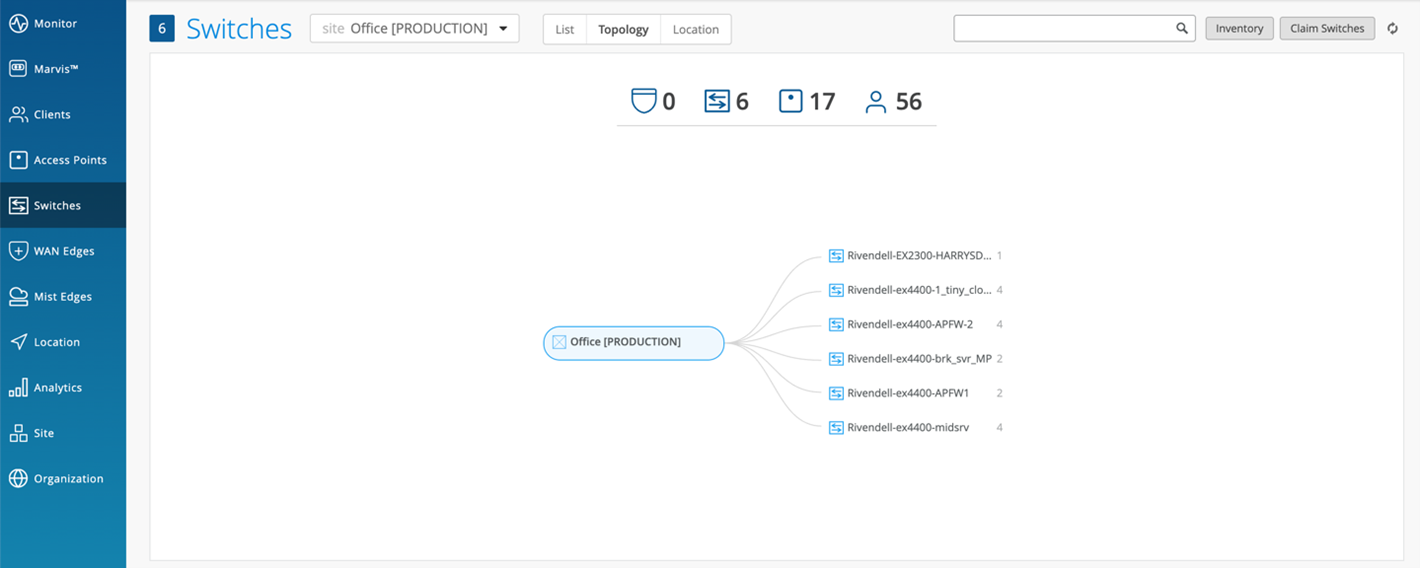
In the following example, a site has 17 APs connected across 6 switches. The validation scope includes 6 APs - one AP connected to each switch and the relevant VLANs.
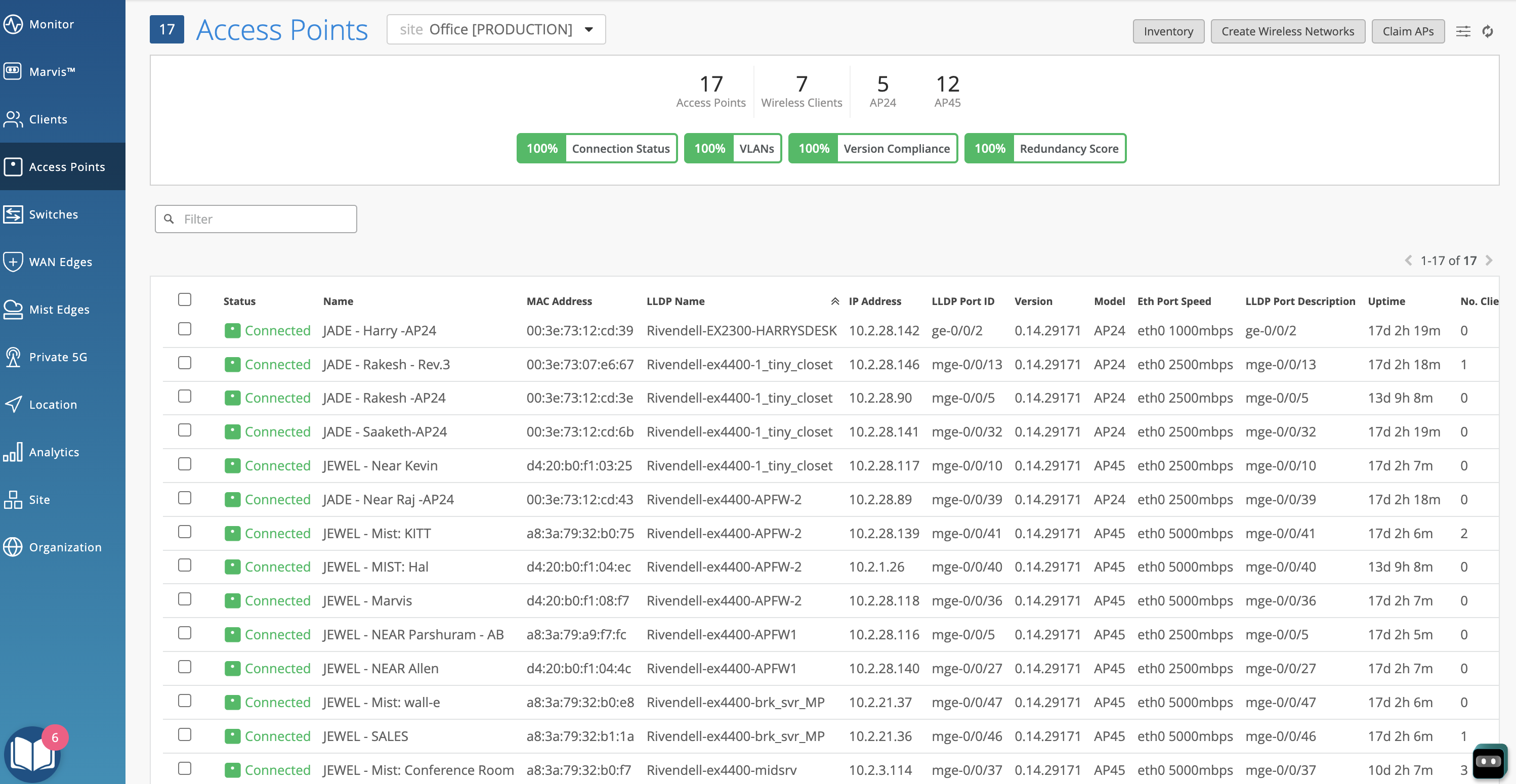
The Switches > Topology page shows the six switches to which the APs are connected.
Here is the Marvis Minis page that shows the validation results: