Integration with Zebra Wireless Insights
Explore the benefits of integrating the HPE Marvis Android Client with Zebra Wireless Insights.
Overview
The HPE Marvis client works with Zebra Wireless Insights to provide enhanced visibility into networking and connectivity. Zebra Wireless Insights is a service built into Zebra Android devices that provides insights into the data, voice, and roaming events of Zebra devices. Zebra devices can directly capture client events on the end-user side without you having to run any additional tests. Combined with the existing event reports captured by the Mist access points (APs) and the HPE Marvis client, these client event reports deliver a holistic view of the network and client activity.
You can view client-reported events by using the Client-Reported tab under the Client Events section of your Zebra device’s Client Insights Dashboard. You can switch between AP-reported events and client-reported events by using the tabs. If your Zebra device has no client events to report, the tab is hidden.
To view client events from your Zebra device, the device must have a valid Wireless Insights license and the HPE Marvis Android Client (V33.x or later) installed.
Connection Events
Mist APs provide visibility into user pre-connection and post-connection states. The HPE Marvis client leverages Zebra Wireless Insights to get more information about connection states, including detailed visibility into connection events and their causes. You can view details about client connection and disconnection events. For example, you can decipher what happens when a device tries to connect, roam, or disconnect.
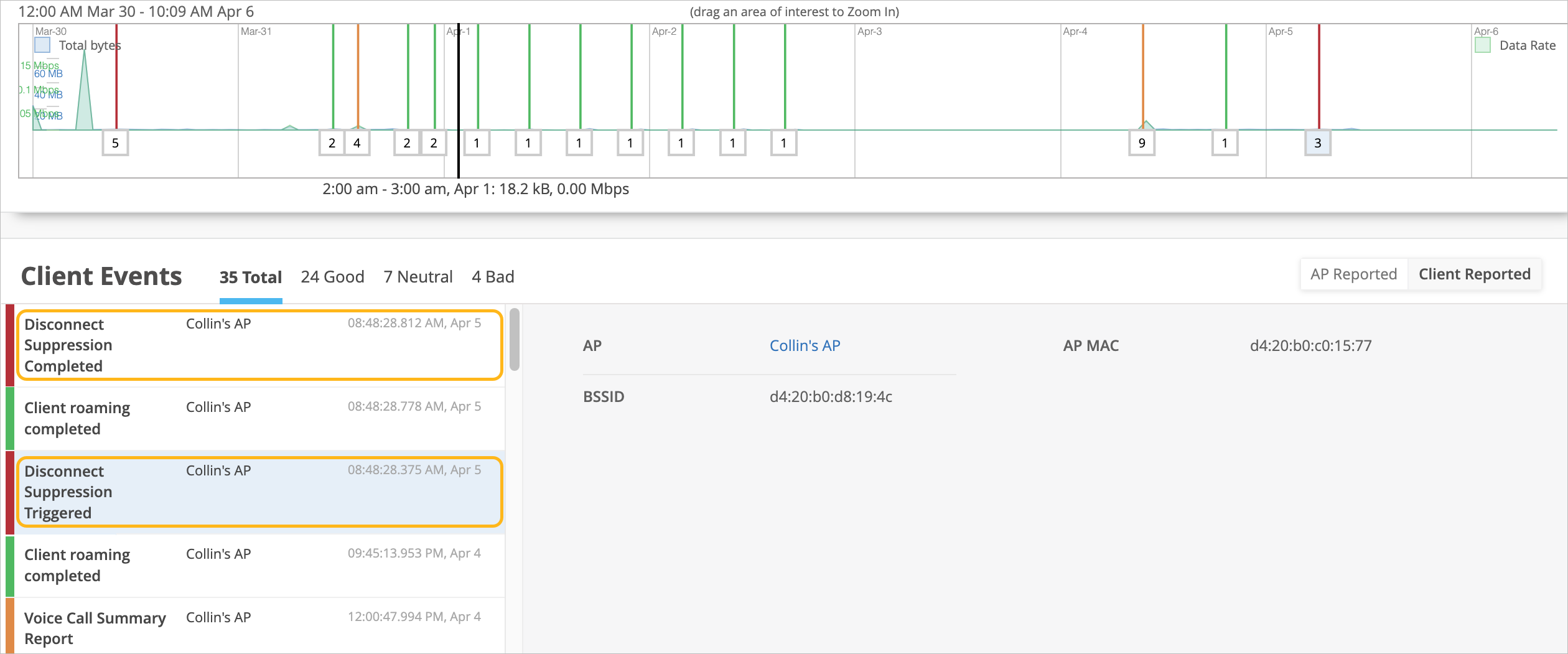
Here is a sample event and the condition that triggered the event:
Disconnect Suppression Triggered: The device-management path is still active with the AP. However, the data path is blocked—the device neither sends nor receives data from the AP. During this period, the data tries to roam to a new AP or reconnect to the same AP. On a successful roam or reconnection to an AP, the data path or connection resumes (indicated by the Disconnect Suppression Completed event).
Roaming Events
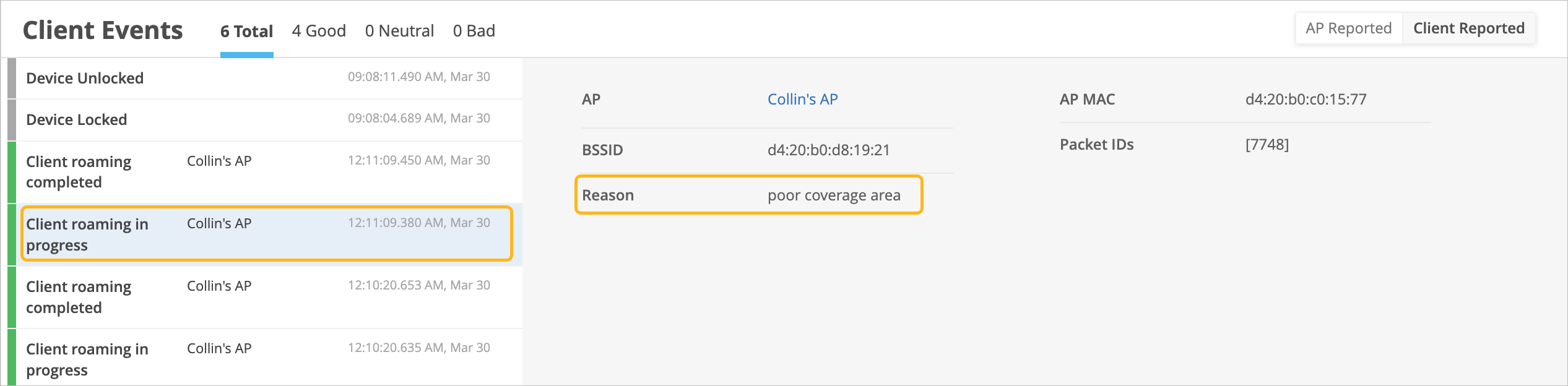
The HPE Marvis client provides the roaming journey of every device with the RoamingOf query. With Zebra Wireless Insights, you can get insights into what triggered the roam, such as poor coverage area.
Voice Events
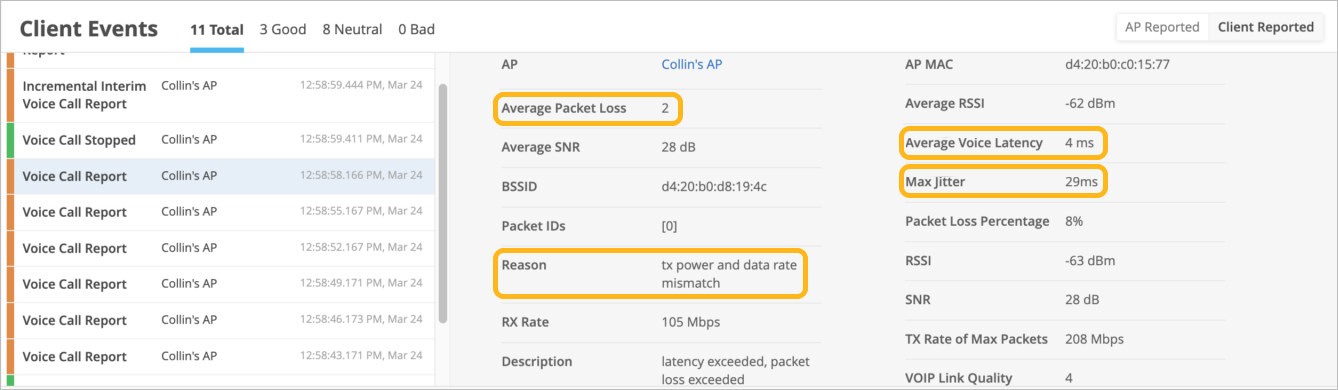
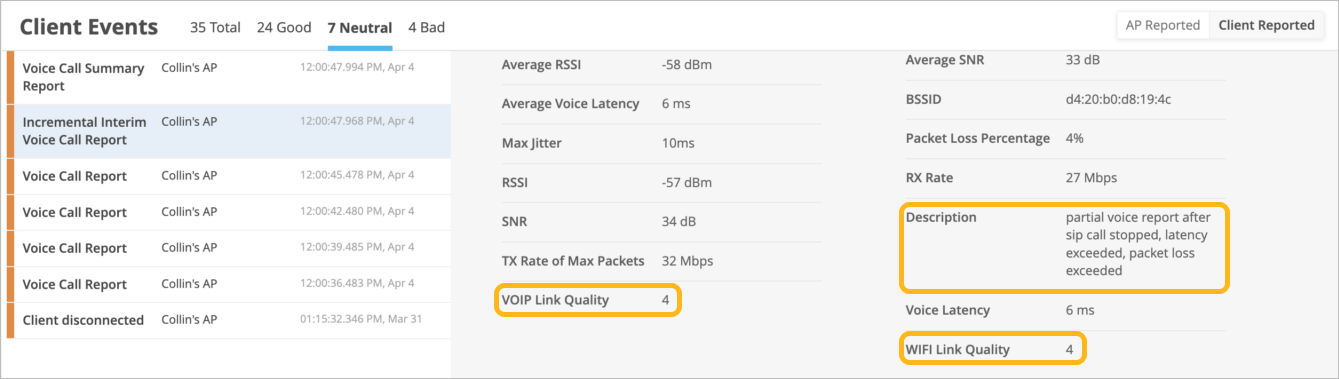
You can view and analyze information about voice calls made using Zebra devices. The HPE Marvis client provides details about when the call began and ended, along with the call performance. You can view a summary of voice events both during the call and after it ends.
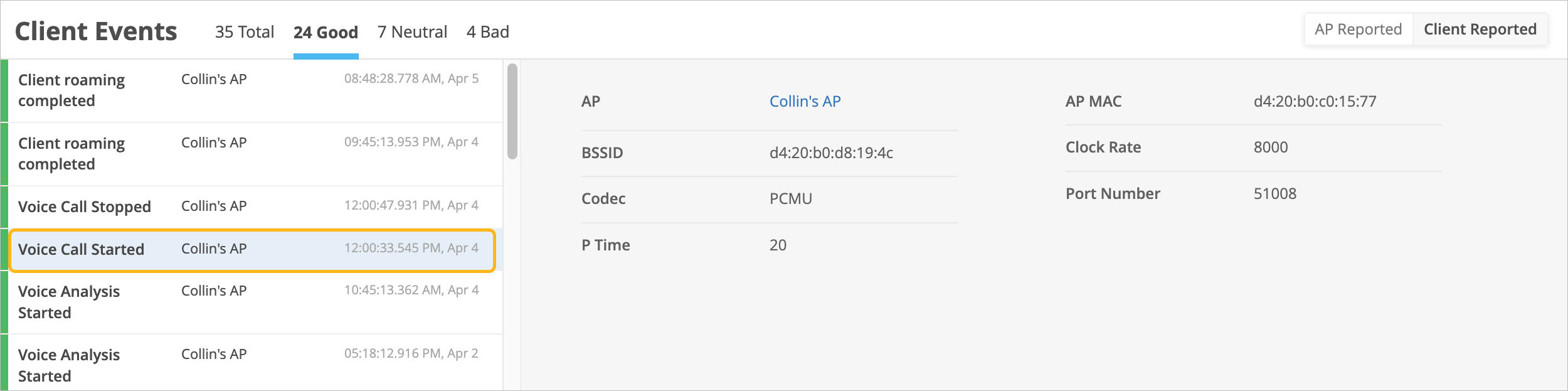
Zebra Wireless Insights measures the performance in terms of packet loss, latency, jitter, VoIP link quality, and Wi-Fi link quality. The Mist cloud receives this data from the HPE Marvis Client and displays the data on the Insights page for a client. You can also see the description and reason for events that occurred during the call, which provides additional insight into the experience from the client’s perspective.