
SOTI MobiControl Integration
Follow these steps to understand SOTI MobiControl integrations, link your SOTI MobiControl account to your HPE Mist organization, create policy rules, and view client events.
HPE Mist Networking Access Assurance supports native integration with SOTI MobiControl, enabling comprehensive evaluation of endpoint compliance across devices such as laptops and mobile phones. Using predefined policies, SOTI MobiControl assesses device compliance based on security parameters such as antivirus presence, firewall status, and OS patch levels. HPE Mist Networking Access Assurance retrieves the latest device compliance status from SOTI MobiControl and applies it to authentication policies to enforce access control decisions.
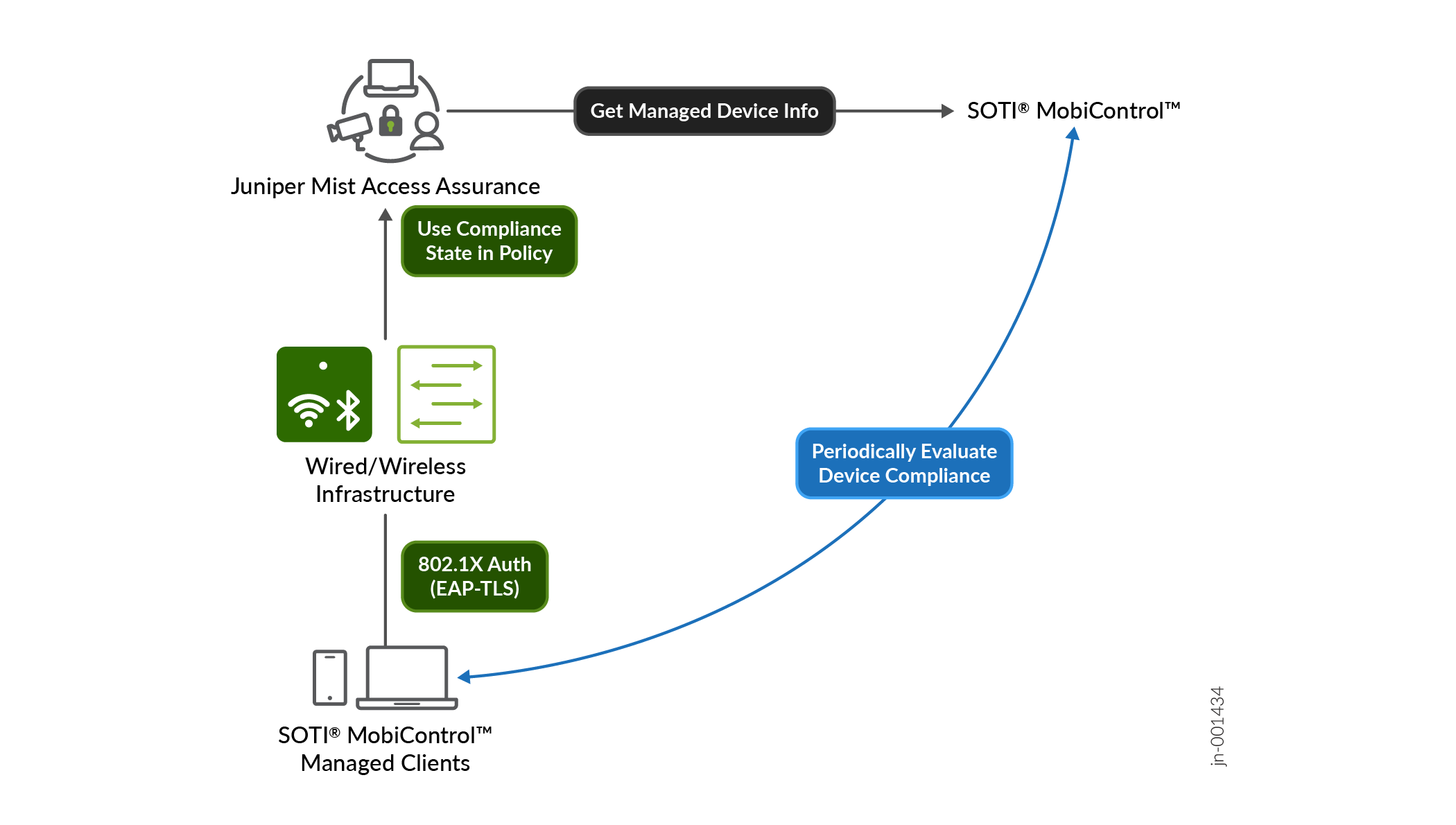
Compliance Data Retrieval from SOTI MobiControl
HPE Mist Networking Access Assurance uses an API-based polling mechanism to query SOTI MobiControl every two hours for each managed client that has been authenticated. The compliance status information is cached for quick retrieval.
To prevent any additional delays, the compliance information is retrieved after the authentication process is complete. After the initial onboarding of a device is complete, its compliance status is refreshed every 2 hours.
If a device’s compliance state changes, HPE Mist Networking Access Assurance automatically triggers a Change of Authorization (CoA) to re-evaluate the policy and enforce the appropriate access control measures. This automatic triggering of CoA ensures that compliance changes are promptly addressed, maintaining security and policy adherence without requiring manual intervention.
Figure 1 illustrates how HPE Mist Networking Access Assurance retrieves SOTI MobiControl-managed device compliance data for authentication.
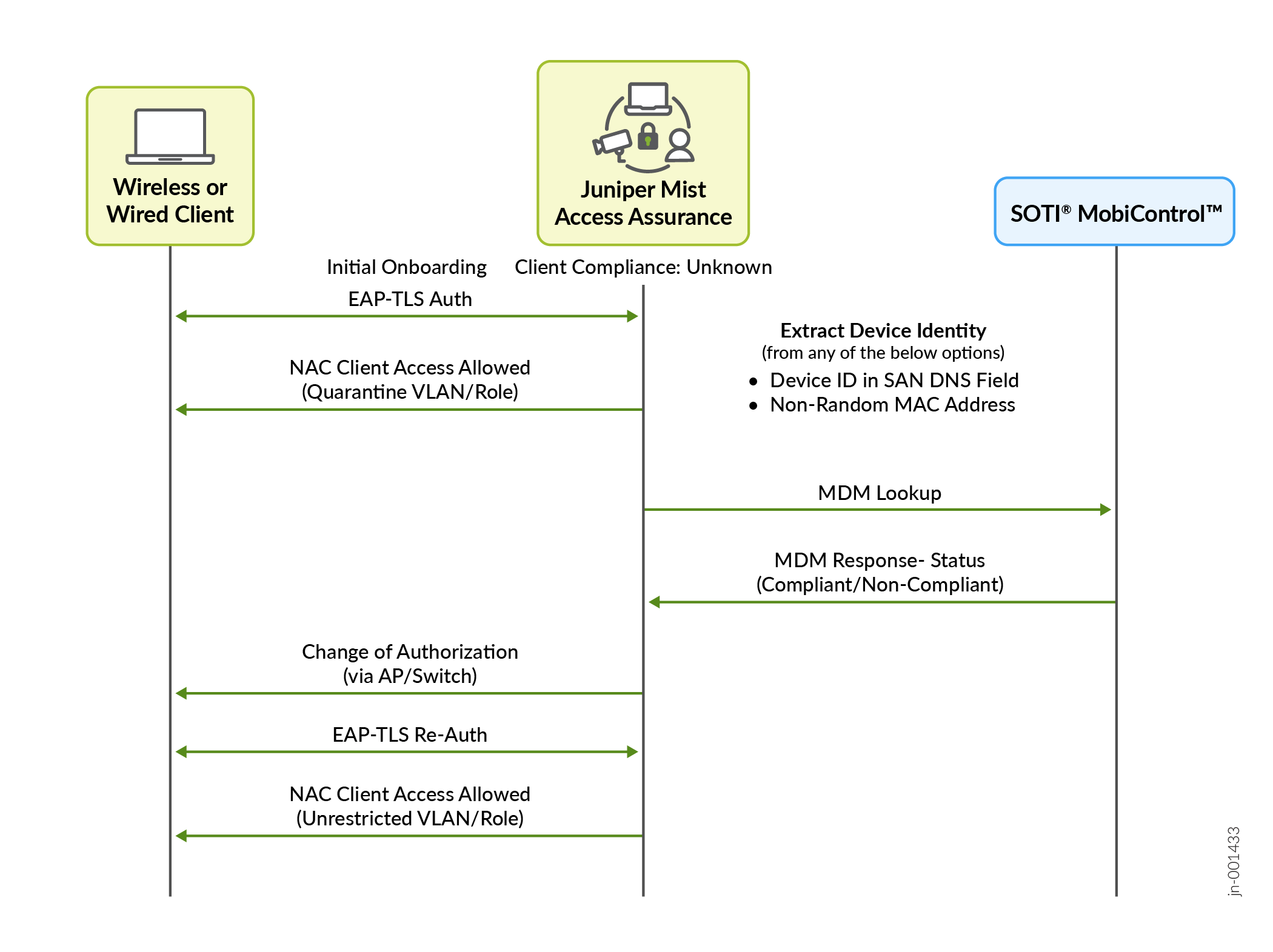
To support the CoA functionality, APs must run firmware version 0.14 or later
HPE Mist Networking Access Assurance uses the following information during client authentication to match a client with a device record in SOTI MobiControl:
Some of the screenshots included in this topic are sourced from third-party applications. Be aware that these screenshots might change over time and might not always match the current version of the applications.
-
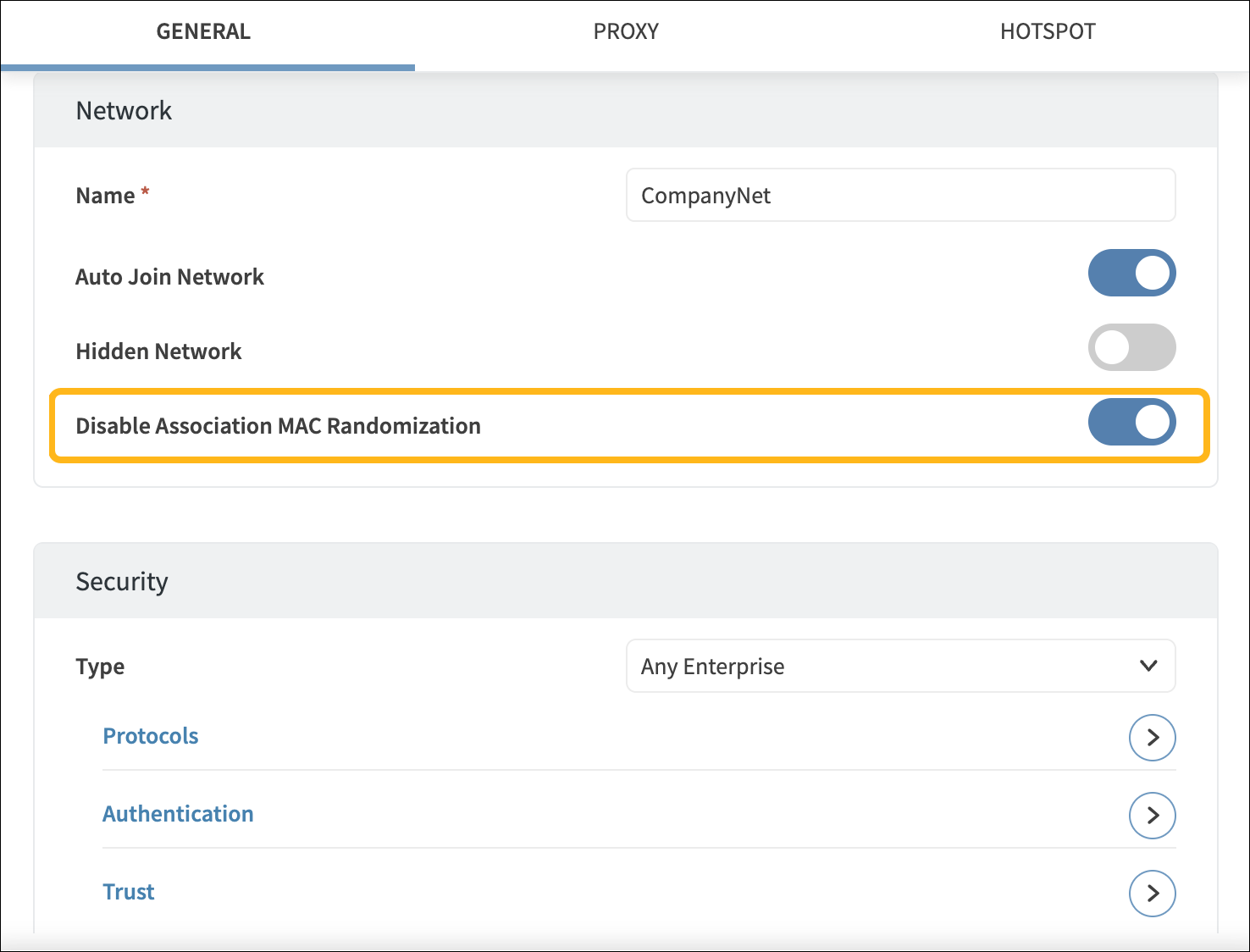
Non-randomized MAC address—For authentication using EAP-TTLS or EAP-TLS, the MAC address of the client device is matched against a managed device record in SOTI MobiControl. To ensure accurate MAC-based device matching, you must disable MAC address randomization in the Wi-Fi configuration profiles on client devices. At the time of this writing, SOTI MobiControl supports disabling MAC address randomization in Wi-Fi configuration profiles for only iOS and Android devices.
-
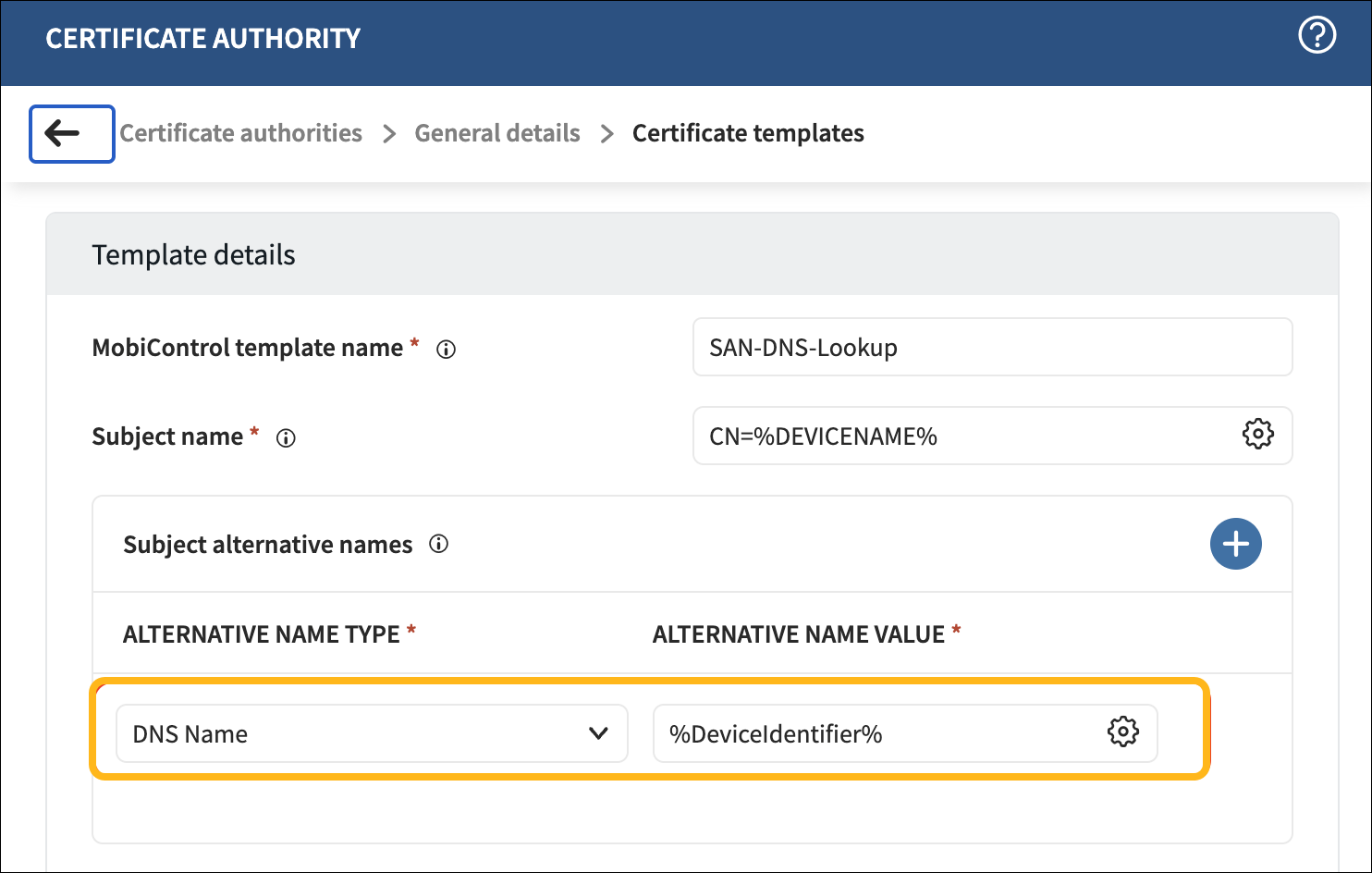
SOTI MobiControl Device ID encoded in SAN:DNS certificate attribute—In SOTI MobiControl Certificate templates, use the %DeviceIdentifier% variable to encode the Device ID in the SAN:DNS certificate field.
Configure SOTI MobiControl
To integrate SOTI MobiControl with HPE Mist Networking, you'll need to set up a SOTI MobiControl API client ID.
The screenshots from third-party applications are correct at the time of publishing. We have no way to know when or if the screenshots will be accurate at any future time. Please refer to the third-party website for guidance about changes to these screens or the workflows involved.
-
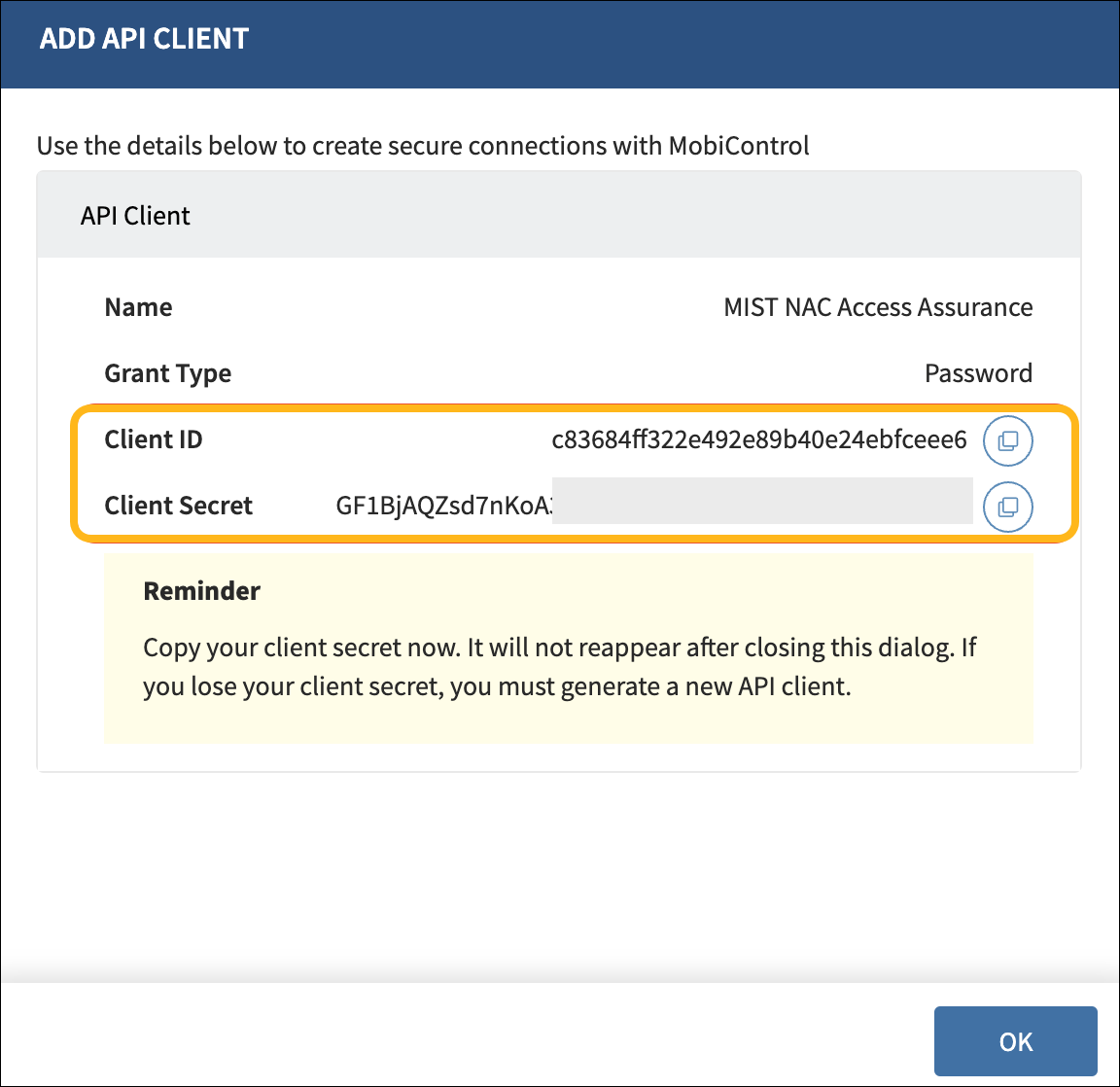
In SOTI MobiControl, navigate to Global
Settings>Services
API Client. Click + to
generate a new Client ID and Client Secret. Copy these values.
-
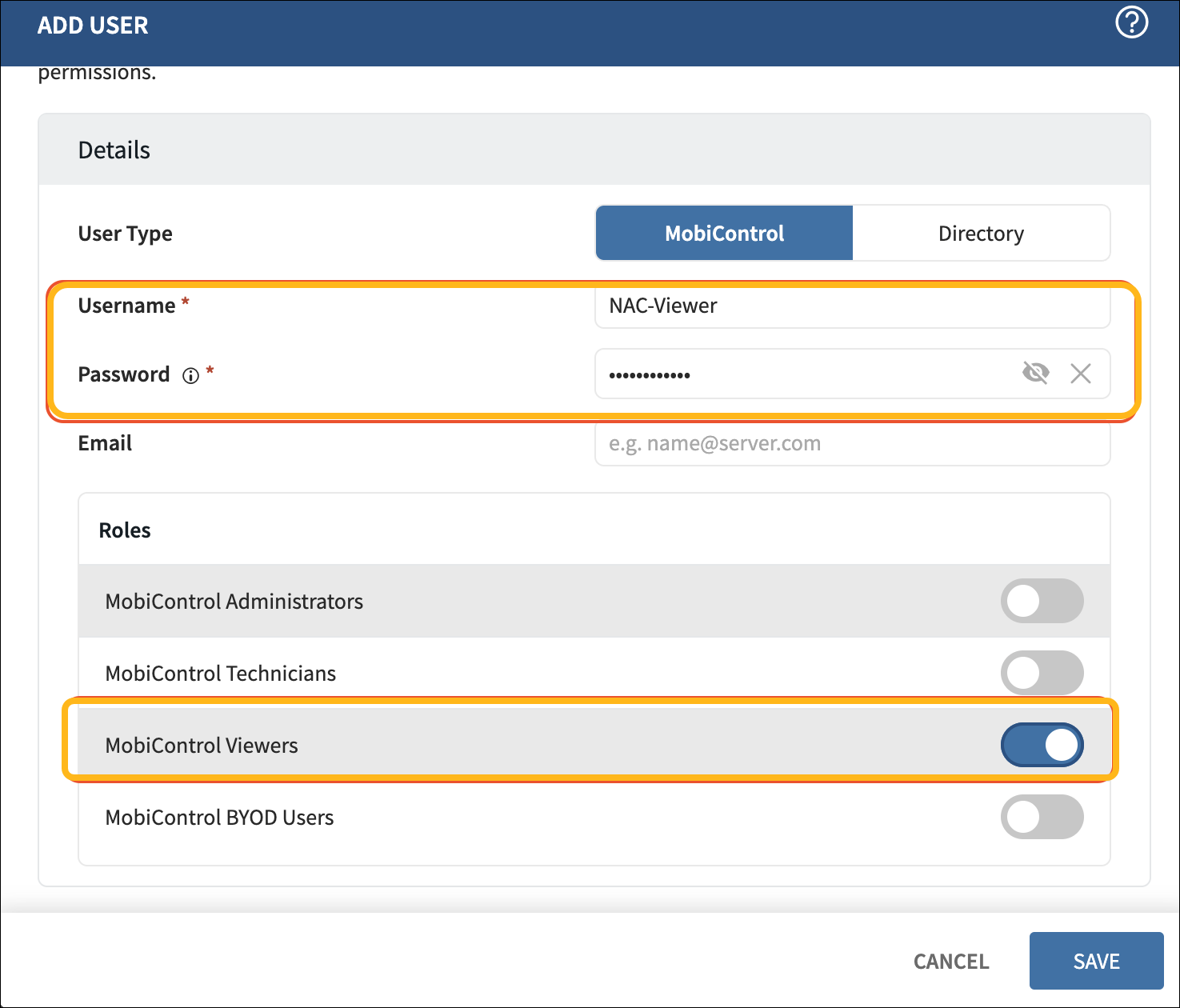
Create user credentials with view-only access for the MobiControl
WebConsole. Navigate to Users and Permissions >
Users and click + to add a
user.
-
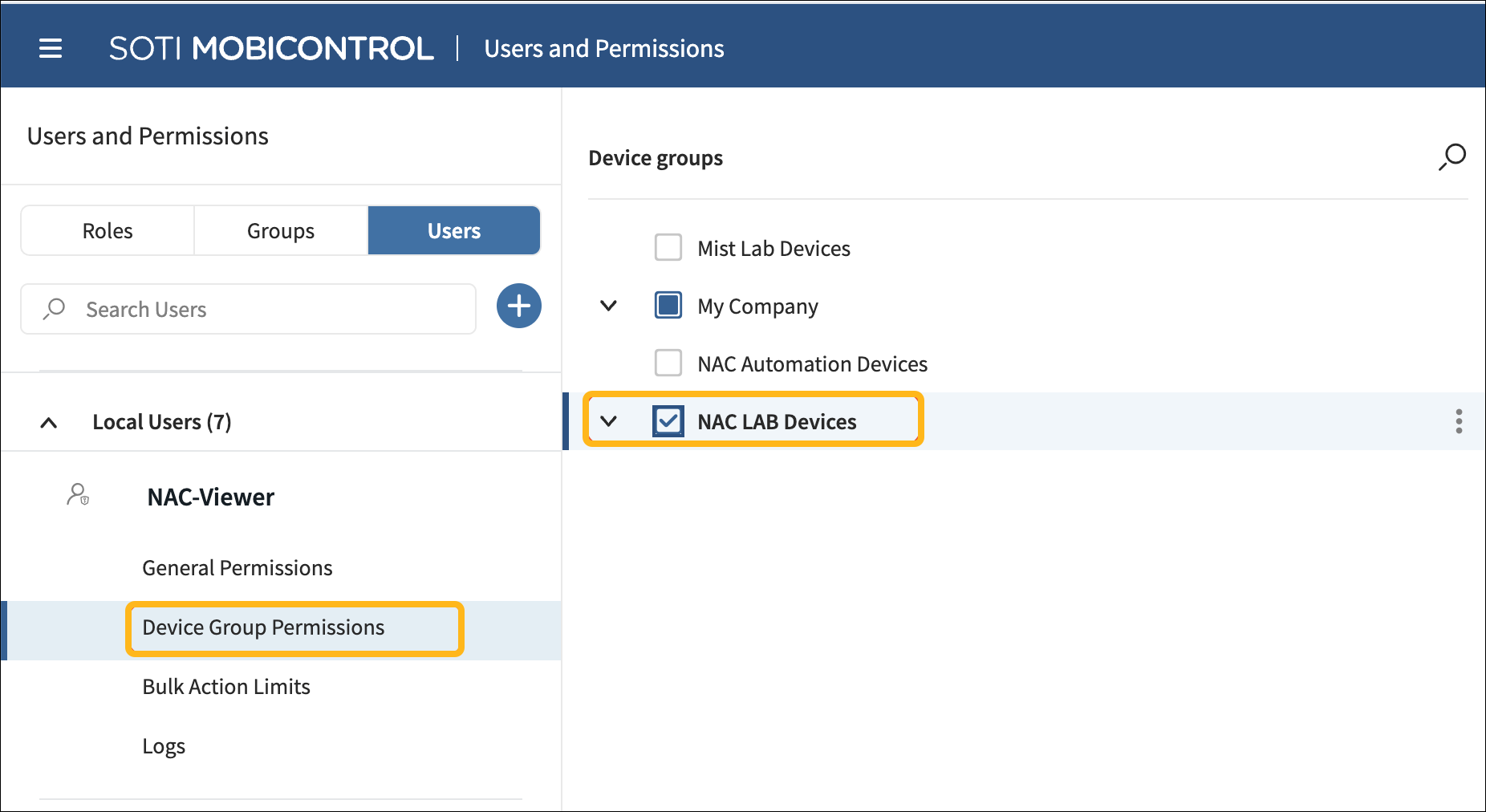
Ensure that the user has access to the device group where the devices will
be enrolled.
Add SOTI MobiControl as an Identity Provider
To add SOTI MobiControl as an Identity Provider:
-
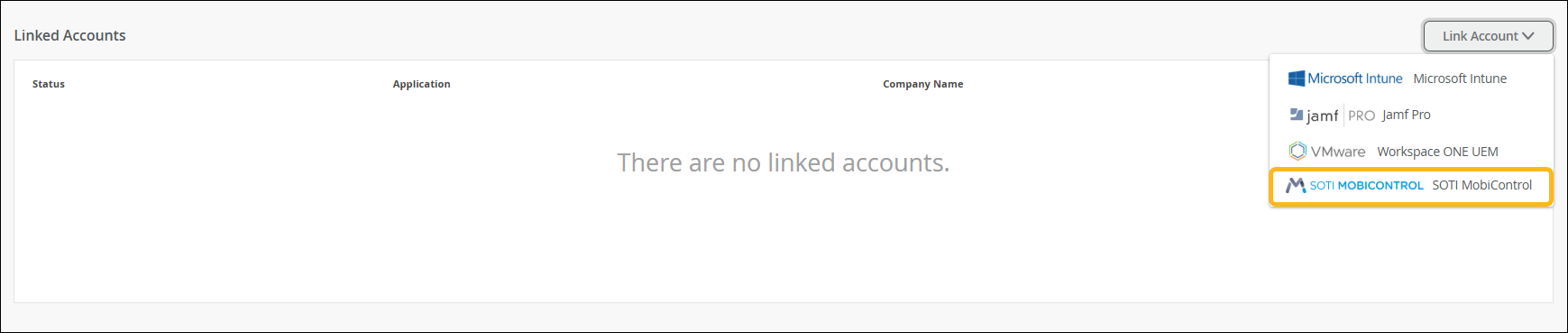
In the Linked Accounts section, click Link
Account.
-
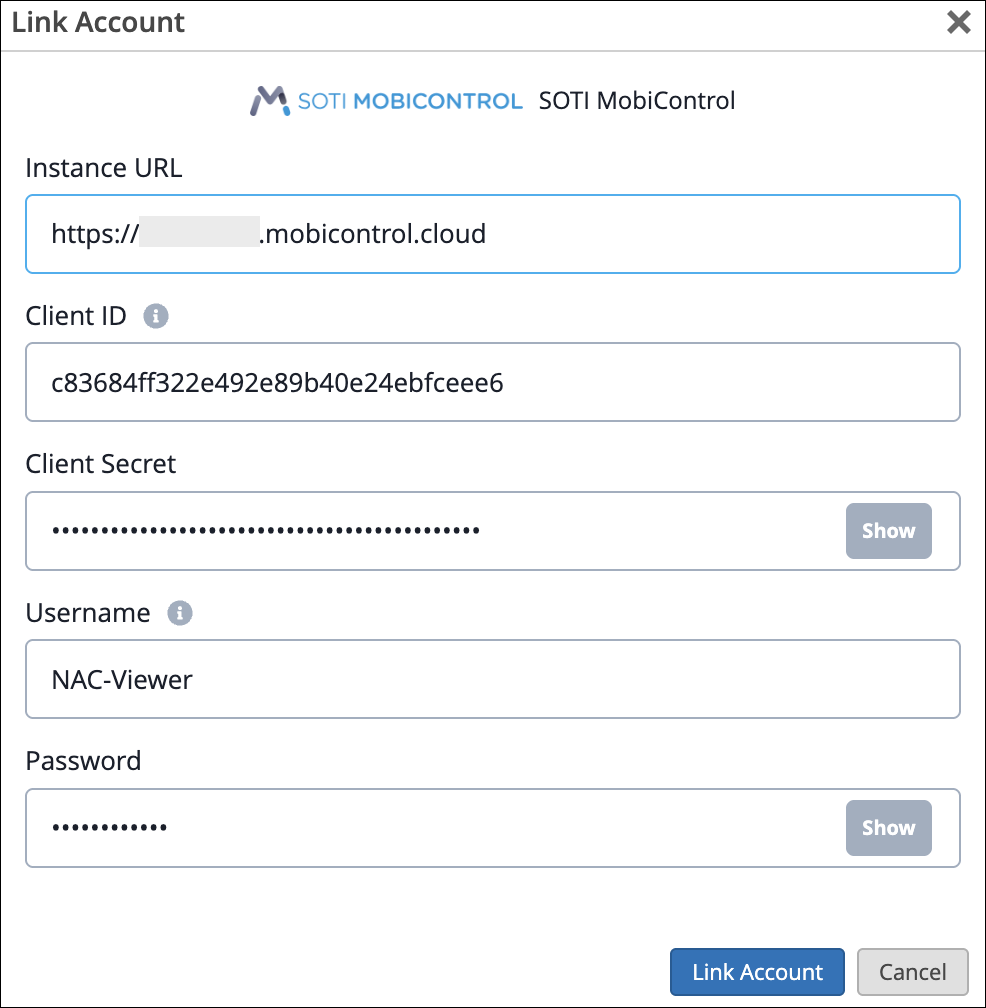
In the Link Account page, provide the Client ID, Client Secret, Username,
Password and SOTI MobiControl Instance URL (for example,
https://ABC.mobicontrol.cloud).
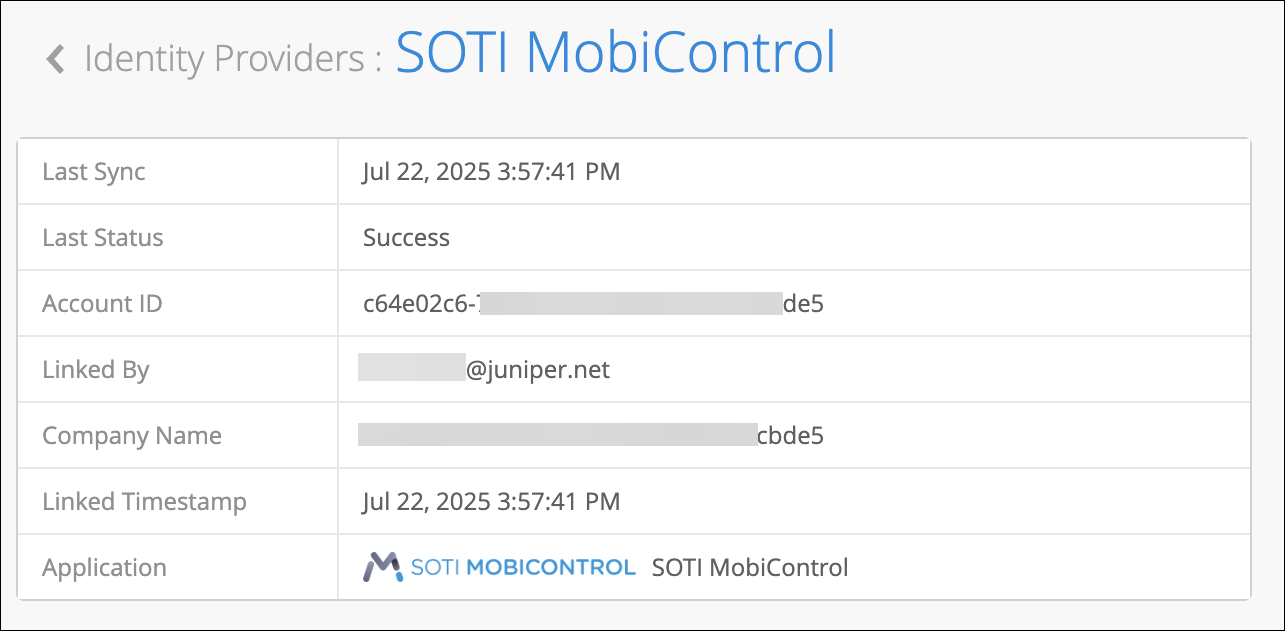
 After linking the SOTI MobiControl account, you can see the SOTI MobiControl account status on the Identity Providers page.
You can click the account to view the details of the last sync.
Verify SOTI MobiControl
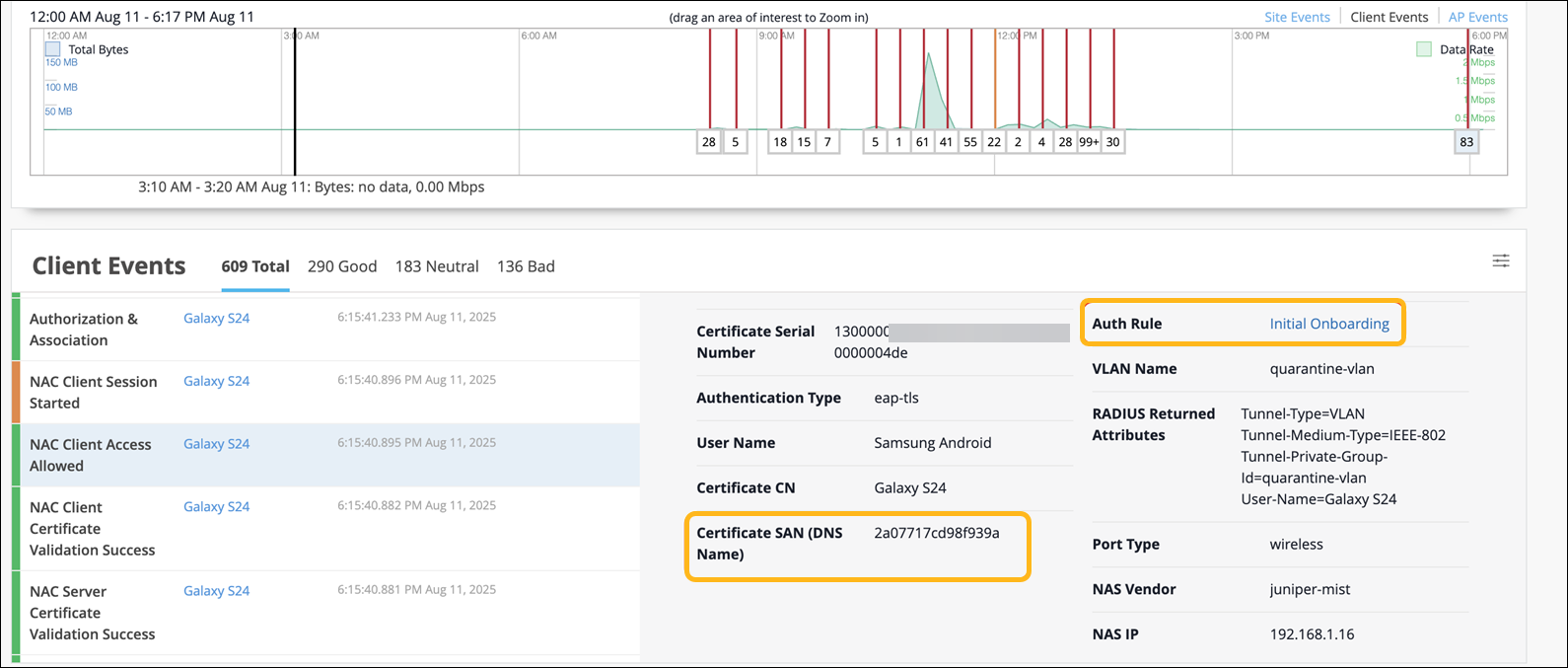
The initial MDM lookup for a new client occurs after the device has been authenticated for the first time. To facilitate this lookup, you'll need to create an auth rule that allows first-time device connections and assigns the devices to a quarantine VLAN.

When the client is connected, you'll see the NAC Client Access Allowed event in the Insights page.
After the client connects, HPE Mist Networking Access Assurance:
Retrieves the device's compliance status from SOTI MobiControl
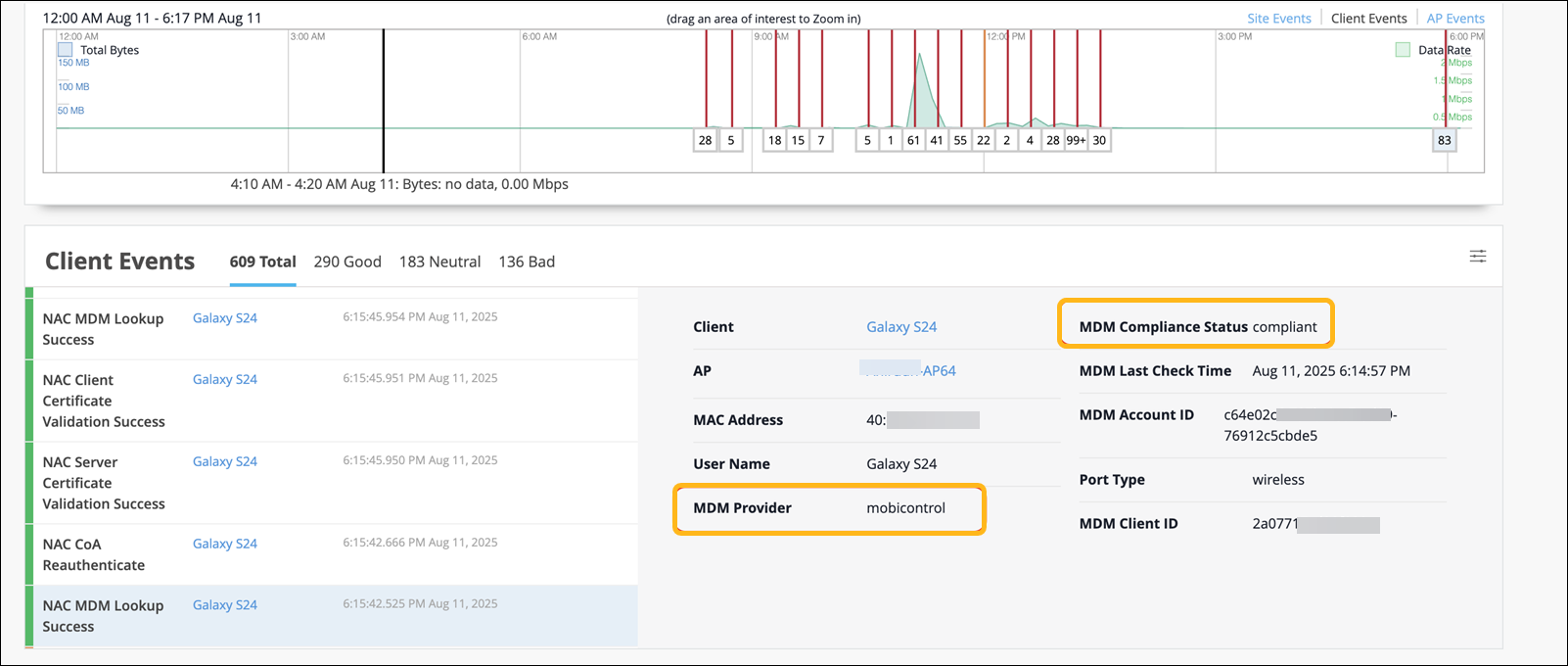
Triggers a Change of Authorization (CoA) to reauthenticate the client
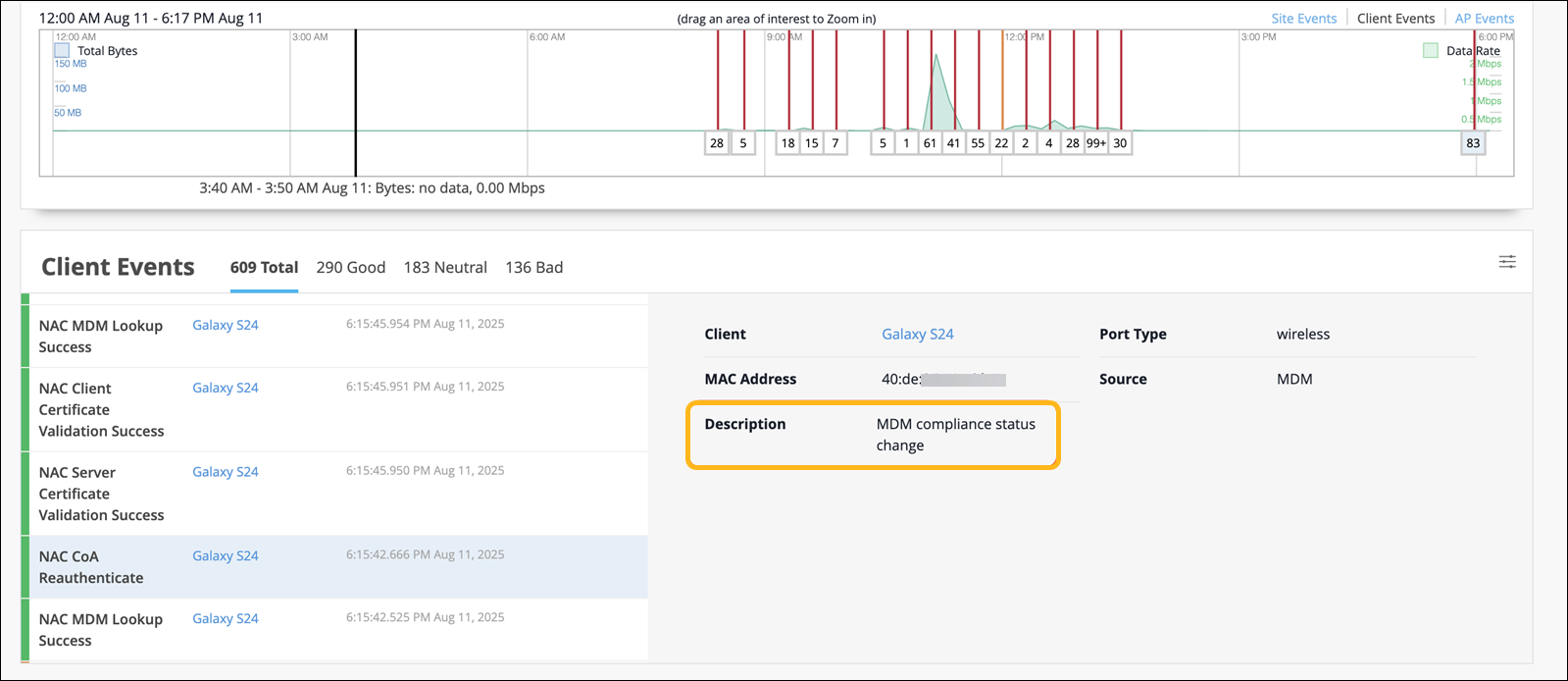
On re-authentication, the client is matched against the appropriate policy based on its updated compliance status.
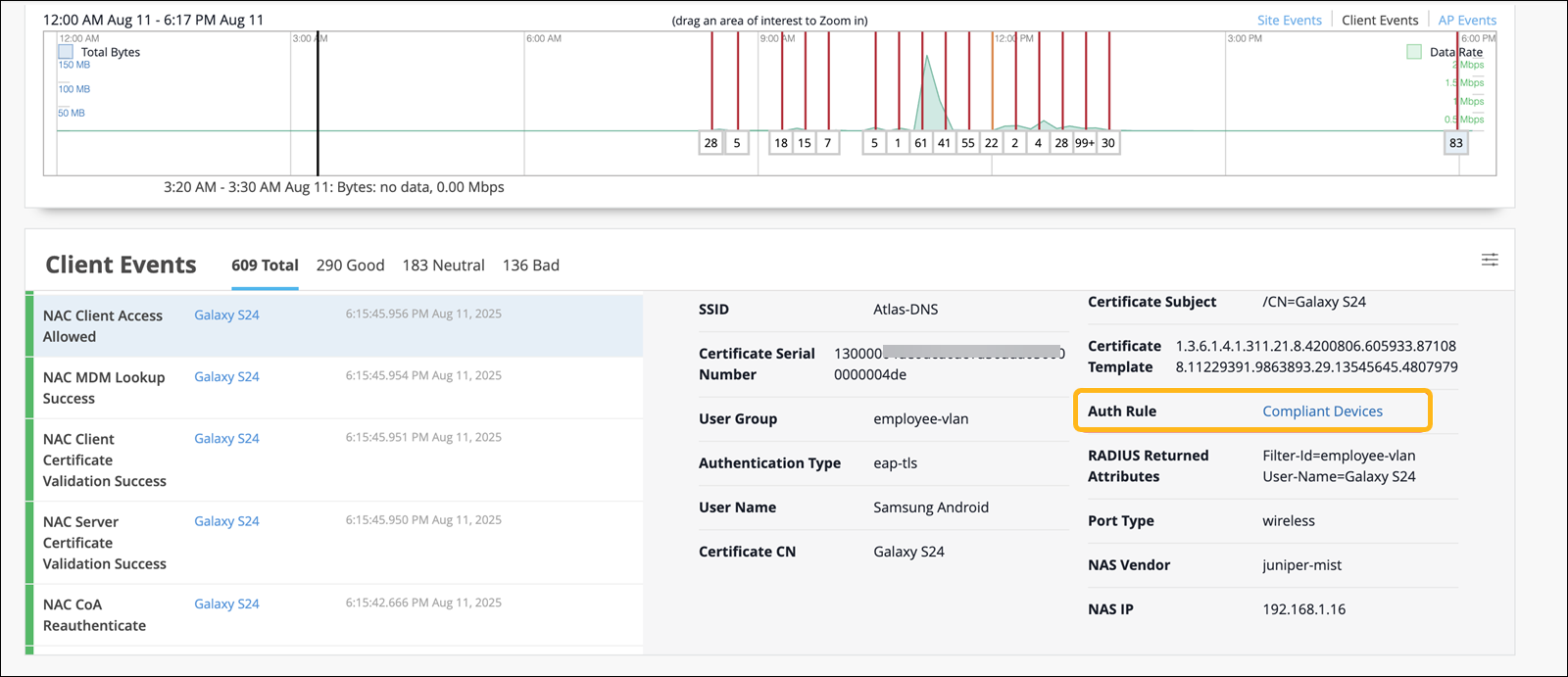
For all subsequent authentications, HPE Mist Networking Access Assurance uses the cached MDM data, which is automatically refreshed every two hours to capture any compliance changes.