HPE Mist Networking Authentication Proxy: Third-Party Device Support
Follow these steps to use HPE Mist Networking Authentication Proxy to support end-client and management-user authentication into third-party devices such as Cisco IOS devices.
Overview
HPE Mist Networking Access Assurance supports end-client and management-user authentication into third-party devices by leveraging an authentication proxy application running on a HPE Mist Networking Edge platform.
HPE Mist Networking Edge is managed by the cloud and servers as a “gateway” for any third-party managed device that needs to:
-
Perform authentication of end-clients connecting to it (for example, a third-party switch, wireless LAN controller, or access point (AP)
-
Authentication management-users (for example, admin login to a firewall or switch CLI management interface)
To set this up, you'll add your third-party devices as RADIUS clients at the HPE Mist Networking Edge Cluster. The cluster wraps all authentication traffic into a secured RadSec tunnel and sends it to the HPE Mist Networking Access Assurance cloud.

Design Considerations
-
HPE Mist Networking Edge can serve as authentication proxy from multiple sites; it is not required to have an edge per site.
-
For redundancy purposes, we recommend to install at least a few HPE Mist Networking Edges in different data centers or points of presense (PoP).
-
HPE Mist Networking Auth Proxy functionality is supported on all HPE Mist Networking Edge platforms. We recommend that you use a dedicated HPE Mist Networking Edge appliance (or VM) for HPE Mist Networking Auth Proxy and avoid combining HPE Mist Networking Auth Proxy with Tunterm or OCProxy functionality.
-
If you are using HPE Mist Networking Edge VM, note that you need only a single network interface and need ME-VM-OC-PROXY to unlock the HPE Mist Networking Auth proxy functionality.
About RADIUS Attributes
- Based on the configured vendor, HPE Mist Networking Access Assurance automatically sends correct RADIUS Attributes in access-accept response to assign VLANs, roles (firewall filters) and session timeouts.
- Leverage custom vendor-specific RADIUS attribute labels to send specific attribute back in case of any special use cases.
Add a Third-Party Vendor and Configure an Authentication Policy
-
HPE
Mist Networking Edge Cluster Configuration: Add
your third-party vendor as a RADIUS client in your cluster
configuration:
-
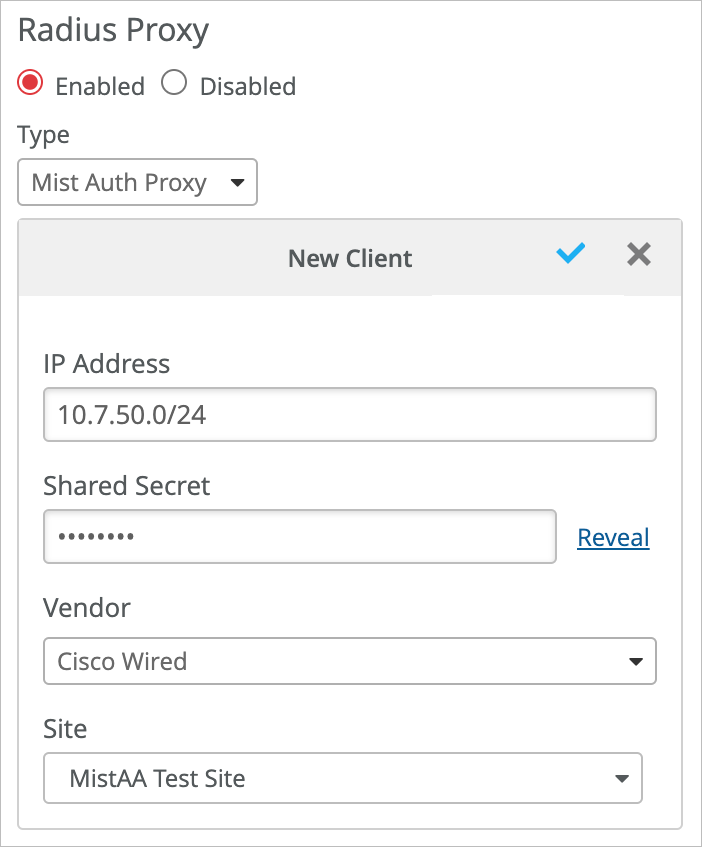
Enter the information for the new client:
-
IP Address
-
Shared Secret
-
Vendor
-
Site (optional)
-
-
Enter the information for the new client:
-
Resource Label: Add a label to identify your third-party vendor
device as a resource that you can use later in your auth policies.
-
At the top of the Auth Policies page, click Create
Label.

-
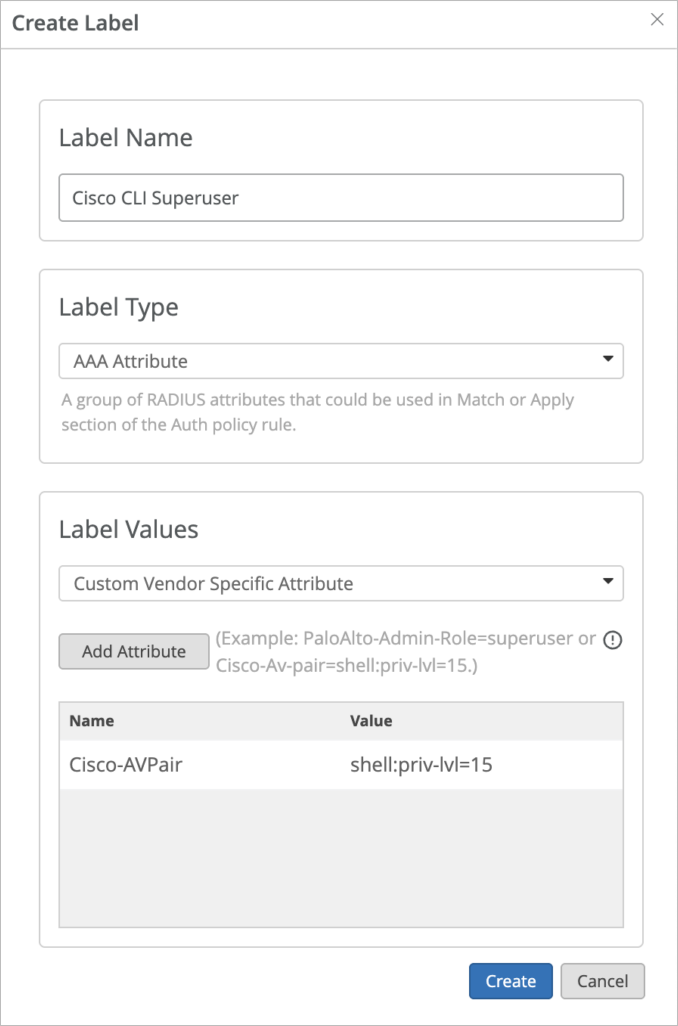
Enter the following information:
-
Label Name—Enter a descriptive label so that you'll recognize this third-party vendor device when you're using this label in your auth policies.
-
Label Type—Select AAA Attribute.
-
Label Values—Select Custom Vendor Specific Attribute.
-
Click Add Attribute, enter a Name and a Value, and then click Create.
-
-
At the top of the Auth Policies page, click Create
Label.
-
Auth Policy: Add a rule to identify the users who get authenticated
by your third-party device.
-
At the top of the Auth Policy page, click Add
Rule.
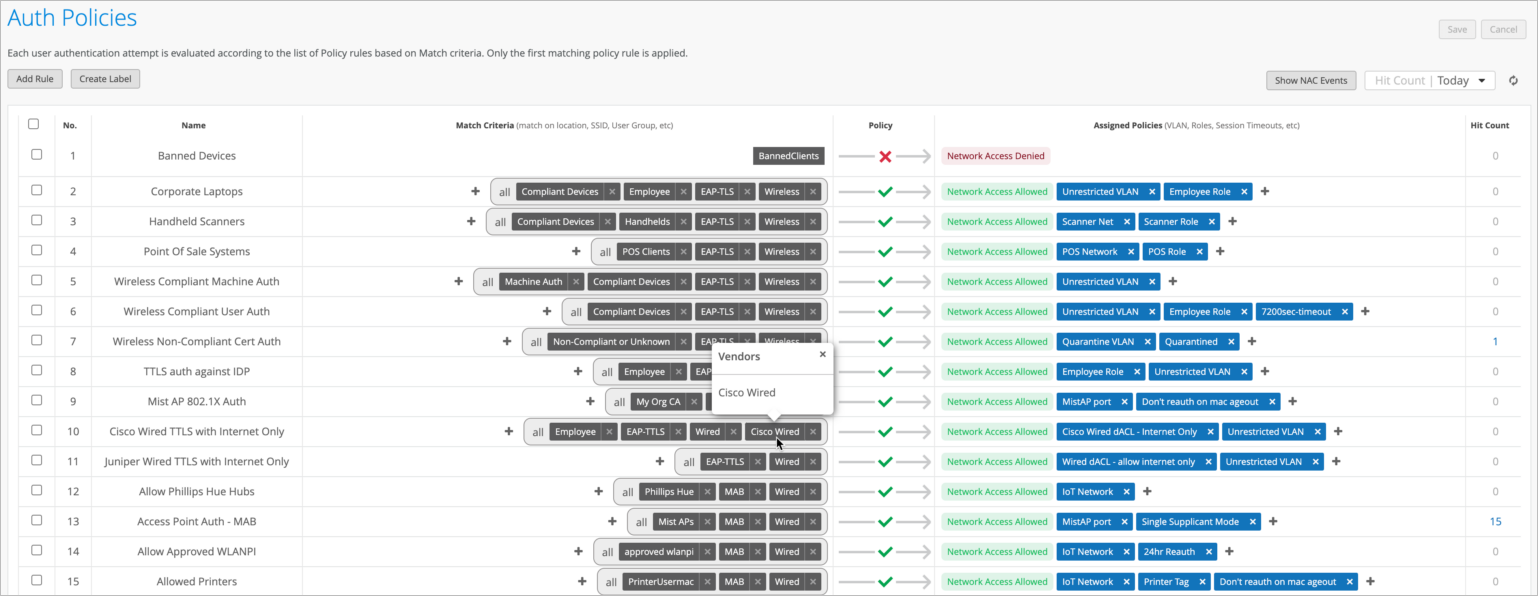
The new rule appears at the top of the rules, numbered. 1.

-
At the top of the Auth Policy page, click Add
Rule.
-
Add rules for additional vendors as needed.
This example shows numerous rules for different purposes. You can hover over any resource or user label to see more information.
Configuring Your Third-Party Vendor Device
Point your third-party vendor devices towards HPE Mist Networking Edge OOBM IP address as the RADIUS server.
If you're deploying multiple HPE Mist Networking Edges, add each HPE Mist Networking Edge as RADIUS server in failover or load-balance mode, depending on your third-party device support.
Checking Login Records
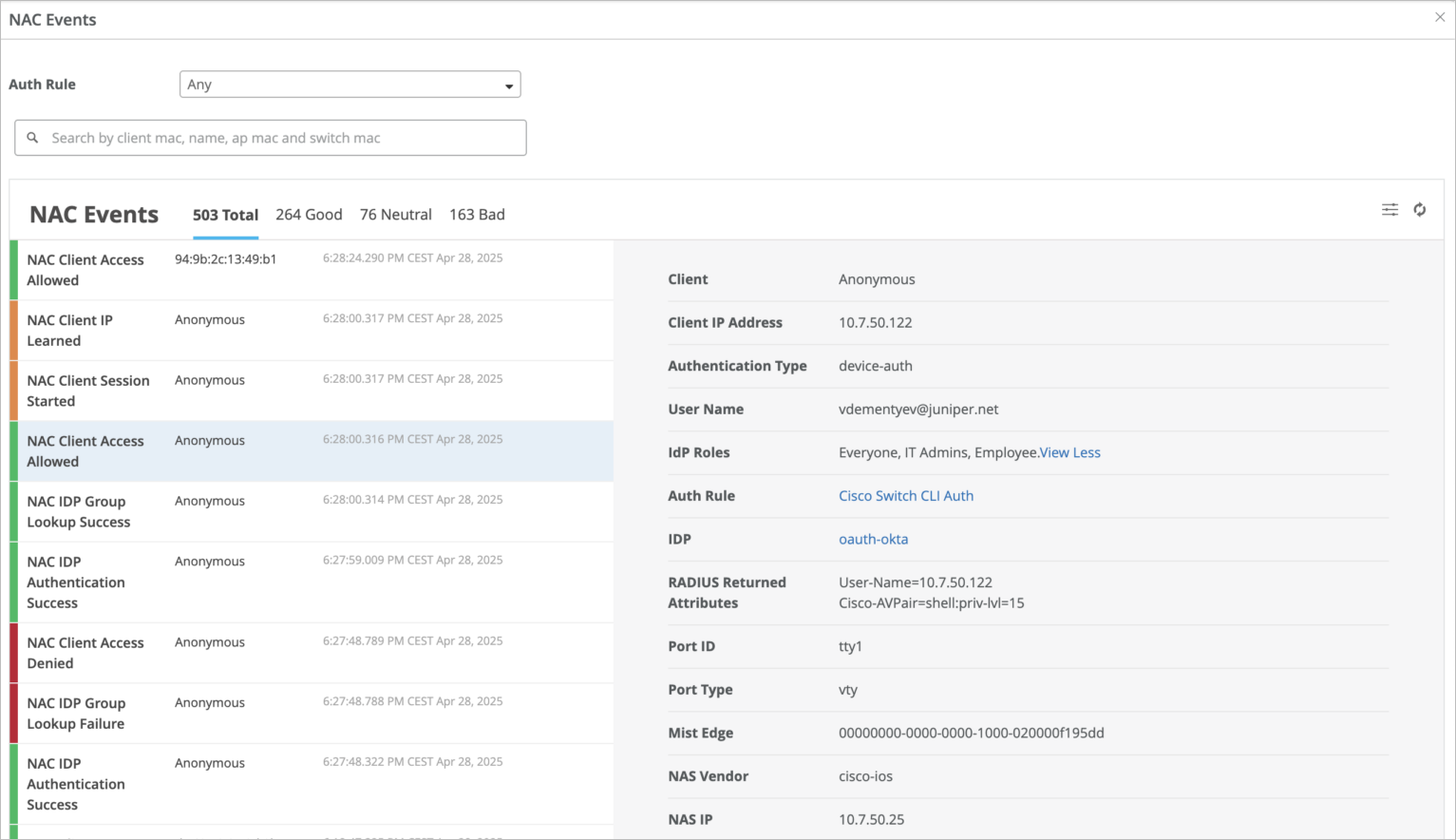
As part of your verification process for your new auth policy, you can check the status of all login attempts on the NAC Clients page and the NAC Events page.