Dynamic VLAN Assignment Using Site Variables
Learn how to use site variables in authentication policies to dynamically assign VLANs based on the client’s site.
Site variables can be used in Access Assurance authorization policies to dynamically assign site-specific VLAN values without having to manually specify them in each rule. In a typical NAC policy, VLANs are returned as part of the authorization result using either a VLAN name or a VLAN ID.
With site variables, the policy can instead reference a variable, such as {{printer}}, in the VLAN field. The actual VLAN value is then resolved dynamically based on the site where the policy is applied. Each site defines its own value for {{printer}} (for example, VLAN 120 at Site A, VLAN 45 at Site B), while the authorization policy itself remains unchanged.
This approach is useful in multi-site environments where VLAN IDs can vary by site for the same network use case. Rather than maintaining separate policy rules for each location, a single policy rule can reference a Site Variable, while site-specific VLAN values are defined locally.
Here’s an example that shows how to create and use a site variable for a wired client such as a printer. You can define a site variable at the site level and give it a site-specific VLAN value.
-
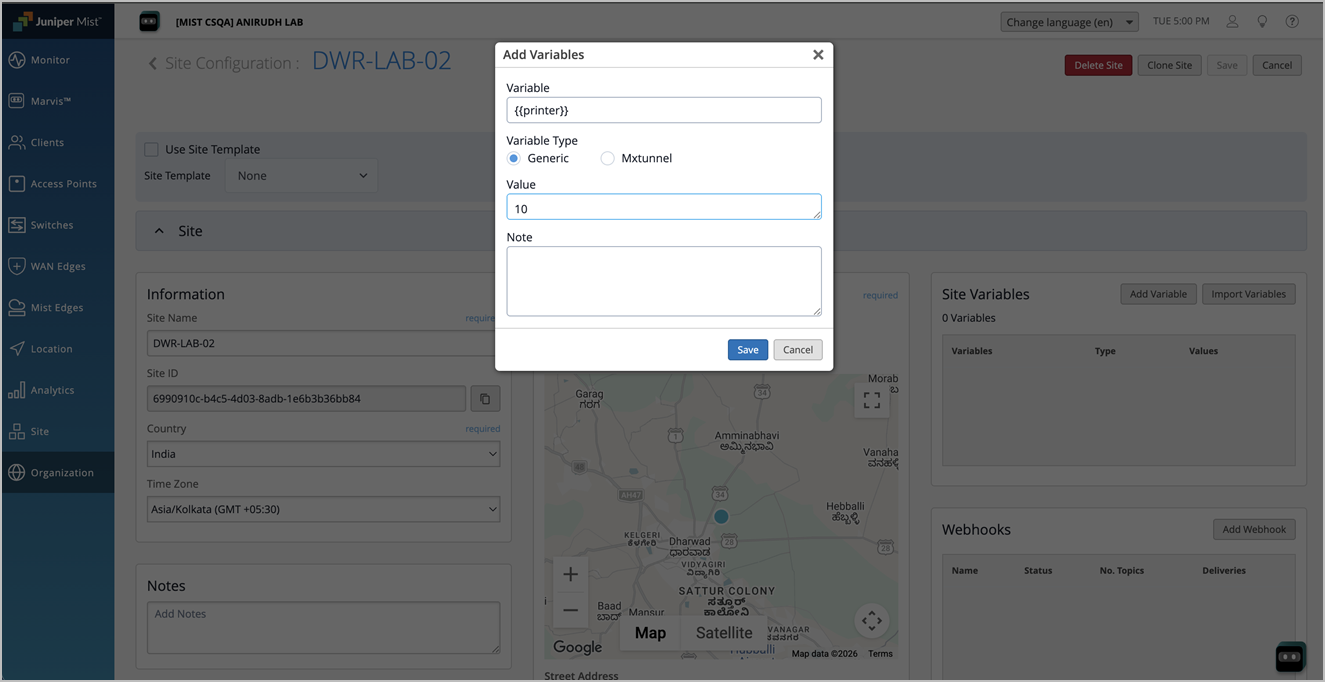
In the Site Variables section, create a variable named {{printer}},
and assign the required value. In this example, the {{printer}} site
variable is set to 10 for the selected site.
-
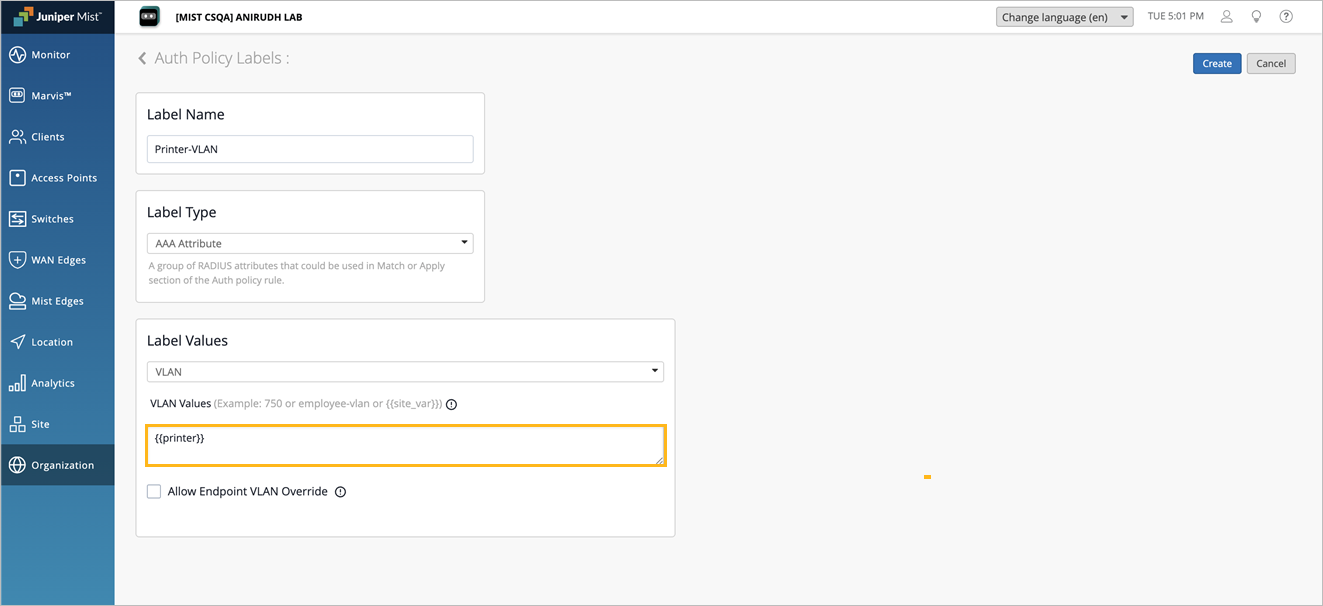
Navigate to Organization>Auth Policy
Labels and create a VLAN Type Label using the {{printer}}
variable.
-
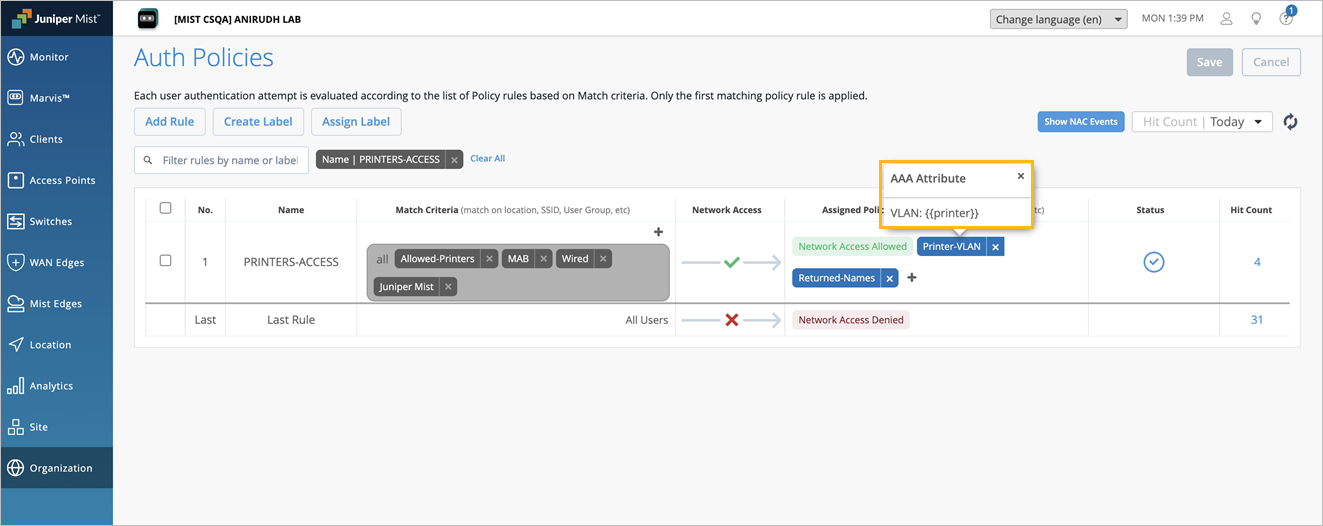
Navigate to Organization>Auth Policies.
In the Assigned Policies section of the Auth Rule, select and apply the VLAN variable
label.
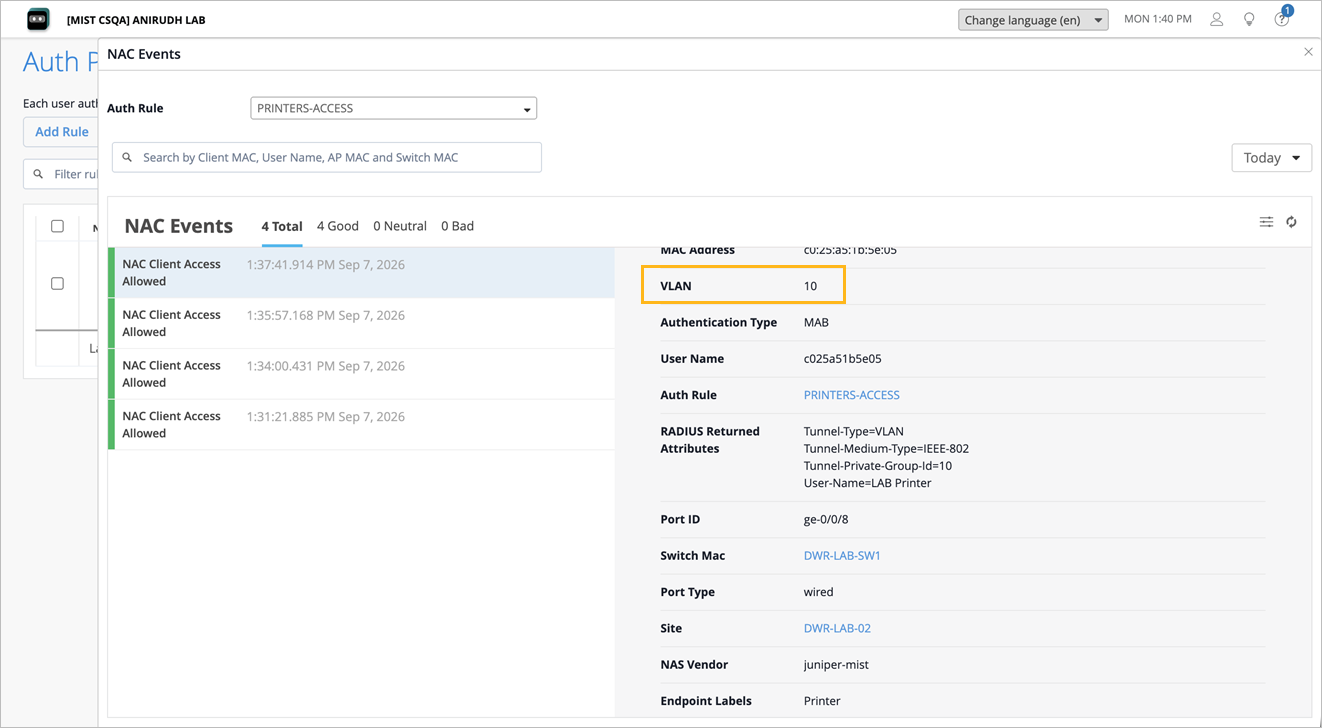
When the client connects and matches this Auth Rule, the VLAN configured through the VLAN variable label is dynamically assigned to the client. In this example, the client request originates from the configured site where the {{printer}} site variable is set to 10. Therefore, the client is assigned to VLAN 10.