Help us improve your experience.

Let us know what you think.

Do you have time for a two-minute survey?


NAC Events

Monitor the effectiveness of your access policies by using the NAC Events page.

Finding the NAC Event Information

You can take two paths to find the NAC Event information.

View NAC Events on the Insights Page

From the left menu, select Monitor > Service Levels, and then click Insights.

NAC events are included in the Client Events section. NAC events are listed along with other event types, as shown in this example.
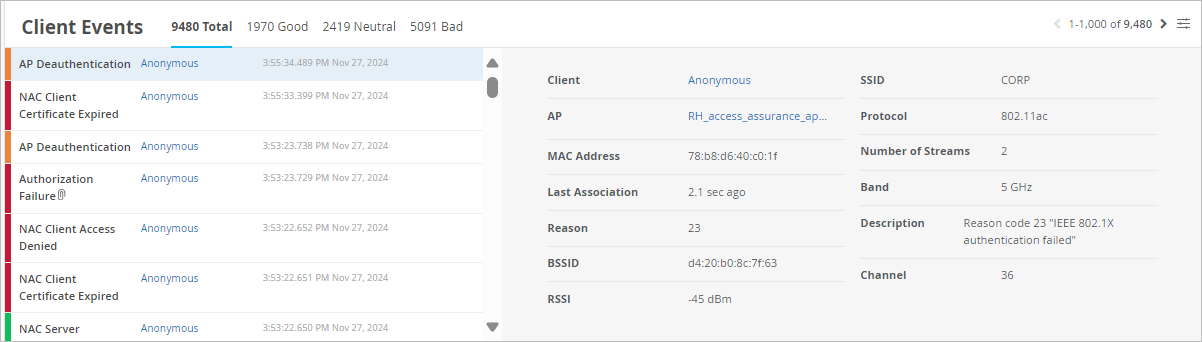
Network monitoring interface showing client events with 9480 total, categorized as Good 1970, Neutral 2419, and Bad 5091. Displays event list with timestamps, types like AP Deauthentication and NAC Client Certificate Expired, and client details such as MAC address, RSSI -45 dBm, SSID CORP, and channel 36. Highlights IEEE 802.1X authentication failure.

One advantage of this view is that you can use Today menu at the top of the Insights page to select the time frame that you want to view.
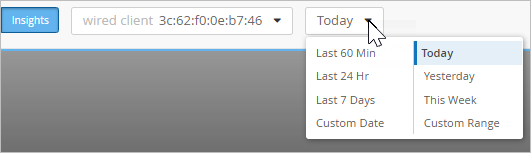
Dropdown menu labeled Today is expanded, showing options like Last 60 Min, Last 24 Hr, and Custom Range. Insights section visible on the left. MAC address wired client 3c:62:f0:0e:b7:46 displayed.

View NAC Events on the Auth Policies Page

From the left menu, select Organization > Access > Auth Policies, and then click the Show NAC Events button in the top-right corner of the page. The NAC Events page pops up on the right half of the screen.

One advantage of this view is that you can use the Auth Rule menu to show the NAC events for a particular rule in your auth policy. If needed, you can use the search box to narrow down the list to a particular client or device.
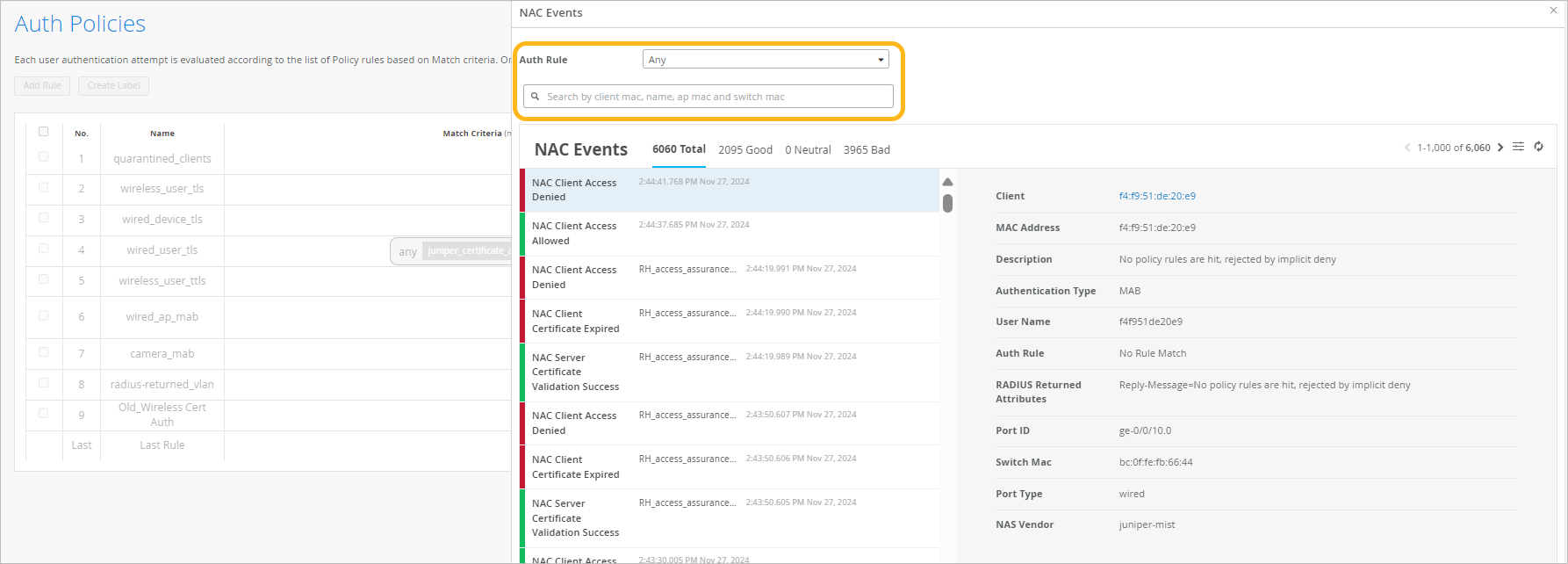
NAC interface showing Auth Policies table with policy names and match criteria, and NAC Events log with event type, timestamp, client details, authentication type, auth rule, and port info. Includes search and filter options and event summary categorized as Good, Neutral, and Bad.

View Options

On both the Insights page and the NAC Events pop-up page, you can use various UI features to view information about NAC events.

  • Use the tabs above the event list to show all, good, neutral, or bad events.

  • To select the event types to include, click the Event Filter button at the top-right corner of the event list.

    Settings icon with horizontal sliders

    For a full list of the available events, see NAC Event Types.

  • To see the latest available data, click the Refresh button at the top-right corner of the events list.

    A person holding a smartphone displaying a map with a marked route.
  • Click an event to see a summary on the right side of the page.
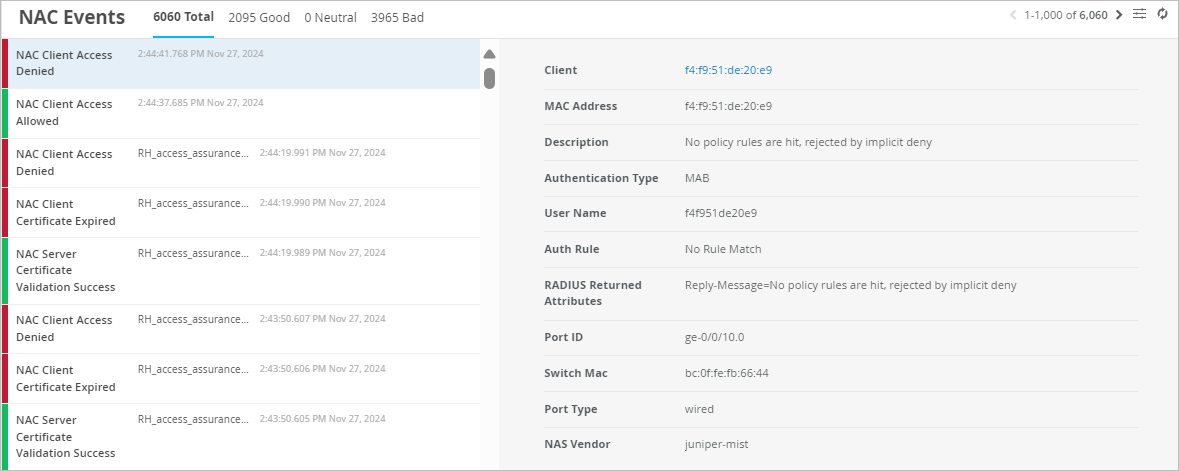
    NAC Events log interface showing 6060 events categorized as 2095 good, 0 neutral, and 3965 bad. Includes rows of access events with details like time, type, client info, and a panel displaying selected event details such as MAC address, authentication type, username, port ID, and switch MAC.
  • In the summary, click a hyperlink to view more information.

    • The Client link goes to the Insights page. There, you'll see additional client and event information.

    • The Auth Policy link highlights the policy on the Auth Policies page.

      Tip:

      If you're using the pop-up NAC Events page, the Auth Policies are partly hidden behind the pop-up window. You might prefer to open this link in a new tab.

NAC Event Types

To select the event types to include, click the Event Filter button at the top-right corner of the NAC Events section.

Settings icon with horizontal sliders

In the Event Filter pop-up window, select or clear the check boxes to show or hide the events. Click OK to save your settings.

Table 1: NAC Event Types

Positive NAC Events

Neutral NAC Events

Negative NAC Events

  • NAC Client Access Allowed

  • NAC Client Certificate Validation Success

  • NAC Machine Certificate Validation Success

  • NAC User Certificate Validation Success

  • NAC CoA Disconnect

  • NAC CoA Reauthenticate

  • NAC IDP Authentication Success

  • NAC IDP Group Lookup Success

  • NAC IDP User Lookup Success

  • NAC MDM Lookup Success

  • NAC Server Certificate Validation Success

NAC MDM Device Not Found

  • NAC Client Access Denied

  • NAC Client Cert Revoked

  • NAC Client Certificate Expired

  • NAC Client Certificate Validation Failure

  • NAC Machine Certificate Expired

  • NAC Machine Certificate Revoked

  • NAC Machine Certificate Validation Failure

  • NAC User Certificate Expired

  • NAC User Certificate Revoked

  • NAC User Certificate Validation Failure

  • NAC IDP Admin Config Failure

  • NAC IDP Admin Config Failure

  • NAC IDP Authentication Failure

  • NAC IDP Group Lookup Failure

  • NAC IDP Lookup Failure

  • NAC IDP Unknown

  • NAC IDP Unreachable

  • NAC IDP User Disabled

  • NAC IDP User Lookup Failure

  • NAC MDM Lookup Failure

  • NAC Server Certificate Validation Failure