Help us improve your experience.

Let us know what you think.

Do you have time for a two-minute survey?


Select Alerts and Events to Monitor

After you enable webhooks, select the alerts and events that you want to monitor.
  1. From the left menu of the Juniper Mist™ portal, select Monitor > Alerts.
  2. Click Alerts Configuration (near the top right corner of the page).

    Alerts dashboard with no active alerts, filters for organization and time, Alerts Configuration button, user profile, help icon, and options to download and refresh data.
  3. Select the check box for each type of alert or event that you want to monitor.
    Note:

    If you want to select all options in a category, such as Infrastructure, select the check box at the top of that section.

    Example
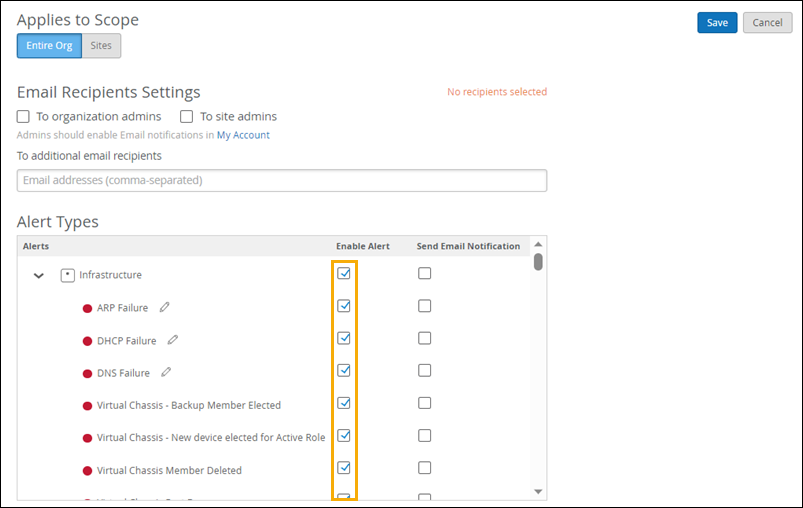
    Configuration interface for alert notifications with options for scope selection, email recipients, alert types under Infrastructure category, and checkboxes to enable alerts or email notifications. Save and cancel buttons are at the top-right.