
Generate Secure ZTP Vouchers
Learn how to generate a secure voucher certificate.
To learn about secure ZTP, see Secure Zero Touch Provisioning . To determine if you require secure ZTP, go through RFC 8572: Secure Zero Touch Provisioning (SZTP).
Click the Voucher Tool button to launch the Voucher Activation screen.
To activate a Voucher:
- Type in the DevID enabled Hardware serial number in the Device Serial Number.
- Select a desired Voucher Expiration Date from calendar picklist.
Upload a Pinned Domain Certificate, or choose one that you have uploaded previously.
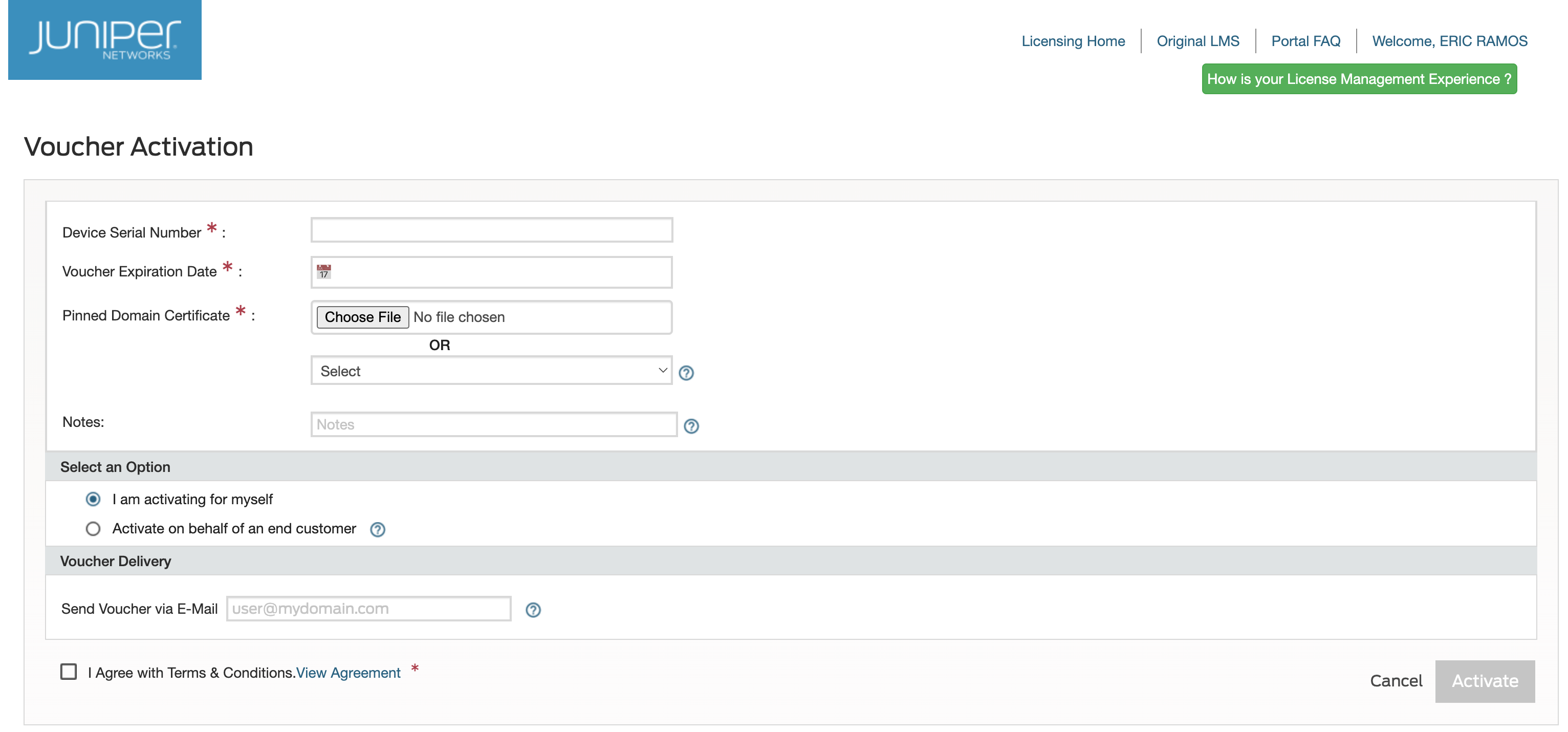
- (Optional) In the Send Voucher via E-Mail field, enter one or more email addresses to which JAL Portal must deliver the voucher.
- Check the I Agree with Terms & Conditions checkbox.
- Click Activate.
After you request voucher activation, the system generates a voucher and emails it to you.