Request an XML Schema for the Configuration Hierarchy Using NETCONF
The Junos configuration schema represents all configuration elements available in the
version of the OS that is running on a device. To determine the Junos OS or Junos OS
Evolved version, emit the <get-software-information> operational
request tag. Client applications can use the schema simply to learn which configuration
statements are available in their version of Junos OS or Junos OS Evolved. Client
applications can also use the schema to validate the configuration on a device.
The schema does not indicate which elements are actually configured. Moreover, the schema
does not indicate that you can even configure an element on that type of device (some
configuration statements are available only on certain device types). To request the set of
currently configured elements and their settings, emit the
<get-config> tag element instead.
Explaining the structure and notational conventions of the XML Schema language is beyond the scope of this document. For information, see XML Schema Part 0: Primer. The primer provides a basic introduction and lists the formal specifications where you can find detailed information.
Request an XML Schema for the Configuration Hierarchy
A NETCONF client application can request an XML Schema-language representation of the
entire configuration hierarchy on a device running Junos OS or a device running Junos
OS Evolved. To request the XML schema, a client application emits an
<rpc> element and encloses the Junos XML
<get-xnm-information> element. The
<get-xnm-information> element encloses the
<type> and <namespace> child
elements with the indicated values.
<rpc>
    <get-xnm-information>
        <type>xml-schema</type>
        <namespace>junos-configuration</namespace>
    </get-xnm-information>
</rpc>
The NETCONF server encloses the XML schema in <rpc-reply> and
<xsd:schema> tags.
<rpc-reply xmlns="URN" xmlns:junos="URL">
    <xsd:schema>
        <!-- tag elements for the Junos XML schema -->
    </xsd:schema>
</rpc-reply>
Create the junos.xsd File
Most of the tag elements defined in the schema returned in the
<xsd:schema> tag belong to the default namespace for Junos
OS configuration elements. However, at least one tag,
<junos:comment>, belongs to a different namespace:
http://xml.juniper.net/junos/Junos-version/junos.
By XML convention, a schema describes only one namespace, so schema validators need
to import information about any additional namespaces before they can process the
schema.
The <xsd:schema> element encloses the
<xsd:import> tag, which references the
junos.xsd file. This file contains the required information
about the junos namespace. For example, the following
<xsd:import> tag specifies the file for Junos OS Release
20.4R1:
<xsd:import schemaLocation="junos.xsd" namespace="http://xml.juniper.net/junos/20.4R1/junos"/>
To enable the schema validator to interpret the <xsd:import>
tag, the junos.xsd file must exist. You must manually create a
file called junos.xsd in the directory where the Junos
configuration schema resides. Include the following text in the file. Do not use line
breaks in the list of attributes in the opening <xsd:schema>
tag. Line breaks appear in the following example for legibility only. For the
Junos-version variable, substitute the release number of the
Junos OS or Junos OS Evolved release running on the device (for example, 20.4R1).
<?xml version="1.0" encoding="us-ascii"?>
<xsd:schema elementFormDefault="qualified" \
        attributeFormDefault="unqualified" \
        xmlns:xsd="http://www.w3.org/2001/XMLSchema" \
        targetNamespace="http://xml.juniper.net/junos/Junos-version/junos">
    <xsd:element name="comment" type="xsd:string"/>
</xsd:schema>
Schema validators might not be able to process the schema if they cannot locate or open the junos.xsd file.
Whenever you change the version of Junos OS running on the device, remember to update the Junos-version variable in the junos.xsd file to match.
Example: Request an XML Schema
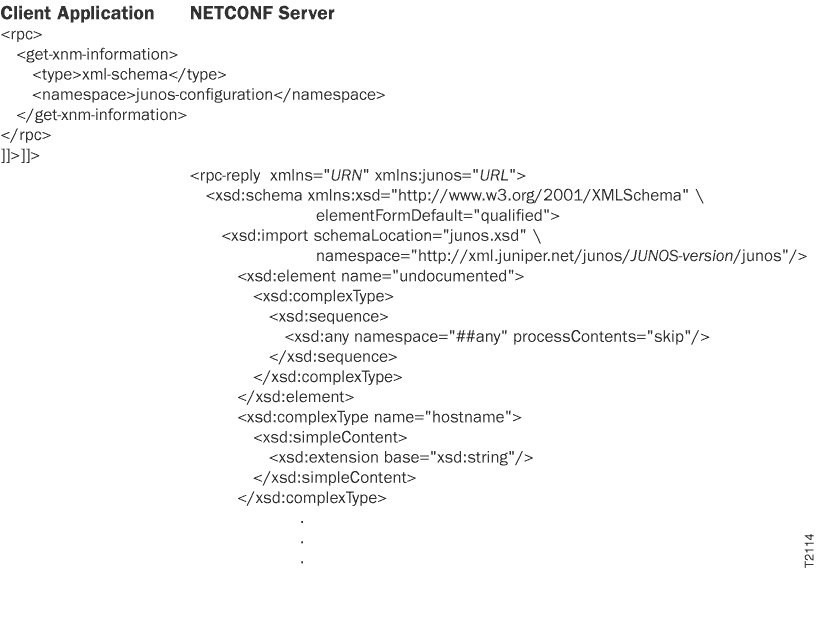
The following examples request the Junos OS configuration schema. In the NETCONF
server’s response, the first <xsd:element> statement defines
the <undocumented> Junos XML tag element. This element can be
enclosed in most other container tag elements defined in the schema (container tag
elements are defined as <xsd:complexType>).
The attributes in the opening tags of the server’s response appear on multiple lines for legibility only. Also, in actual output the JUNOS-version variable is replaced by a value such as 20.4R1 for the initial version of Junos OS Release 20.4.
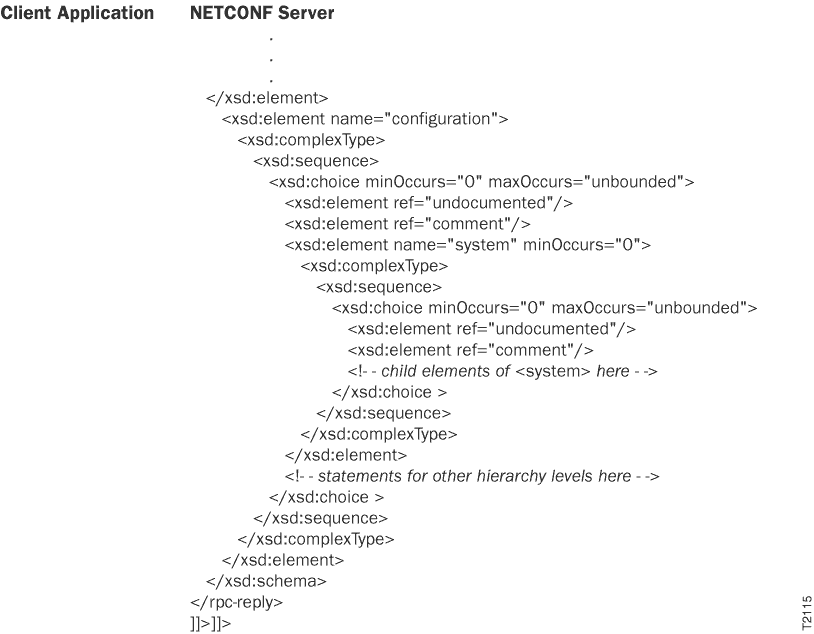
Another <xsd:element> statement near the beginning of the
schema defines the Junos XML <configuration> element. It
encloses the <xsd:element> statement that defines the
<system> element, which corresponds to the [edit
system] hierarchy level. For brevity, the output omits the statements
corresponding to other hierarchy levels.