Sample Junos XML Protocol Session
The following sections describe the sequence of tag elements in a sample Junos XML protocol session with a device running Junos OS. The client application begins by establishing a connection to a Junos XML protocol server.
Exchanging Initialization PIs and Tag Elements
After the client application establishes a connection to a Junos
XML protocol server, the two exchange initialization PIs and tag elements,
as shown in the following example. Note that the Junos XML protocol
server’s opening <junoscript> tag
appears on multiple lines for legibility only. Neither the Junos XML
protocol server nor the client application inserts a newline character
into the list of attributes. Also, in an actual exchange, the JUNOS-release variable is replaced by a value such as 20.4R1
for Junos OS Release 20.4. For a detailed discussion of the <?xml?> PI and opening <junoscript> tag, see Starting Junos XML Protocol
Sessions.

Sending an Operational Request
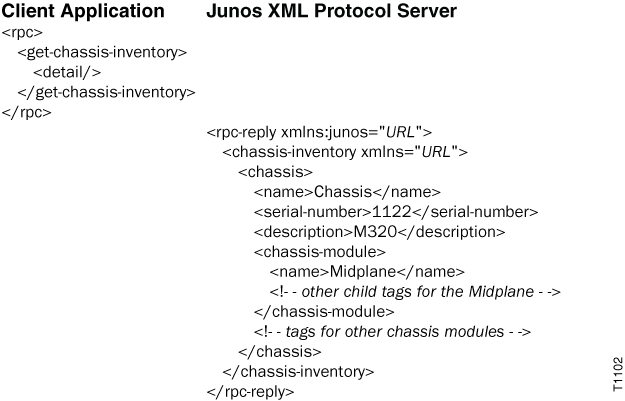
The client application emits the <get-chassis-inventory> tag element to request information about the device’s chassis
hardware. The Junos XML protocol server returns the requested information
in the <chassis-inventory> tag element.
Locking the Configuration
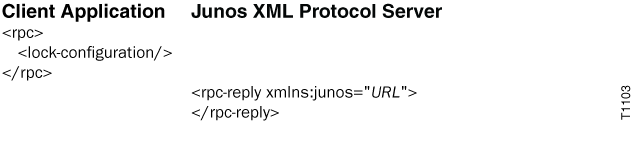
The client application then prepares to then prepares to incorporate
a change into the candidate configuration by emitting the <lock-configuration/> tag to prevent any other users
or applications from altering the candidate configuration at the same
time. To confirm that the candidate configuration is locked, the Junos
XML protocol server returns only an opening <rpc-reply> tag and a closing </rpc-reply> tag
with no child elements. For more information about locking the configuration,
see Locking and Unlocking the Candidate
Configuration or Creating a Private Copy Using the Junos XML Protocol.
Changing the Configuration
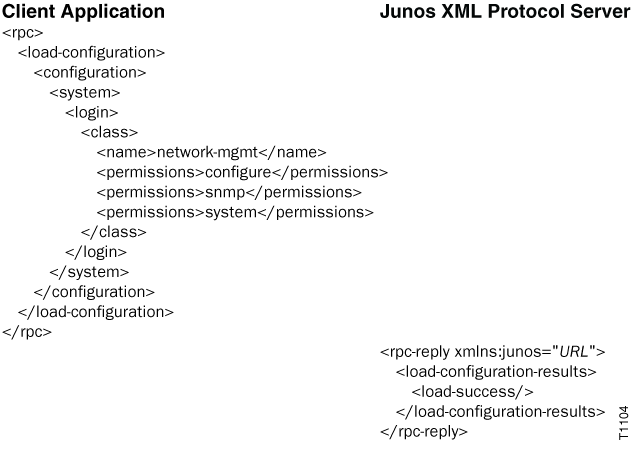
The client application now emits tag elements to create a new
Junos OS login class called network-mgmt at the [edit system login class] hierarchy level in the candidate configuration. The Junos XML protocol
server returns the <load-configuration-results> tag, which encloses a child element that reports the outcome of
the load operation. (Understanding the meaning of these tag elements
is not necessary for the purposes of this example, but for information
about them, see Requesting Configuration
Changes Using the Junos XML Protocol.)
Committing the Configuration
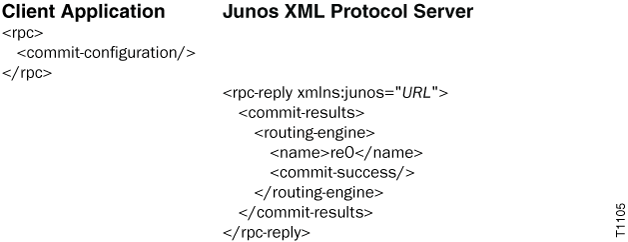
The client application then commits the candidate configuration.
The Junos XML protocol server returns the <commit-results> tag, which encloses child elements that report the outcome of the
commit operation.
Unlocking the Configuration
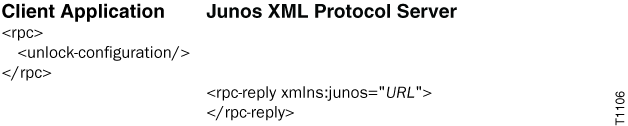
The client application unlocks (and by implication closes) the
candidate configuration. To confirm that the unlock operation was
successful, the Junos XML protocol server returns only an opening <rpc-reply> tag and a closing </rpc-reply> tag with no child elements.
Closing the Junos XML Protocol Session
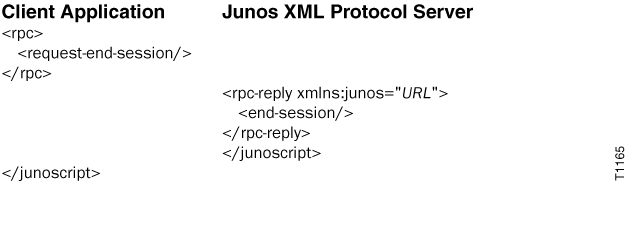
The client application closes the Junos XML protocol session
by emitting the <request-end-session> tag.