
Email Contexts
These attack objects and groups are designed to detect known attack patterns and protocol anomalies within the network traffic. You can configure attack objects and groups for email as match conditions in IDP policy rules.
Service Contexts: IMAP
The table displays the security context details for IMAP:
|
Context and Direction |
Description Example of Contexts |
|||
|---|---|---|---|---|
|
imap-append (CTS) |
Matches the e-mail contents in an IMAP append message. 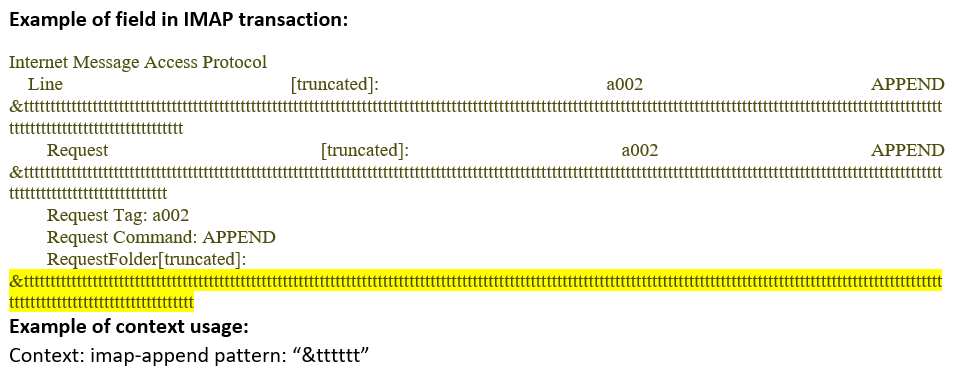
|
|||
|
imap-append-line (CTS) |
Matches arguments of IMAP Append command line in an IMAP session. 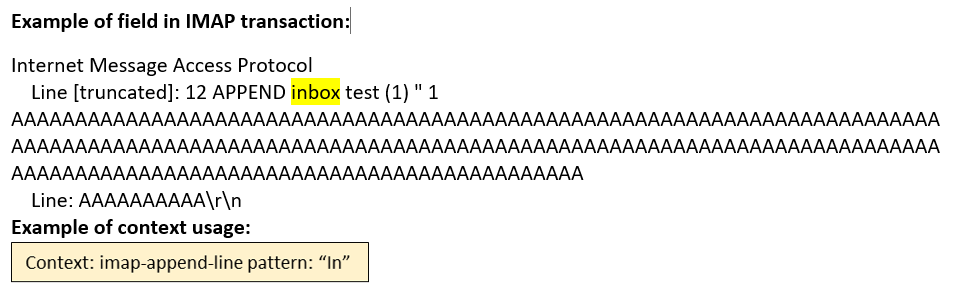
|
|||
|
imap-authenticate (CTS) |
Matches arguments of IMAP Authenticate command in an IMAP session. 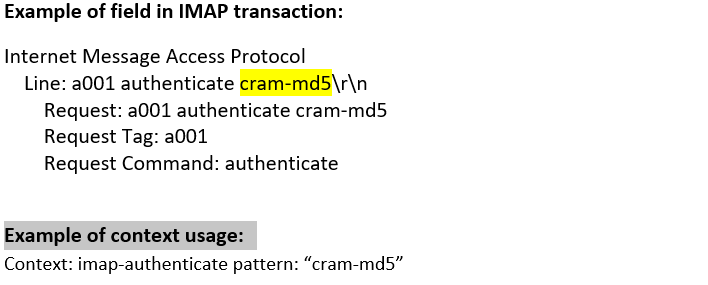
|
|||
|
imap-banner-(STC) |
Matches arguments of the fist untagged OK response from an IMAP session. 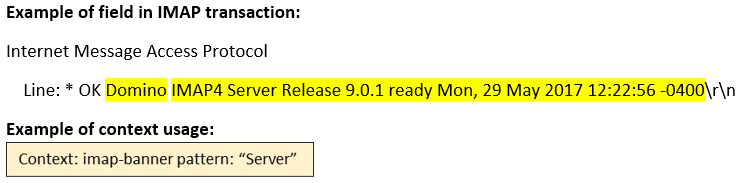
|
|||
|
imap-command (CTS) |
Matches each IMAP command name in an IMAP session. 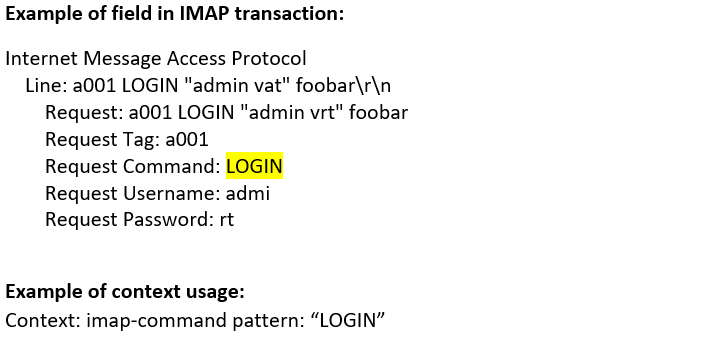
|
|||
|
imap-command-line (CTS) |
Matches each IMAP command name and arguments in an IMAP session. 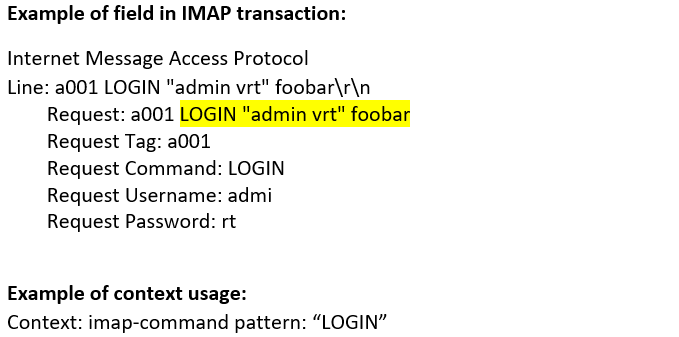
|
|||
|
imap-copy (CTS) |
Matches arguments of IMAP Copy command in an IMAP session. |
|||
|
imap-create (CTS) |
Matches arguments of IMAP Create command in an IMAP session. |
|||
|
imap-delete (CTS) |
Matches arguments of IMAP Delete command in an IMAP session. 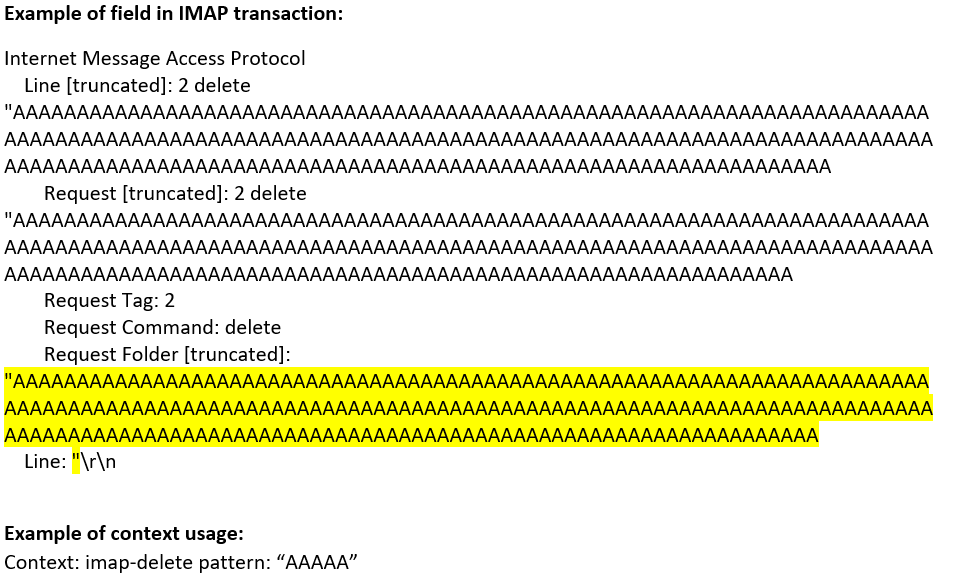
|
|||
|
imap-deleteacl (CTS) |
Matches arguments of IMAP DeleteACL command in an IMAP session. |
|||
|
imap-examine (CTS) |
Matches arguments of IMAP Examine command in an IMAP session. |
|||
|
imap-fetch (CTS) |
Matches arguments of IMAP Fetch command in an IMAP session. 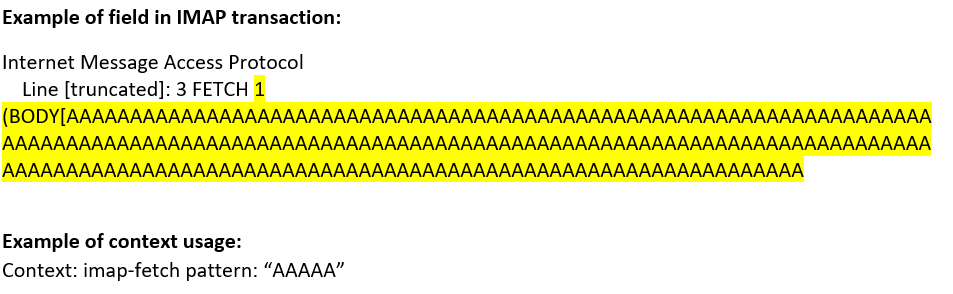
|
|||
|
imap-getacl (CTS) |
Matches arguments of IMAP GetACL command in an IMAP session. |
|||
|
imap-list (CTS) |
Matches arguments of IMAP List/RList command in an IMAP session. 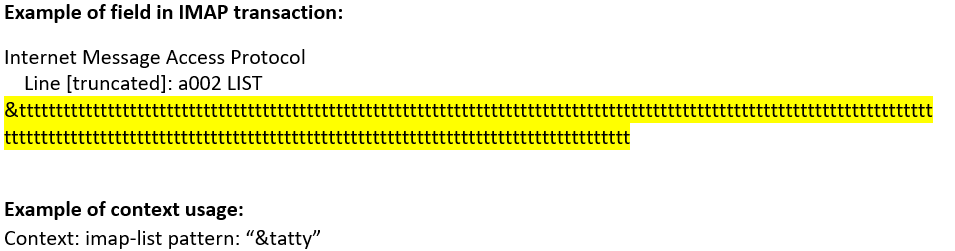
|
|||
|
imap-listrights (CTS) |
Matches arguments of IMAP ListRights command in an IMAP session. |
|||
|
imap-login (CTS) |
Matches arguments of IMAP Login command in an IMAP session. 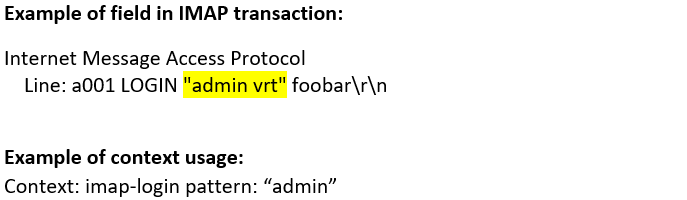
|
|||
|
imap-lsub (CTS) |
Matches arguments of IMAP LSUB/RLSUB command in an IMAP session. 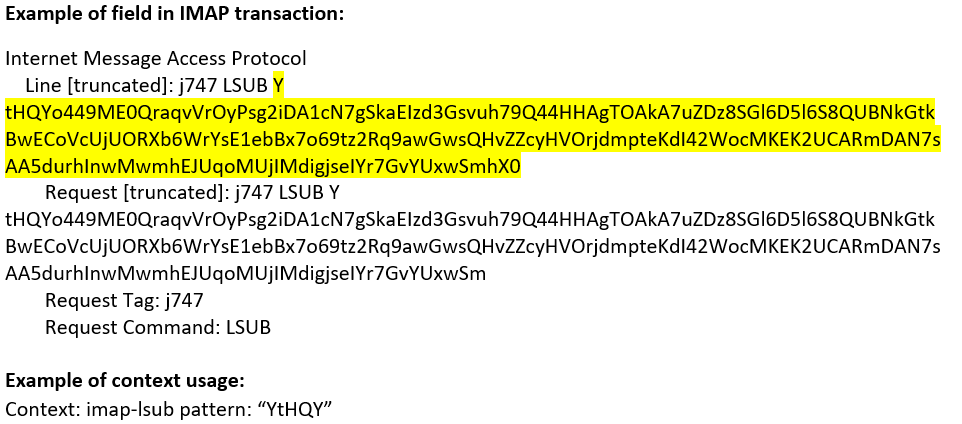
|
|||
|
imap-mailbox (CTS) |
Matches each mailbox name in an IMAP session. 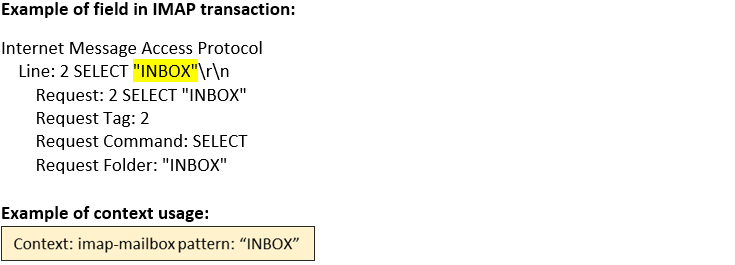
|
|||
|
imap-myrights (CTS) |
Matches arguments of IMAP MyRights command in an IMAP session. |
|||
|
imap-rename (CTS) |
Matches arguments of IMAP Rename command in an IMAP session. |
|||
|
imap-search (CTS) |
Matches arguments of IMAP Search command in an IMAP session. 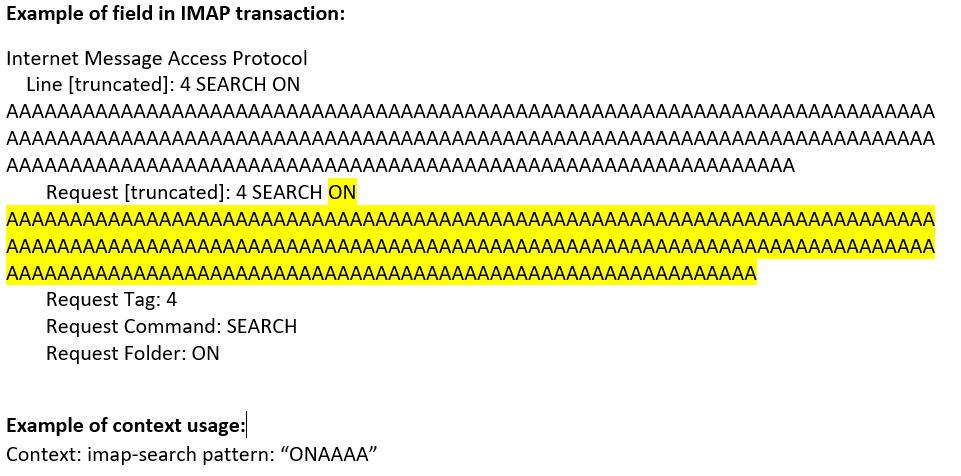
|
|||
|
imap-select (CTS) |
Matches arguments of IMAP Select command in an IMAP session. 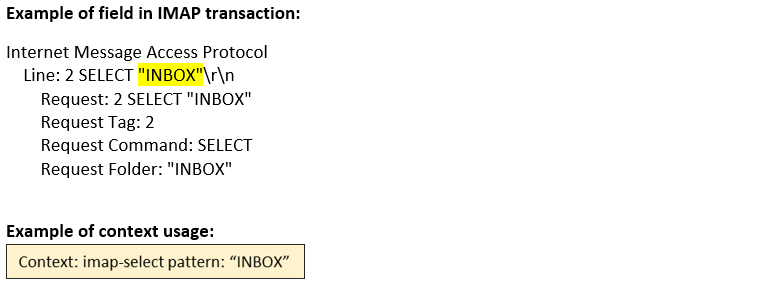
|
|||
|
imap-setacl (CTS) |
Matches arguments of IMAP SetACL command in an IMAP session. |
|||
|
imap-status (CTS) |
Matches arguments of IMAP Status command in an IMAP session. 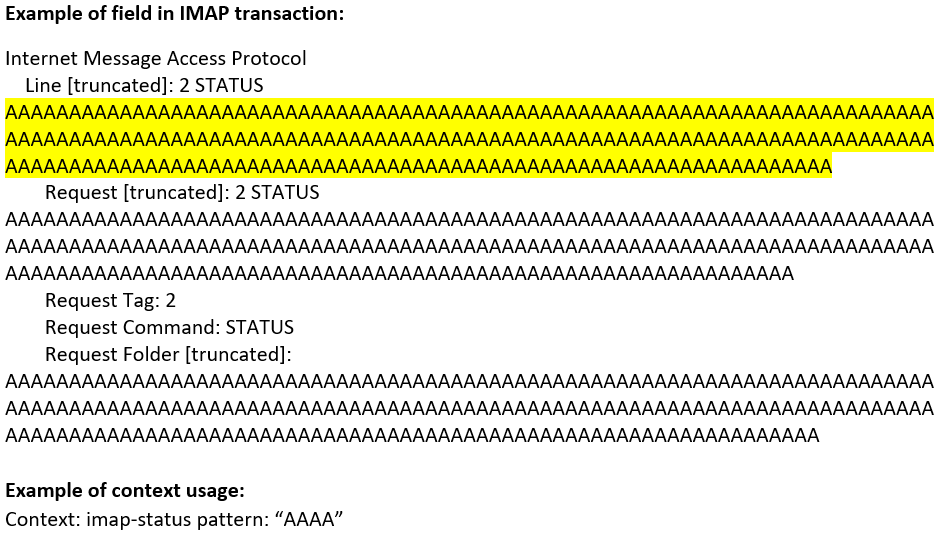
|
|||
|
imap-store (CTS) |
Matches arguments of IMAP Store command in an IMAP session. |
|||
|
imap-subscribe (CTS) |
Matches arguments of IMAP Subscribe command in an IMAP session. |
|||
|
imap-uid (CTS) |
Matches arguments of IMAP UID command in an IMAP session. |
|||
|
imap-unsubscribe (CTS) |
Matches arguments of IMAP Unsubscribe command in an IMAP session. |
|||
|
imap-user (CTS) |
Matches the IMAP user name in an IMAP session. 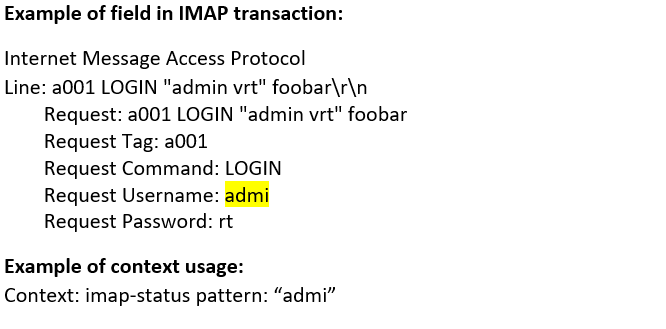
|
|||
Service Contexts: PoP3
The table displays the security context details for PoP3:
|
Context and Direction |
Description Example of Contexts |
|||
|---|---|---|---|---|
|
pop3-apop (CTS) |
Matches the arguments of the APOP command in a POP3 session. |
|||
|
pop3-auth (CTS) |
Matches the arguments of the AUTH command in a POP3 session. 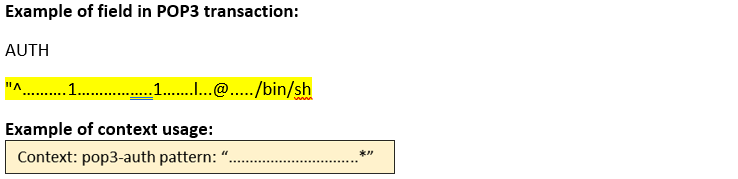
|
|||
|
pop3-command (CTS) |
Matches each of the POP3 command names in a POP3 session. 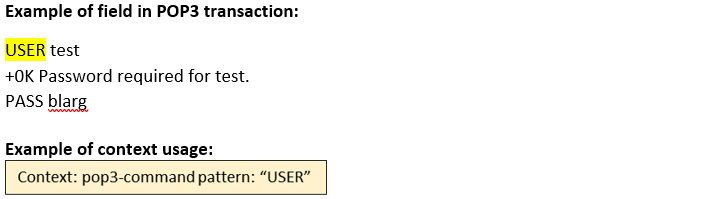
|
|||
|
pop3-command-line (CTS) |
Matches each command line in a POP3 session. 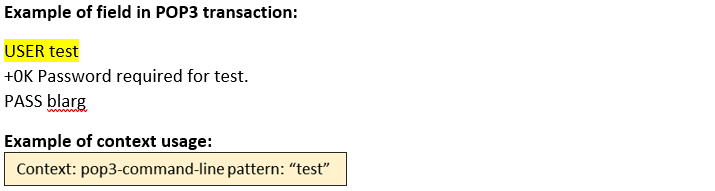
|
|||
|
pop3-data-line (STC) |
Matches lines in the e-mail body of an POP3 transaction. |
|||
|
pop3-data-text-html (STC) |
Matches lines in a text/html MIME attachment in the body of an POP3 transaction. 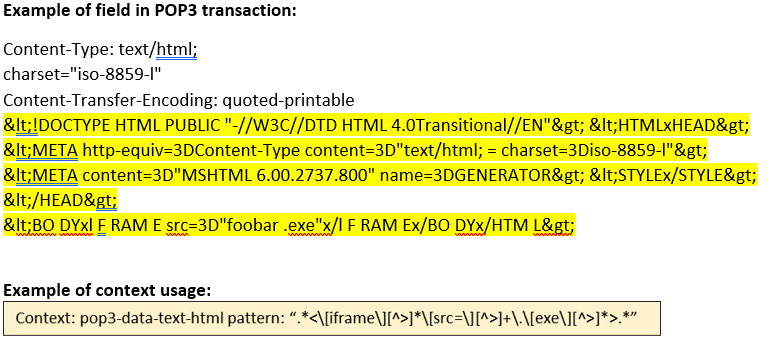
|
|||
|
pop3-data-text-plain (STC) |
Matches lines in a text/plain MIME attachment in the body of an POP3 transaction. 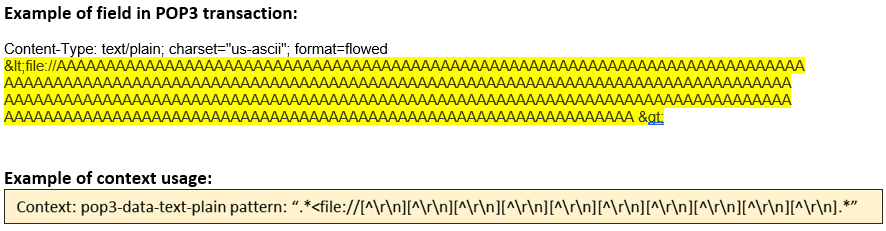
|
|||
|
pop3-dele (CTS) |
Matches the arguments of the DELE command in a POP3 session. 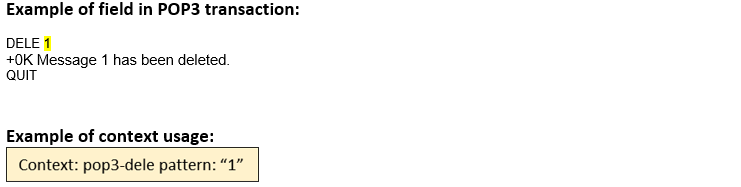
|
|||
|
pop3-header |
Matches pop3 header ![Example of a POP3 transaction showing email retrieval with the RETR command. Highlights Message-ID field. Includes headers Date, From, MIME-Version. Regular expression for extracting message-id: message-id: <[A-Za-z0-9]+>.](../concept/../../images/s009389.png)
|
|||
|
pop3-header-comment (STC) |
Matches the Comment: header of an e-mail in a POP3 transaction. |
|||
|
pop3-header-from (STC) |
Matches the From: header of an e-mail in a POP3 transaction. 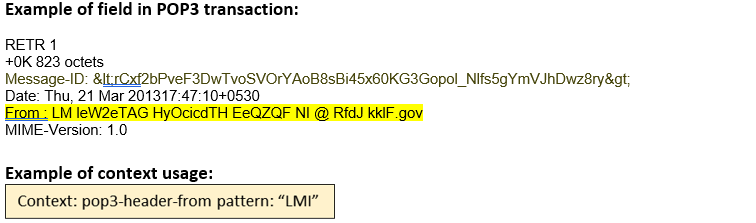
|
|||
|
pop3-header-line (STC) |
Matches each header line of an e-mail in POP3 transaction. |
|||
|
pop3-header-reply-to (STC) |
Matches the Reply-To: header of an e-mail in a POP3 transaction. 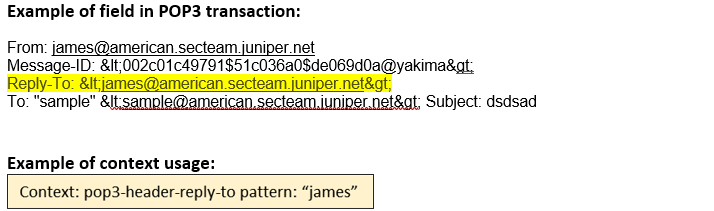
|
|||
|
pop3-header-sender (STC) |
Matches the Sender: header of an e-mail in a POP3 transaction. |
|||
|
pop3-header-subject (STC) |
Matches the Subject: header of an e-mail in a POP3 transaction 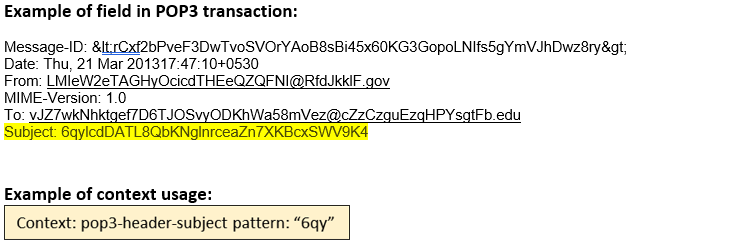
|
|||
|
pop3-header-to (STC) |
Matches the To: header of an e-mail in a POP3 transaction. 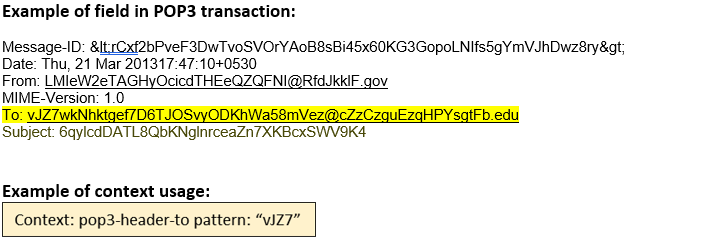
|
|||
|
pop3-header-x-field (STC) |
Matches each extended header (that start with X-) of an e-mail in a POP3 transaction. 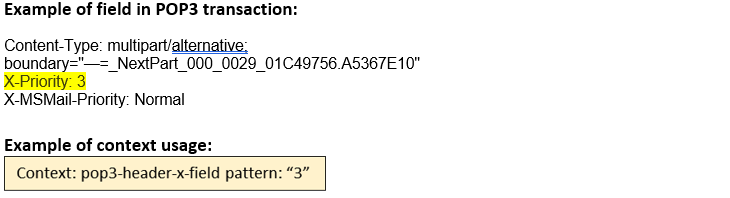
|
|||
|
pop3-header-x-mailer (STC) |
Matches the X-Mailer: header of an e-mail in a POP3 transaction. 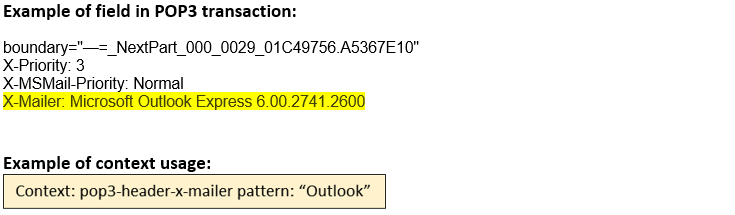
|
|||
|
pop3-list (CTS) |
Matches the arguments of the LIST command in a POP3 session. 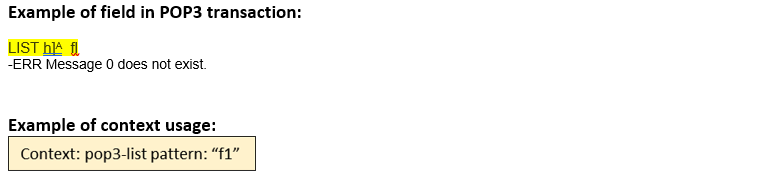
|
|||
|
pop3-mime- content-data (STC) |
Matches the first 64 bytes of the base-64 decoded MIME attachment data in a POP3 session. 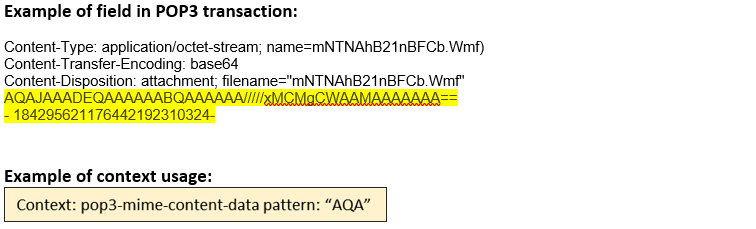
|
|||
|
pop3-mime- content-filename (STC) |
Matches the content filename of a MIME attachment in a POP3 session. 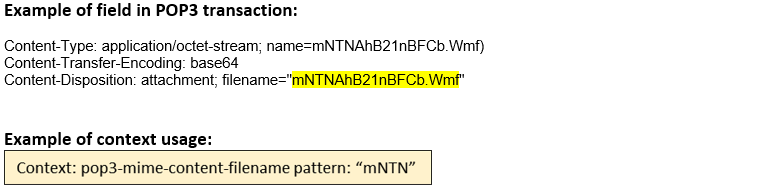
|
|||
|
pop3-mime- content-name (STC) |
Matches the content name of a MIME attachment in a POP3 session. 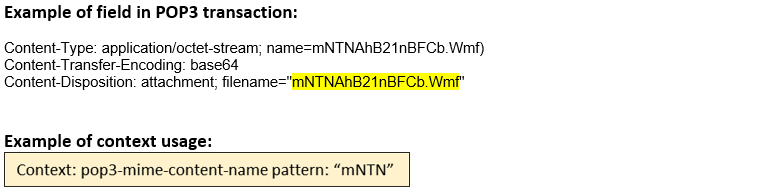
|
|||
|
pop3-retr (CTS) |
Matches the arguments of the RETR command in a POP3 session. 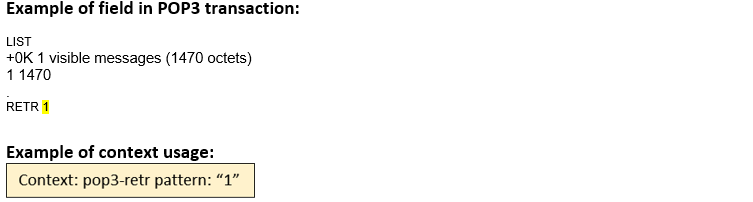
|
|||
|
pop3-top (CTS) |
Matches the arguments of the TOP command in a POP3 session. |
|||
|
pop3-uidl (CTS) |
Matches the arguments of the UIDL command in a POP3 session. |
|||
|
pop3-user (CTS) |
Matches the user name of a POP3 session. 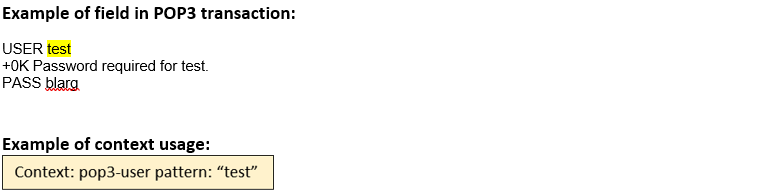
|
|||
|
pop3-xtnd (CTS) |
Matches the arguments of the XTND command in a POP3 session. |
|||
Service Contexts: SMTP
The table displays the security context details for SMTP:
|
Context and Direction |
Description Example of Contexts |
|||
|---|---|---|---|---|
|
smtp-banner (STC) |
Matches the banner returned by the server at the start of an SMTP transaction. 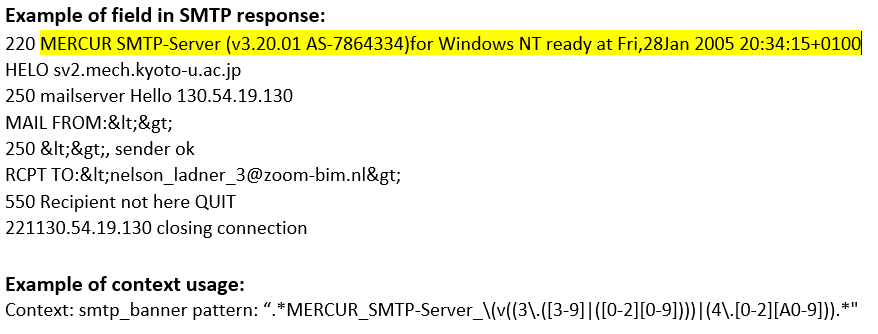
|
|||
|
smtp-command-line (CTS) |
Matches any SMTP command line. 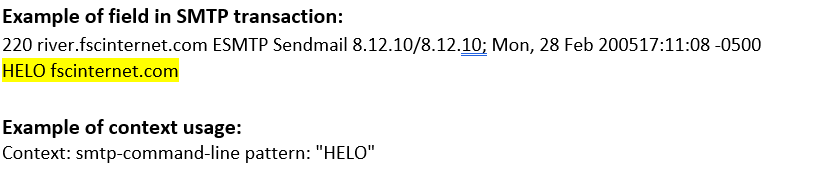
|
|||
|
smtp-data-line (CTS) |
Matches lines in the e-mail body of an SMTP transaction. 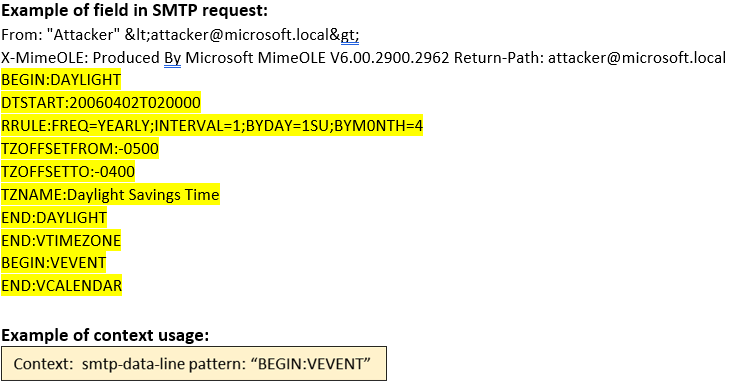
|
|||
|
smtp-data-text-html (CTS) |
Matches lines in a text/html MIME attachment in the body of an SMTP transaction. 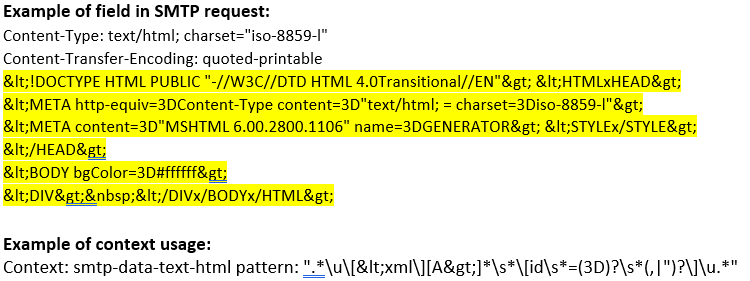
|
|||
|
smtp-data-text-plain (CTS) |
Matches lines in a text/plain MIME attachment in the body of an SMTP transaction. 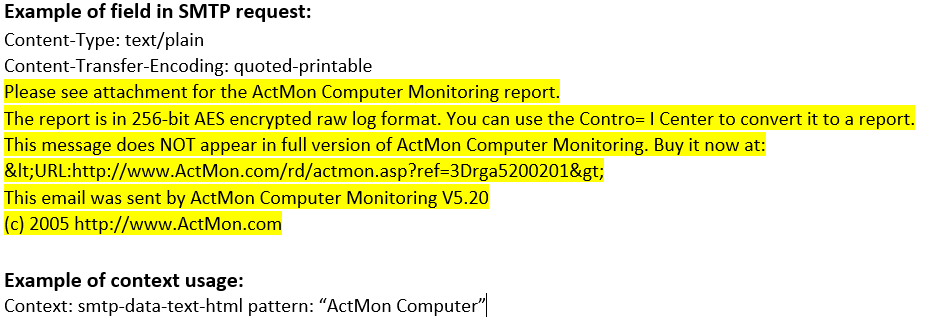
|
|||
|
smtp-from (CTS) |
Matches the contents of the MAIL, SAML, SEND, and SOML commands. 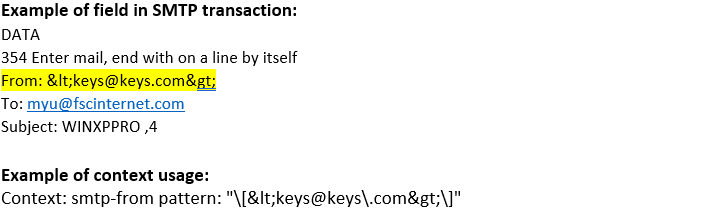
|
|||
|
smtp-header (CTS) |
Matches any unfolded header in the SMTP data. 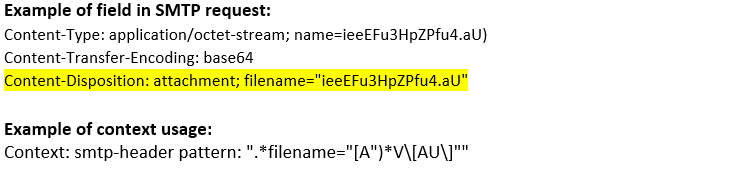
|
|||
|
smtp-header-comment (CTS) |
Matches the Comment: header in the SMTP data. |
|||
|
smtp-header-from (CTS) |
Matches the From: header in the SMTP data. 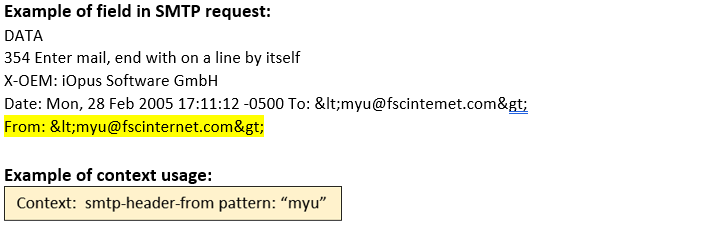
|
|||
|
smtp-header-line (CTS) |
Matches any header lines in the SMTP data. 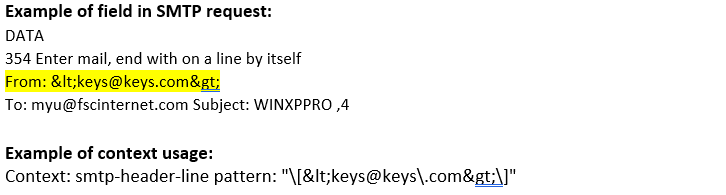
|
|||
|
smtp-header-reply-to (CTS) |
Matches the Reply-To: header in the SMTP data. 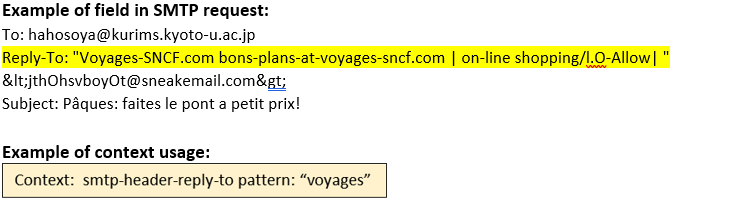
|
|||
|
smtp-header-sender (CTS) |
Matches the Sender: header in the SMTP data. |
|||
|
smtp-header-subject (CTS) |
Matches the Subject: header in the SMTP data. 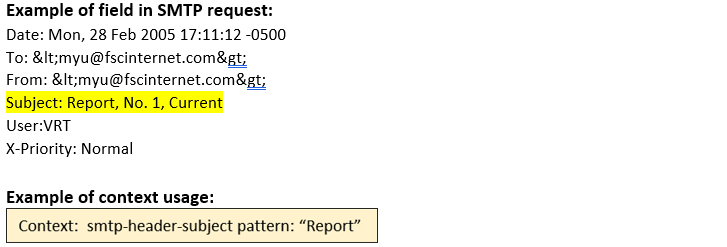
|
|||
|
smtp-header-to (CTS) |
Matches the To: header in the SMTP data. 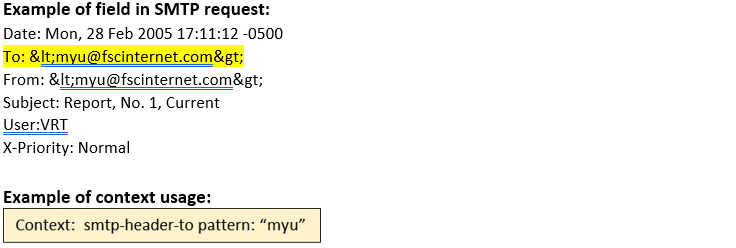
|
|||
|
smtp-header-x-field (CTS) |
Matches all extended headers that start with X- in the SMTP data. 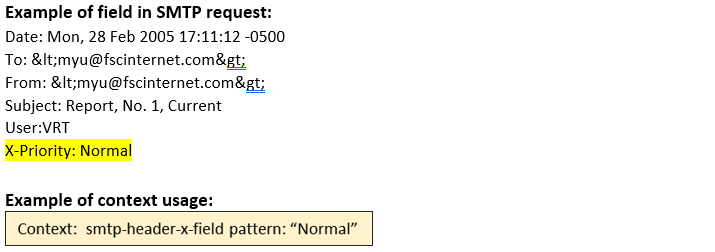
|
|||
|
smtp-header- x-mailer (CTS) |
Matches the X-Mailer: header in the SMTP data. 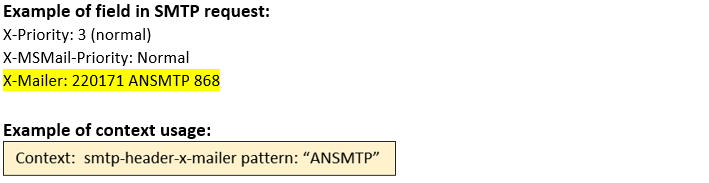
|
|||
|
smtp-header- x-originating-ip |
Matches the X-Originating-ip header in the SMTP data. 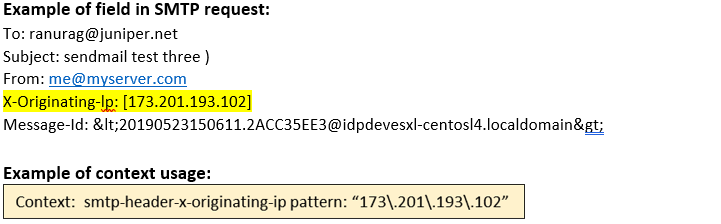
|
|||
|
smtp-mime- content-data (CTS) |
Matches the first 64 bytes of the base-64 decoded MIME attachment data in an SMTP session. |
|||
|
smtp-mime- content-filename (CTS) |
Matches the content filename of a MIME attachment in an SMTP session. ![SMTP request example showing Content-Transfer-Encoding as base64 and an attachment with filename No[]-#VRT#WINXPPRO#.dat. Context highlights identifying SMTP MIME content filenames for attachments.](../concept/../../images/s009411.png)
|
|||
|
smtp-mime- content-name (CTS) |
Matches the content name of a MIME attachment in an SMTP session. 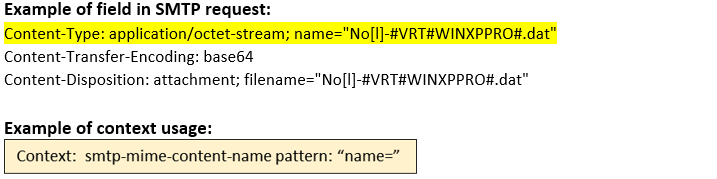
|
|||
|
smtp-pdf (ANY) |
smtp-pdf |
|||
|
smtp-rcpt (CTS) |
Matches the contents of the RCPT command in an SMTP transaction. 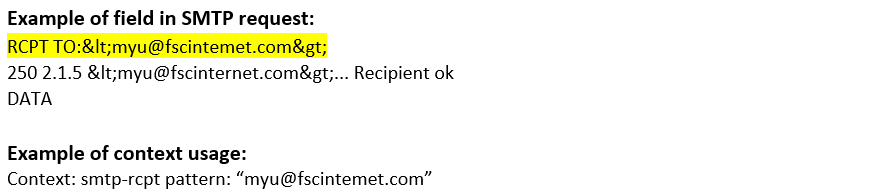
|
|||
|
smtp-reply- 100-line (STC) |
Matches the SMTP 1yz Positive Preliminary reply. |
|||
|
smtp-reply- 200-line (STC) |
Matches the SMTP 2yz Positive Completion reply. 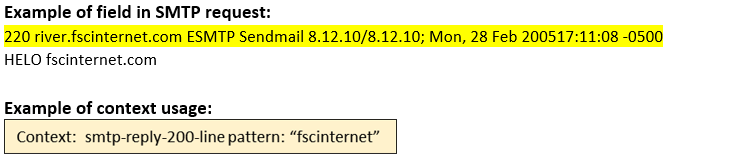
|
|||
|
smtp-reply- 300-line (STC) |
Matches the SMTP 3yz Positive Intermediate reply. 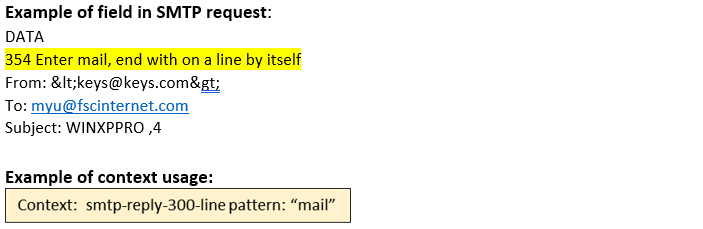
|
|||
|
smtp-reply- 400-line (STC) |
Matches the SMTP 4yz Transient Negative Completion reply. |
|||
|
smtp-reply- 500-line (STC) |
Matches the SMTP 5yz Permanent Negative Completion reply. 
|
|||
|
smtp-reply- line (STC) |
Matches the SMTP reply line. 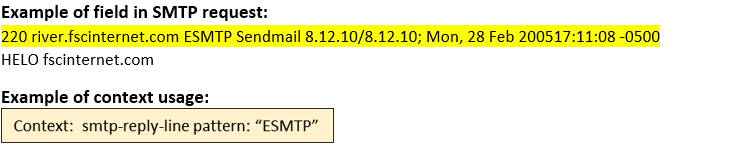
|
|||