Help us improve your experience.

Let us know what you think.

Do you have time for a two-minute survey?


View Events in Marvis Actions

The Marvis Actions dashboard in the Juniper Routing Assurance application provides network administrators a high-level view of the router events in the network.

To view events:

  1. Click Marvis.
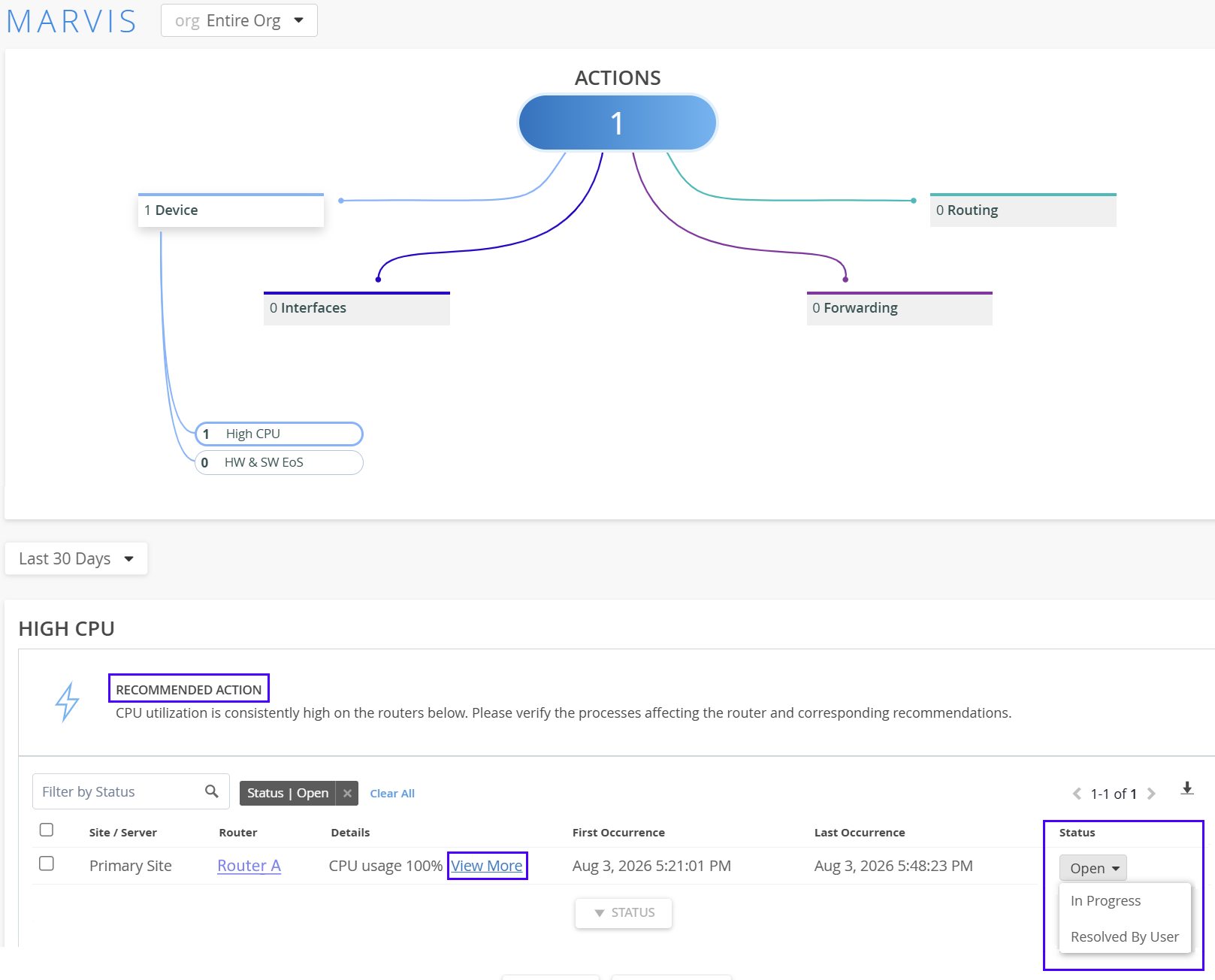
  2. Click an event category to view all the events recorded for that event category.
  3. Click an event to view details of that event.
    Details of the event and the recommended action are displayed.
  4. Click View More.
    More details about the event such as the site where the event is reported, the device affected, and the date and the time of the event are displayed.

    You can mark the status of the event as In Progress to indicate that an administrator is working on resolving the event. The event information is removed automatically after the issue is resolved. Click the router name to navigate to the router Insights page.