
Manage Your Global Workspace
Use this topic to create workspaces, configure domains, integrate identity providers, and manage user access in the Global Cloud Portal.
Workspace provides centralized management of Single Sign-On (SSO) and authentication settings for the Global Cloud Portal. Administrators can use it to configure domains, integrate identity providers, and manage user access.
From the Workspace page, you can perform the following tasks:
Create a Workspace
Add Domains
Use the Domains tab to configure domains for SSO-based authentication.
A domain represents an organization’s email domain and is used to enable SSO login for users with matching email addresses.
To add and verify an organization's domain:
-
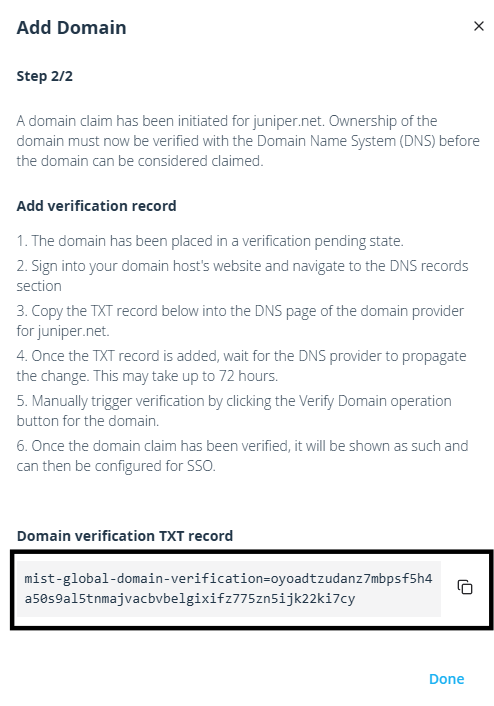
Copy the Domain verification TXT record.
Figure 1: TXT Record
Add Identity Provider
Use the Identity Providers section to configure external authentication providers for the Global Cloud Portal.
Click Add Provider and enter the required configuration details and save the settings. For field description, see Manage Identity Providers.
Invite and Manage Users
Use the Users tab to invite users to the workspace and manage user access.
To invite users:
Edit Workspace
Click Edit Workspace to update the name of the workspace.
Delete Workspace
Click Delete to permanently remove the workspace.