Monitor and Troubleshoot Data Center Events from Mist
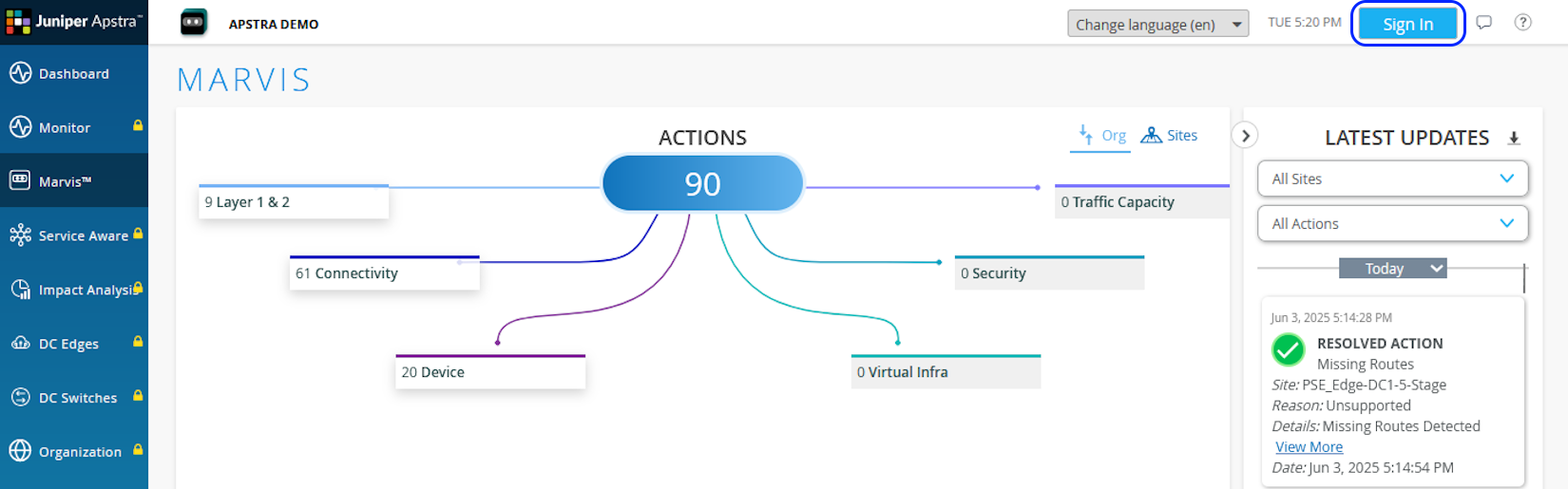
If you manage your enterprise network using Mist and data center using Apstra, you can monitor data center issues too from Mist by linking the organization in Mist with the organization in HPE Mist Networking Data Center Assurance. Once the organization in Mist is linked with the organization in Data Center Assurance, you can view the total number of data center issues in Data Center/Application category in Marvis Actions in Mist. You can also access Data Center Assurance by clicking the Data Center Actions issue type under Data Center/Application and view more detailed information about an issue.
You must be a user with the superuser role to link the organizations in Data Center Assurance and Mist.
Make sure you have the following:
-
Login credentials to access Data Center Assurance
-
Login credentials to access Mist
-
API token generated in Data Center Assurance
To access HPE Mist Networking Data Center Assurance from Mist:
-
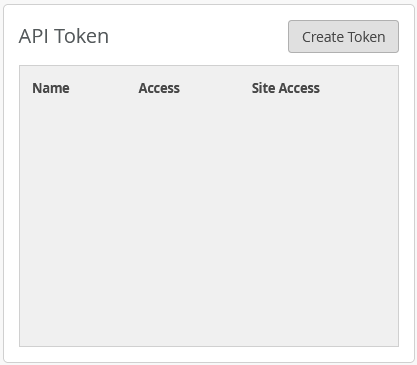
Locate the API Token tile and click Create Token.
-
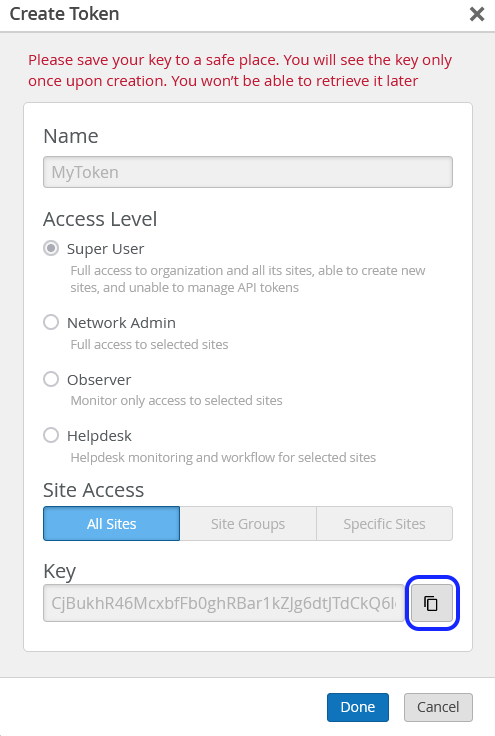
Enter a name for the token and click Generate.
-
Locate the Apstra Cloud Services Integration tile.
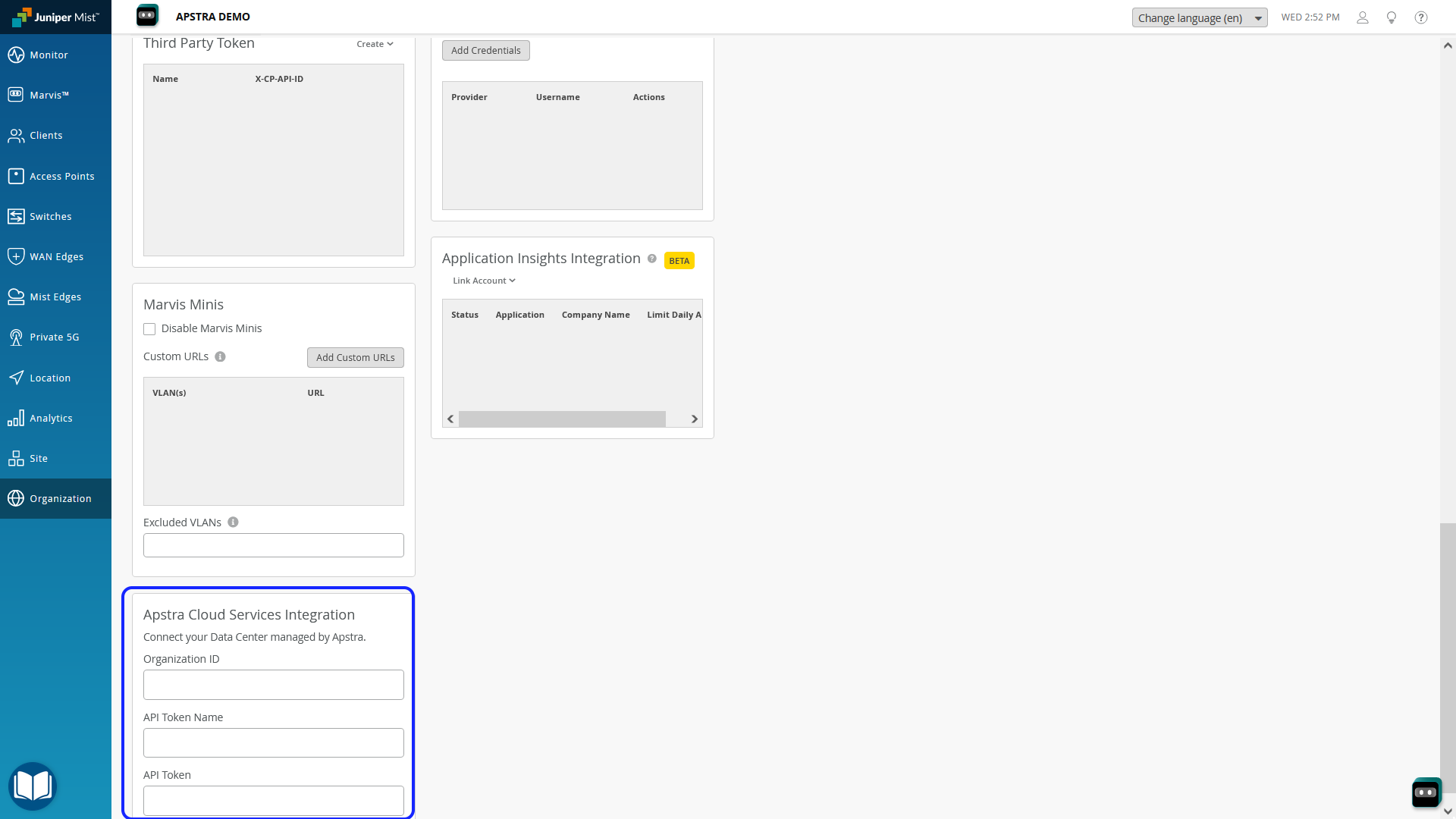
Enter the following information:
-
Organization ID─Copy the organization ID from Data Center Assurance and paste it here.
-
API Token Name─Enter API token name that you defined in Data Center Assurance.
-
API Token─Copy the API token generated in step 3 in Data Center Assurance and paste it here.
-
-
Click Save.
The organizations in Mist and Data Center Assurance are linked now. In a few minutes, you'll notice that the Data Center/Application issue category is active and displays the total number of data center issues under the Data Center Actions issue type.
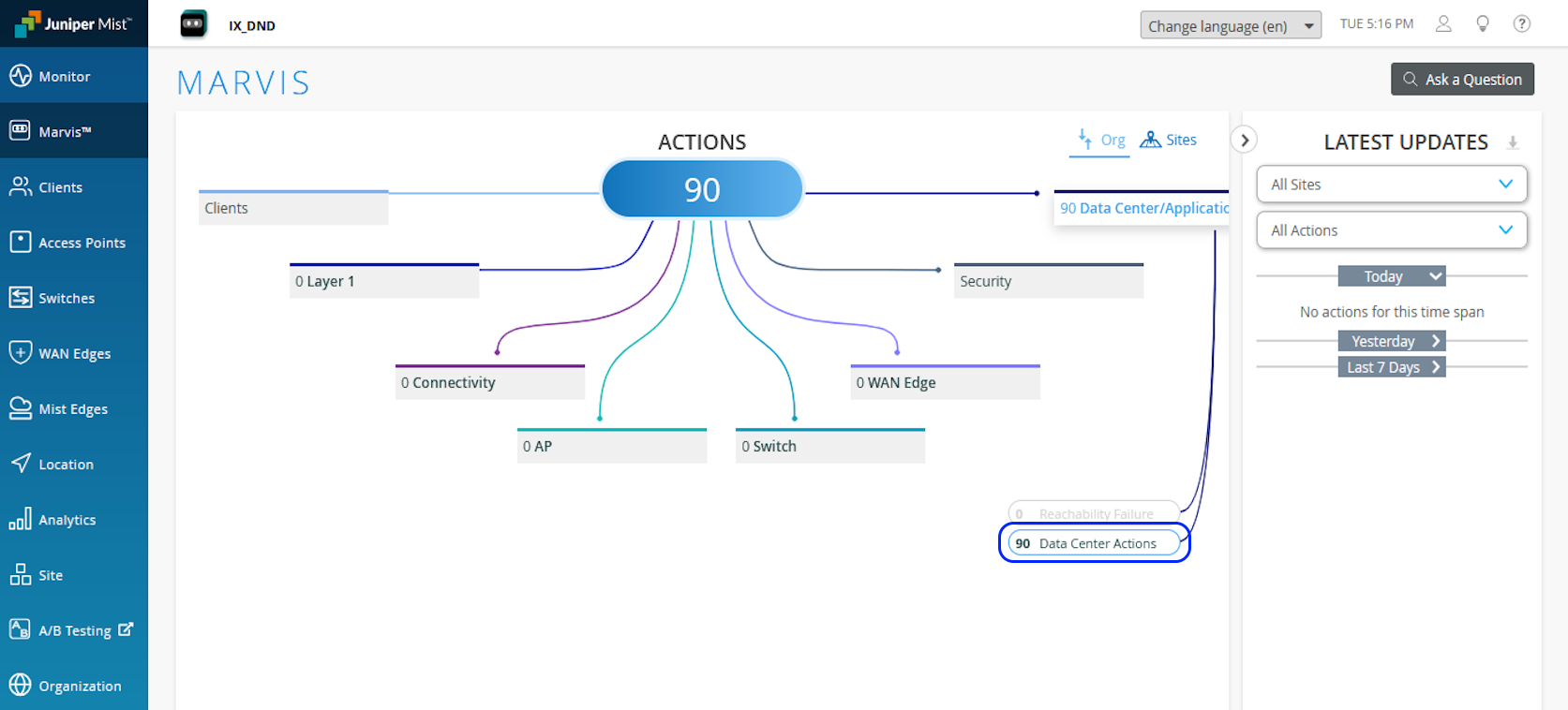
-
Click the Data Center Actions issue type under
Data Center/Application to launch Data Center
Assurance.
HPE Mist Networking Data Center Assurance opens in a new browser window or tab in read-only mode. Log in to Data Center Assurance to access all features of the application.