
Step 5 Run Pre-flight Checks
The pre-flight checks feature verifies whether certain prerequisites and configuration requirements are met, and provides actionable guidance on how to resolve potential issues. Executing these checks enables you to validate the environment, identify issues that might affect the performance of DC Assurance features, and resolve them.
The pre-flight checks feature helps you verify whether:
-
Blueprints are configured properly.
-
Probes that relay data center events and insights from Apstra Data Center Director to DC Assurance are enabled.
-
Edge is running the software version required to support the latest DC Assurance features.
-
Edge is connected to the Apstra Flow Server.
-
System time on Apstra Flow Server and Juniper Data Center Assurance are in sync.
Follow these steps to run preflight checks:
-
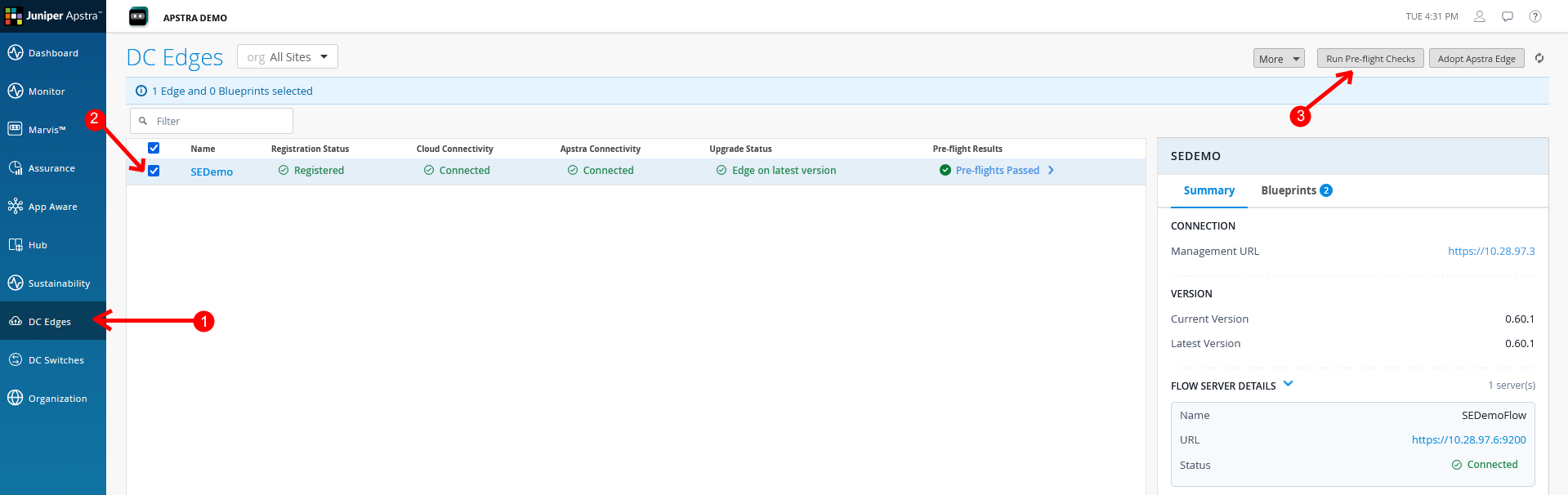
On the DC Edges page, select the Edge that you adopted and click Run
Preflight Checks.
Figure 1: DC Edges Page
-
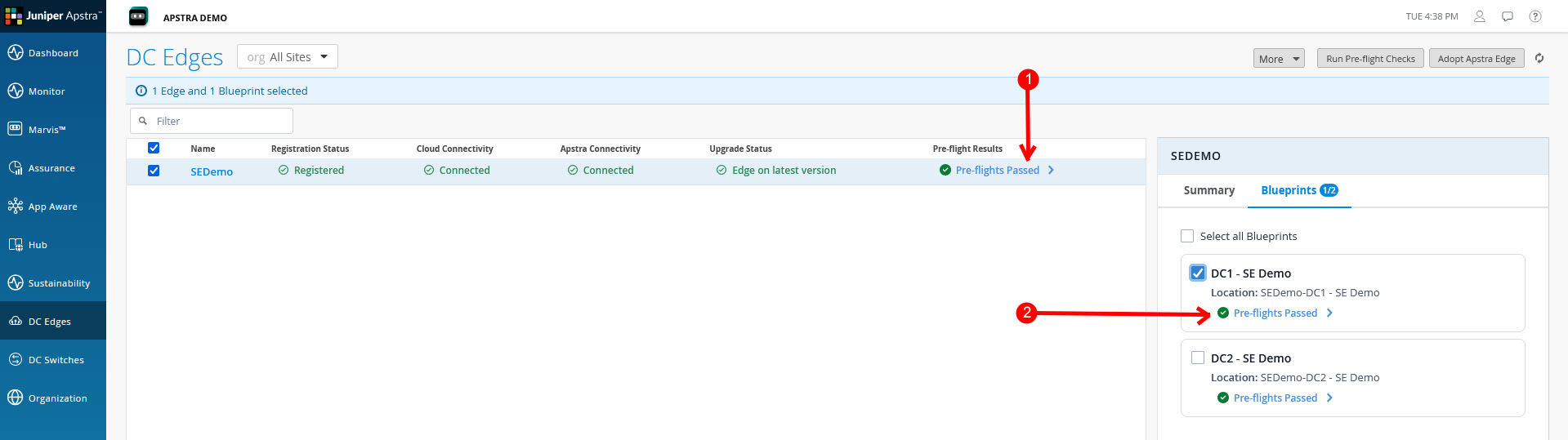
Review the results and resolve any failures before proceeding.
Figure 2: Preflight Check Status
-
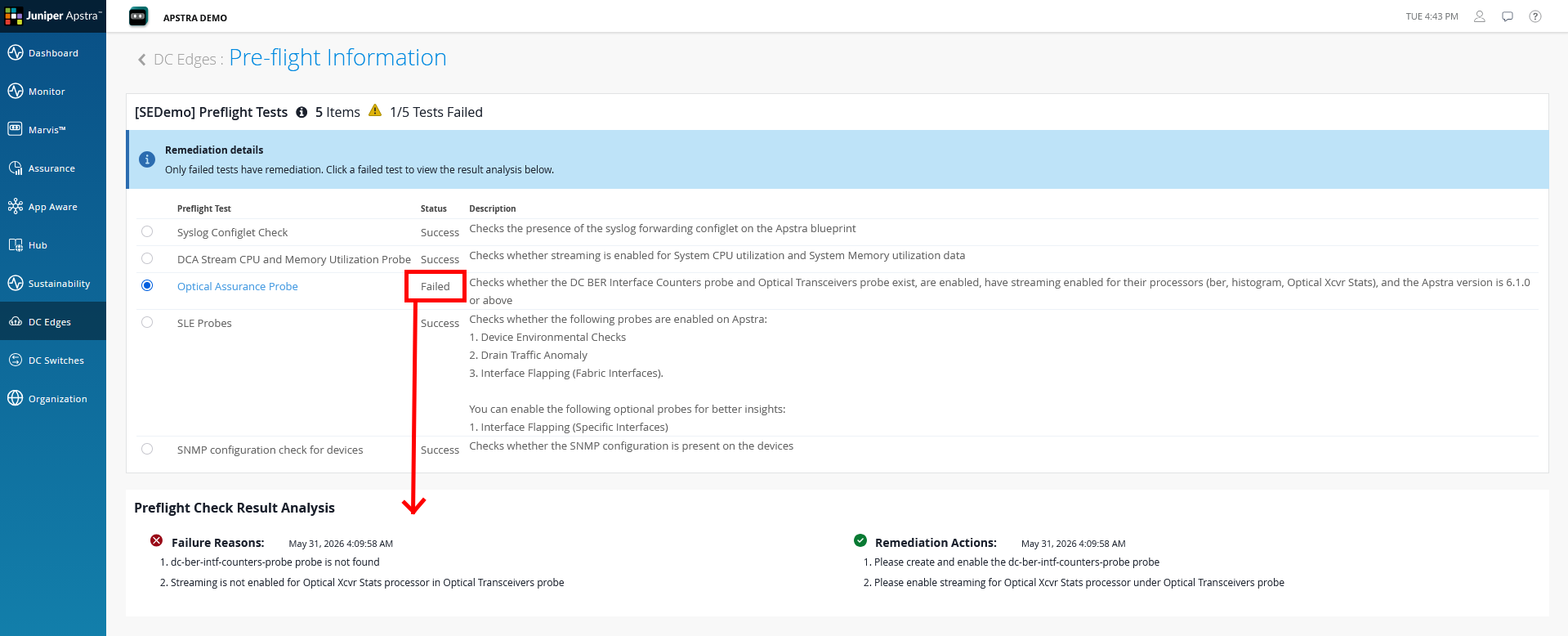
Click the link highlighted in Figure 2 to
view the test results.
Figure 3: Preflight Check Results
 Note:
Note:Resolve all the required pre-flight check failures before proceeding. We recommend that you review the Optional check failures even though they do not block the onboarding process.