Integrate Data Center Assurance with OpsRamp
Learn about integrating Data Center Assurance with OpsRamp for better operational visibility into the network.
OpsRamp Overview
HPE OpsRamp is an AIOps and IT Operations Management platform that provides unified monitoring, observability, event management, alert correlation, and event remediation using automation. It monitors the full stack of IT infrastructure including network, storage, compute and hybrid cloud. OpsRamp collects metrics, events, logs, and infrastructure telemetry from data centers, cloud platforms, and applications. It then uses AI-ML-driven analytics to detect anomalies, correlate alerts, identify root causes, remediate events before they escalate, thereby ensuring that critical services remain uninterrupted.
The key capabilities of OpsRamp include infrastructure and network monitoring, observability, alert correlation, root cause analysis and remediation. These capabilities enable operations teams to improve network visibility and accelerate issue resolution.
Integrating Data Center Assurance with OpsRamp enables Data Center Assurance to send key Impact Analysis anomalies to OpsRamp in real-time using webhooks. Data Center Assurance sends the alerts as webhook messages to OpsRamp, where they can be monitored, correlated with alerts from other platforms, and resolved in a proactive manner.
OpsRamp integration allows critical network and infrastructure insights generated by Data Center Assurance to be displayed in OpsRamp, providing centralized monitoring capability, and enabling faster identification and resolution of operational issues.
To integrate OpsRamp with Data Center Assurance, you must perform the following operations:
Create a Webhook Integration on OpsRamp
Integrating Data Center Assurance with OpsRamp enables Data Center Assurance to send real time data about key anomalies to OpsRamp and analyse correlations between network issues. This network insight helps network administrators monitor and resolve potential issues that might cause network disruption in a timely manner.
To create a webhook on OpsRamp,
-
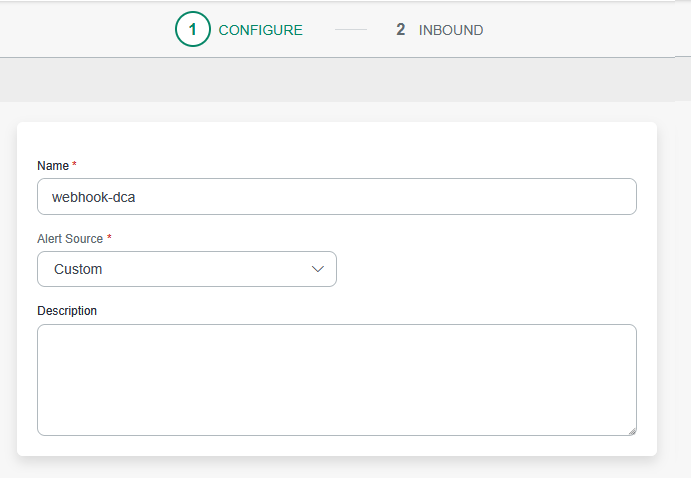
In the Configure page, enter a name for the custom event and select
the Alert Source as Custom. Click Next.
-
In the Inbound page, select the following
options:
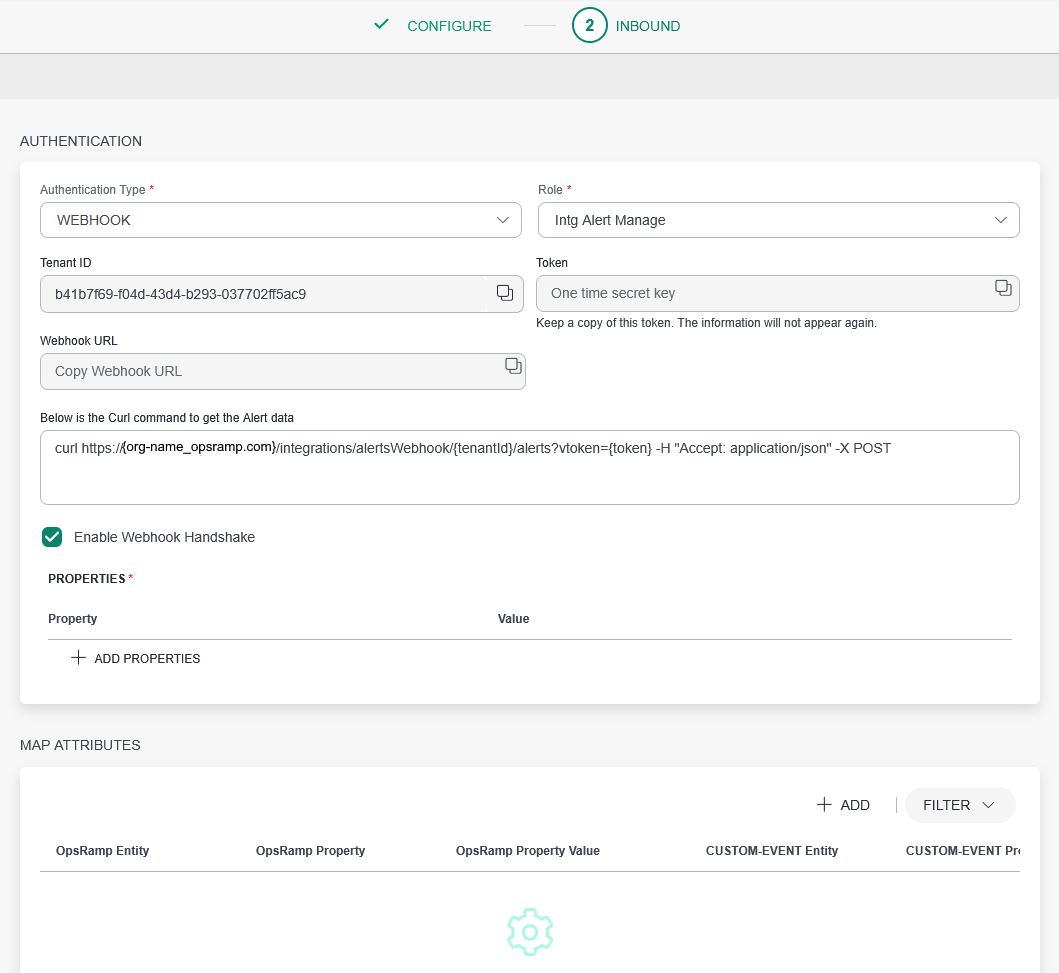
- Authentication Type – WEBHOOK
- Role – Intg Alert Manage
Note:The org name is auto-populated based on the client configured on OpsRamp.
-
On the Add Map Attributes page, select the following
options:
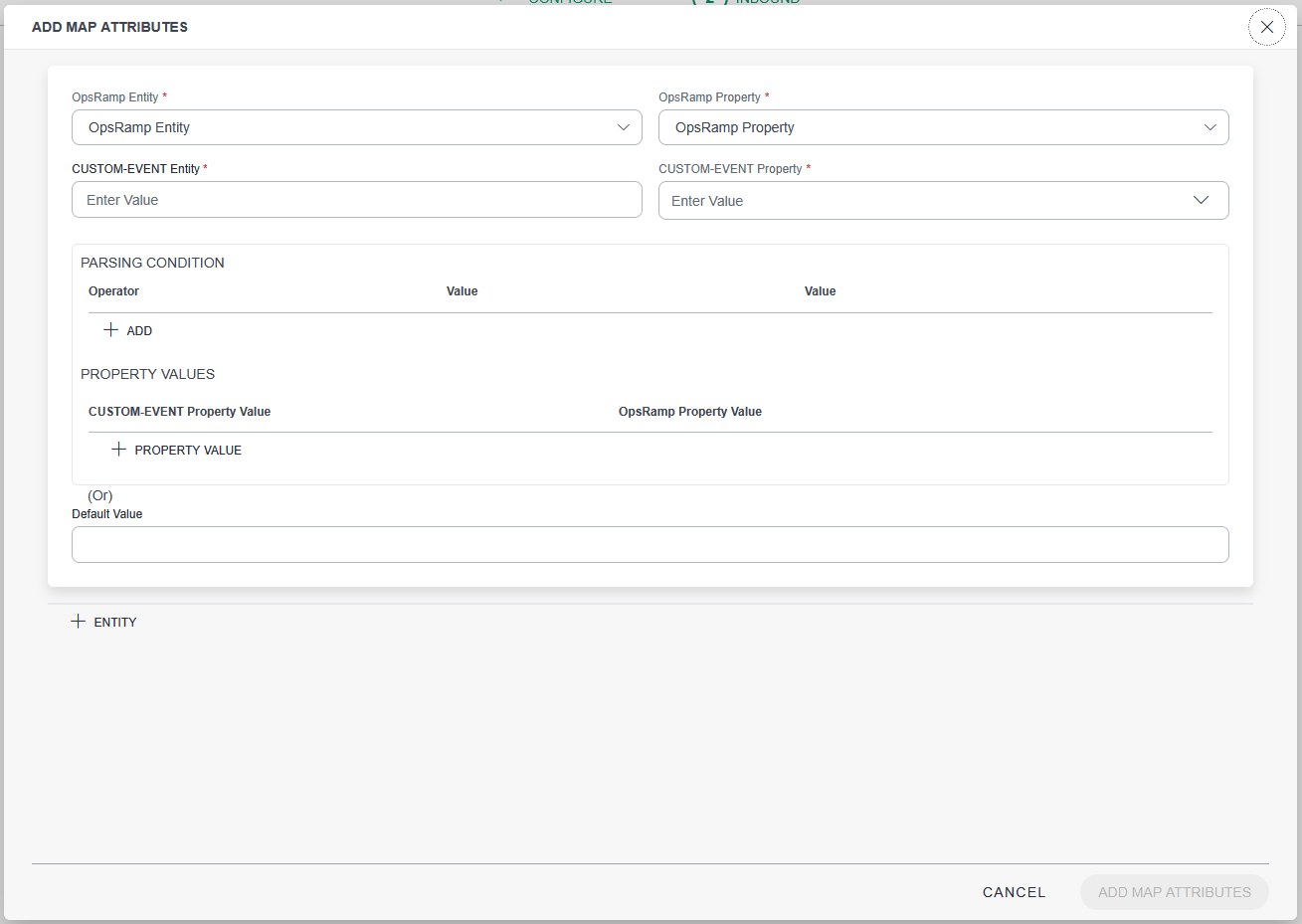
Table 1: Add Map Attributes Field Input Value OpsRamp Entity
Set to Alert
OpsRamp Property
Attributes on OpsRamp
Custom-Event Entity
Set to Alert
Custom-Event Property
Attributes from Data Center Assurance
Property Values
Set OpsRamp corresponding values for Data Center Assurance attribute values.
For example, for the Severity attribute, you can map the severity level of 4 on Data Center Assurance to Critical on OpsRamp.
You must map the following Data Center Assurance attributes to their corresponding OpsRamp attributes for basic information about the alerts to be displayed on OpsRamp:
-
subject
-
description
-
resource name/host name/IP address
-
service name/metric name
-
component
-
alertType
-
currentState
Note:-
You can use an output from Data Center Assurance as a reference for all the Data Center Assurance attributes and map them to corresponding OpsRamp attributes from the OpsRamp Property drop-down.
-
You can add, modify, or delete mapped attributes at any time.
-
A webhook integration has been configured on OpsRamp.
Configure the Webhook on Data Center Assurance
Once the webhook integration has been configured on OpsRamp, you must add the webhook on Data Center Assurance in order to stream event information from Data Center Assurance to OpsRamp.
You can configure the webhook either at the site-level or at the org-level on Data Center Assurance.
You must be a superuser to configure webhooks on Data Center Assurance.
To configure the webhook on Data Center Assurance,
-
On the Add Webhook dialog box, enter the following
information:
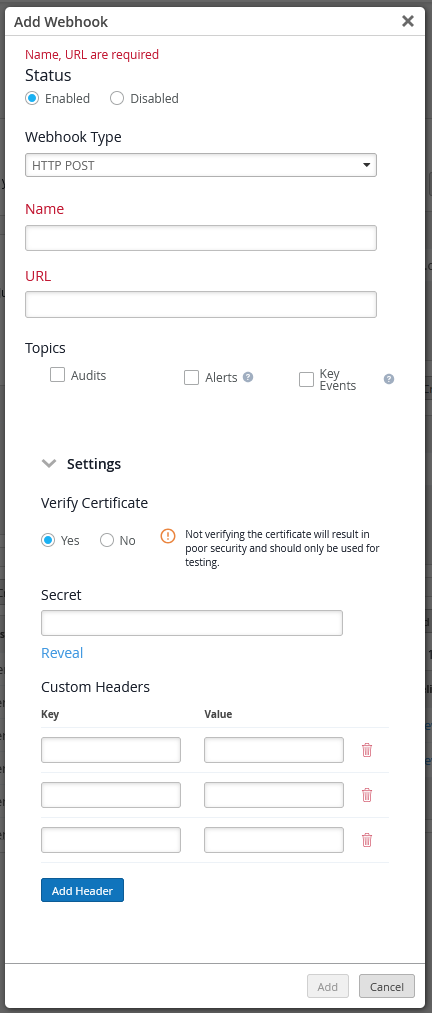
Table 2: Add Webhook fields Field Input Value Webhook Type Select HTTP POST Name Enter a name for the new webhook URL Paste the Webhook URL that you copied in step 9 of the Create a Webhook Integration on OpsRamp section. Topics Select Key Events to send information about all key anomalies in real time on OpsRamp. - Expand the Settings section.
- Select Yes to verify the certificate.
- In the Secret field, enter the token that you copied in step 9 of the Create a Webhook Integration on OpsRamp section.
The webhook is now added and Data Center Assurance starts streaming information to OpsRamp.
Add Custom Attributes on OpsRamp
In order to view the Data Center Assurance attributes that do not have corresponding mapped attributes on OpsRamp, you must add custom attributes to OpsRamp. To authenticate this action, you must generate a client token using OAUTH2 on OpsRamp.
-
In the Inbound page, select the following
options:
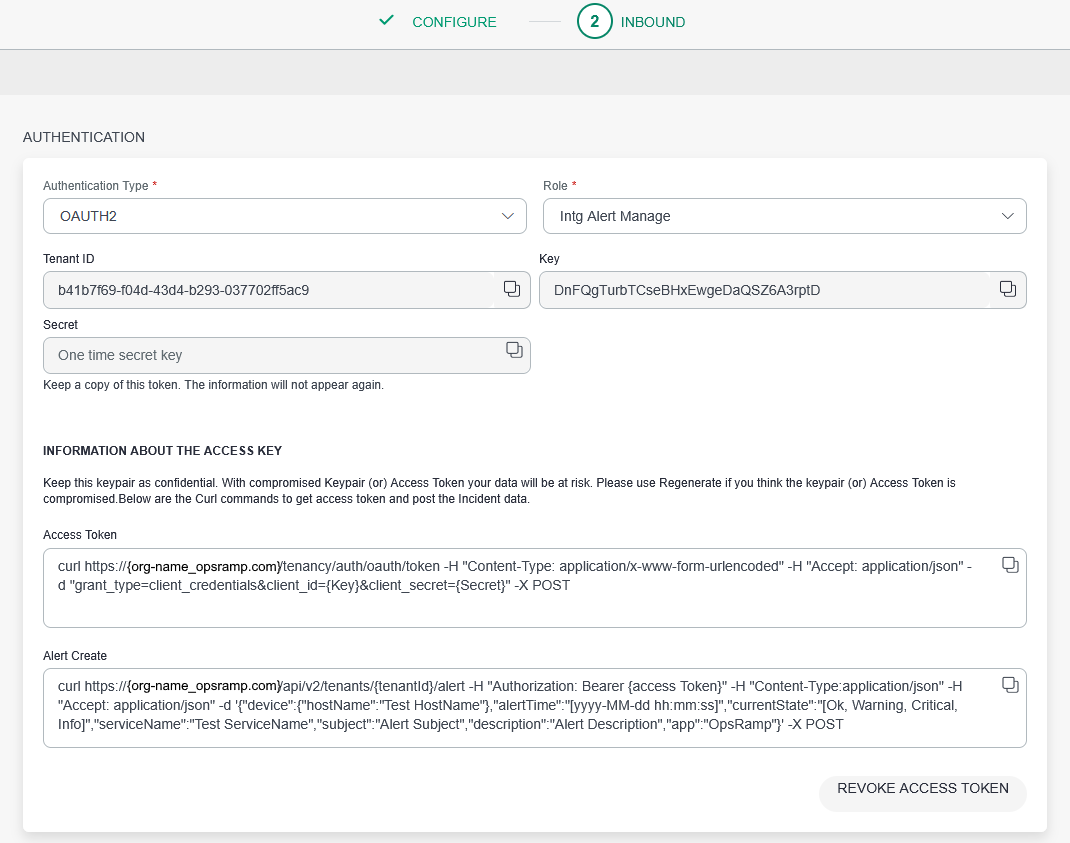
- Authentication Type – OAUTH2
- Role – Intg Alert Manage
Note:The org name is auto-populated based on the client configured on OpsRamp.
The custom attributes are now added to OpsRamp.
View Alerts on OpsRamp
After the webhooks has been configured and integrated onto OpsRamp and Data Center Assurance, Data Center Assurance starts sending information about key anomalies from the network to OpsRamp.
To view alerts on OpsRamp,
-
The Alerts page opens with a list of alerts received from Data Center
Assurance for the selected client.
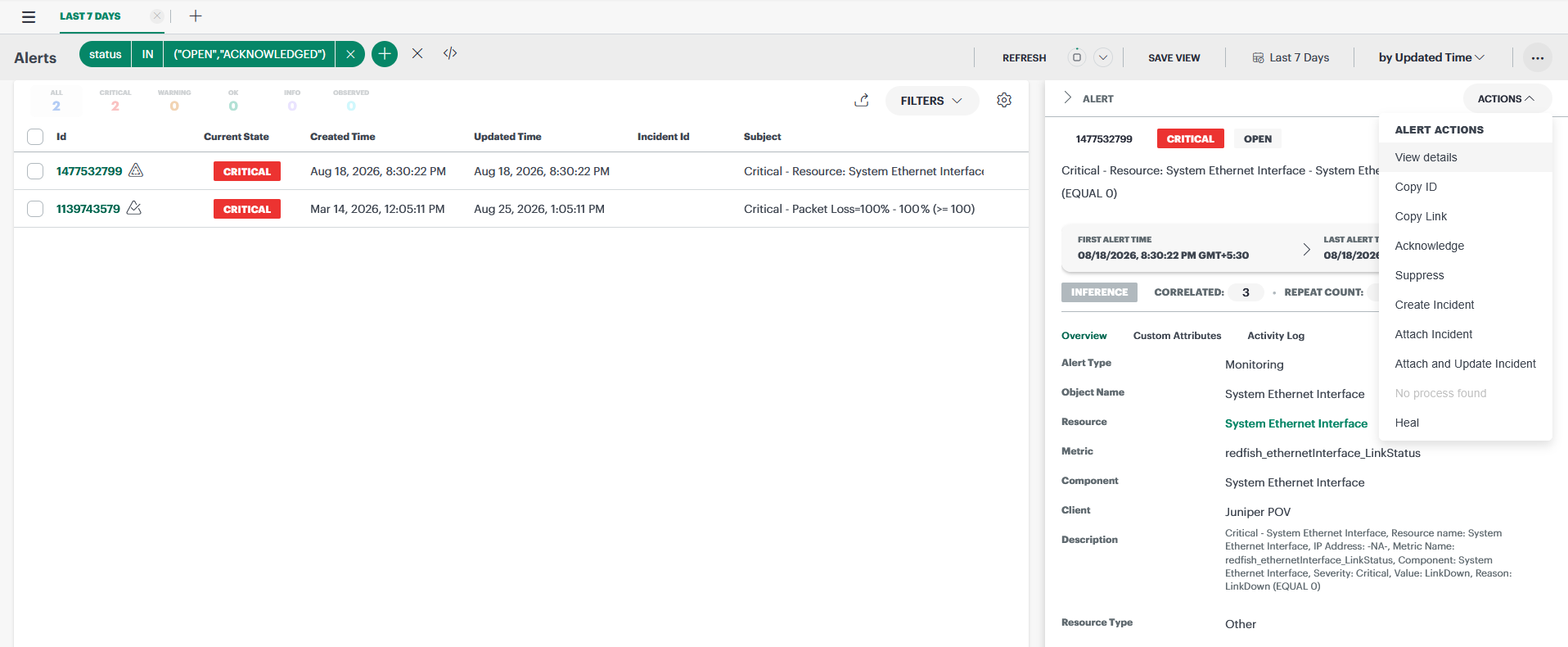
You can use these details to correlate anomalies and proactively work on resolving network disruptions.
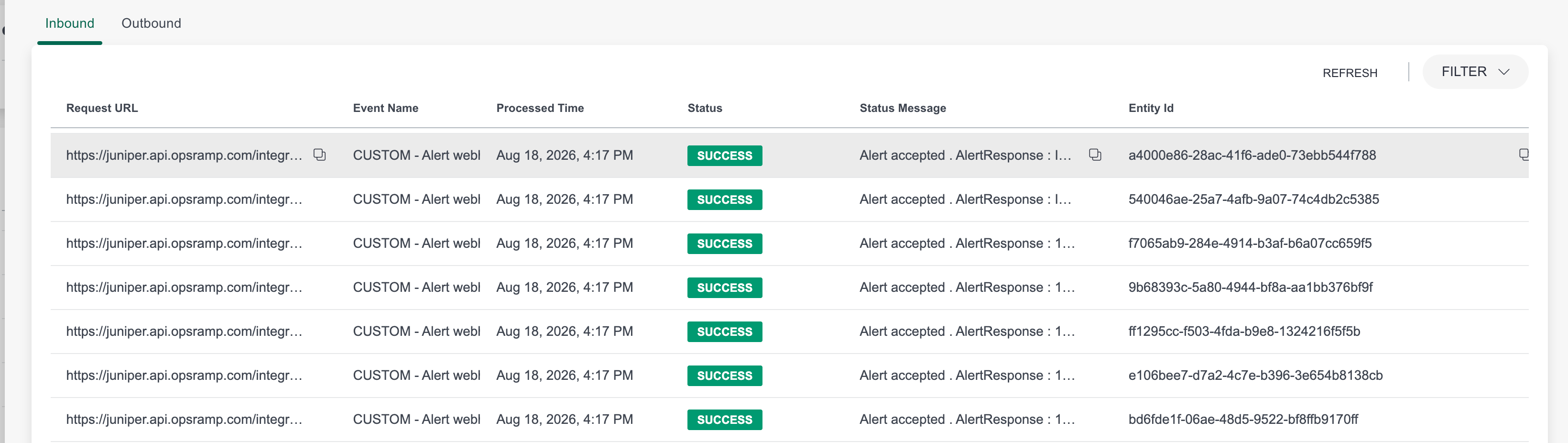
You can view the logs of all the data received from Data Center Assurance through a webhook on OpsRamp. Go to Setup > Account > Integrations > Custom (Events). Expand the tile to view the list of webhooks configured on your account. Go to the specific webhook and click the three dots on the extreme right of the table row. Click View Logs and select Inbound.