
Verify App Aware Feature
In Data Center Assurance, confirm that Data Center Assurance is receiving and displaying data center fabric topology and application data.
-
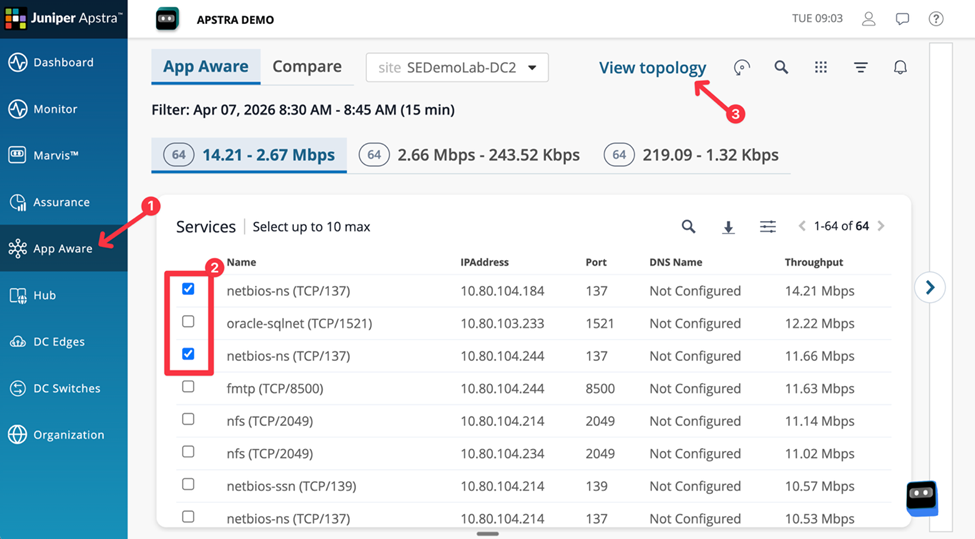
In Data Center Assurance, click App Aware in the main menu.
Figure 1: Verify App Aware Feature
-
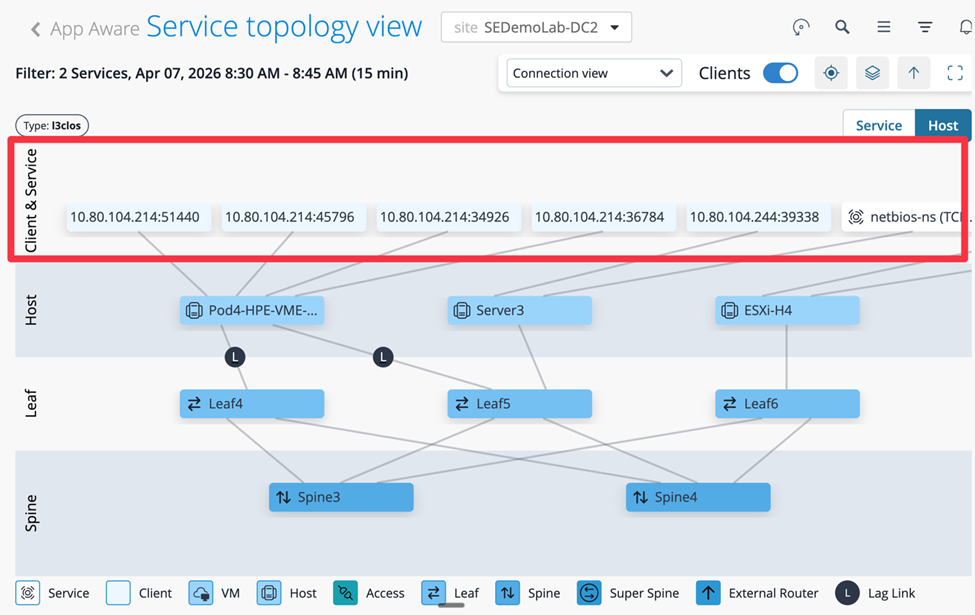
Click View topology and verify that the data center topology is
displayed.
Figure 2: Data Center Topology View
 Note:
Note:If the topology and applications are missing, allow a few minutes for data to to be available and then refresh. If the issue persists, review the troubleshooting steps.