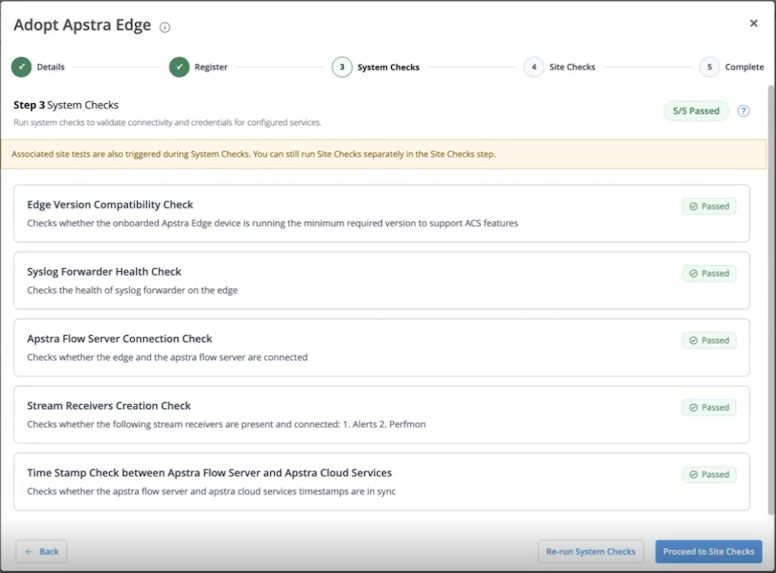
Step 3 Run System Checks on the Apstra Edge (Optional)
The pre-flight checks feature verifies whether certain prerequisites and configuration requirements are met, and provides actionable guidance on how to resolve potential issues.
In this step, run pre-flight checks on the Edge level to verify whether the configuration requirements for the Apstra Edge are met.
Note:
-
Running System Checks is an optional step. Click Skip to skip the Edge-level pre-flight check and go to the next step.
-
If you run system checks at the Edge level, pre-flight checks are run on the Edge as well as all the blueprints enabled on the selected device.
- You can run the Edge-level pre-flight checks at any point after onboarding. To run pre-flight checks on an adopted Edge, select the Edge device the DC Edges page and click Run Pre-flight Checks. For more information, see Pre-Flight Checks.
-
Once all the system checks pass, click Proceed to Site
Checks.
Figure 1: System Checks on Apstra Edge