
Step 2 Register the Apstra Edge on Data Center Director
Before you can receive data in Data Center Assurance, Apstra Edge must be installed and registered with your Apstra Data Center Director instance.
A key is generated in order to register the Apstra Edge on your Data Center Director instance. Copy this registration key and follow the steps below.
-
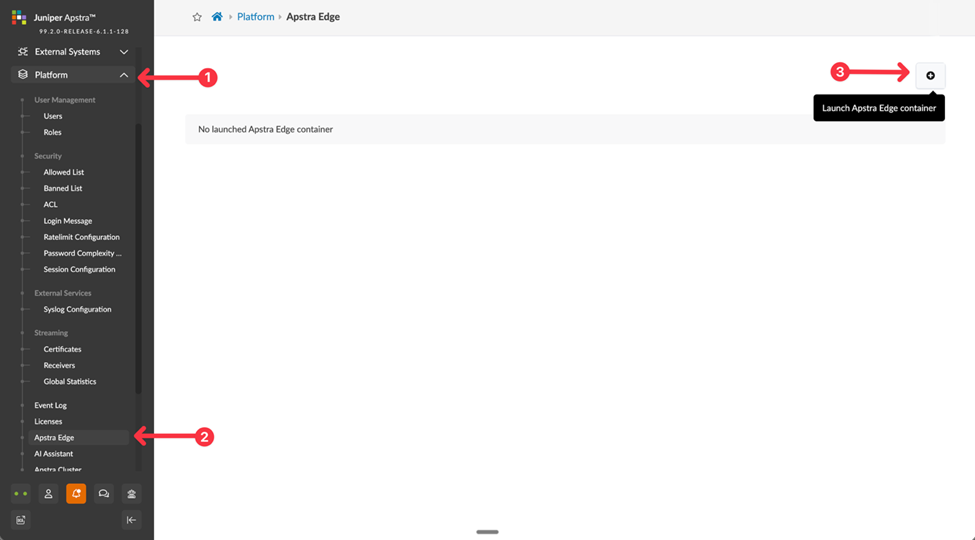
Navigate to Platform>Apstra Edge.
Figure 1: Register Apstra Edge on Data Center Director
-
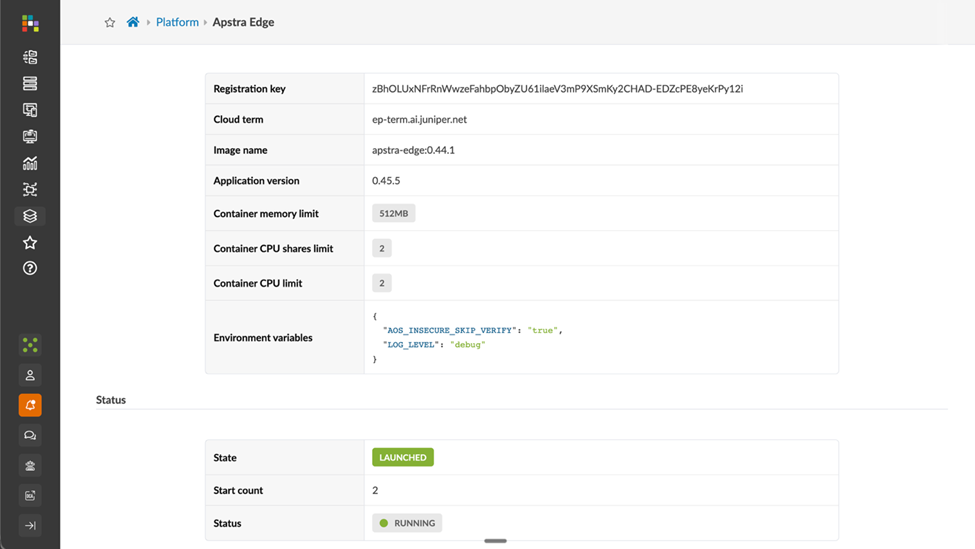
Leave all other fields at their default values and click Create.
Figure 2: Registration Key for Apstra Edge
-
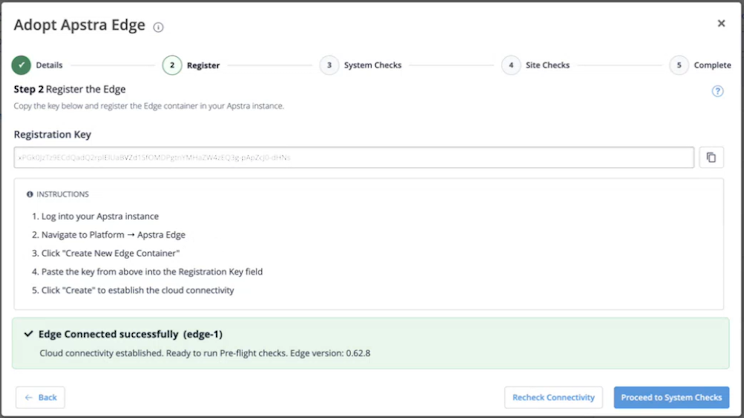
Return to the Adopt Apstra Edge wizard on Data Center Assurance. After the Edge has
been successfully registered on Data Center Director, a message is displayed confirming
cloud connectivity.
Figure 3: Apstra Edge Registration
A site corresponding to the blueprint deployed in the data center is created on the Sites page.