Enable Predefined Probes
Three probes are required for the pre-flight checks to pass during onboarding. A set of optional probes is also available for better fabric visibility.
Required Probes:
- Device Environmental Checks
- Drain Traffic Anomaly
- Interface Flapping (Fabric Interfaces)
Optional Probes:
- Interface Flapping (Specific Interfaces)
- Hot/Cold Interface Counters (Specific Interfaces)
- EVPN VXLAN Type-5 Route Validation
All of these probes are predefined in Data Center Director. Follow these steps to instantiate them in your blueprint.
-
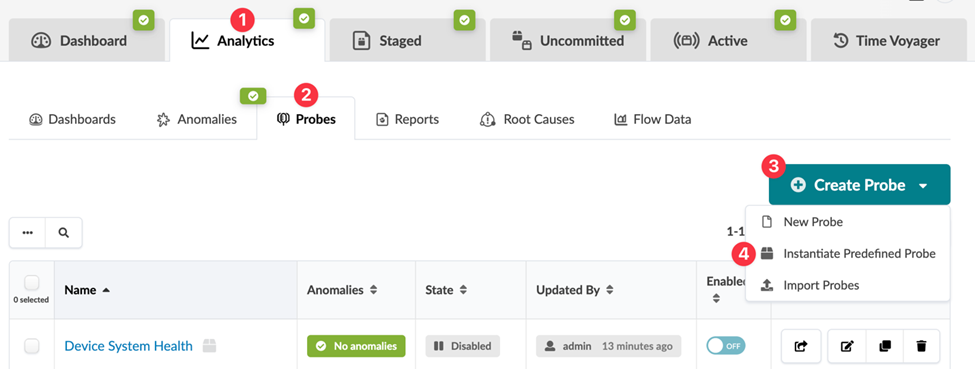
From your blueprint, navigate to Analytics > Probes.
-
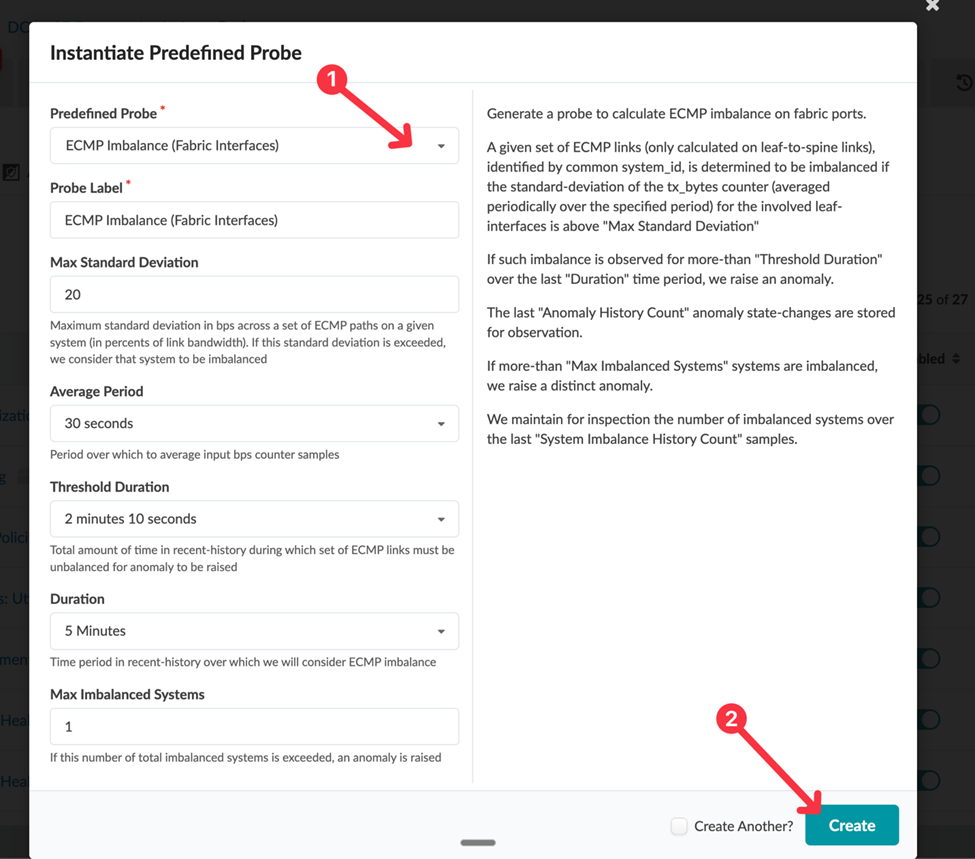
In the Instantiate Predefined Probe dialog, select the probe you want to enable
from the drop-down list.