End-to-End BERT for CESoPSN Bundles Overview
This topic provides an overview of how to set up end-to-end BERT for CESoPSN bundles.
Figure 1 shows the normal data flow through the network. BERT is disabled.
Figure 1: Normal Data Flow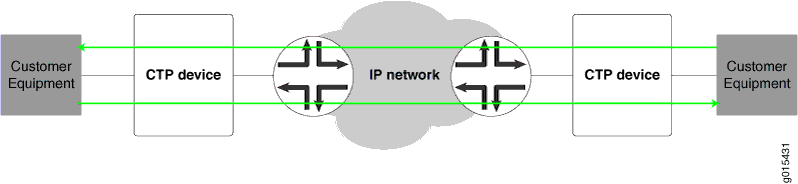
To set up end-to-end BERTS for CESoPSN bundles:
To send BERT transmissions to the network, start BERT injection on each CESoPSN bundle toward the IP network as shown in Figure 2.
Figure 2: BERT Transmission to the Network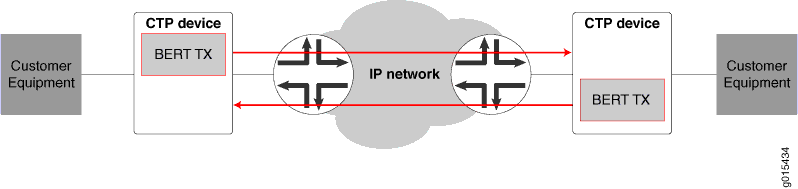
To receive BERT reception from the network, start BERT reception on each bundle from the IP network as shown in Figure 3.
Figure 3: End-to-End BERT Reception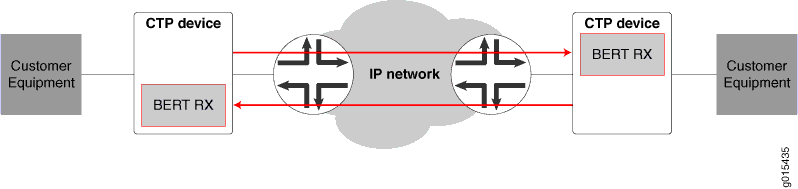
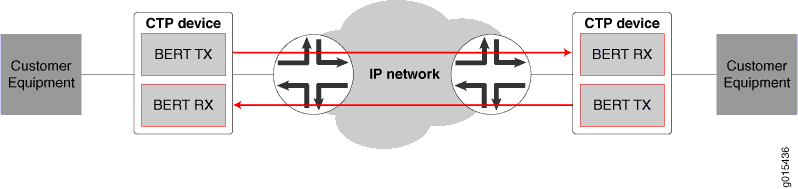
The result is that end-to-end BERT transmission and reception are running as shown in Figure 4.
Figure 4: End-to-End
BERT Transmission and Reception