
Support for L3VPN Inter AS Option C
Contrail Release 5.1 and later supports L3VPN inter AS Option C, which is used to interconnect multi-AS backbones as described in RFC 4364. Inter-AS option C uses BGP as the label distribution protocol. Labeled IPv4 routes are redistributed by eBGP between the neighboring autonomous systems. A new address family inet-labeled is added to maintain labeled unicast routes. This table is used for resolving L3VPN routes which are encapsulated using MPLS. Figure 1 shows the connectivity and the roles of different components in this architecture.
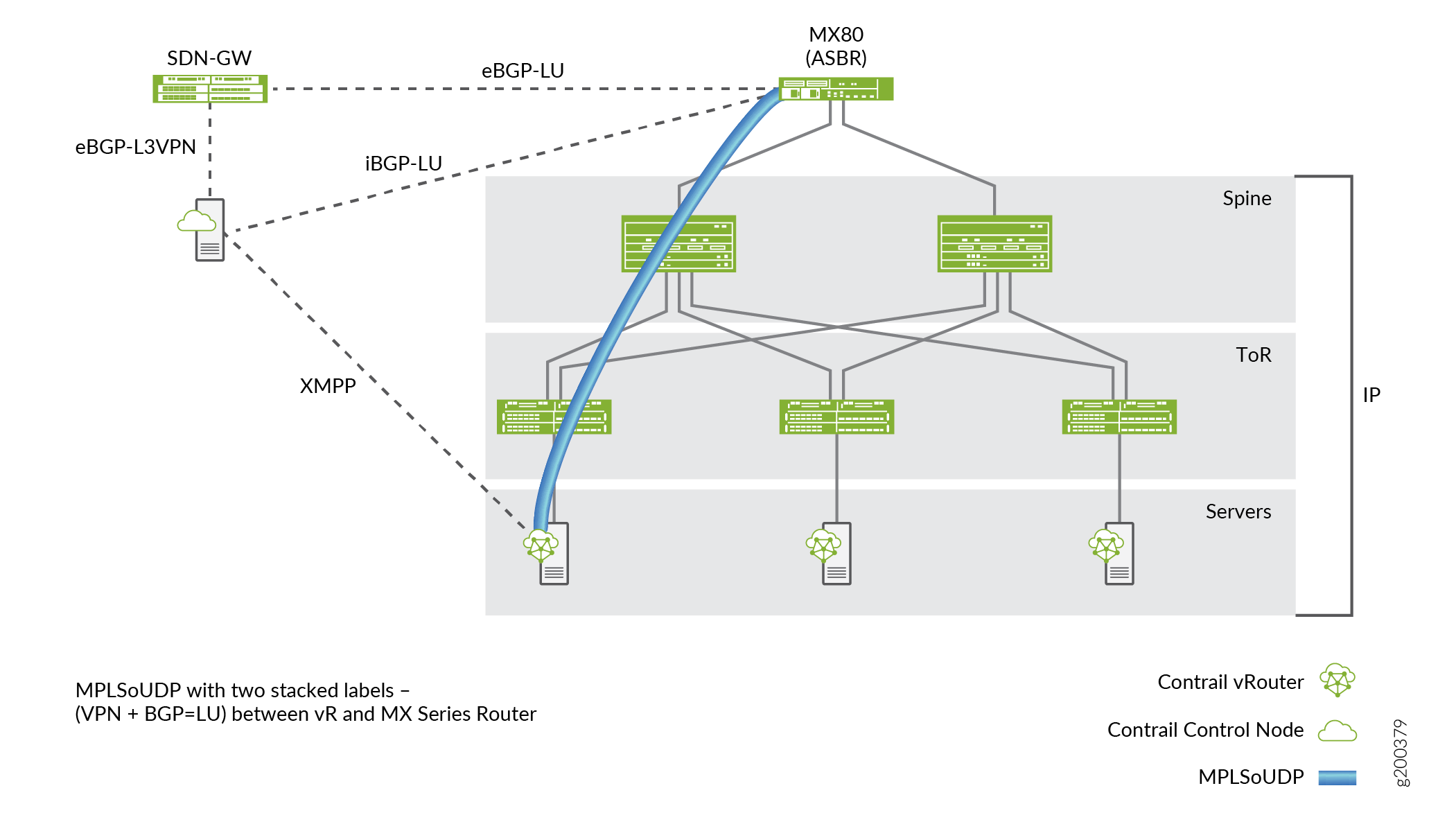
The controller maintains an eBGP session with the SDN-GW router and an iBGP session with the ASBR router. The controller exchanges labeled routes with the vRouters over XMPP. The vRouter uses MPLSoUDP or MPLSoGRE to reach the ASBR and encapsulates two labels within it - the inner VPN label and outer BGP-LU label. For the opposite direction, the vRouter advertises a labeled unicast route for its vhost address with a label 3 (implicit null), so the traffic from the ASBR delivered through the fabric to the vRouter over a UDP/GRE tunnel contains only the VPN label.
Configuring Inter AS Option C
This section describes how to configure L3VPN Inter AS Option C from Contrail Command UI.
-
Navigate to Infrastructure > Cluster > Advanced.
-
Click BGP Routers tab and click the Edit icon against the node that you want to configure.
The Edit BGP Router page is displayed.
-
Configure eBGP session for the SDN gateway. Make sure you include
inet-labeledto the Address Family field.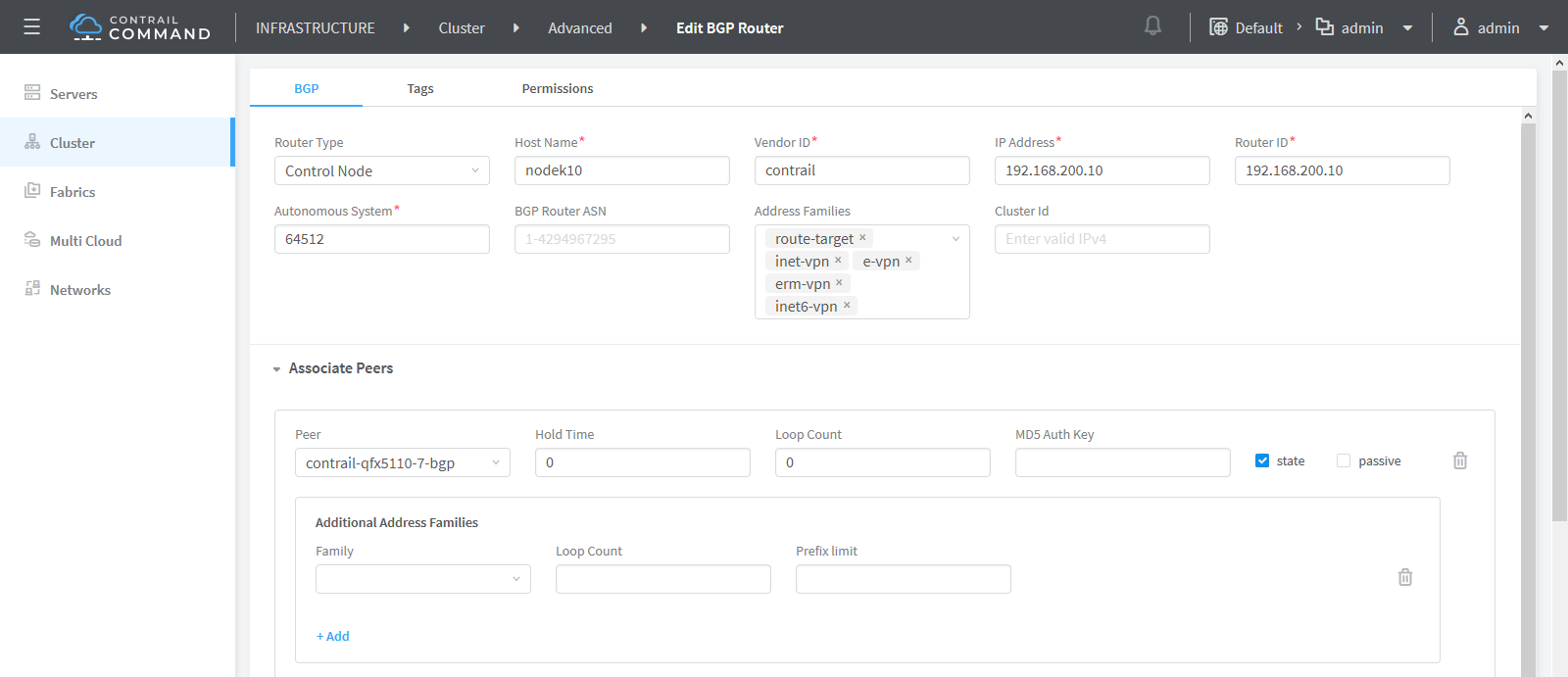
-
Configure the iBGP session with the ASBR router. Address family must be set to
inet-labeled.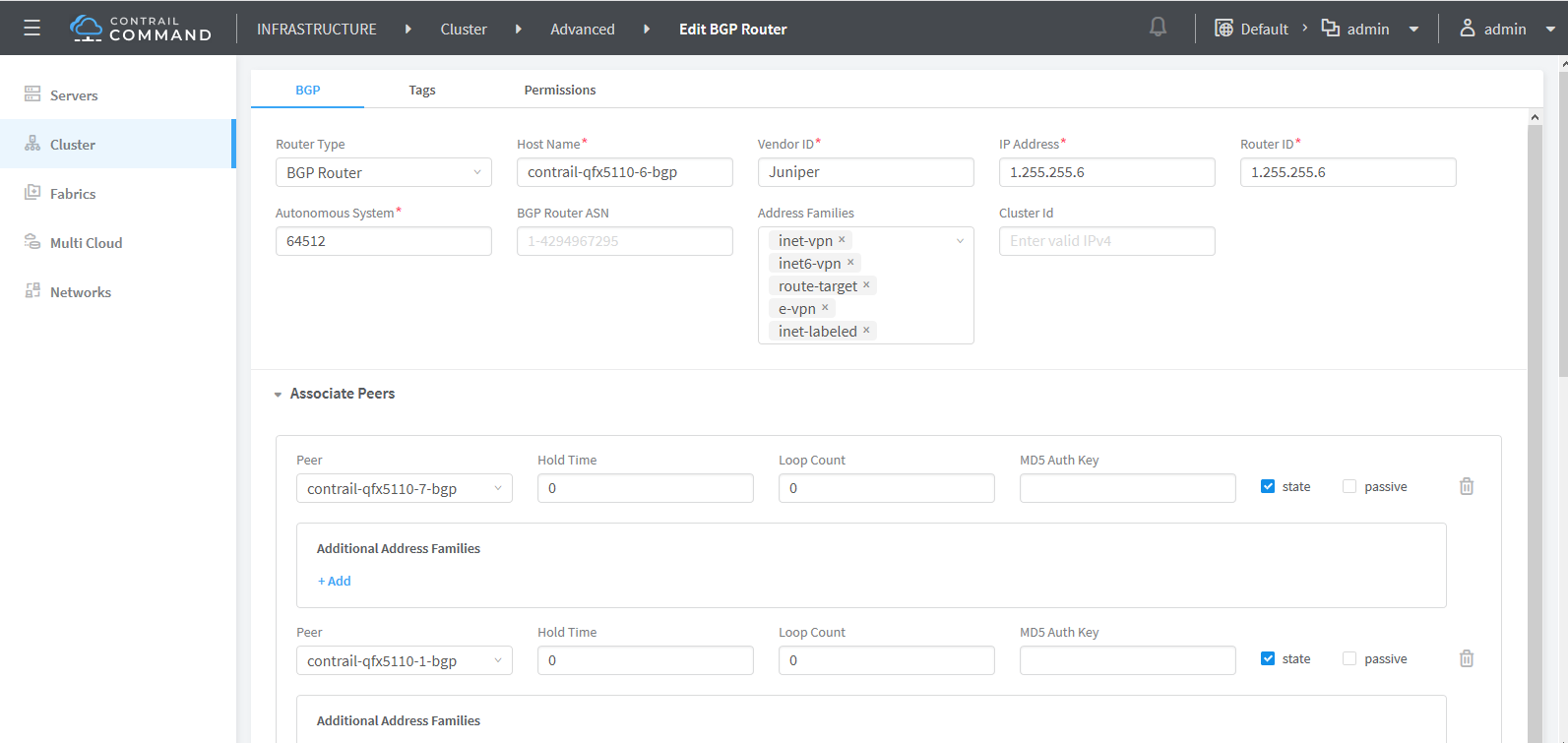
-
Navigate to Infrastructure > Cluster > Advanced.
-
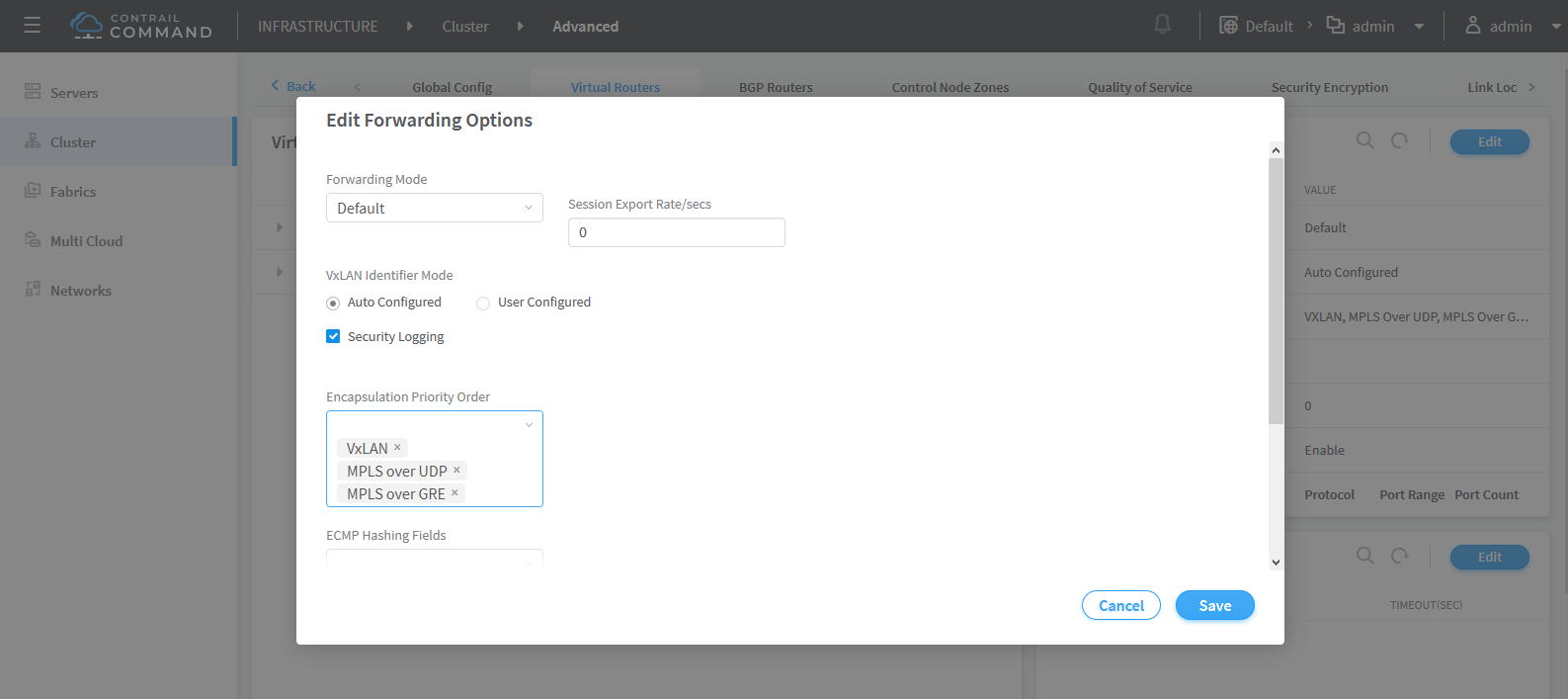
Click the Virtual Routers tab and on the Forwarding Options pane, click Edit to modify the encapsulation settings.
Contrail supports three encapsulation types. They are VXLAN, MPLS Over UDP, and MPLS Over GRE.
-
Set the Encapsulation priority order.
-
Click Save.
Changes made to Forwarding Options settings are saved.