Recover Organization Name
If you forget your organization name to login to the Juniper ATP Cloud portal, you can recover the organization name using the following methods:
See the confirmation e-mail that is sent to you when you create an organization. The e-mail now contains the organization name. Here's a sample:
Welcome to Juniper ATP Cloud!

You have successfully created your ATP Cloud Organization. Below is your information:
You email ID: user@juniper.net
 Organization Name: " organization123"

You may save the Organization name for future use for login purpose as ATP Cloud login expects Organization name as an input.

You can login now using link: https://xxxxxxxx

Please do not reply to this automated message and contact JTAC if you have any questions.

Thank you,
Your friendly Juniper ATP Cloud robot.
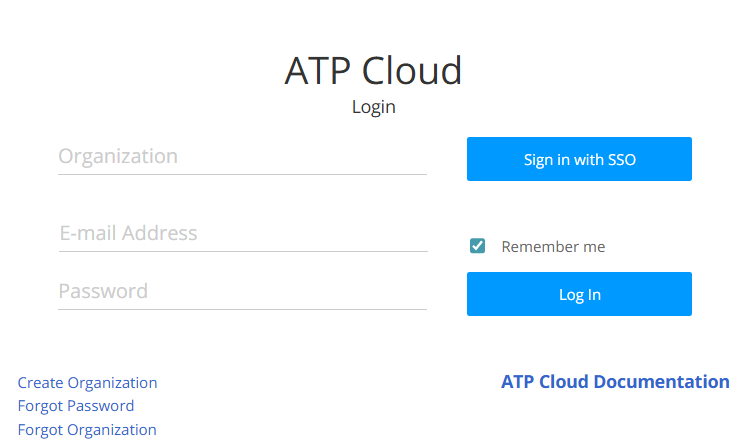
Click Forgot Organization link from the Juniper ATP Cloud login page.
The following section provides details to recover the organization name using the Juniper ATP Cloud web portal.
Note:
To recover the organization name you must enter a valid e-mail address.
To recover the organization name from the ATP Cloud web portal:
- Open a Web browser, type in the URL for the ATP Cloud
web portal, and press Enter.
The login page appears as shown in Figure 1.
Figure 1: Juniper ATP Cloud Web UI Login Page