Help us improve your experience.

Let us know what you think.

Do you have time for a two-minute survey?


Update Flow-Based AV and ML-Based Threat Detection in Offline Mode

You can update the flow-based antivirus (AV) policy and machine learning (ML)-based threat detection on your SRX Series Firewall in offline mode. Download the signature bundle and store it in your local server that is not connected to the Internet.

To perform offline update:

  1. Download the offline update package from https://signatures.juniper.net/phase/offline.zip to a local server.

  2. Unzip offline.zip on the server to extract phase, eclipse, and README.txt.

    Make sure the SRX Series Firewall can access these files on your local server.

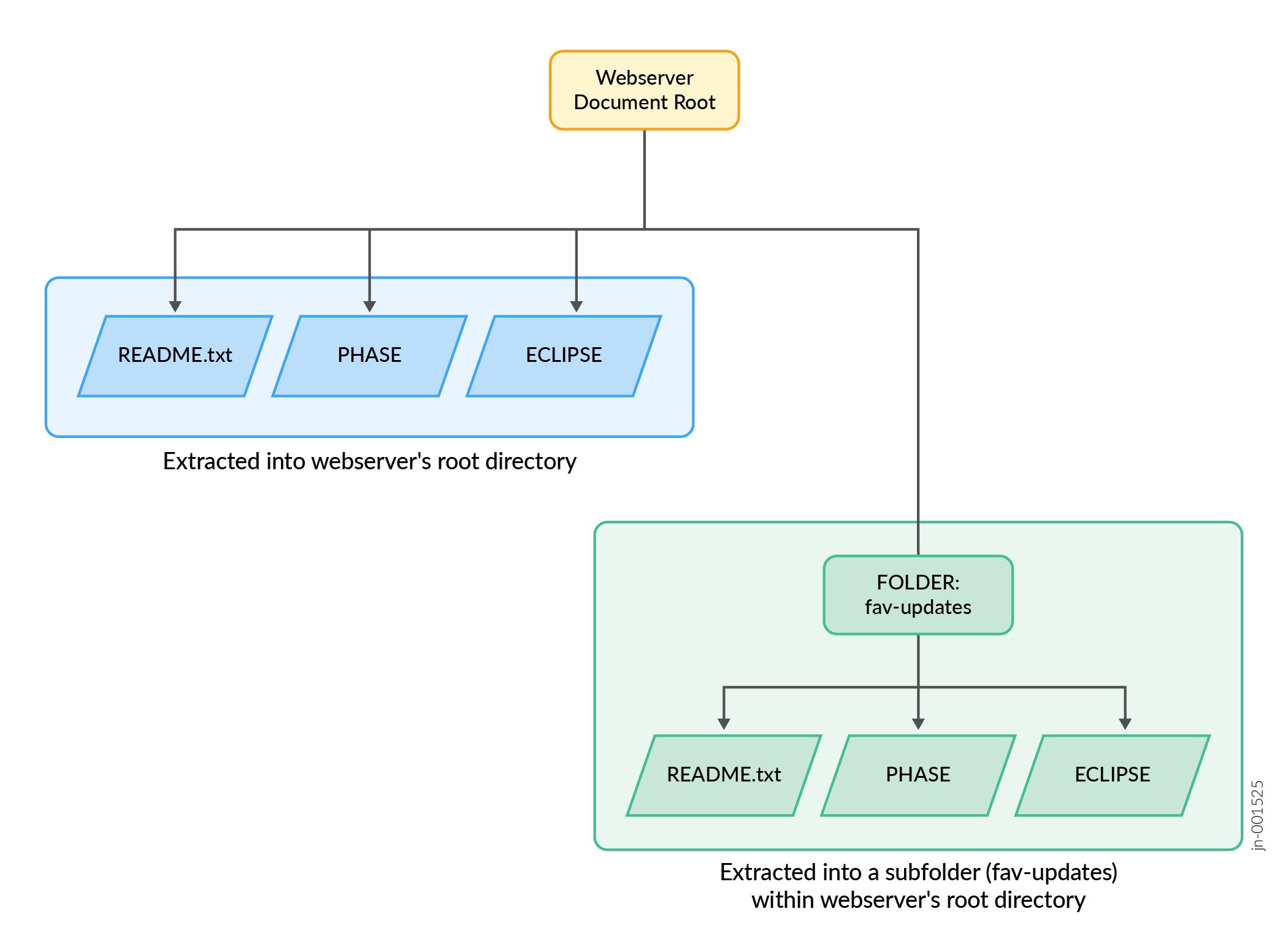
    You can extract the zip contents directly into the webserver's document root directory, or into a subfolder within the document root directory as shown in Figure 1.

    Figure 1: Webserver Directory Structure Webserver Directory Structure
  3. Configure the update URL and antivirus policy using the following commands:

    Note:

    Juniper offline update bundle is valid for up to 24 hours after downloading. The update must be processed by the SRX Series Firewall before the expiration time specified in the README.txt file. For security reasons, the certificate revocation list (CRL) is updated daily and cannot be used after the expiration time.

  4. Commit the configuration.

  5. To verify that the configuration is updated, enter the following commands in operational mode:

    • show services anti-virus statistics
    • show services anti-virus machine-learning-scan-statistics

You can ensure that the flow-based antivirus policy and ML-based threat detection are up-to-date, even without an Internet connection

If you want to install a new package, delete the existing phase and eclipse directories from your server and repeat the steps.