
Configure Static MAC Addresses for IRB Interfaces
Enterprise customers experience disruptions when IRB interface MAC addresses change during data center migrations. Downtime is needed to reconnect server storage devices. Apstra uses a default MAC address, but you may need to configure a custom MAC address to ensure consistency with existing networks. This action prevents disruptions, avoid invalid IPs, and preserves configuration settings during upgrades.
To configure static MAC addresses for IRB interfaces:
-
From your blueprint, navigate to Staged > Fabric Settings > Fabric
Policy and click Modify Settings.

-
Enter the new Virtual MAC Address. This overrides the Apstra
default MAC address
00:1c:73:00:00:01.
-
Optionally, you can specify a different MAC address for each virtual network. This
action overrides the virtual MAC address you configured in Step 2 but only for the
specific virtual network.
To specify a different MAC address:
-
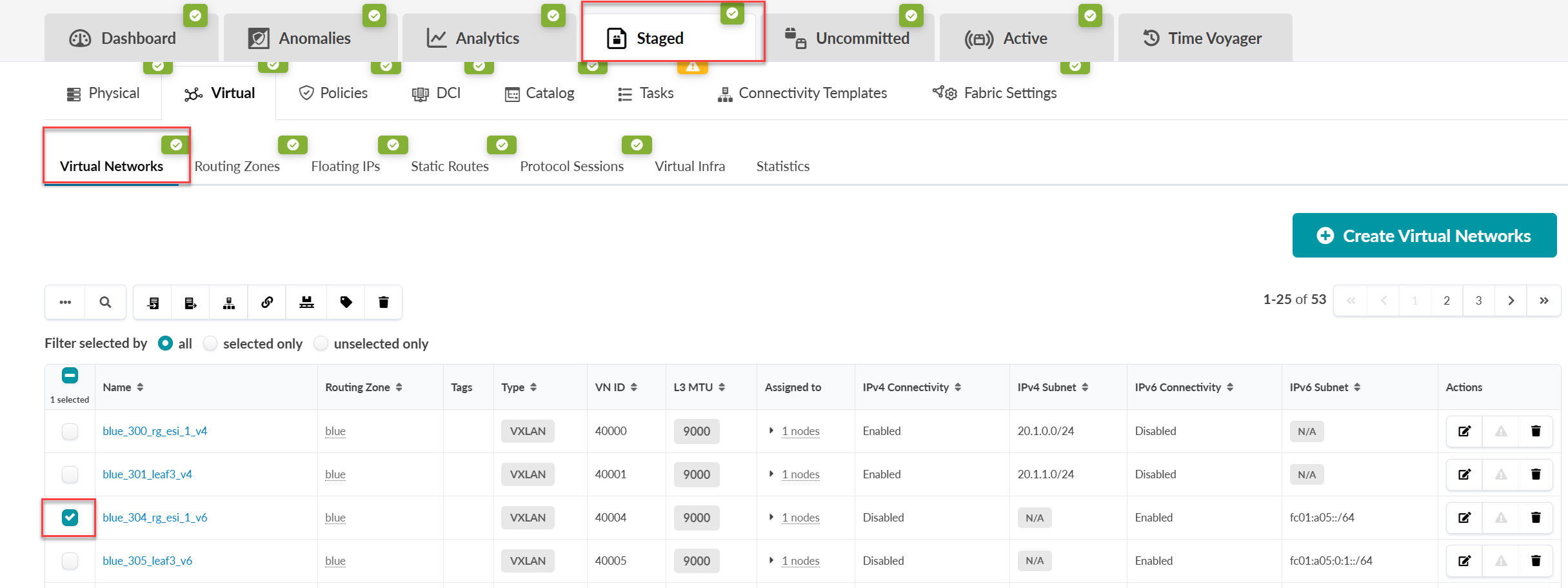
Navigate to Staged > Virtual and select your network from
the table.
-
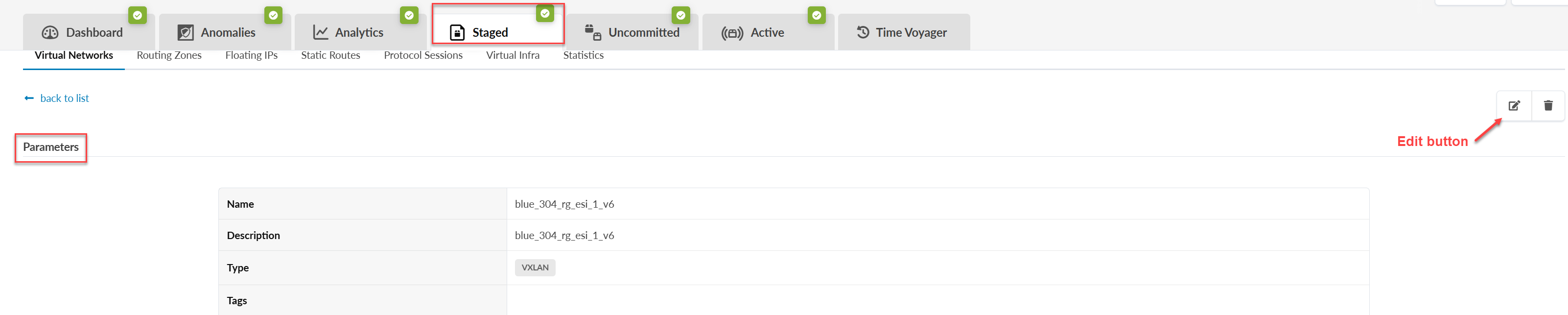
From the Parameters window, click the Edit
button to modify your virtual network.
-
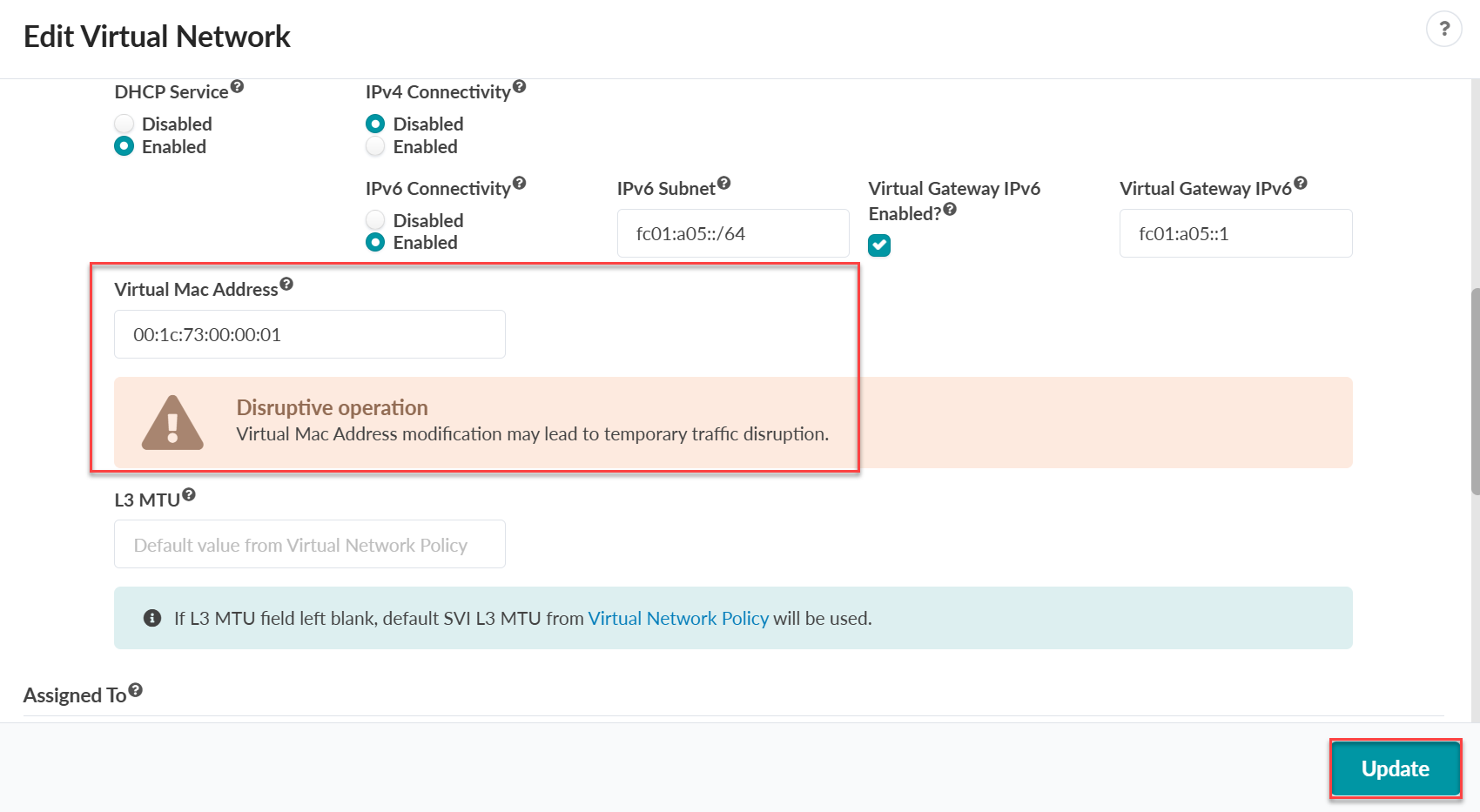
Enter the new MAC address in the Virtual MAC Address field
and click Update.
Note. If you do not specify a MAC address, the system uses the default address from the fabric settings.
-
Navigate to Staged > Virtual and select your network from
the table.