
Automatically Add New Generic Systems with Links using LLDP
Apstra 6.1 introduces the ability to automatically add generic systems and associated links based on newly-discovered LLDP information. Link Layer Discovery Protocol (LLDP) provides automatic neighbor discovery, but translating LLDP data into topology updates can be a tedious manual process.
Apstra 6.1 addresses this with LLDP-based generic system discovery and addition. This feature lets you visualize LLDP-discovered neighbors directly from your blueprint and add them as generic systems with their associated links. Available in both DC Reference Design Blueprints and Freeform Blueprints, LLDP discovery in rack improves device onboarding and makes endpoint identification easier when traditional identifiers (VM name, MAC address, IP address) are unavailable.
Note: The LLDP information is gathered from Deployed fabric systems with assigned Serial Number
To show discovered LLDP neighbors and add them as new Generic Systems with Links:
-
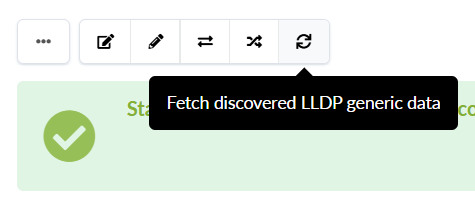
Click the Fetch discovered LLDP data button.
 Apstra discovers new LLDP neighbors.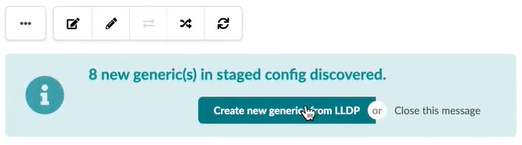
You can repeat this process if you remove a system or links. In the Create new generic from LLDP window, you can edit the link to be created by clicking Edit details.