ON THIS PAGE
Change Log (API)
This reference demonstrates the change log API usage with parity to the UI. For full API documentation, view the REST Platform API reference under the Apstra GUI.
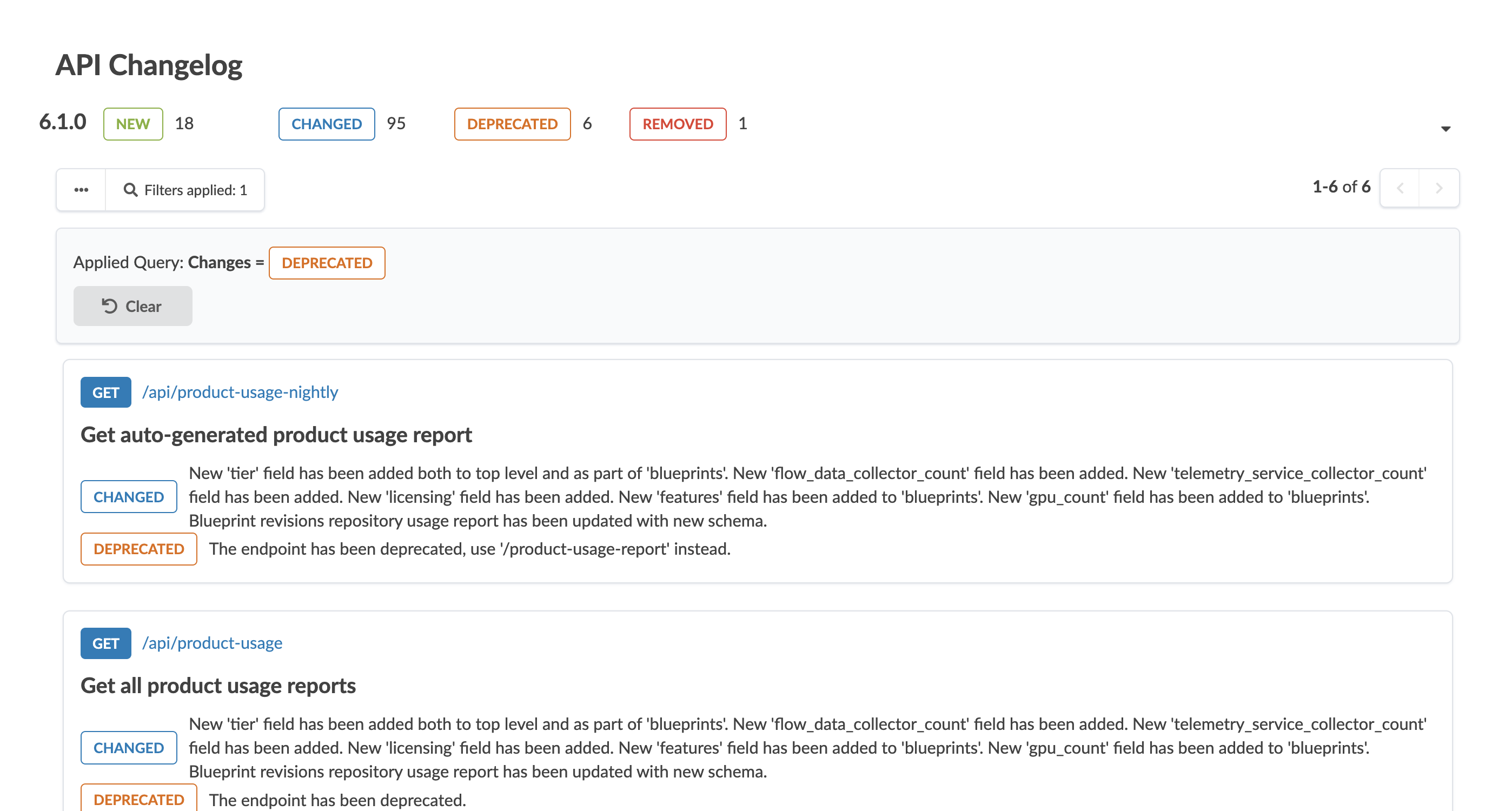
The API Change Log is designed to help you track and manage API lifecycle changes across software versions. It ensures you remain informed about deprecated, and removed endpoints, as well as new and modified existing API endpoints.
Deprecation
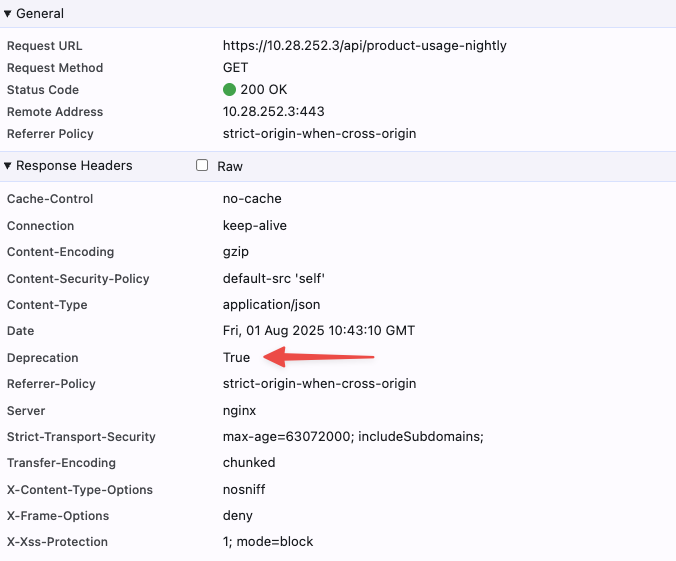
                    HTTP Header Field
When an API endpoint is marked as "DEPRECATED", the system uses a Deprecation
HTTP Header Field to notify you of its impending removal, allowing you
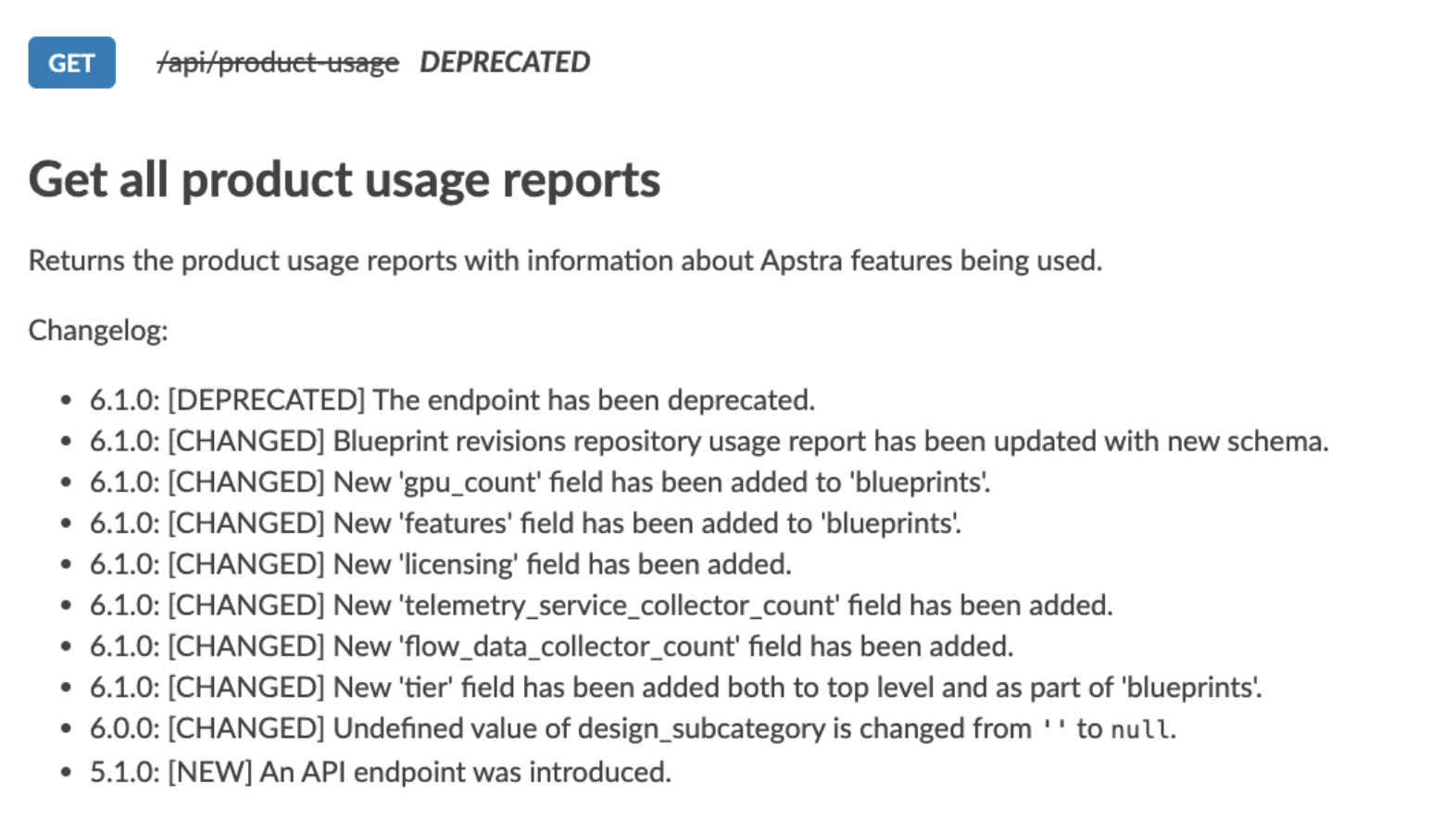
to plan for necessary adjustments. These endpoints are displayed with a
strikethrough in the API Explorer, visually indicating their status. Once an
endpoint is fully removed, it is no longer visible in the API Explorer but remains
documented within the Change Log, preserving a historical record for your
reference.
The Change Log stacks the subsequent changes for the different releases with the most
important or recent information at the top. The order from top to bottom is
REMOVED, DEPRECATED, CHANGED,
NEW:
To get access to changes prior to installation of a new version, use Changelog.md to
reflect the Change log in the public product documentation page.
Change Log Filter
Advanced search and filter capabilities empower you to efficiently locate specific changes, allowing you to search by key word parameters such as Path, Summary, Method, and Change Type. This functionality facilitates quick access to relevant information, enabling you to focus on modifications that impact your operations the most.
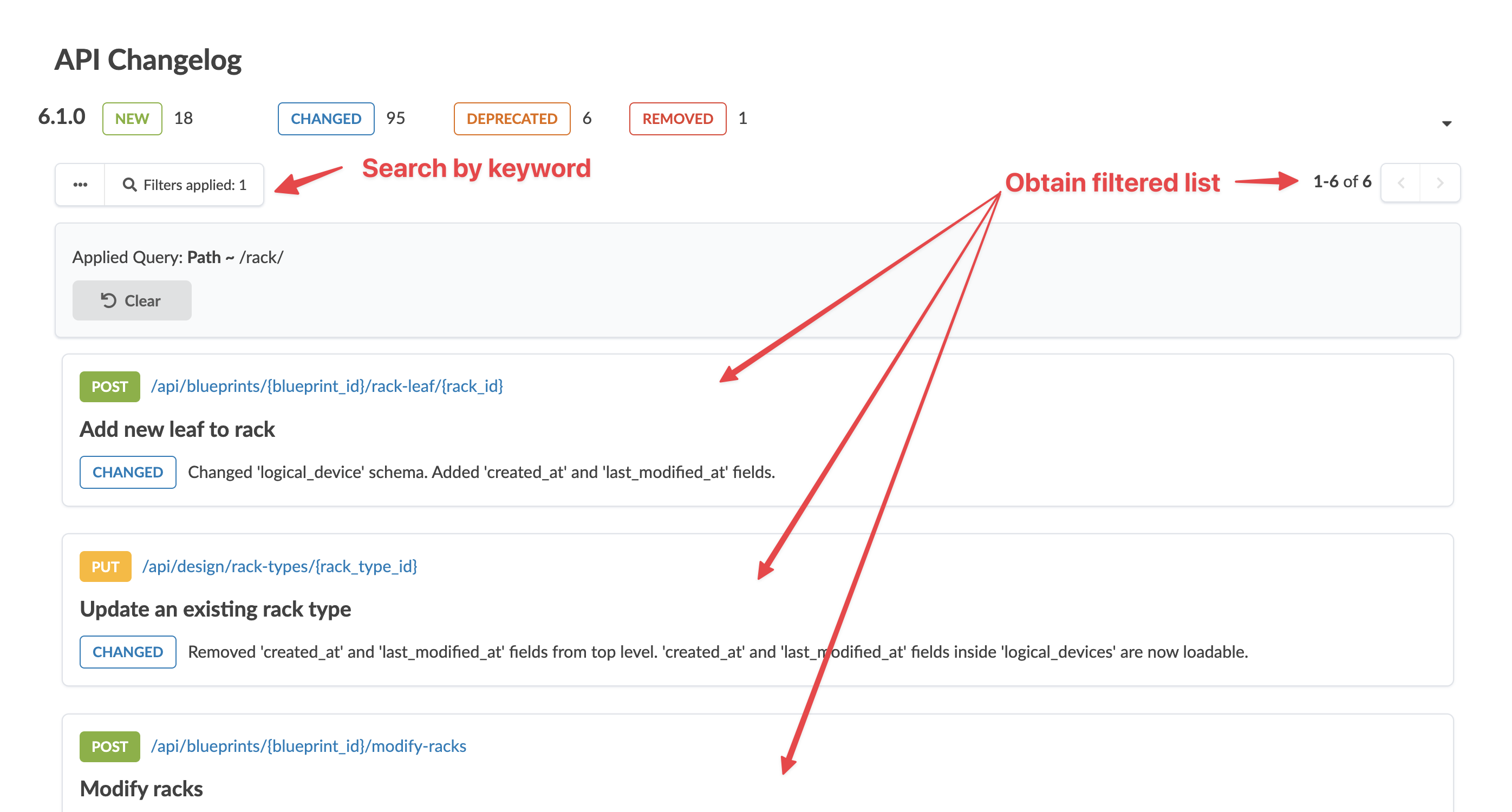

To select a specific release and request to view only new changes, display the total
count of changes by type: REMOVED, DEPRECATED,
CHANGED, NEW that act as hyperlinks to update
the page with that filter.
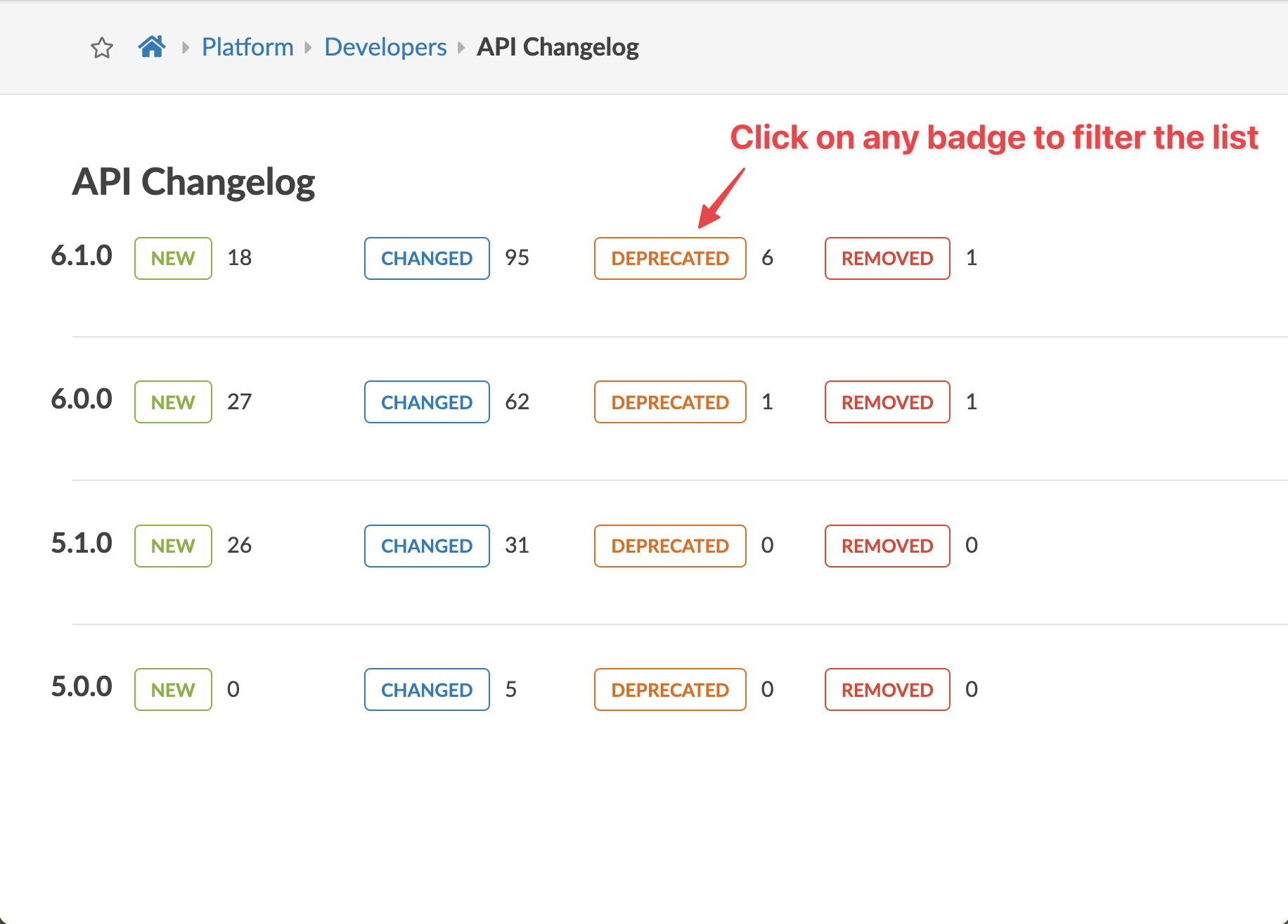
The system also provides a summary count of changes categorized by type, with each category hyperlinked for easy navigation. Prioritization of critical changes ensures you are well-informed about the most impactful updates, aiding in effective change management and adaptation.