ON THIS PAGE
Blueprint Active Tasks
Introduction
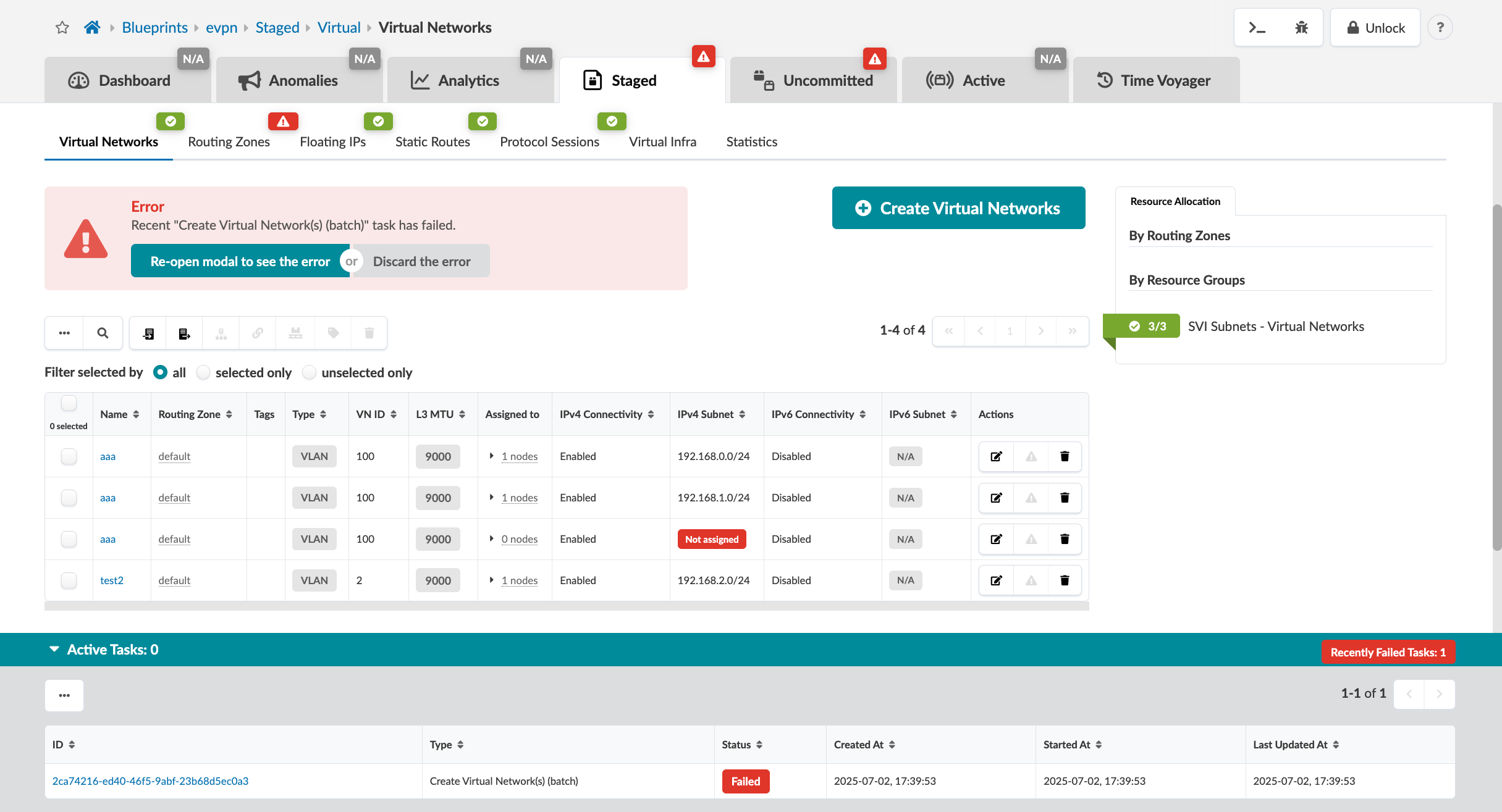
Apstra 6.1 notifies you when a backend task fails. Previously, failures only appeared in the Tasks tab, requiring you to manually check. This feature adds visible UI alerts with details such as task name, error, and timestamp, enabling you to quickly address silent errors.
UI Changes
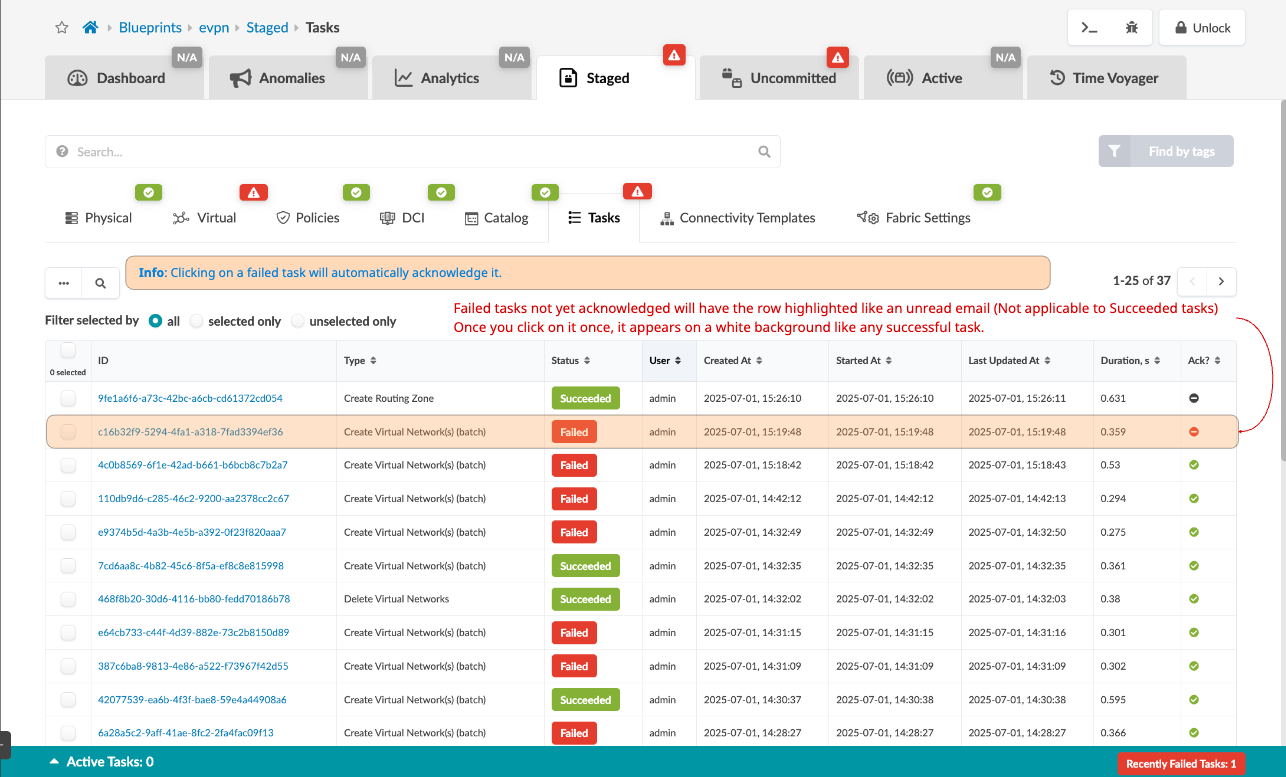
6.1 introduces UI updates for handling failed tasks, including an orange "Recently Failed
tasks" badge with a count in the Active Tasks banner at the bottom of the screen. This badge
displays when there are unacknowledged issues.
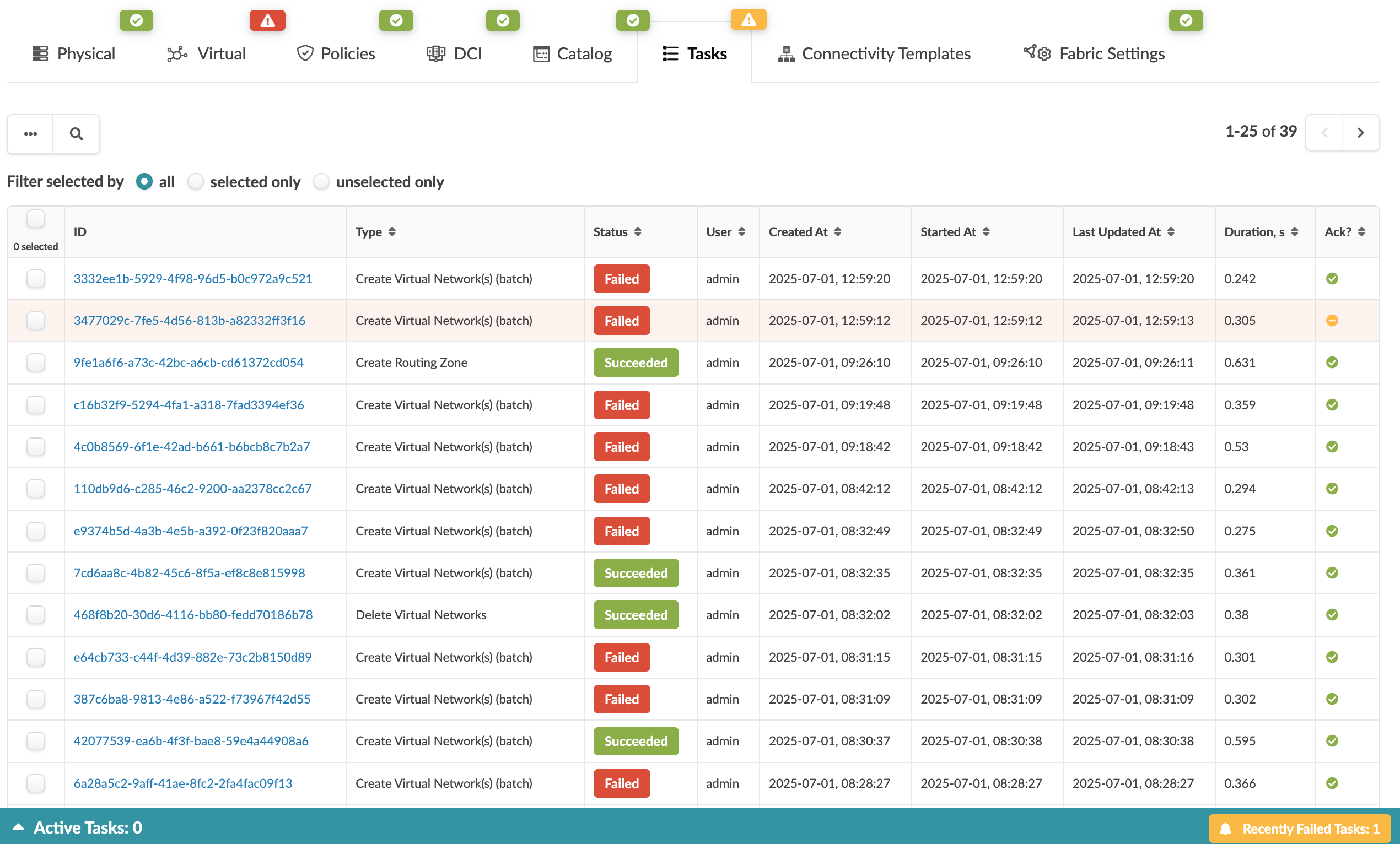
Under Staged > Tasks, a badge appears orange when there are unacknowledged
failed tasks, or green when there are no unacknowledged failed tasks. Affected rows are
highlighted in orange.
To acknowledge a failed task, select one or multiple tasks and click the "Acknowledge"
button. Selecting a failed task and opening the task details view will automatically
acknowledge it.