Required Server Resources
Resource Requirements
Apstra server VM resource requirements are based on several factors:
-
Size of the network
-
Number of offbox agents
-
Intent-Based Analytics (IBA) usage
Each VM node (controller, worker) supports up to 25 offbox agents. Make sure you allocate enough resources for your network. If one VM is insufficient for your needs, you can increase capacity by adding worker nodes with Apstra VM Clusters.
Allocating insufficient CPU and RAM for your network can cause slow response times, system errors, and critical "segmentation fault" (core dump). To fix this, delete the VM and redeploy it with more resources.
The recommended resources are as follows:
| Resource | Recommendation |
|---|---|
| Memory | 64 GB RAM + 500 MB per installed offbox agent* |
| CPU | 8 vCPU |
| Disk | 230 GB** |
| Network | 1 network adapter, initially configured with DHCP |
* Container memory usage is dependent on the number of IBA collectors enabled. At a minimum, you'll need to change the cluster application memory usage for Juniper offbox agents after installation is complete and you're in the Apstra environment.
** Apstra images ship with a 150 GB disk by default. ESXi images ship with a second
"empty" disk. On first boot, Apstra automatically runs
os-lv-extend. If space is available, it extends /user,
/var, /var/log, and /var/log/aos/db
to the new disk. Shipping with an 150 GB disk instead of 230 GB keeps the image size
reasonable.
Apstra Cluster Node Examples
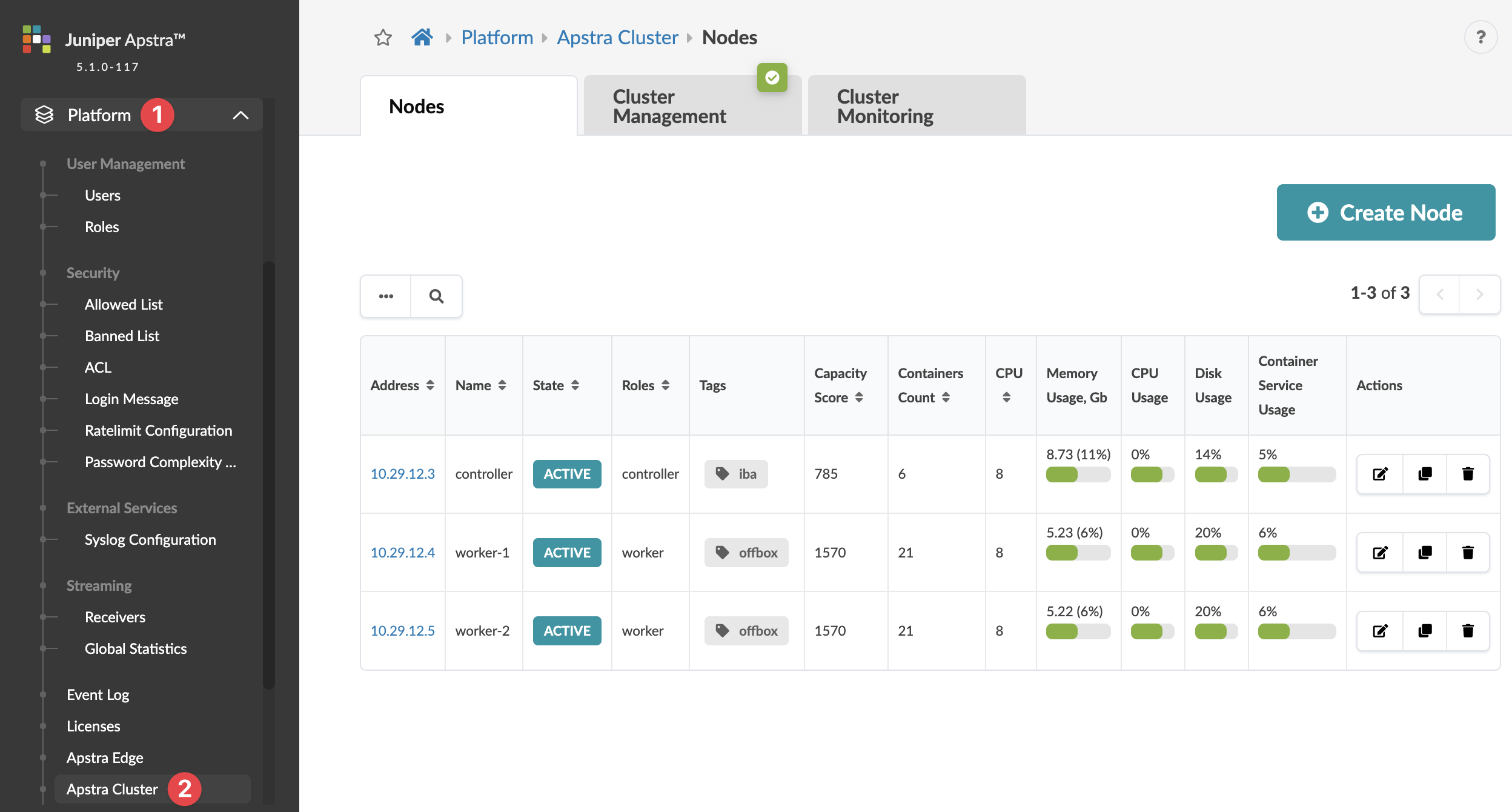
After installing VMs, adding offbox agents, and setting up IBA probes, you can monitor usage in the Apstra GUI. Use the left navigation menu to access Platform > Apstra Cluster and view the Apstra Cluster Nodes Summary Table.
Our example includes one controller and two workers. The controller typically meets any IBA requirement. However, using offbox agents requires an extra VM for every 25 or fewer agents.
Apstra Cluster Nodes Summary Table
Apstra Cluster Controller Node
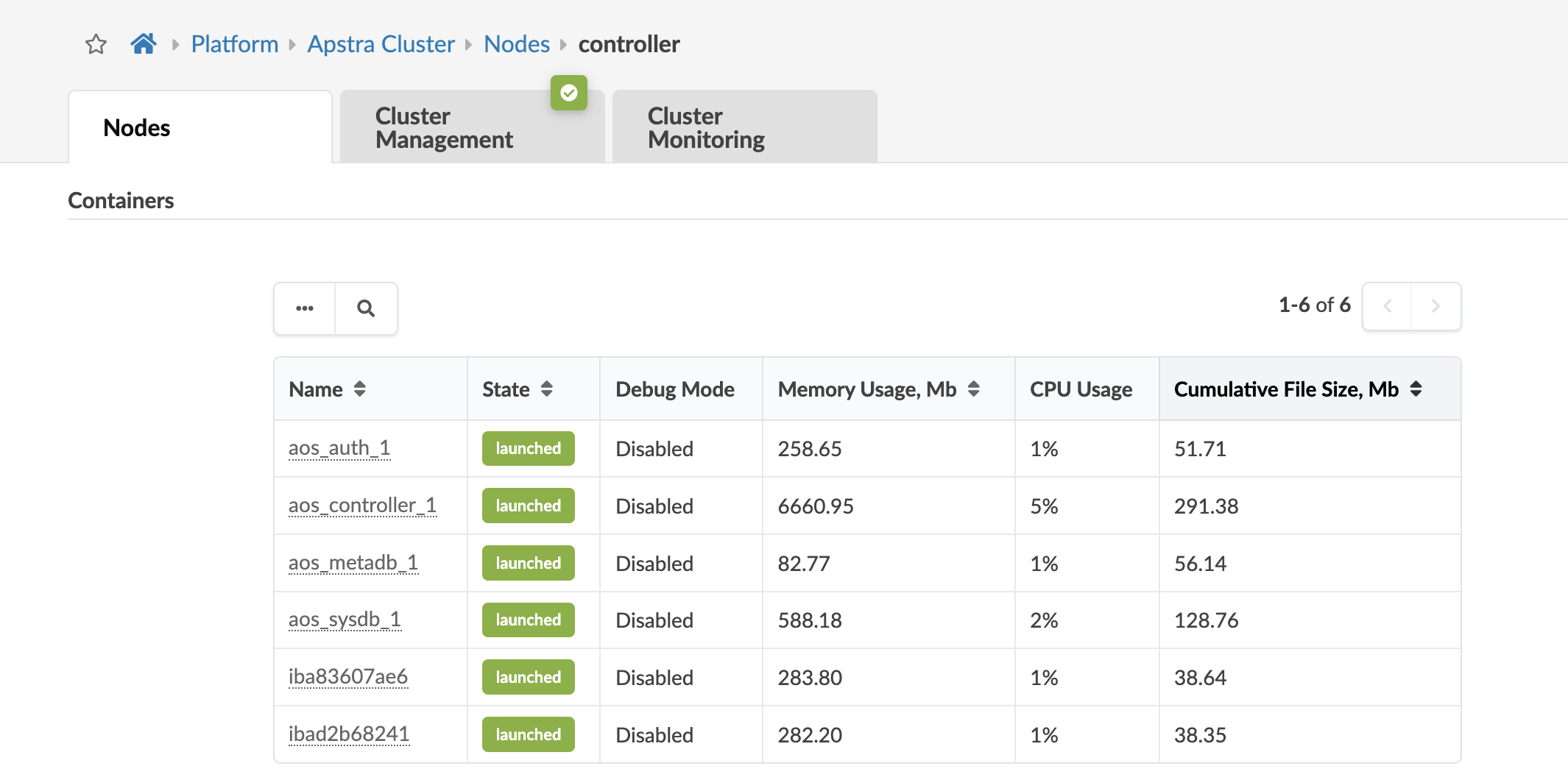
To see controller usage details, click the controller address in the summary table, and scroll down to the Containers section. Our example controller node includes 6 containers, as shown below.
Apstra Cluster Worker Node
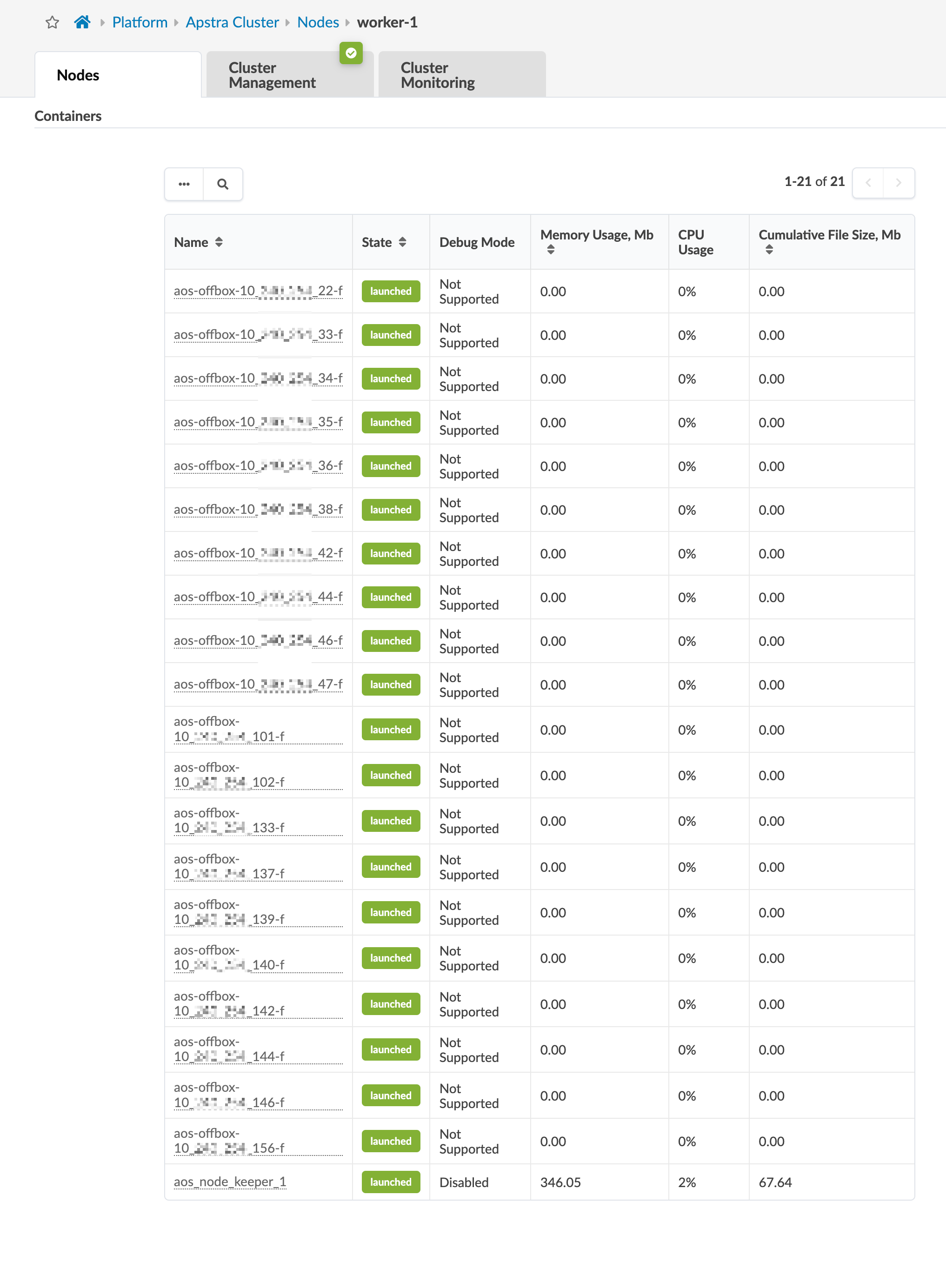
To see worker details, click one of the worker addresses in the summary table. and scroll down to the Containers section. Our example controller node includes a separate container for each offbox agent.