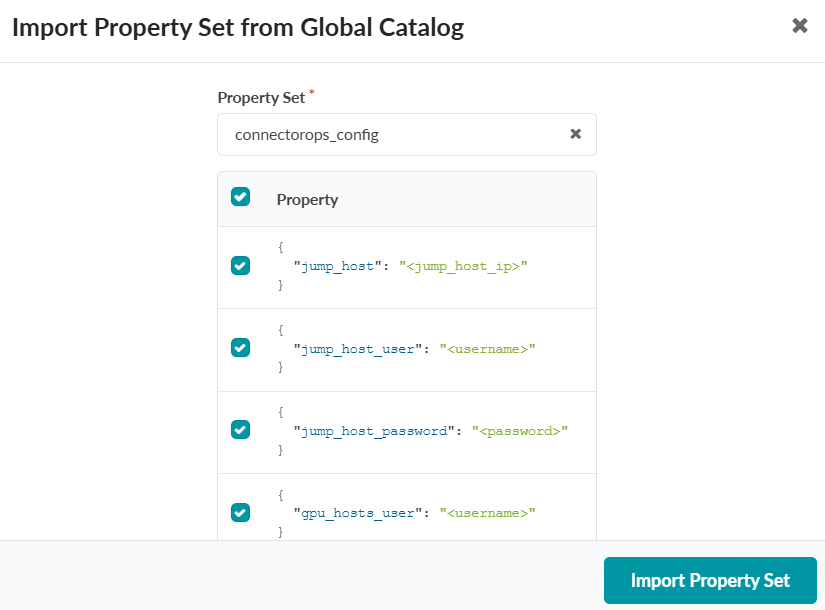
To Create and Import a Global Property Set
You must define a Property Set with input information for ConnectorOps to automate configuration generation to the RNICs. ConnectorOps uses this Property Set as the data source for configuration rendering and to establish connectivity between devices.
You must configure a Property Set with the "connectorops_config" prefix. The property set must include the following:
- gpu_host credentials: username/password to access the GPU host or hosts.
- gpu_details: username/password to access the GPUs.
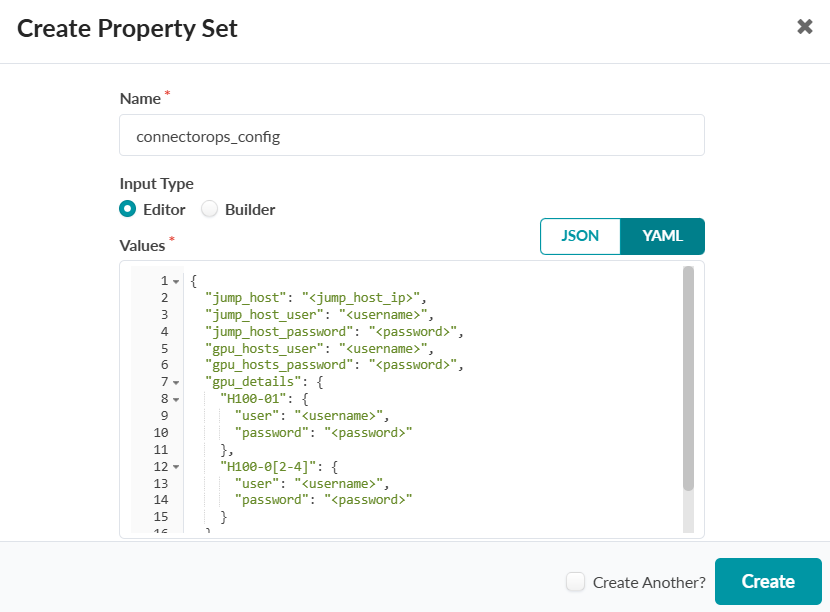
The following is an example Propery Set. Note that the jump_host details
are only required if your topology contains a jump host.
Name  connectorops_config
Values
{
  "jump_host": "<jump_host_ip>",
  "jump_host_user": "<username>",
  "jump_host_password": "<password>",
  "gpu_hosts_user": "<username>",
  "gpu_hosts_password": "<password>",
  "gpu_details": {
    "H100-01": {
      "user": "<username>",
      "password": "<password>"
    },
    "H100-0[2-4]": {
      "user": "<username>",
      "password": "<password>"
    }
  }
}
-
Enter a Name and define a Property Set configuration in Values.
Make sure to follow the proper naming convention.
-
Select the Property Set you created from the dropdown, and click Import Property
Set.
This triggers an event, and ConnectorOps uses the Property Set as input to generate the configuration.