Help us improve your experience.

Let us know what you think.

Do you have time for a two-minute survey?


Delete User Profile

  1. Either from the table view (Platform > User Management > Users) or the details view, click the Delete button for the user profile to delete. (User admin can't be deleted.)
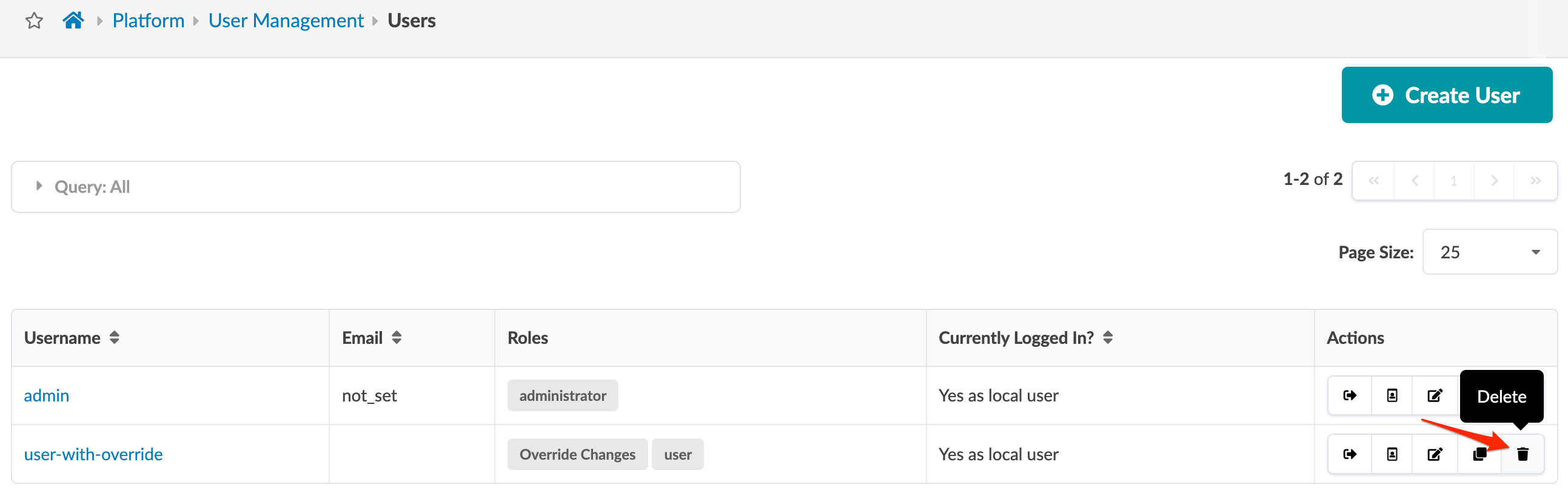
    User management interface showing list of users with columns for Username, Email, Roles, and Login status. Two users listed: admin and user-with-override. Actions include edit and delete icons. Create User button at top.
  2. Click Delete to delete the user profile and return to the table view.