Help us improve your experience.

Let us know what you think.

Do you have time for a two-minute survey?


Commit Check of Device Configurations

Configuration Check

Apstra provides a function to perform a Junos configuration check for all devices in a Blueprint from a simple user interface. This config check functionality is based upon the built-in functionality of Junos; it uses the devices config check utility to check the configuration before it is committed to see if there are any errors in the configuration. Config check is viewed from the Uncommitted area of the Blueprint.
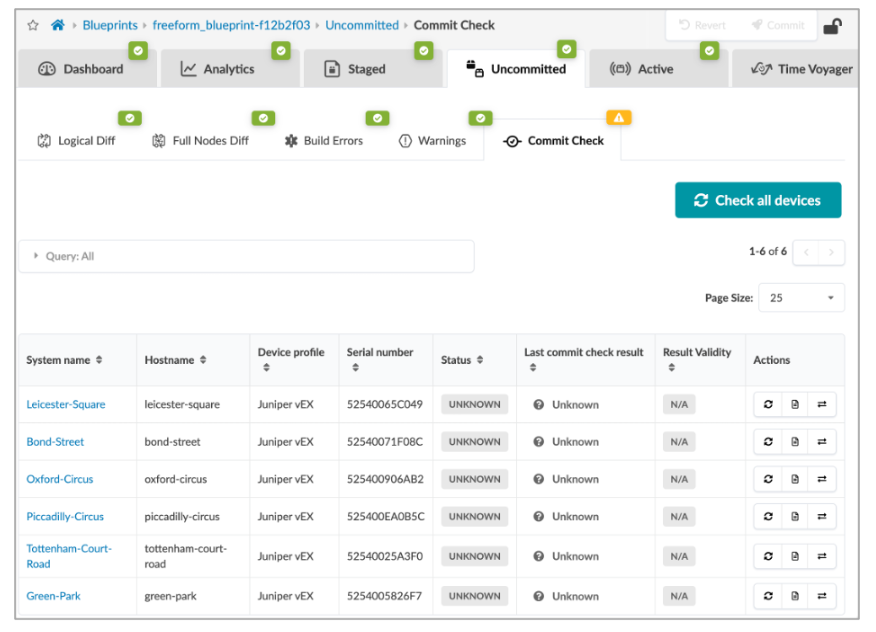
Network management tool interface showing navigation tabs like Dashboard and Analytics. In Uncommitted section with a device list table featuring columns for System Name, Hostname, and Device Profile. All devices have status UNKNOWN. Check all devices button at the bottom.

Note that the devices are listed with their Status and Result Validity; you can then perform the “Check All Devices” or check a single device.
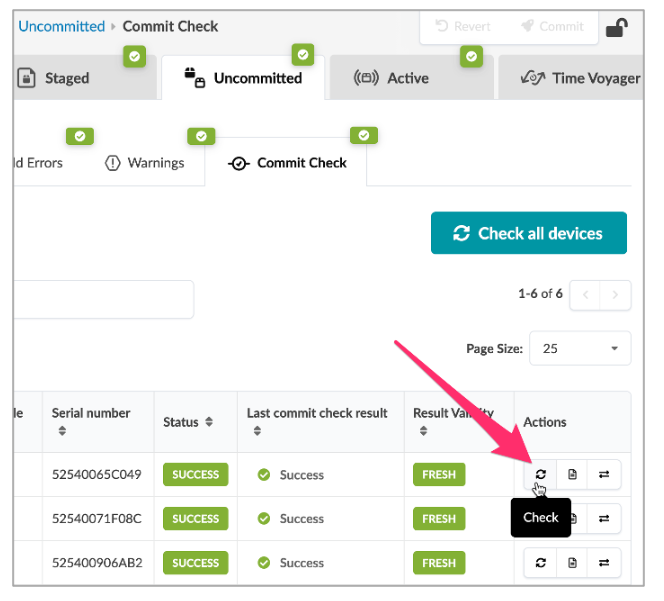
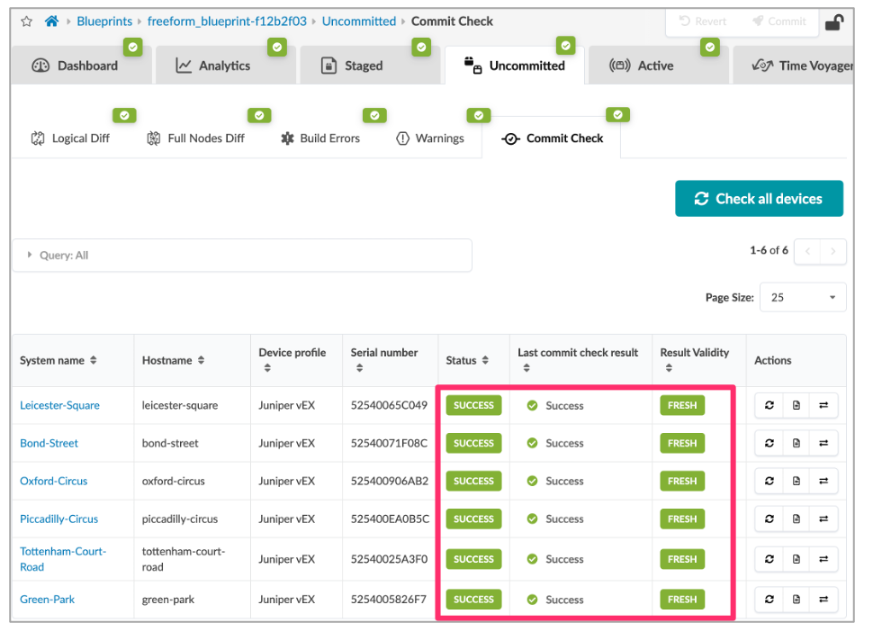
Commit Check interface under Uncommitted tab showing devices with serial number, status, and check actions. Pink arrow highlights Check button.Screenshot of a network management tool showing Commit Check for uncommitted changes with devices' system names, hostnames, device profiles, serial numbers, and statuses marked as SUCCESS. Tabs for navigation and a Check all devices button are present.

The results are straightforward and can be used before committing the changes to ensure that the config is properly committable.