Help us improve your experience.

Let us know what you think.

Do you have time for a two-minute survey?


Activate or Disable Drain Mode

Activate Drain Mode

Activate Drain Mode by switching devices to the Drain state in Juniper Apstra:
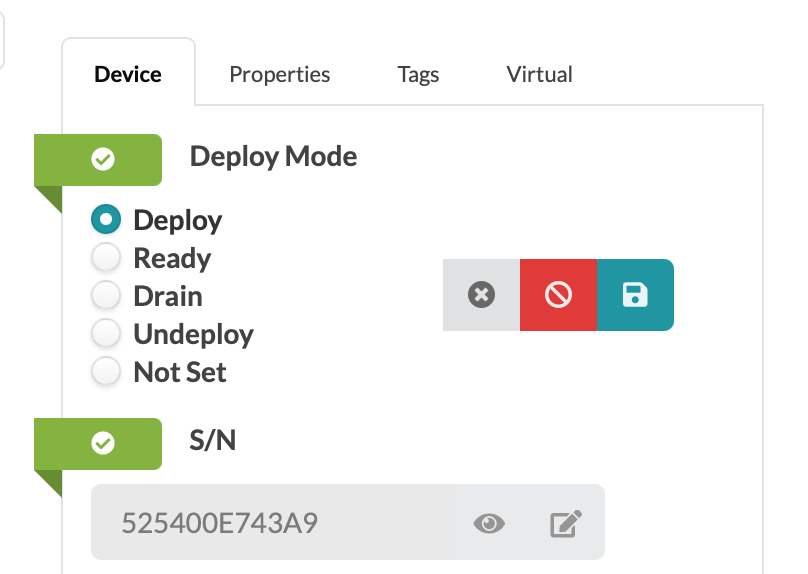

User interface for device deployment settings with Deploy Mode options: Deploy selected, Ready, Drain, Undeploy, Not Set. Buttons: cancel, disable, save. Serial number 525400E743A9, with view or edit options. Tabs: Device, Properties, Tags, Virtual.

Once the device is switched to Drain, the change must be completed with the Commit button. The following image shows an example workflow using the Drain functionality.
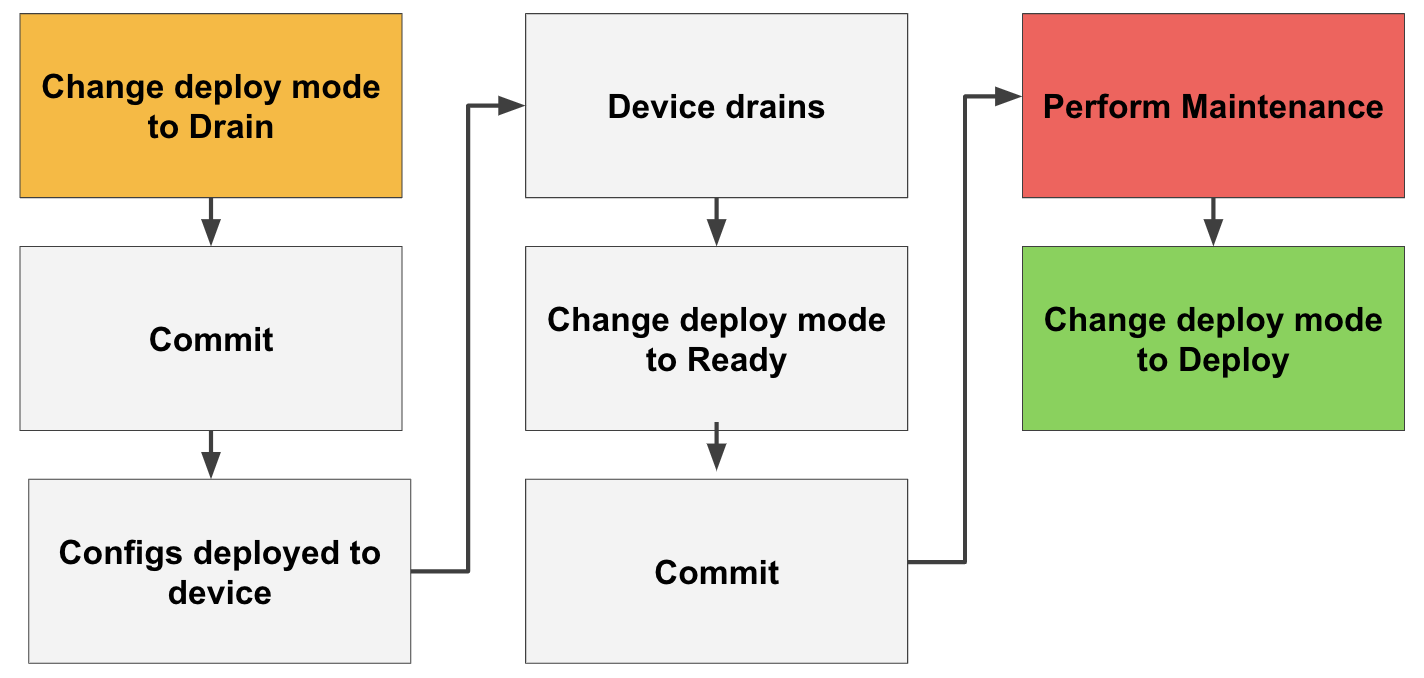
Flowchart showing device management: change mode to Drain, commit, deploy configs, device drains, perform maintenance, change mode to Ready, commit, change mode to Deploy.

Disable Drain Mode

To restore a device to service, switch the Deploy Mode setting back to Deploy, then Commit.