
Step 1: Begin
You can install Juniper Security Director on-premises and manage SRX Series Firewalls and vSRX Virtual Firewalls through a centralized web interface. This guide walks you through installing Juniper Security Director, onboarding your devices, and configuring Juniper Security Director to manage your devices.
Note:
This Quick Start is for Juniper Security Director 25.2.2 release. To access earlier versions, use the drop-down selector menu on the Juniper Security Director Documentation page.
Here’s the high-level order of installation and device onboarding workflow.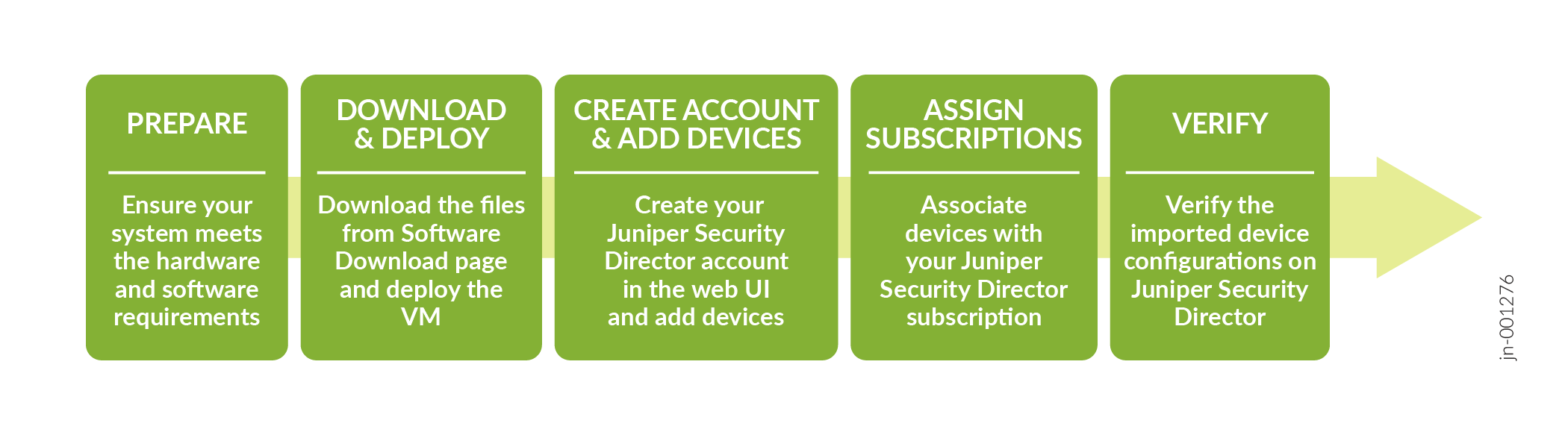
Deploy Juniper Security Director VM
Table 1 provides the deployment options for Juniper Security Director VM.
| Deployment option | Refer |
|---|---|
| Deploy Juniper Security Director Using VMware vSphere | Juniper Security Director Installation and Upgrade Guide |
| Deploy Juniper Security Director Using KVM | Juniper Security Director Installation and Upgrade Guide |