Help us improve your experience.

Let us know what you think.

Do you have time for a two-minute survey?


Step 1: Begin

This quick start walks you through the steps to onboard Juniper and non-Juniper devices to Juniper® Routing Director (formerly Juniper® Paragon Automation), so that the device can be managed, provisioned, and monitored through automated workflows. Use this guide if you are a user with the Super User or Network Admin role in Juniper Routing Director.

Note:

This quick start is for Juniper Routing Director Release 2.6.0. For documentation on releases earlier than release 2.6.0, see Juniper Paragon Automation Documentation.

Supported Network Devices

You can onboard ACX Series, MX Series, PTX Series, EX Series, QFX Series, SRX Series, Cisco devices, and Nokia 7750 SR-s devices listed in Supported Hardware to Routing Director and manage them.

Device Onboarding Workflow

Figure 1 shows the workflow to onboard a Juniper device to Routing Director.
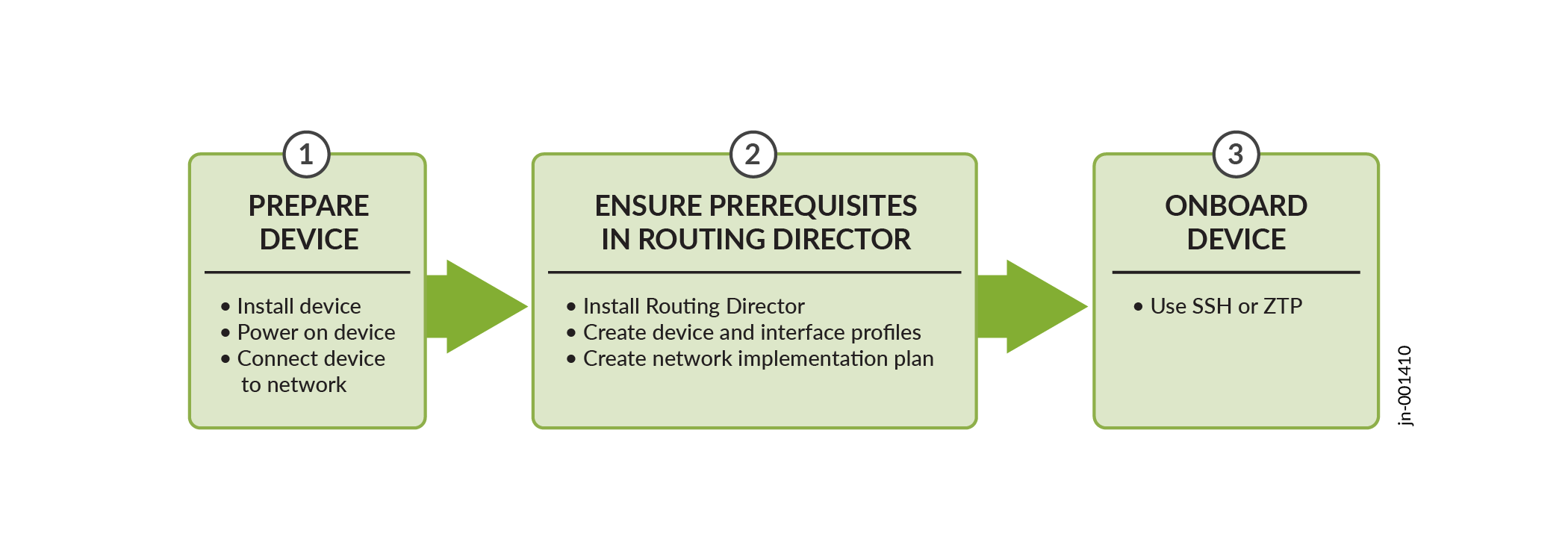
Figure 1: Workflow to Onboard a Juniper Device to Routing Director Workflow to Onboard a Juniper Device to Routing Director

Install the Device

Follow the instructions in the hardware documentation to unbox the device, mount it on a rack, and power on the device. For details about installing a device, follow the instructions in the model-specific Hardware Guide on the Supported Hardware page.

To install devices from other vendors, follow instructions from the respective vendors.

Prerequisites

Ensure that the following prerequisites are fulfilled before you onboard a device to Routing Director:
  1. Routing Director is installed. See Install Routing Director.
  2. A superuser in Routing Director has:
    1. Created an organization and a site to which the device can be onboarded.

      For information to create an organization, see Add an Organization and to create a site, see Add a Site.

    2. Added one or more users with the Network Admin role.

      For more information, see Invite Users.

  3. A superuser or a network administrator has:
    • In Routing Director, created:

    • On the device, checked if a firewall exists between Routing Director and the device. If a firewall exists, the firewall is configured to allow outbound access on TCP ports 443, 2200, 6800, 4189, and 32,767, and UDP port 162.