Replace Fans on the SRX4120
Maintaining the SRX4120 includes removing and installing the fans.
Fan modules in the SRX4120 are hot-removable and hot-insertable field-replaceable units (FRUs). You can remove and replace the fan modules without powering off the SRX4120 or disrupting the device functions.
Ensure that you have the following parts and tools:
-
An electrostatic discharge (ESD) grounding strap
-
An antistatic bag or an antistatic mat
-
A replacement fan module
-
A blank cover panel (in case you're not replacing the fan module)
-
A screwdriver
Ensure that you understand how to prevent electrostatic discharge (ESD) damage.
Remove Fans from the SRX4120
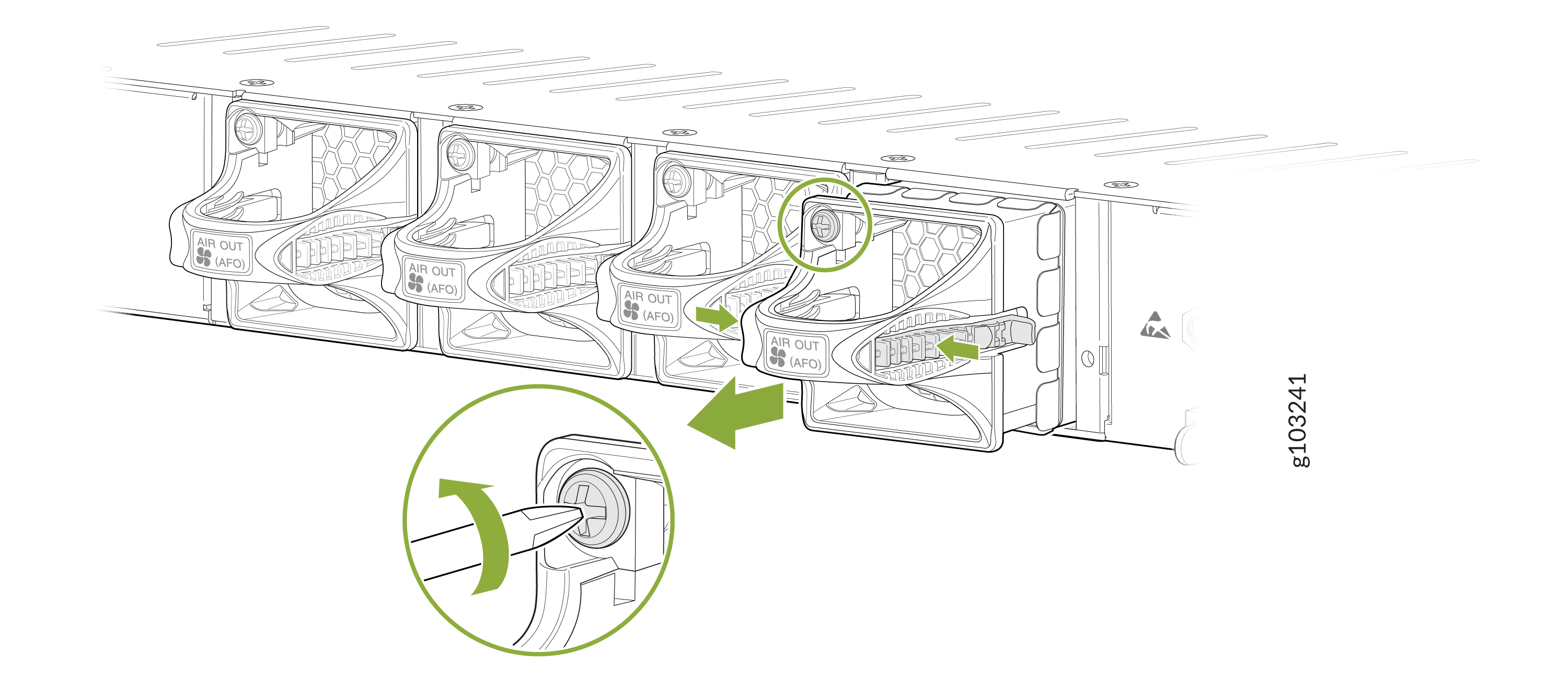
Remove the SRX-FAN-1RU-AFO from the SRX4120
Do not remove a fan unless you have a replacement fan available.
To remove the SRX-FAN-1RU-AFO from the SRX4120:
-
Grasp the handle on the fan module and pull it firmly to slide the fan module out of
the chassis.
Install Fans in the SRX4120
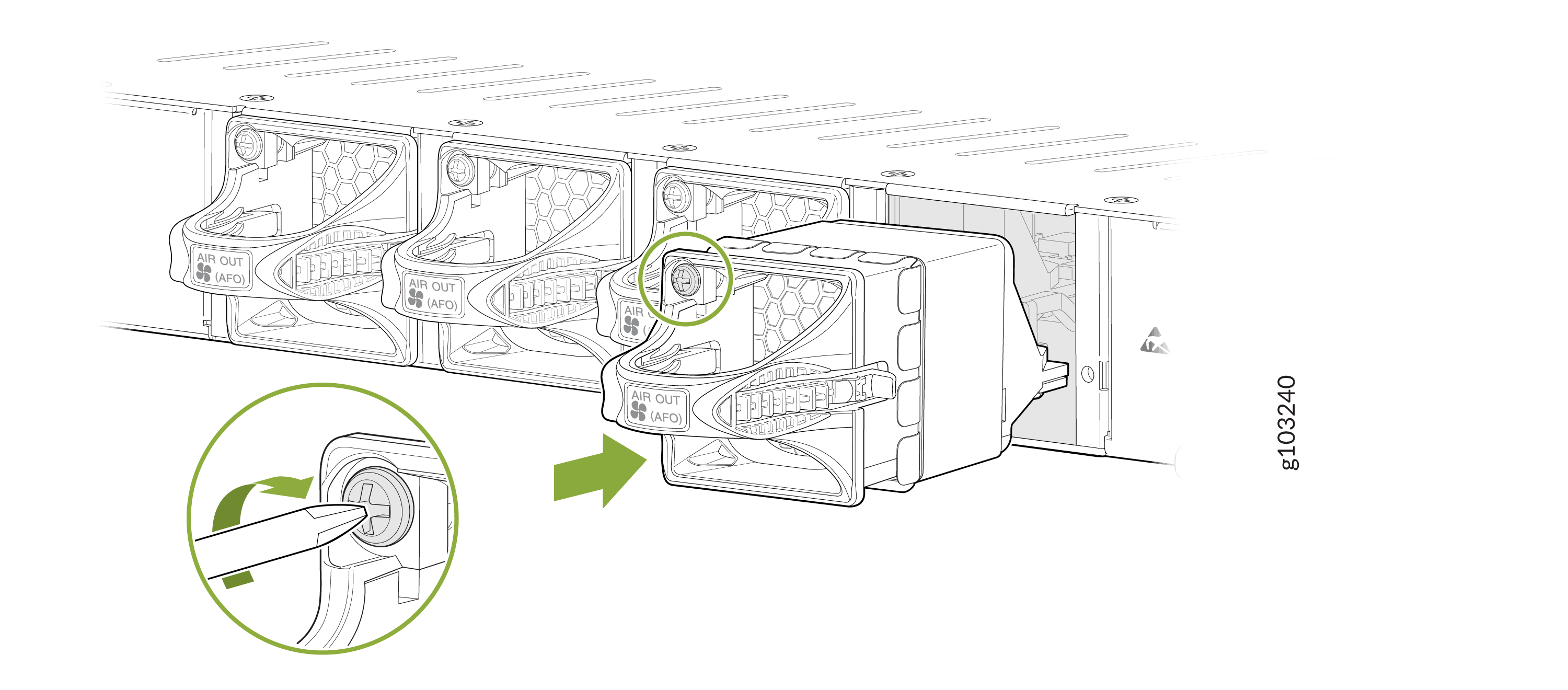
Install the SRX-FAN-1RU-AFO in the SRX4120
To install the SRX-FAN-1RU-AFO in the SRX4120:
-
Hold the handle of the fan module with one hand and support the weight of the module
with the other hand. Place the fan module in the fan module slot on the rear panel of the
switch and slide the module in until it is fully seated.