
ON THIS PAGE
SRX4120 Cooling System
The SRX4120 cooling system includes fan modules and status indicator LEDs.
You can install four fan modules (SRX-FAN-1RU-AFO) in the SRX4120 for 3+1 redundancy.
The fan modules in the SRX4120 are hot-insertable and hot-removable field-replaceable units (FRUs). You can install the fan modules in the fan module slots on the rear of the device.
Airflow
The SRX4120 has a front-to-back (AIR OUT) cooling system. Air is pulled through the front of the chassis toward the fans, which exhaust the air out of the device.
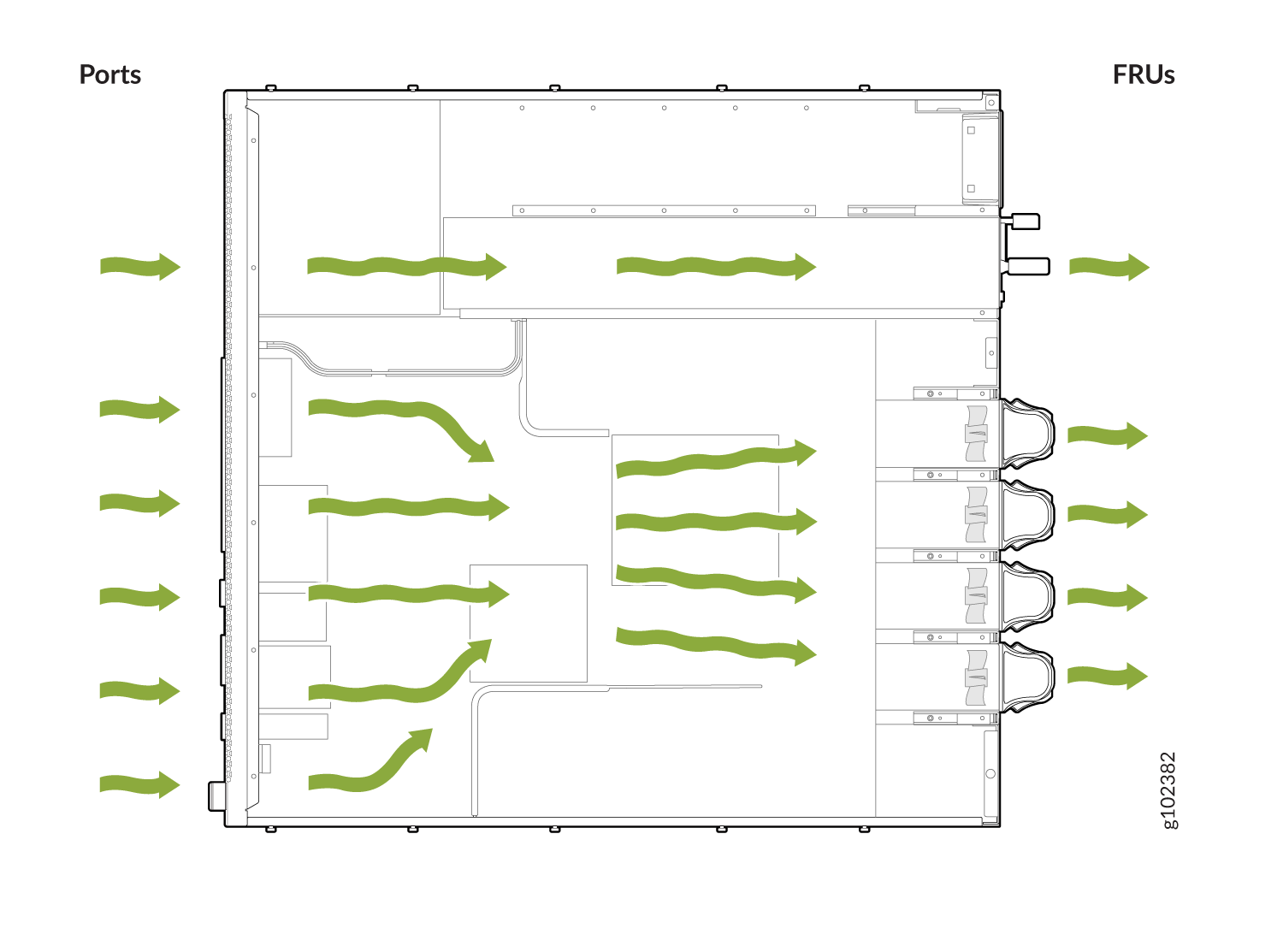
Power Supply Cooling System
The power supply units (PSUs) are self-cooling and are located at the rear of the SRX4120. There are multiple airflow ducts on the front of the chassis that provide fresh air to the PSUs to maintain the thermal requirements.
SRX-FAN-1RU-AFO
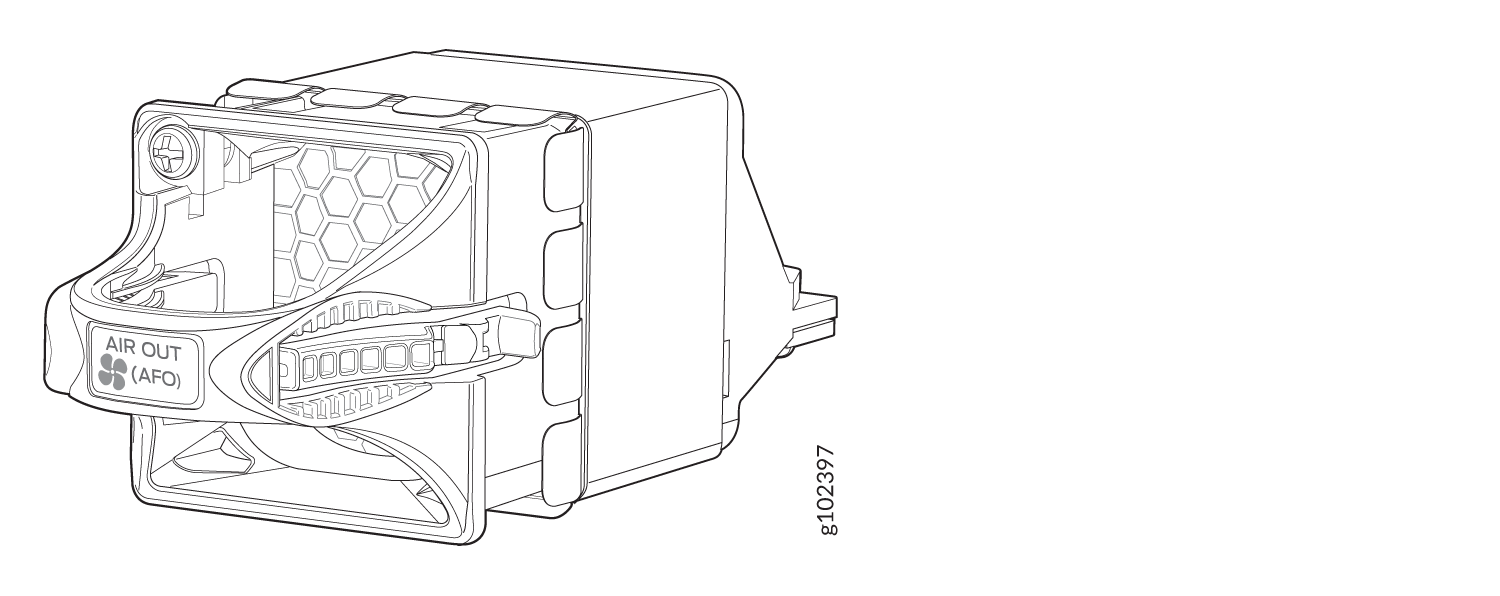
SRX-FAN-1RU-AFO Specifications
| Specification | Value |
|---|---|
|
Height |
1.61 in. (4.1 cm) |
|
Width |
1.61 in. (4.1 cm) |
|
Depth |
4.41 in. (11.2 cm) |
|
Weight |
0.16 lb (0.074 kg) |
|
Airflow |
AFO |
| Specification | Value |
|---|---|
|
Maximum power requirement |
17.28 W |
|
Typical power requirement |
14.4 W |
SRX-FAN-1RU-AFO LEDs
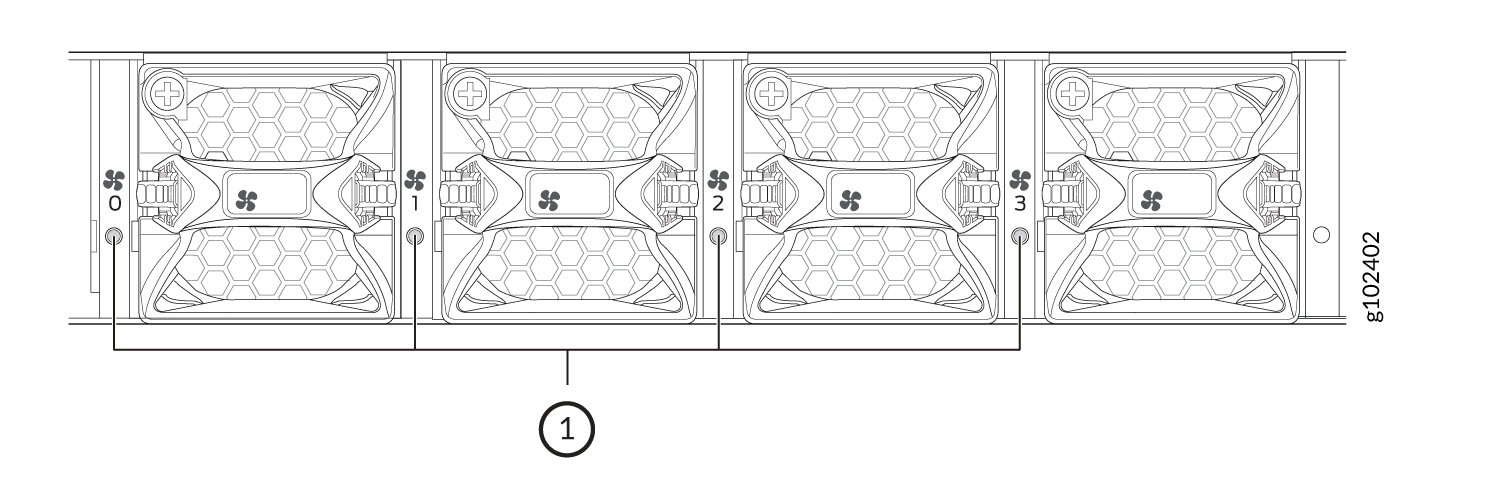
| Callout | State | Description |
|---|---|---|
|
1 |
Solid green |
The fan module is operating normally. The system has verified that the module is engaged, that the airflow is in the correct direction, and that the fan is operating correctly. |
|
Solid red |
The system has detected an error in the fan module. Replace the module immediately. Either the fan has failed, or it is seated incorrectly. To maintain proper airflow through the chassis, leave the fan module installed in the chassis until you are ready to replace it. |