
Maintain the Solid-State Drive in a QFX5241-32OD Switch
The QFX5241-32OD switch supports two 480-GB SSDs. You cannot install or remove the SSDs when the switch is up. You must shut down the switch before replacing the SSD. The SSDs are preinstalled in the switch.
Remove the Solid-State Drive from a QFX5241-32OD Switch
Before you remove a solid-state drive (SSD) from the device, ensure that you have taken the necessary precautions to prevent ESD damage.
Ensure that you have the following parts and tools available to remove an SSD from a QFX5241-32OD switch:
-
ESD grounding strap
-
Antistatic bag or an antistatic mat
-
Phillips (+) screwdriver, number 1
-
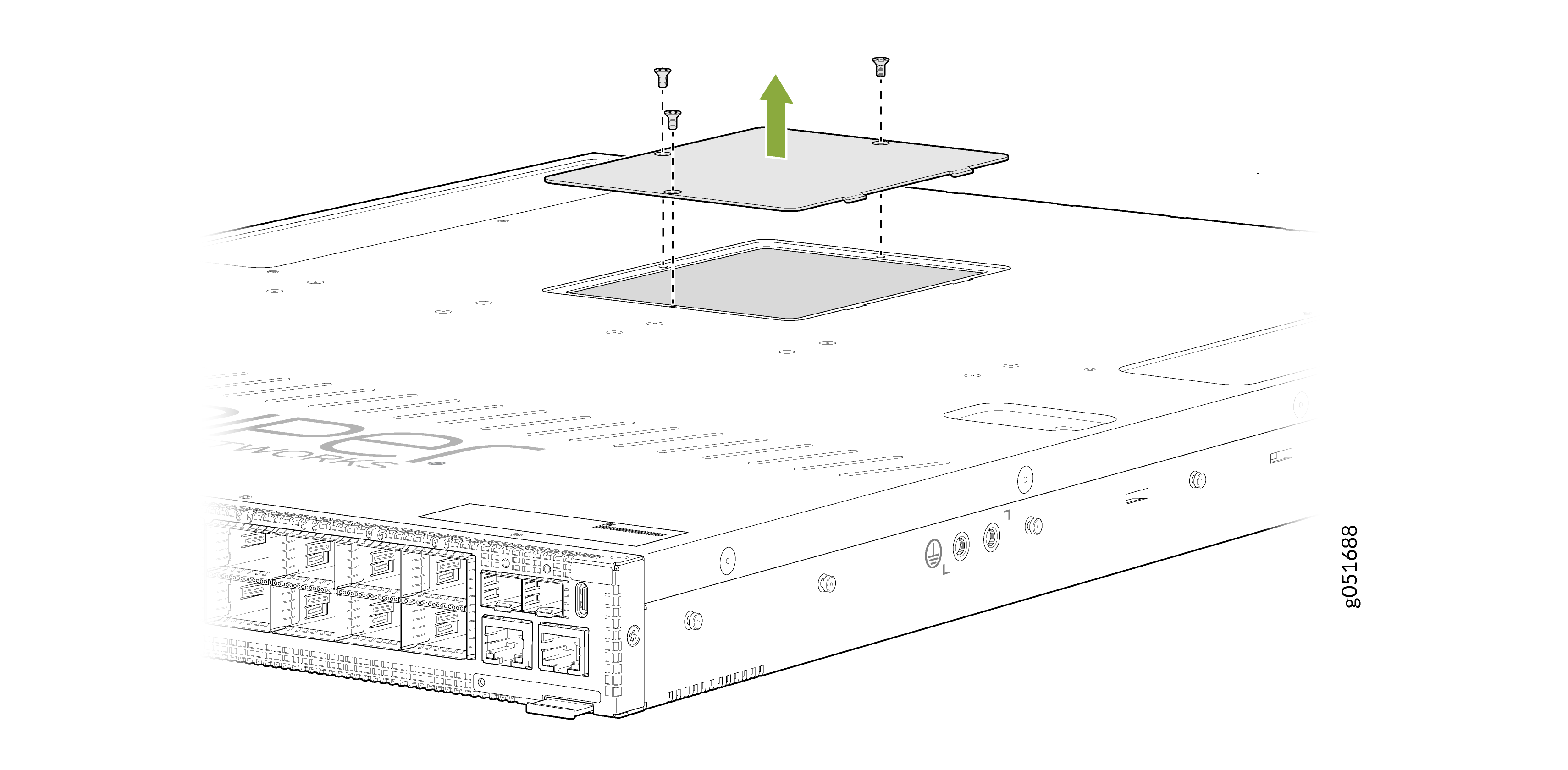
Remove the three screws securing the SSD cover plate by using the Phillips (+)
screwdriver.
Figure 1: Remove the SSD Cover Plate
-
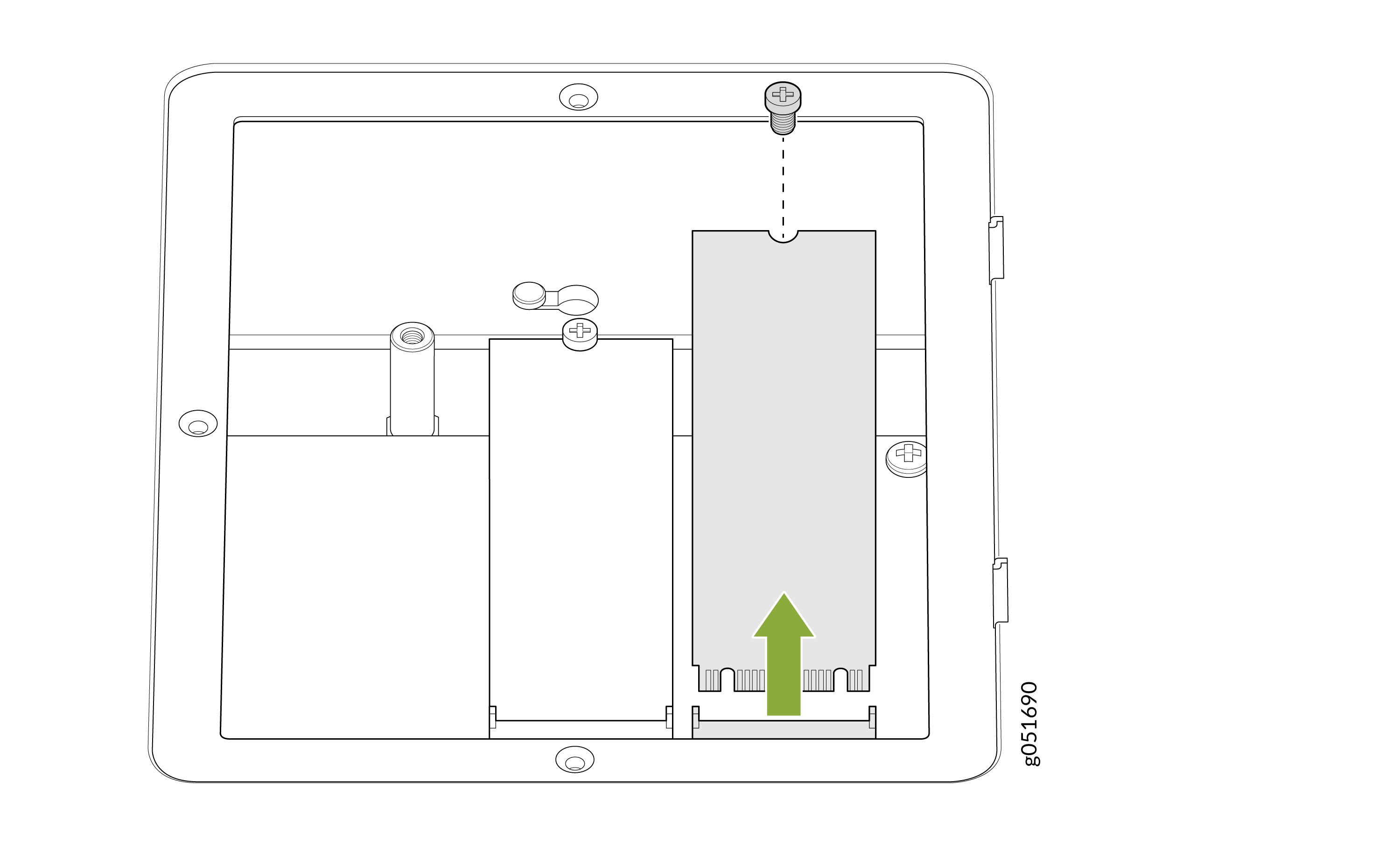
Remove the single screw holding the SSD in place and slide the drive out of its
slot.
Figure 2: Remove the SSDs
Install the Solid-State Drive in a QFX5241-32OD Switch
Before you install an SSD in the device, ensure that you have taken the necessary precautions to prevent ESD damage.
Ensure that you have the following parts and tools available to install an SSD in the QFX5241-32OD switch:
-
ESD grounding strap
-
Antistatic bag containing the SSD or an antistatic mat
-
Phillips (+) screwdriver, number 1
-
If the screws are not already removed, remove the three screws securing the SSD
cover plate by using the Phillips (+) screwdriver.
Figure 3: Remove the SSD Cover Plate
-
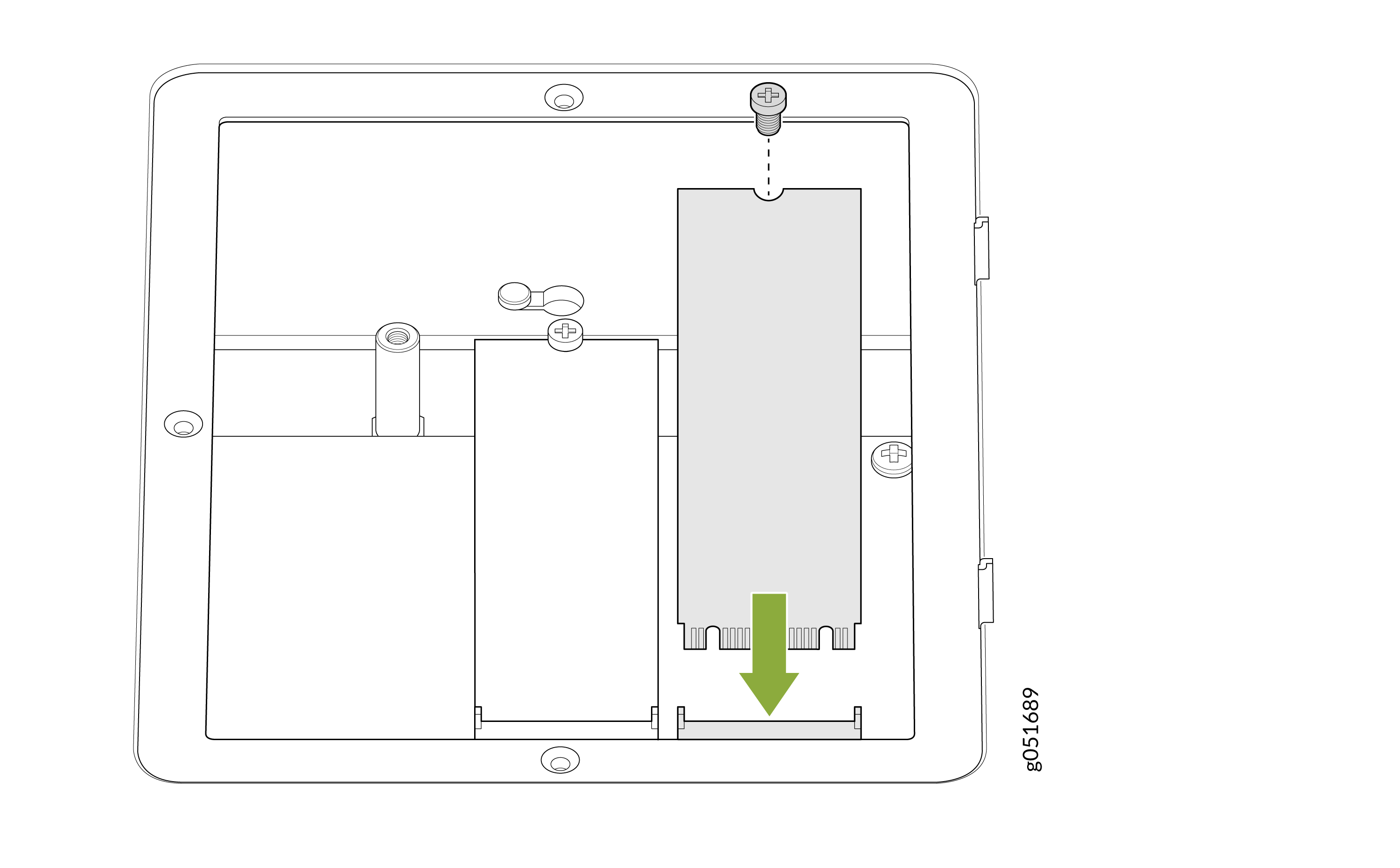
Slide the drive into the SSD slot and tighten the single screw holding the
SSD.
Figure 4: Install the SSD
-
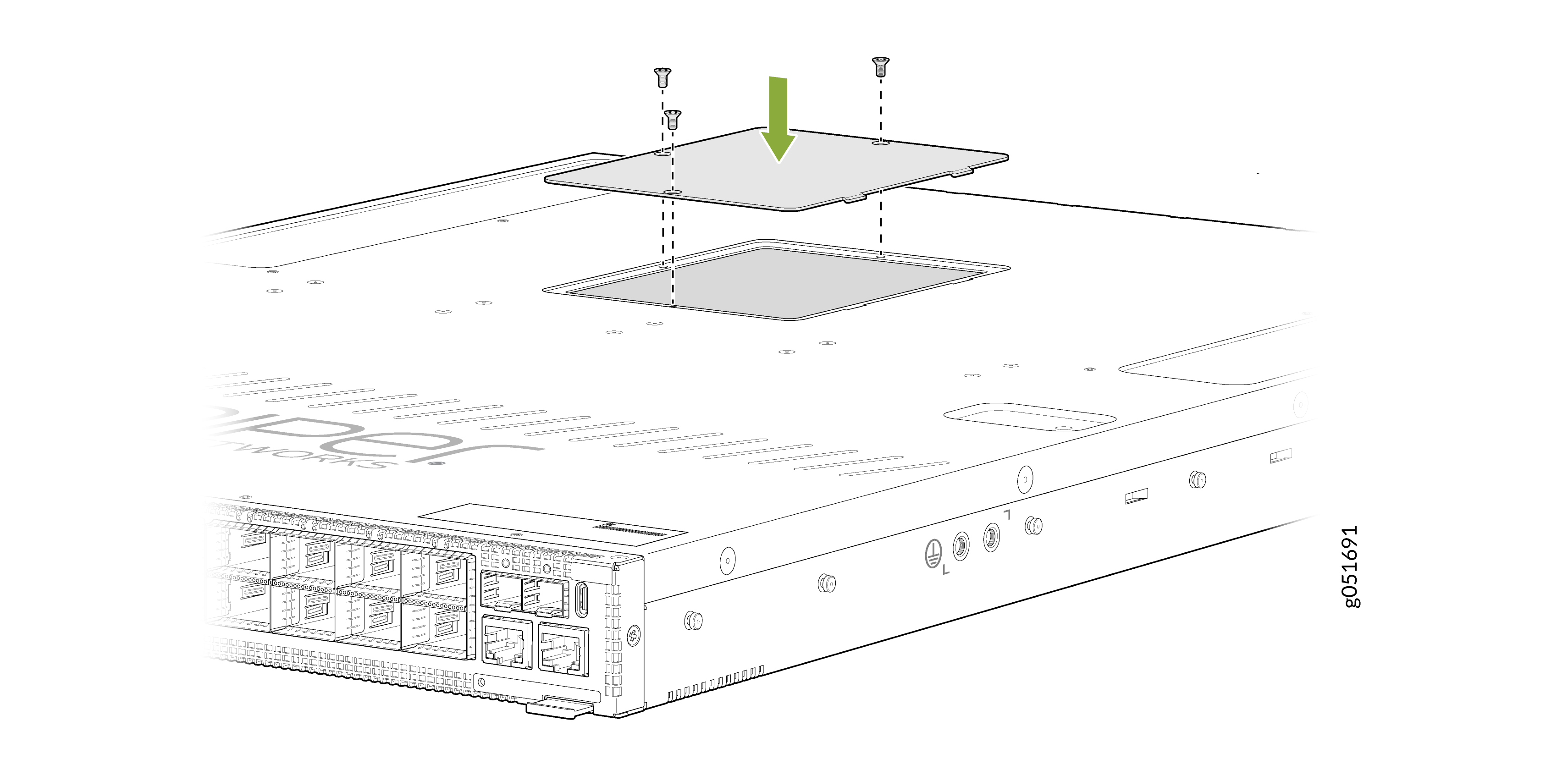
Place the SSD cover plate back on the chassis and tighten the three screws
securing the SSD cover plate.
Figure 5: Replace the SSD Cover Plate
 Note:
Note:QFX5241-32OD-DO-T1, the ORv3-compliant model of the QFX5241-32OD switch, follows the same SSD installation and removal procedure as the other QFX5241-32OD models.
For the QFX5241-32OD-DO-T1 model, observe the following SSD handling requirements during the RMA process:
- After you uninstall the switch from the ORv3 rack, remove the SSD before shipping the defective unit for replacement or repair.
- If you require SSD retention, zeroization, or purging for data security purposes, follow the applicable Statement of Volatility (SoV) or Letter of Volatility (LoV) guidance, along with your organization's data sanitization procedures.
- You may choose one of the following options:
- Retain the SSD and ship the defective unit without the SSD.
- Return the SSD with the defective unit as part of the RMA process.
- The decision to retain or return the SSD is at your discretion and should be based on your data security, compliance, and operational requirements.