
QFX5241-32OD Port Panel
The port panel of the QFX5241-32OD switch has 32 high-speed network ports. These ports support data transmission speeds of up to 800 Gbps. The 32 ports (numbered 0 to 31) in the QFX5241-32OD support octal small form-factor pluggable (OSFP) transceivers. For information about the optical transceivers and cables that support 800 Gbps transmission in QFX5241-32OD, see Hardware Compatibility Tool (HCT).
Apart from the 32 network ports in the ports panel, the QFX5241-32OD switch offers the following ports in the management panel:
-
Two SFP28 ports
-
One USB 3.0 (SS) port
-
One RJ-45 console (CONSOLE) port
-
One management (MGMT) port
-
Note: For information about the ports in management panel, see QFX5241-32OD Switch Management Panel.
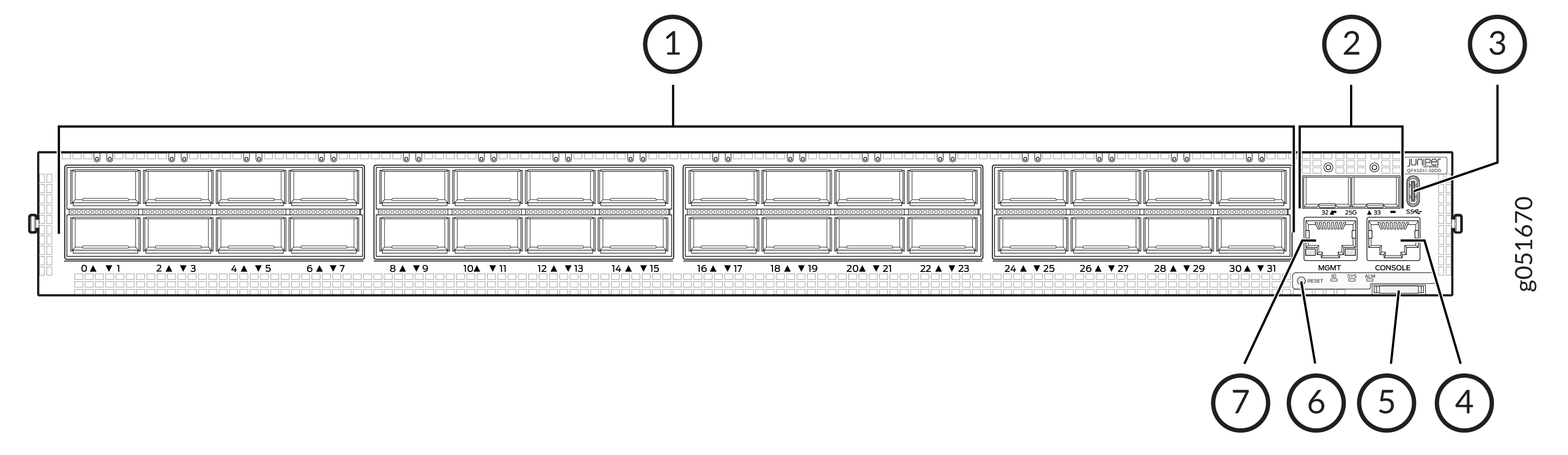
1 — Network ports panel (with 32 800GbE OSFP ports) | 5 — Pull tab |
2 — SFP28 ports | 6 — Status LEDs (ID, SYS, ALM) and reset (RST) button |
3 — USB 3.0 port (SS) | 7 — RJ-45 Management port (MGMT) |
4 — RJ-45 console port (CONSOLE) |
Not all front-panel ports on the QFX5240 and QFX5241 support high-power optics, such as 800G-ZR and 800G-ZR+. On the QFX5240-64OD and QFX5241-64QD platforms, only the front-panel ports in the middle rows (Rows 2 and 3) support high-power optics. Ports in Rows 1 and 4 do not support high-power optics. The ports that support high-power optics are 1, 2, 5, 6, 9, 10, 13, 14, 17, 18, 21, 22, 25, 26, 29, 30, 33, 34, 37, 38, 41, 42, 45, 46, 49, 50, 53, 54, 57, 58, 61, and 62. Before installing a high-power optic, use the Port Checker tool for this platform to verify port support.
QFX5241-32OD Network Port LEDs
The high-speed OSFP network ports on QFX5241-32OD use a single RGB LED to indicate link status, activity on the link, or a fault condition. With one LED per OSFP network port, there are 32 LEDs for the OSFP network ports.
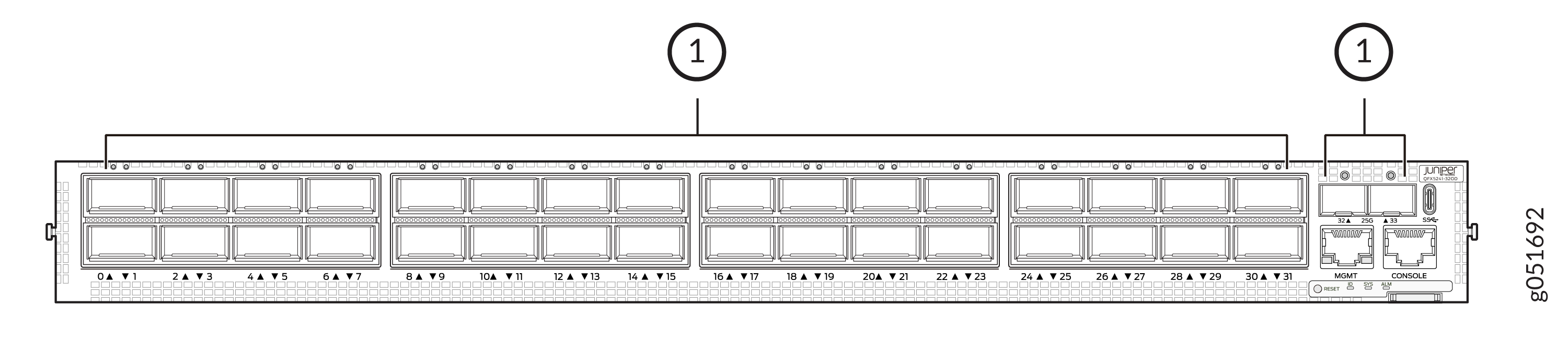
1 — Network port LEDs |
Table 1 explains the behavior of the nonchannelized network ports LEDs of the QFX5241-32OD switch.
|
Color |
State |
Description |
|---|---|---|
|
Unlit |
Off |
By default, the LED is unlit, so it is in the Off state. The LED can be unlit even when power is present and a transceiver is present in the port. |
|
The link is down. |
||
|
Transceiver is not installed. |
||
|
Green |
On steadily |
A 400-Gbps or 800-Gbps link is established, and there is link activity. |
|
Yellow |
On steadily |
The link is down or the port experiences a fault other than loss of signal or transceiver hardware failure. |
|
The link is down because of a remote error or because the port was disabled through the CLI. |
||
|
Red |
On steadily |
The link is down because the port or transceiver has a hardware failure. |