Replace Fans on the QFX5140
A part of the QFX5140 maintenance involves removing and installing the fan modules.
On the QFX5140, you can remove and replace up to one fan module without powering off the switch or disrupting the device functions.
Do not mix AFO and AFI modules in a single system configuration.
Before you remove or install a fan module, ensure that you have taken the necessary precautions to prevent electrostatic discharge (ESD) damage.
Ensure that you have the following parts and tools:
-
An electrostatic discharge (ESD) grounding strap
-
An antistatic bag or an antistatic mat
-
A replacement fan module
When replacing a fan module while the switch remains operational, ensure that only one module is replaced at a time. Complete each replacement within 240 seconds at an ambient temperature of 25°C, or within 60 seconds if the ambient temperature is between 35°C and 40°C.
Remove a Fan Module from the QFX5140
Remove a QFX5140-FANAO
This topic guides you through the steps to remove the QFX5140-FANAO fan module from the QFX5140.
-
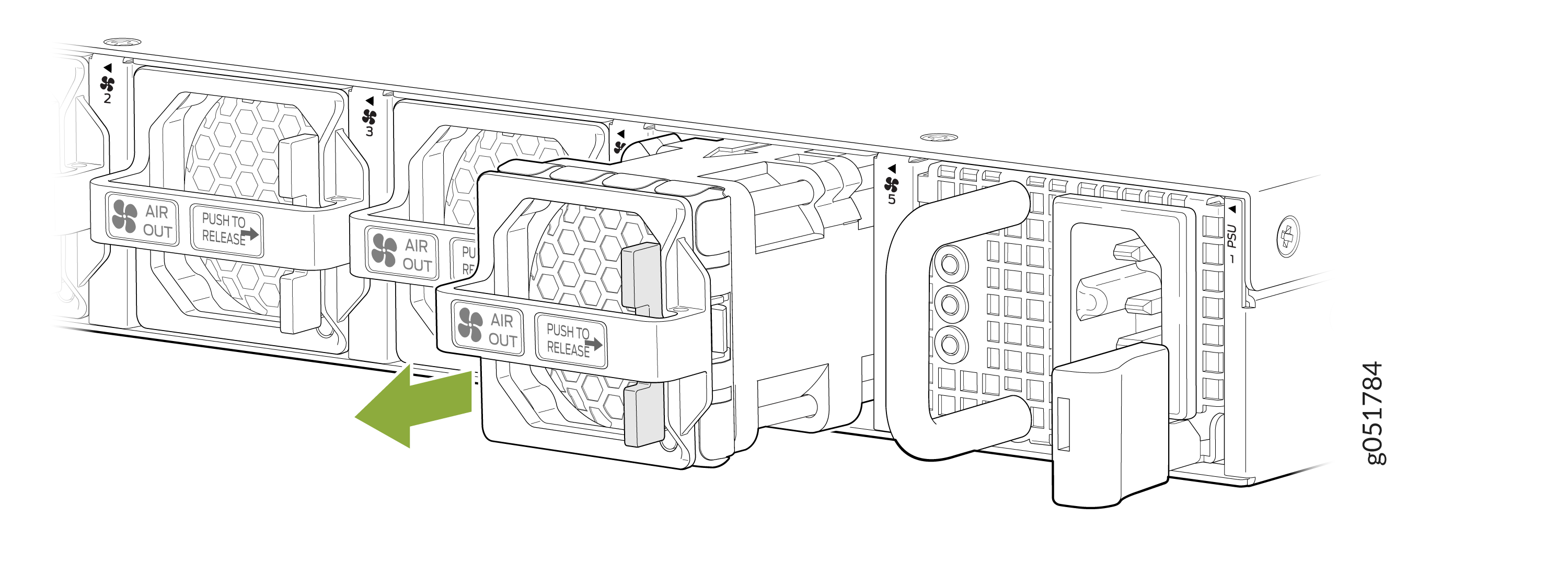
Firmly hold the handle on the fan module and push the release latch to
the right to release the fan module from the chassis. The direction in
which you must push the release latch is indicated by the Push to
Release label on the handle. See Figure 1.
Figure 1: Remove the Fan Module
 Warning:
To prevent injury, do not touch a fan with your hands or any tools when you slide the fan module out of the chassis—the fan might still be running.
Install a Fan Module in the QFX5140
Install a QFX5140-FANAO
This topic guides you through the steps to install the QFX5140-FANAO fan module in the QFX5140.
-
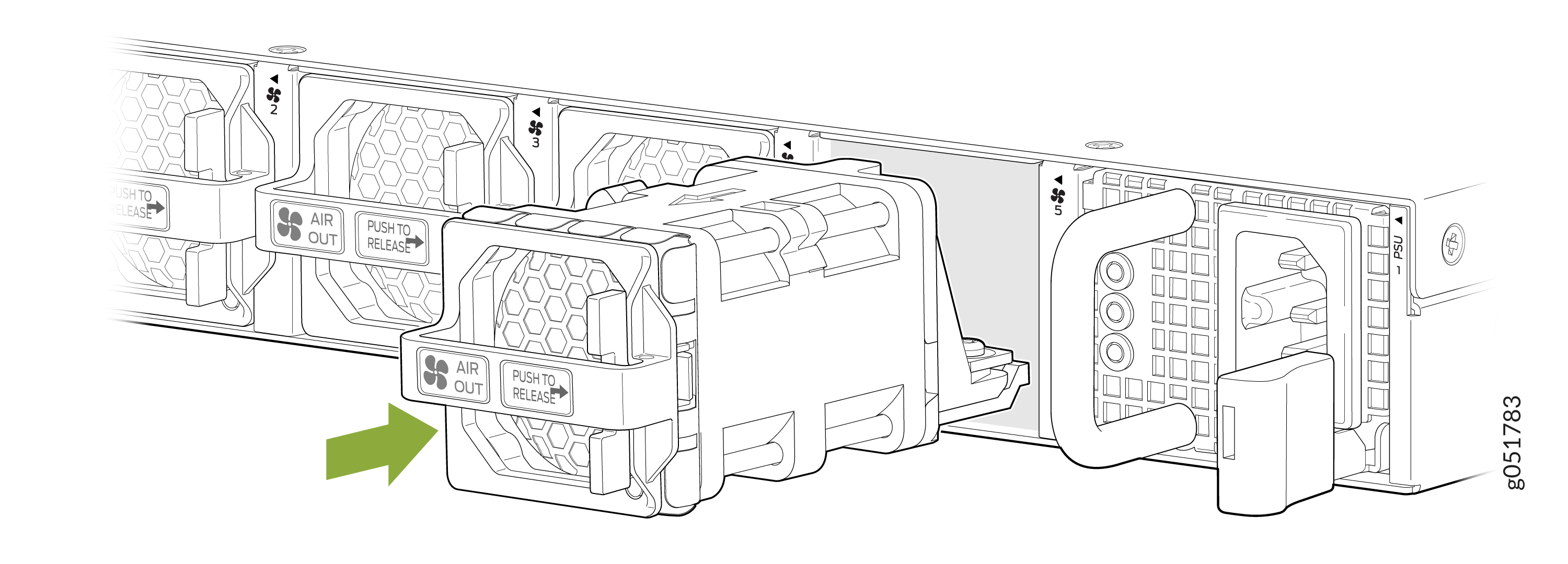
Align the fan module in the fan module slot on the rear panel of the
router and slide the module in until it is fully seated. You will hear a
distinct click sound when the fan module securely latches into position.
See Figure 2.
Figure 2: Install the Fan Module